
CloneSpy
CloneSpy: A capable free duplicate finder with strong link and checksum options for Windows. Ranked #18 of 37 in Duplicate File Finders by our editors (6.8/10); pricing: Free plan; best for free Windows users needing link management.
At a glance
- Editor score6.8 / 10
- PricingFree plan
- Best forFree Windows users needing link management
- Free planYes
- Paid fromFree
- Platform coverageWindows
- Facts checked25 Sep 2026
Where it wins
- Compares identical contents regardless of filename, date, time, or location
- Supports DVDs, network drives, checksum files, and local storage
- Replaces redundant files with shortcuts or NTFS hard links
Where it doesn't
- Windows-only platform coverage
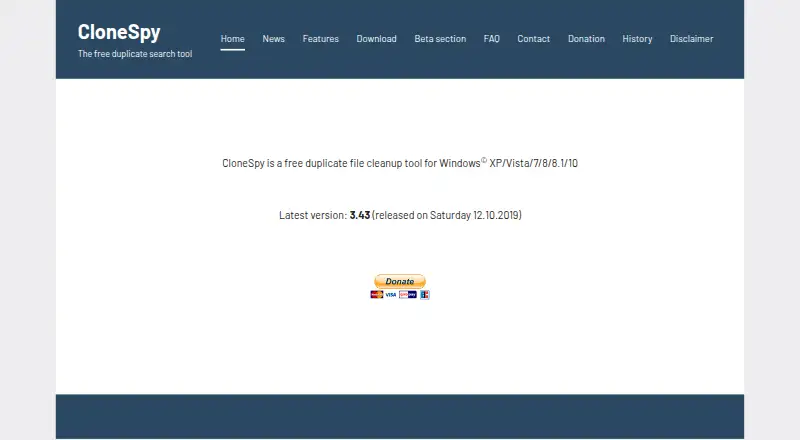
- Published version 3.43 dates to 2019
- Less focused on media-oriented duplicate management
Our verdict on CloneSpy
CloneSpy is a free Windows utility for locating duplicate and zero-length files across local folders and hard drives, DVDs, network drives, and checksum files. It suits Windows users who want detailed control over how duplicates are identified and what happens afterward, especially when link management, portable use, or batch processing matters. Files can be compared by identical content, filename, title, extension, similar size, zero-byte status, binary comparison, or checksums.
CloneSpy has one free plan, so the full feature set is available without paid tiers to compare. Its strongest depth is in duplicate handling: users can review results, apply selection automation, delete redundant files, move them to a specified folder, or send them to the recycle bin. It can also export duplicate lists, generate batch-file operations, and replace redundant files with shortcuts or NTFS hard links. Checksum files extend comparison to files stored on DVDs or hard drives, while folder exclusions and file previews support more controlled review.
The trade-off is focus and platform coverage. CloneSpy is available for Windows and supports standard or portable installation, but it is not positioned as a media-oriented duplicate manager and does not include AI features. The website lists version 3.43, released in 2019, which may matter to buyers prioritizing a more recently published release. Choose CloneSpy if free Windows access, broad matching methods, network or DVD scans, and link creation are central requirements. Choose an alternative if media-specific workflows, broader platform coverage, or newer-release signals are more important than granular file comparison and cleanup controls.
Your product? Our editors can test CloneSpy in depth and publish a review, labelled as paid · from $149/mo →
CloneSpy pricing
CloneSpy fact sheet
| Free plan | Yes |
|---|---|
| Paid from | Free |
| Platform coverage | Windows |
| Scan locations | Selected local folders and files; checksum files made from DVDs or hard drives can be used for comparisons. |
| Match methods | Binary content comparison; file name, title or extension; same name or title with similar size; zero-byte status. |
| File preview | Not verified |
| Automatic selection | Yes |
| Recycle Bin / Trash | Not verified |
| Folder exclusions | Yes |
| Deployment | Desktop |
| Platforms | Windows |
| Support | |
| Built for | Solo (editorial estimate) |
| Pricing | Free plan |
| Website | clonespy.com |
| Facts checked | 25 Sep 2026 |
Alternatives to CloneSpy
- AllDupA fully free Windows duplicate finder with broad matching and cleanup controls.9.0
- CzkawkaA free, scriptable duplicate finder for technical users across Windows, macOS, Linux, and Android.8.8
- Wise Duplicate FinderA Windows duplicate finder with free manual cleanup and Pro date-based selection.8.7


See all CloneSpy alternatives →
Used CloneSpy? Be the first to review it
The editor score above is our own research. What this page doesn't have yet is a reader's view — what you used CloneSpy for, what worked and what didn't. No stars are seeded and no review is paid for; an editor reads every one before it appears.
Write a reviewTwo minutes · verified accounts only · read by an editor before it appears
Featured on iTechGuides

CloneSpy is listed in our Duplicate File Finders directory. Add the badge to your site — it links back to this page.
<a href="https://www.itechguides.com/products/clonespy/"><img src="https://www.itechguides.com/best/badge/clonespy.svg" alt="Featured on iTechGuides" width="230" height="46"></a>
Reviewed by iTechGuides Editors · Editorial team · Updated Oct 2026
Advertiser disclosure: iTechGuides is reader-supported. Vendors can pay for top positions in our rankings and for a place on other products' pages, and we may earn a commission when you click some links. Bought places stand at the number bought; this page and our disclosure say so. Paying vendors may get a fuller, more detailed review from our editors, and that review can change their score. How we rank.
Last updated · How we research and update