Clock Signal
Clock Signal: A focused macOS and Linux emulator with low-latency output and cycle-accuracy goals. Ranked #36 of 53 in Multi-System Emulators by our editors (6.0/10); pricing: Open source; best for mac and Linux users valuing accurate emulation.
At a glance
- Editor score6.0 / 10
- PricingOpen source
- Best forMac and Linux users valuing accurate emulation
- Paid fromFree
- Facts checked20 Sep 2026
Where it wins
- Supports classic computers and consoles across several system families
- Single-click media loading with automatic machine configuration
- Signal-processed audio and video with low-latency output
Where it doesn't
- Available primarily through macOS and Linux builds
- Some systems require original machine ROMs
- Requires BIOS files for supported systems
Our verdict on Clock Signal
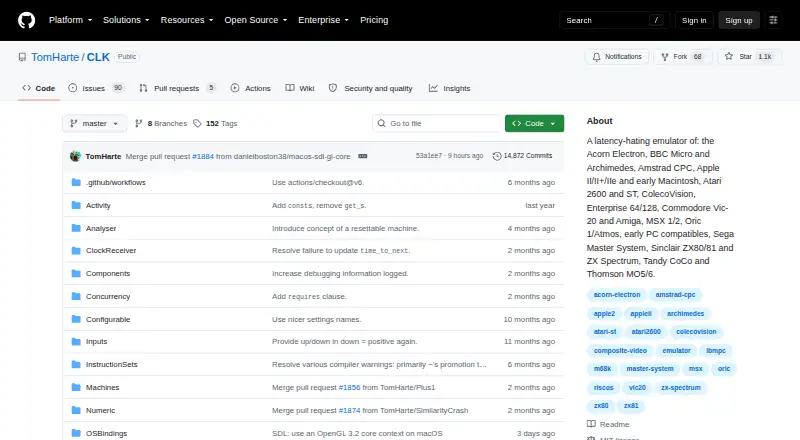
Clock Signal is an open-source desktop emulator for people who want to run software from classic computers and consoles on macOS or Linux. Its supported systems include the Acorn Electron, Amstrad CPC, Apple II, Atari 2600 and ST, BBC Micro, ColecoVision, Commodore systems, Macintosh, MSX, Oric, Sega Master System, Sinclair systems, Tandy CoCo, and Thomson MO5/6. The project is aimed at users who value emulation accuracy, low latency, and reproduction of period-appropriate audio and video behavior.
Its strongest advantage is the combination of automatic setup and detailed output processing. Single-click loading supports disk, tape, and ROM media, while automatic machine selection and configuration reduce the work required before starting a title. Clock Signal also emphasizes cycle-accurate emulation efforts, signal-processed composite video, signal-processed audio generation, and low-latency display and audio output. The native macOS build uses Metal, while SDL and Qt builds use OpenGL, giving the project a platform-specific option alongside cross-platform graphical builds.
Clock Signal is a good fit for Mac and Linux users who want one open-source application covering multiple classic systems and who care about timing and signal characteristics. It is less suitable for users seeking Android support or a broad general-purpose platform footprint. Some emulated systems require original machine ROMs, and those files are not included, so setup may still involve locating the necessary materials. Buyers should choose Clock Signal when accurate multi-system emulation and processed audiovisual output matter more than broad device coverage or a fully self-contained installation.
Your product? Our editors can test Clock Signal in depth and publish a review, labelled as paid · from $149/mo →
Clock Signal pricing
Clock Signal fact sheet
| Free plan | Not verified |
|---|---|
| Paid from | Free |
| Supported systems | Not verified |
| Android support | No |
| Arcade support | Not verified |
| Netplay | Not verified |
| BIOS required | Yes |
| Shader/upscaling | Not verified |
| License | Open-source |
| Deployment | Desktop |
| Platforms | macOS, Linux |
| Support | Docs |
| Built for | Solo, Small business (editorial estimate) |
| Pricing | Open source |
| Website | github.com |
| Facts checked | 20 Sep 2026 |
Alternatives to Clock Signal
- RetroArchA broad, free emulator hub with one interface for collections, cores, controls, and play.9.4
- FoxolFoxol combines multi-system emulation, cloud saves, and multiplayer across web, desktop, and mobile.9.1
- aresA broad, free desktop emulator with preservation-focused tools and system-specific BIOS requirements.8.8


See all Clock Signal alternatives →
Also Ranked In
Clock Signal is ranked in 3 of our directories.
Used Clock Signal? Be the first to review it
The editor score above is our own research. What this page doesn't have yet is a reader's view — what you used Clock Signal for, what worked and what didn't. No stars are seeded and no review is paid for; an editor reads every one before it appears.
Write a reviewTwo minutes · verified accounts only · read by an editor before it appears
Featured on iTechGuides

Clock Signal is listed in our Multi-System Emulators directory. Add the badge to your site — it links back to this page.
<a href="https://www.itechguides.com/products/clock-signal/"><img src="https://www.itechguides.com/best/badge/clock-signal.svg" alt="Featured on iTechGuides" width="230" height="46"></a>
Reviewed by iTechGuides Editors · Editorial team · Updated Oct 2026
Advertiser disclosure: iTechGuides is reader-supported. Vendors can pay for top positions in our rankings and for a place on other products' pages, and we may earn a commission when you click some links. Bought places stand at the number bought; this page and our disclosure say so. Paying vendors may get a fuller, more detailed review from our editors, and that review can change their score. How we rank.
Last updated · How we research and update