
ClassPoint
ClassPoint: A focused PowerPoint add-in for live quizzes, polls, Q&A, and classroom engagement. Ranked #16 of 30 in Interactive Presentation Software by our editors (6.5/10); pricing: Free plan · paid from $8/mo (annual); best for powerPoint-based classroom presenters.
At a glance
- Editor score6.5 / 10
- PricingFree plan · paid from $8/mo (annual)
- Best forPowerPoint-based classroom presenters
- Free planYes
- Paid from$8/mo
- Live pollsYes
- Facts checked19 Sep 2026
Where it wins
- Combines quizzes, polls, Q&A, word clouds, and annotations in PowerPoint
- AI-generated quiz questions turn presentation slides into activities
- Free plan plus Pro at USD 8/month billed annually
Where it doesn't
- PowerPoint is the only listed integration
- Basic limits sessions to 25 participants
- Premium features require a higher plan
Our verdict on ClassPoint
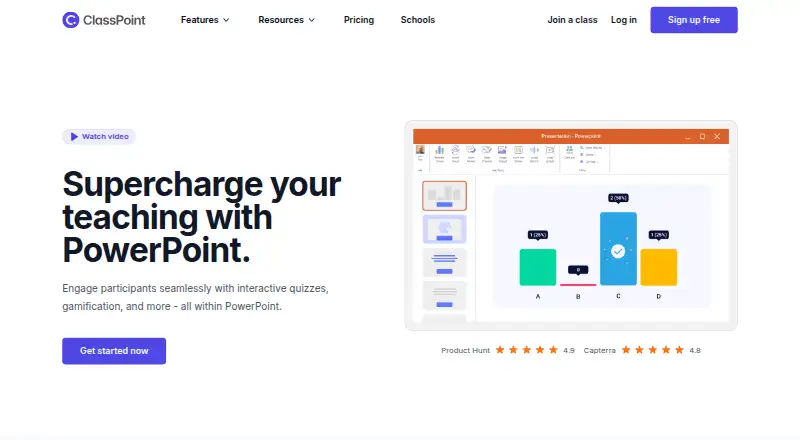
ClassPoint is an interactive presentation and student-engagement tool for educators and trainers who present with Microsoft PowerPoint. Presenters can run quizzes, polls, word clouds, live questions, gamified activities, annotations, timers, and whiteboard backgrounds without switching applications. Participants join from a browser using a class code, while presenters use the PowerPoint add-in or presenter web app. It is best suited to classroom presenters whose existing materials are built in PowerPoint.
The plan structure supports different audience sizes and activity needs. The Basic plan includes up to 25 participants, 20 free AI quiz credits, five questions per PowerPoint presentation, and basic gamification. Pro costs USD 8 per month when billed annually and raises the limit to 200 participants. It adds 500 AI quiz credits per month, quiz mode, unlimited questions per PowerPoint presentation, and unlimited saved classes. Premium supports up to 500 participants and adds live Q&A, grouping, webhook access, custom branding, and dedicated support. The free plan and Pro tier make ClassPoint a practical fit for smaller classes and presenters who want more quiz capacity.
Its standout strength is the breadth of engagement tools inside a PowerPoint-centered workflow. AI-generated questions, automatic marking and reports, stars, levels, badges, leaderboards, random name selection, draggable presentation objects, and multiple response formats cover both instruction and participation. The trade-off is platform focus: Microsoft PowerPoint is the only listed integration, and the product is listed for web and Windows. Choose ClassPoint if PowerPoint is central to your teaching or training sessions and you need live interaction; consider another option if you need a wider presentation ecosystem or a workflow outside PowerPoint.
ClassPoint pricing
All 3 ClassPoint plans and prices →
ClassPoint fact sheet
| Free plan | Yes |
|---|---|
| Paid from | $8/mo |
| Audience limit | 200 attendees |
| Live polls | Yes |
| Live quizzes | Yes |
| Live Q&A | Yes |
| Word clouds | Yes |
| Audience reactions | Yes |
| Presentation platform | Both |
| Deployment | Cloud, Desktop |
| Platforms | Web, Windows |
| Integrations | 1 integrations: Microsoft PowerPoint |
| Pricing | Free plan · paid from $8/mo (annual) (source) |
| Website | classpoint.io |
| Facts checked | 19 Sep 2026 |
ClassPoint integrations
ClassPoint lists 1 integrations on its own site.
- Microsoft PowerPoint
Alternatives to ClassPoint
- Poll EverywhereA mature presentation companion for live interaction, feedback, and reporting.9.4
- AhaSlidesA feature-rich interactive presenter with a free plan and affordable annual pricing.8.3
- Pigeonhole LiveA strong choice for moderated Q&A, live polling, and event interactions.7.9



See all ClassPoint alternatives →
Also listed in
Used ClassPoint? Be the first to review it
The editor score above is our own research. What this page doesn't have yet is a reader's view — what you used ClassPoint for, what worked and what didn't. No stars are seeded and no review is paid for; an editor reads every one before it appears.
Write a reviewTwo minutes · verified accounts only · read by an editor before it appears
Featured on iTechGuides

ClassPoint is listed in our Interactive Presentation Software directory. Add the badge to your site — it links back to this page.
<a href="https://www.itechguides.com/products/classpoint/"><img src="https://www.itechguides.com/best/badge/classpoint.svg" alt="Featured on iTechGuides" width="230" height="46"></a>
Reviewed by iTechGuides Editors · Editorial team · Updated Sep 2026
Advertiser disclosure: iTechGuides is reader-supported. We may earn a commission when you click some links. How we rank.
Last updated · How we research and update