CDEmu
CDEmu: A focused, format-rich virtual drive for Linux users working with optical images. Ranked #11 of 24 in Virtual Drive Software by our editors (8.2/10); pricing: Free plan; best for linux users needing broad optical-image support.
At a glance
- Editor score8.2 / 10
- PricingFree plan
- Best forLinux users needing broad optical-image support
- Free planYes
- Paid fromNone
- Founded2003
- Facts checked20 Sep 2026
Where it wins
- Supports a wide range of optical-image and container formats
- Offers both CLI controls and a GTK control application
- Includes automounting and experimental Blu-ray recording emulation
Where it doesn't
- Linux-only platform coverage
- Blu-ray recording emulation is experimental
- The latest release announcement is dated 2018
Our verdict on CDEmu
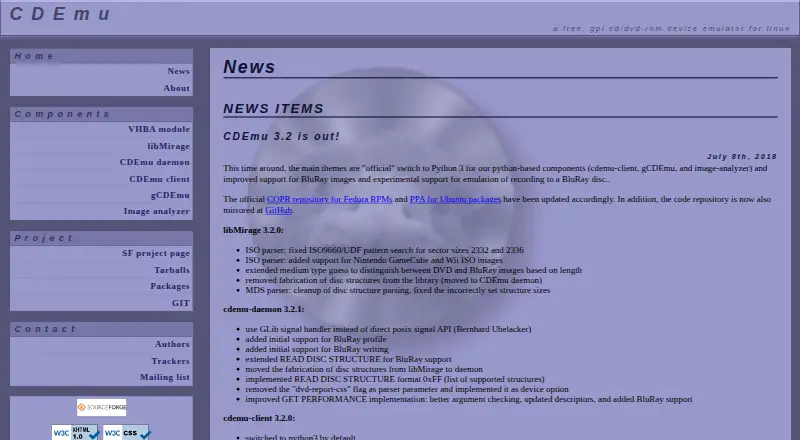
CDEmu is free, GPL-licensed software that emulates optical drives and discs within Linux. It is designed for Linux users who need to load CD-ROM and DVD-ROM images into virtual drives, then mount and access the emulated media. The project combines a kernel module, userspace daemon, libMirage image-access library, and command-line or GTK clients, giving users both graphical and terminal-based control.
Its strongest advantage is breadth. CDEmu documents support for MDS, MDX, B5T, B6T, CCD, SUB, IMG, CUE, BIN, TOC, CDI, CIF, C2D, ISO, NRG, UDF, DMG, CDR, CSO, ECM, GZ, GBI, WAV, FLAC, DAA, ISZ, and XZ formats. Automounting can reduce repeated manual steps, while CLI controls cover loading, unloading, and inspecting devices. The GTK application provides a graphical option, and experimental Blu-ray recording emulation extends the project beyond standard CD-ROM and DVD-ROM mounting.
CDEmu is a strong fit when Linux compatibility, open-source licensing, and optical-image coverage matter more than cross-platform access. Its scope is intentionally focused on virtual optical media rather than a broader drive-management ecosystem. Linux-only support rules it out for users who need Windows or macOS coverage, and the dated 2018 release announcement is a consideration for buyers evaluating project activity. Choose CDEmu for a free Linux-based virtual drive with extensive format support; look elsewhere when platform breadth or a more recently announced release is a priority.
CDEmu pricing
CDEmu fact sheet
| Free plan | Yes |
|---|---|
| Paid from | None |
| Image formats | MDS, MDX, B5T, B6T, CCD, SUB, IMG, CUE, BIN, TOC, CDI, CIF, C2D, ISO, NRG, UDF, DMG, CDR, CSO, ECM, GZ, GBI, WAV, FLAC, DAA, ISZ, XZ |
| Max virtual drives | Not verified |
| Virtual disk files | Not verified |
| Optical image mounting | Yes |
| Write images | Not verified |
| Supported platforms | Linux |
| Persistent mounts | Not verified |
| Deployment | Desktop |
| Platforms | Linux |
| Built for | Solo, Small business (editorial estimate) |
| Pricing | Free plan |
| Website | cdemu.sourceforge.io |
| Facts checked | 20 Sep 2026 |
Alternatives to CDEmu
- DAEMON Tools LiteA broad Windows virtual-drive toolkit with a capable free license and four-device limit.9.3
- WinCDEmuA flexible, free Windows utility for mounting and managing optical-image files.9.2
- ImDiskA free, flexible Windows driver for mounting images and creating virtual disks.9.1



Used CDEmu? Be the first to review it
The editor score above is our own research. What this page doesn't have yet is a reader's view — what you used CDEmu for, what worked and what didn't. No stars are seeded and no review is paid for; an editor reads every one before it appears.
Write a reviewTwo minutes · verified accounts only · read by an editor before it appears
Featured on iTechGuides

CDEmu is listed in our Virtual Drive Software directory. Add the badge to your site — it links back to this page.
<a href="https://www.itechguides.com/products/cdemu/"><img src="https://www.itechguides.com/best/badge/cdemu.svg" alt="Featured on iTechGuides" width="230" height="46"></a>
Reviewed by iTechGuides Editors · Editorial team · Updated Oct 2026
Advertiser disclosure: iTechGuides is reader-supported. Vendors can pay for top positions in our rankings and for a place on other products' pages, and we may earn a commission when you click some links. How we rank.
Last updated · How we research and update