
CardioLog Analytics
CardioLog Analytics: A specialized analytics suite for Microsoft 365 adoption, engagement, and portal performance. Ranked #91 of 139 in Web Analytics Tools by our editors (3.0/10); pricing: Paid; best for microsoft 365 and SharePoint analytics teams.
At a glance
- Editor score3.0 / 10
- PricingPaid
- Best forMicrosoft 365 and SharePoint analytics teams
- Free planNo
- Event trackingYes
- Facts checked20 Sep 2026
Where it wins
- Deep integrations across SharePoint, Microsoft 365, and related tools
- Funnels, heatmaps, event tracking, dashboards, and real-time reporting
- Power BI integration plus APIs for custom events and data export
Where it doesn't
- No free plan is offered
- Advanced maps, funnels, and data export are listed under Enterprise
- The product is specialized around Microsoft ecosystem analytics
Our verdict on CardioLog Analytics
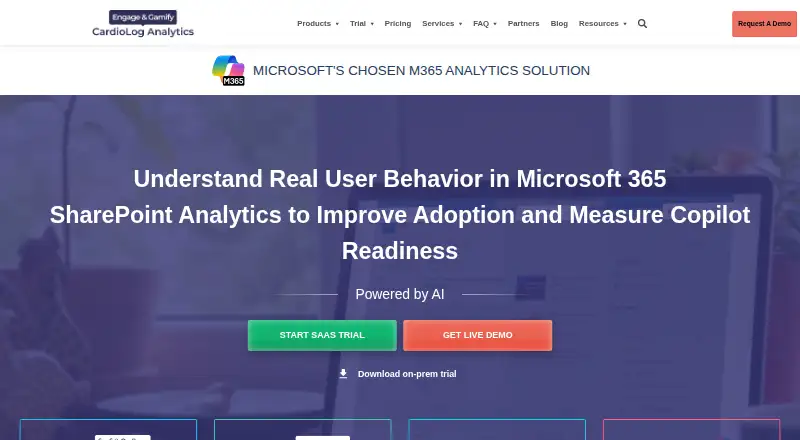
CardioLog Analytics is a web analytics product for measuring usage, engagement, adoption, and portal performance across SharePoint and Microsoft 365 environments. It is aimed at small and midsize businesses, enterprises, governments, and educational organizations managing intranets, collaboration platforms, and related portals. The product supports SaaS and on-premises deployments and covers Microsoft Teams, OneDrive, Viva Engage, Exchange, and other connected environments alongside SharePoint.
Its strongest fit is the Microsoft ecosystem. Integrations include Microsoft SharePoint, Microsoft 365, Microsoft Teams, Microsoft OneDrive, Microsoft Viva Engage, Microsoft Exchange, Power BI, Active Directory, SharePoint User Profiles, Dynamics CRM, and Salesforce. Reporting capabilities include custom dashboards, scheduled reports with email distribution, visitor segmentation, behavioral targeting, custom event and interaction tracking, real-time reporting, and ad hoc queries. Power BI integration and the Data Export API extend the reporting workflow for teams that need to connect portal analytics with broader business reporting.
The plans separate capacity and analysis depth. Standard includes SharePoint usage reports, custom dashboards, scheduled reports, 250,000 events per month, and one year of history data. Professional adds predefined KPIs, capacity for 1,000,000 events per month, and data collection filters. Enterprise lists click, heat, and scroll maps, unlimited events, the Data Export API, and goal and funnel analysis. SaaS pricing is pay-as-you-go based on tracked-platform users, while the product is also available through on-premises licensing. CardioLog Analytics suits teams that need detailed Microsoft portal analytics and ecosystem integration; organizations seeking a general-purpose analytics tool outside that environment should consider a broader-focused alternative.
Questions about CardioLog Analytics
What does CardioLog Analytics run on? Web. It runs in the cloud and self-hosted.
What does CardioLog Analytics integrate with? 11 integrations, including Microsoft SharePoint, Microsoft 365, Microsoft Teams, Microsoft OneDrive and Microsoft Viva Engage.
Who is CardioLog Analytics built for? Small businesses, mid-market companies and enterprises (our editorial estimate).
Your product? Our editors can test CardioLog Analytics in depth and publish a review, labelled as paid · from $149/mo →
CardioLog Analytics pricing
All 3 CardioLog Analytics plans and prices →
CardioLog Analytics fact sheet
| Free plan | No |
|---|---|
| Paid from | Not verified |
| Monthly visitor limit | Not verified |
| Event tracking | Yes |
| Conversion funnels | Yes |
| Session recordings | Yes |
| Data retention | Not verified |
| Ecommerce tracking | Not verified |
| API access | Yes |
| Deployment | Cloud, Self-hosted |
| Platforms | Web |
| Compliance & security | GDPR, 2FA |
| Support | Tickets, Docs |
| Built for | Small business, Mid-market, Enterprise (editorial estimate) |
| Integrations | 11 integrations: Microsoft SharePoint, Microsoft 365, Microsoft Teams, Microsoft OneDrive, Microsoft Viva Engage, Microsoft Exchange … |
| Pricing | Paid (source) |
| Website | intlock.com |
| Facts checked | 20 Sep 2026 |
CardioLog Analytics integrations
CardioLog Analytics lists 11 integrations on its own site.
- Microsoft SharePoint
- Microsoft 365
- Microsoft Teams
- Microsoft OneDrive
- Microsoft Viva Engage
- Microsoft Exchange
- Microsoft Power BI
- Active Directory
- SharePoint User Profiles
- Dynamics CRM
- Salesforce
Alternatives to CardioLog Analytics
- Google AnalyticsA broad, no-cost analytics platform covering web, app, marketing, and ecommerce measurement.9.4
- MatomoA broad, privacy-focused analytics platform with free self-hosting and paid expansion tiers.9.2
- Adobe AnalyticsA deep Adobe-centered analytics suite for teams that need behavioral, funnel, and attribution analysis.9.0



See all CardioLog Analytics alternatives →
Used CardioLog Analytics? Be the first to review it
The editor score above is our own research. What this page doesn't have yet is a reader's view — what you used CardioLog Analytics for, what worked and what didn't. No stars are seeded and no review is paid for; an editor reads every one before it appears.
Write a reviewTwo minutes · verified accounts only · read by an editor before it appears
Featured on iTechGuides

CardioLog Analytics is listed in our Web Analytics Tools directory. Add the badge to your site — it links back to this page.
<a href="https://www.itechguides.com/products/cardiolog-analytics/"><img src="https://www.itechguides.com/best/badge/cardiolog-analytics.svg" alt="Featured on iTechGuides" width="230" height="46"></a>
Reviewed by iTechGuides Editors · Editorial team · Updated Nov 2026
Advertiser disclosure: iTechGuides is reader-supported. Vendors can pay for top positions in our rankings and for a place on other products' pages, and we may earn a commission when you click some links. Bought places stand at the number bought; this page and our disclosure say so. Paying vendors may get a fuller, more detailed review from our editors, and that review can change their score. How we rank.
Last updated · How we research and update