
CamLooper
CamLooper: A focused free virtual camera for looping prerecorded video in meetings and streams. Ranked #33 of 34 in Virtual Camera Software by our editors (5.4/10); pricing: Free plan; best for users looping prerecorded video as a virtual camera.
At a glance
- Editor score5.4 / 10
- PricingFree plan
- Best forUsers looping prerecorded video as a virtual camera
- Free planYes
- Paid fromFree
- Scene compositionNo
- Facts checked20 Sep 2026
Where it wins
- Creates a system virtual camera without an account or OBS
- Supports MP4, MOV, MKV, WebM, and other FFmpeg formats
- Works with Zoom, Teams, Meet, OBS, Discord, Slack, and more
Where it doesn't
- Available on Windows and Linux; macOS support is still in development
- Does not provide scenes, background effects, or audio routing
- Ad-supported and lacks AI features
Our verdict on CamLooper
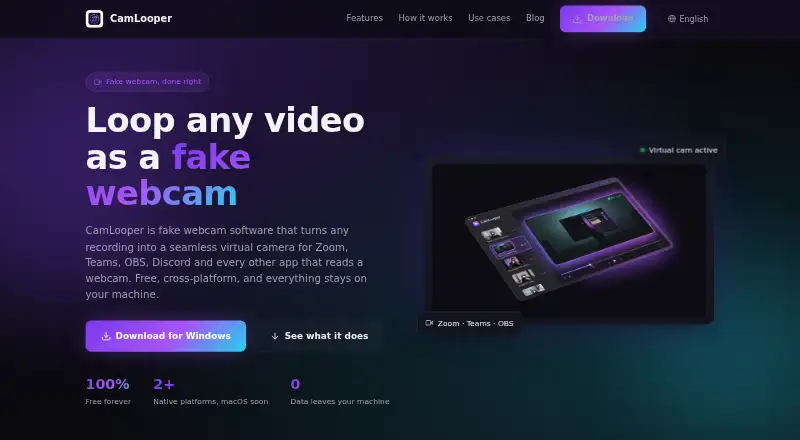
CamLooper turns imported or recorded video into a looping virtual camera feed for video-conferencing and streaming applications. It is aimed at users who need prerecorded footage to appear as a webcam source, rather than a broader production workspace. The app creates a system virtual camera, lets users choose looping and quality settings, and works without an account or OBS. It runs on Windows and Linux, while macOS support is still in development.
The product’s main strength is its focused workflow. Users can import videos in MP4, MOV, MKV, WebM, and other FFmpeg-decodable formats, or record video directly in the app. Resolution and frame-rate controls provide basic output adjustment, while local FFmpeg processing keeps the video workflow on the desktop. CamLooper also fits into a wide range of existing applications, including Zoom, Microsoft Teams, Google Meet, OBS Studio, Discord, Slack, Streamlabs, Skype, Webex, and Jitsi.
CamLooper is free and ad-supported, with no paid tier described in its published offering. That makes it a straightforward choice for looping video without adding account or OBS requirements. Its scope is intentionally narrow: there are no scenes, background effects, audio routing tools, or AI features. Users who need a simple prerecorded virtual camera should find the feature set aligned with that task; users building composed scenes, replacing backgrounds, or managing audio inside the same tool should choose a product with those production features. The platform restriction also makes it unsuitable for macOS workflows until support reaches that platform.
Your product? Our editors can test CamLooper in depth and publish a review, labelled as paid · from $149/mo →
CamLooper pricing
CamLooper fact sheet
| Free plan | Yes |
|---|---|
| Paid from | Free |
| Supported platforms | Windows, Linux |
| Camera inputs | Not verified |
| Scene composition | No |
| Background effects | No |
| Virtual camera outputs | Not verified |
| Audio routing | Not verified |
| Deployment | Desktop |
| Platforms | Windows, Linux |
| Support | Email, Docs |
| Built for | Solo, Small business (editorial estimate) |
| Integrations | 10 integrations: Zoom, Microsoft Teams, Google Meet, OBS Studio, Discord, Slack … |
| Pricing | Free plan |
| Website | camlooper.com |
| Facts checked | 20 Sep 2026 |
CamLooper integrations
CamLooper lists 10 integrations on its own site.
- Zoom
- Microsoft Teams
- Google Meet
- OBS Studio
- Discord
- Slack
- Streamlabs
- Skype
- Webex
- Jitsi
Alternatives to CamLooper
- NVIDIA BroadcastA free RTX-powered virtual camera suite for cleaner calls, streams, and recordings.9.3
- ManyCamA broad virtual camera toolkit for teams mixing video, audio, scenes, and streaming.8.8
- OBS StudioA flexible free production tool for creators who want extensible desktop scenes.8.7



See all CamLooper alternatives →
Also Ranked In
CamLooper is ranked in 2 of our directories.
Used CamLooper? Be the first to review it
The editor score above is our own research. What this page doesn't have yet is a reader's view — what you used CamLooper for, what worked and what didn't. No stars are seeded and no review is paid for; an editor reads every one before it appears.
Write a reviewTwo minutes · verified accounts only · read by an editor before it appears
Featured on iTechGuides

CamLooper is listed in our Virtual Camera Software directory. Add the badge to your site — it links back to this page.
<a href="https://www.itechguides.com/products/camlooper/"><img src="https://www.itechguides.com/best/badge/camlooper.svg" alt="Featured on iTechGuides" width="230" height="46"></a>
Reviewed by iTechGuides Editors · Editorial team · Updated Oct 2026
Advertiser disclosure: iTechGuides is reader-supported. Vendors can pay for top positions in our rankings and for a place on other products' pages, and we may earn a commission when you click some links. Bought places stand at the number bought; this page and our disclosure say so. Paying vendors may get a fuller, more detailed review from our editors, and that review can change their score. How we rank.
Last updated · How we research and update