camfx
camfx: A focused, free Linux virtual camera for real-time effects and framing. Ranked #27 of 34 in Virtual Camera Software by our editors (6.0/10); pricing: Free plan; best for linux users wanting lightweight camera effects.
At a glance
- Editor score6.0 / 10
- PricingFree plan
- Best forLinux users wanting lightweight camera effects
- Free planYes
- Paid fromFree
- Facts checked20 Sep 2026
Where it wins
- Free and open-source Linux virtual camera output
- Real-time blur, replacement, smoothing, and autoframing
- GTK, CLI, and D-Bus controls support flexible workflows
Where it doesn't
- Requires Linux, FFmpeg, v4l2loopback, Python 3.12, and V4L2 hardware
- Works with applications that support V4L2 cameras
- Limited compositing and audio capabilities
Our verdict on camfx
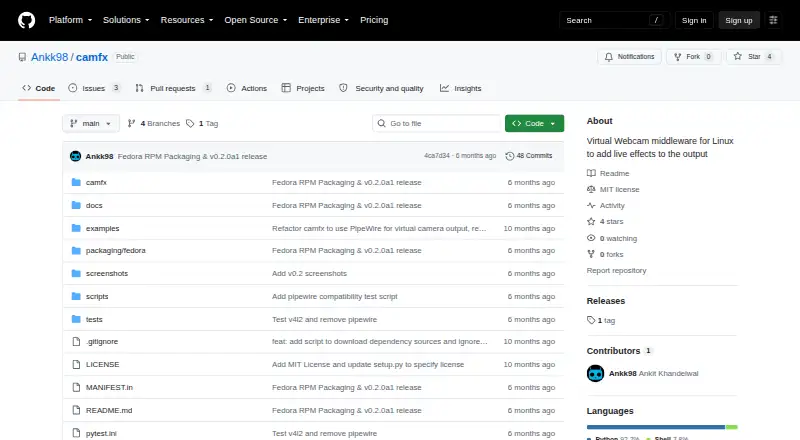
camfx is open-source Linux middleware that processes webcam video and publishes the result through a V4L2 virtual camera. It is designed for Linux users who need processed camera output in applications that support V4L2 cameras. The project combines FFmpeg and v4l2loopback with both a command-line interface and an optional GTK graphical control panel, giving users more than one way to manage camera processing.
Its standout feature is the effect chain. camfx supports background blur and replacement, brightness adjustment, skin smoothing, and face-centered autoframing. MediaPipe Tasks provides segmentation and landmark processing, while experimental gaze correction extends the processing options. This makes camfx suitable for video calls, streams, and other camera workflows where framing or background treatment matters, without presenting itself as a broad production suite. The virtual camera output is the central workflow, so compatible applications remain an important part of the setup.
The trade-off is scope and installation effort. The published project requirements include Linux, FFmpeg, v4l2loopback, Python 3.12, and a working V4L2 camera. Its controls are flexible, but its capabilities are centered on video effects rather than deeper compositing or audio processing. Choose camfx if you want a free, open-source Linux tool with lightweight camera effects, command-line access, and optional graphical controls. Choose an alternative if you need broader platform support, extensive ecosystem connections, or a more complete audio and compositing workflow.
Your product? Our editors can test camfx in depth and publish a review, labelled as paid · from $149/mo →
camfx pricing
camfx fact sheet
| Free plan | Yes |
|---|---|
| Paid from | Free |
| Supported platforms | Linux |
| Camera inputs | Not verified |
| Scene composition | Not verified |
| Background effects | Yes |
| Virtual camera outputs | Not verified |
| Audio routing | Not verified |
| Deployment | Desktop |
| Platforms | Linux |
| Support | Community |
| Built for | Solo, Small business (editorial estimate) |
| Pricing | Free plan |
| Website | github.com |
| Facts checked | 20 Sep 2026 |
Alternatives to camfx
- NVIDIA BroadcastA free RTX-powered virtual camera suite for cleaner calls, streams, and recordings.9.3
- ManyCamA broad virtual camera toolkit for teams mixing video, audio, scenes, and streaming.8.8
- OBS StudioA flexible free production tool for creators who want extensible desktop scenes.8.7



Also Ranked In
camfx is ranked in 3 of our directories.
Used camfx? Be the first to review it
The editor score above is our own research. What this page doesn't have yet is a reader's view — what you used camfx for, what worked and what didn't. No stars are seeded and no review is paid for; an editor reads every one before it appears.
Write a reviewTwo minutes · verified accounts only · read by an editor before it appears
Featured on iTechGuides

camfx is listed in our Virtual Camera Software directory. Add the badge to your site — it links back to this page.
<a href="https://www.itechguides.com/products/camfx/"><img src="https://www.itechguides.com/best/badge/camfx.svg" alt="Featured on iTechGuides" width="230" height="46"></a>
Reviewed by iTechGuides Editors · Editorial team · Updated Oct 2026
Advertiser disclosure: iTechGuides is reader-supported. Vendors can pay for top positions in our rankings and for a place on other products' pages, and we may earn a commission when you click some links. Bought places stand at the number bought; this page and our disclosure say so. Paying vendors may get a fuller, more detailed review from our editors, and that review can change their score. How we rank.
Last updated · How we research and update