
BuildOps
BuildOps: A broad HVAC operations platform for commercial teams managing assets, service, and projects. Ranked #6 of 29 in HVAC Software by our editors (8.8/10); pricing: Pricing on request; best for commercial contractors using asset-based workflows.
At a glance
- Editor score8.8 / 10
- PricingPricing on request
- Best forCommercial contractors using asset-based workflows
- Free planNo
- Dispatch boardYes
- Founded2018
- Facts checked20 Sep 2026
Where it wins
- Connects dispatch, work orders, assets, maintenance, and financial workflows
- Supports offline technician workflows on iOS and Android
- Integrates with QuickBooks, Sage, NetSuite, and contractor platforms
Where it doesn't
- Pricing is customized rather than published as numeric plans
- There is no free plan
- Its breadth may exceed the needs of simple residential operations
Our verdict on BuildOps
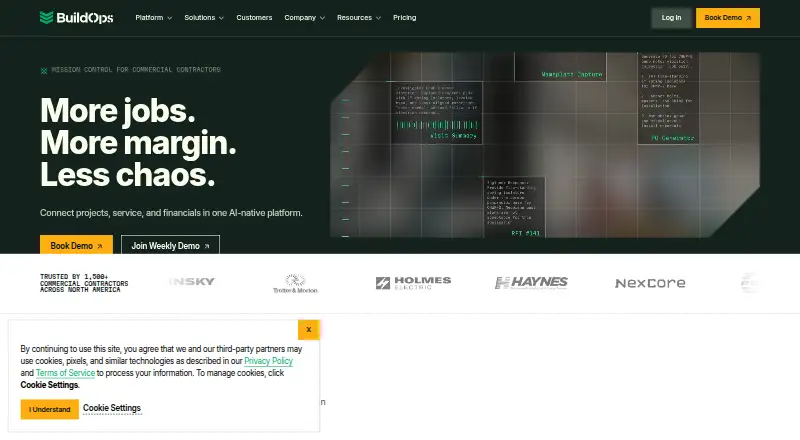
BuildOps is a cloud-based operations platform for commercial contractors, including HVAC and mechanical businesses. It brings centralized scheduling and technician dispatch together with work orders, closeout workflows, equipment records, service history, preventive maintenance agreements, recurring visits, quoting, estimates, invoices, project management, job costing, and financial visibility. Office teams can manage jobs, customers, agreements, and accounting workflows, while technicians use iOS and Android mobile workflows with offline support. The product is aimed at contractors operating across service, projects, and multiple trades rather than teams looking only for basic appointment scheduling.
Pricing is handled through customized plans based on crew size, trades, users, modules, and integrations. That approach can suit commercial contractors whose operational structure varies, but it makes direct plan-by-plan comparison less straightforward. The product does not include a free plan. Its scope is designed to bring dispatch, field execution, asset information, maintenance, estimating, invoicing, and project costing into one operating environment, so buyers should assess which modules and workflows match their organization before selecting a package.
The strongest fit is an asset-focused commercial contractor that needs equipment specifications and service history alongside recurring maintenance, technician mobility, and finance workflows. QuickBooks synchronization covers invoices, payments, customers, and financial data, while additional integrations include Sage, NetSuite, Viewpoint Spectrum, Viewpoint Vista, Bluon, Inspect Point, Coast, Miter, Avalara, ServiceChannel, and Kojo. AI-assisted dispatch, recaps, and operational workflows add another layer to the platform. BuildOps should appeal to multi-workflow commercial teams; a smaller operation seeking a narrowly focused scheduler or a free starting tier may prefer a simpler alternative.
Your product? Our editors can test BuildOps in depth and publish a review, labelled as paid · from $149/mo →
BuildOps pricing
BuildOps fact sheet
| Free plan | No |
|---|---|
| Paid from | Not verified |
| Dispatch board | Yes |
| Estimates and invoices | Yes |
| Equipment histories | Yes |
| Technician mobile app | Yes |
| Service agreements | Yes |
| Customer portal | Not verified |
| QuickBooks sync | Yes |
| Deployment | Cloud, Mobile |
| Platforms | Web, iOS, Android |
| Compliance & security | SOC 2 |
| Built for | Small business, Mid-market, Enterprise (editorial estimate) |
| Integrations | 12 integrations: QuickBooks, Sage, NetSuite, Viewpoint Spectrum, Viewpoint Vista, Bluon … See all → |
| Pricing | Pricing on request (source) |
| Website | buildops.com |
| Facts checked | 20 Sep 2026 |
BuildOps integrations
BuildOps lists 12 integrations on its own site.
- QuickBooks
- Sage
- NetSuite
- Viewpoint Spectrum
- Viewpoint Vista
- Bluon
- Inspect Point
- Coast
- Miter
- Avalara
- ServiceChannel
- Kojo
See all BuildOps integrations →
Alternatives to BuildOps
- ServiceTradeDeep scheduling, dispatch, maintenance, and technician workflows for commercial HVAC teams.9.4
- simPROA mature, broad field-service suite for HVAC businesses managing complex operations.9.3
- ServiceTitanA broad HVAC field-service platform with strong mobile, billing, and recurring-service coverage.9.2


See all BuildOps alternatives →
BuildOps vs the competition
- BuildOps vs ServiceTrade
- BuildOps vs simPRO
- BuildOps vs ServiceTitan
- BuildOps vs FIELDBOSS
- BuildOps vs Commusoft
- BuildOps vs Fieldpoint



Compare BuildOps with any tool side by side →
Also Ranked In
BuildOps is ranked in 5 of our directories.
Used BuildOps? Be the first to review it
The editor score above is our own research. What this page doesn't have yet is a reader's view — what you used BuildOps for, what worked and what didn't. No stars are seeded and no review is paid for; an editor reads every one before it appears.
Write a reviewTwo minutes · verified accounts only · read by an editor before it appears
Featured on iTechGuides

BuildOps is listed in our HVAC Software directory. Add the badge to your site — it links back to this page.
<a href="https://www.itechguides.com/products/buildops/"><img src="https://www.itechguides.com/best/badge/buildops.svg" alt="Featured on iTechGuides" width="230" height="46"></a>
Reviewed by iTechGuides Editors · Editorial team · Updated Oct 2026
Advertiser disclosure: iTechGuides is reader-supported. Vendors can pay for top positions in our rankings and for a place on other products' pages, and we may earn a commission when you click some links. Bought places stand at the number bought; this page and our disclosure say so. Paying vendors may get a fuller, more detailed review from our editors, and that review can change their score. How we rank.
Last updated · How we research and update