build
build: A focused open-source tool for building wheels and source distributions. Ranked #24 of 27 in Python Package Managers by our editors (6.4/10); pricing: Open source; best for building Python wheels and source distributions.
At a glance
- Editor score6.4 / 10
- PricingOpen source
- Best forBuilding Python wheels and source distributions
- Paid fromFree
- Lockfile supportNo
- Facts checked20 Sep 2026
Where it wins
- Builds source distributions and wheels
- Uses isolated build environments by default
- Supports PEP 517 backends and configurable settings
Where it doesn't
- Does not install runtime packages
- Does not resolve application dependencies
- Does not manage general-purpose virtual environments
Our verdict on build
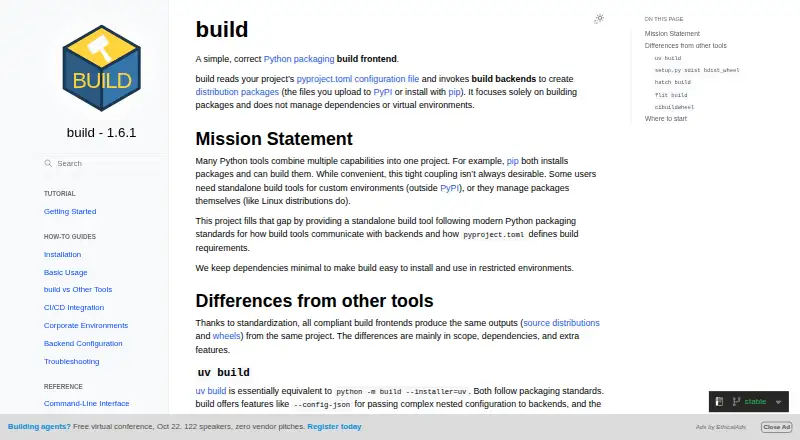
build is an open-source command-line frontend for creating Python distribution packages. It is intended for Python developers, package maintainers, and CI workflows that need to turn a project into distributable artifacts. The tool reads pyproject.toml, installs declared build dependencies, and invokes a selected PEP 517 backend. It runs on Linux, macOS, and Windows, with a programmatic Python API for workflows that need more than command-line usage.
Its main strength is a focused build process rather than broad package management. Isolated build environments are created by default, helping separate build dependencies from the surrounding environment. build can produce both source distributions and wheels, extract build metadata as JSON, and pass configurable settings to the backend. Optional dependency installation through pip or uv gives projects flexibility in how build requirements are installed. Its ecosystem connections include pip, uv, pipx, cibuildwheel, and conda-forge.
The trade-off is scope. build does not install runtime packages, resolve application dependencies, manage general-purpose virtual environments, maintain lockfiles, organize dependency groups, or publish packages. It is therefore a strong fit when the primary job is creating Python distribution artifacts through a standards-based workflow. Teams seeking an all-purpose package manager or an environment-management tool should choose a product designed for dependency resolution and environment control instead. For maintainers and CI pipelines centered on wheels, source distributions, and PEP 517 backends, build keeps the responsibility boundary clear.
Your product? Our editors can test build in depth and publish a review, labelled as paid · from $149/mo →
build pricing
build fact sheet
| Free plan | Not verified |
|---|---|
| Paid from | Free |
| Lockfile support | No |
| Environment management | No |
| Package publishing | No |
| Private registry | Not verified |
| Dependency groups | No |
| Supported platforms | Cross-platform |
| Deployment | Desktop |
| Platforms | Linux, macOS, Windows |
| Support | Docs |
| Built for | Solo, Small business, Mid-market, Enterprise (editorial estimate) |
| Integrations | 5 integrations: pip, uv, pipx, cibuildwheel, conda-forge |
| Pricing | Open source |
| Website | build.pypa.io |
| Facts checked | 20 Sep 2026 |
build integrations
build lists 5 integrations on its own site.
- pip
- uv
- pipx
- cibuildwheel
- conda-forge
Alternatives to build
- uvAn open-source toolkit for managing modern Python projects from dependencies to publishing.9.3
- PoetryA focused open-source workflow for resolving, isolating, building, and publishing Python projects.9.1
- PDMA standards-focused manager for reproducible environments, workspaces, and private indexes.9.0



Used build? Be the first to review it
The editor score above is our own research. What this page doesn't have yet is a reader's view — what you used build for, what worked and what didn't. No stars are seeded and no review is paid for; an editor reads every one before it appears.
Write a reviewTwo minutes · verified accounts only · read by an editor before it appears
Featured on iTechGuides

build is listed in our Python Package Managers directory. Add the badge to your site — it links back to this page.
<a href="https://www.itechguides.com/products/build/"><img src="https://www.itechguides.com/best/badge/build.svg" alt="Featured on iTechGuides" width="230" height="46"></a>
Reviewed by iTechGuides Editors · Editorial team · Updated Oct 2026
Advertiser disclosure: iTechGuides is reader-supported. Vendors can pay for top positions in our rankings and for a place on other products' pages, and we may earn a commission when you click some links. Bought places stand at the number bought; this page and our disclosure say so. Paying vendors may get a fuller, more detailed review from our editors, and that review can change their score. How we rank.
Last updated · How we research and update