Brother P-touch Editor
Brother P-touch Editor: A free desktop editor for custom, barcode, QR, batch, and database-driven Brother labels. Ranked #19 of 35 in Barcode Labeling Software by our editors (7.4/10); pricing: Free plan; best for brother label-maker users.
At a glance
- Editor score7.4 / 10
- PricingFree plan
- Best forBrother label-maker users
- Free planYes
- Paid fromFree
- DeploymentDesktop
- Facts checked19 Sep 2026
Where it wins
- Creates custom labels with text, images, symbols, tables, and drawings
- Supports barcodes, QR codes, sequential numbering, and batch printing
- Connects label creation to Excel and other supported database formats
Where it doesn't
- Requires a compatible Brother label printer or label maker
- Runs as desktop software on Windows and macOS rather than in the cloud
- Database connectivity is centered on supported formats and Brother tools
Our verdict on Brother P-touch Editor
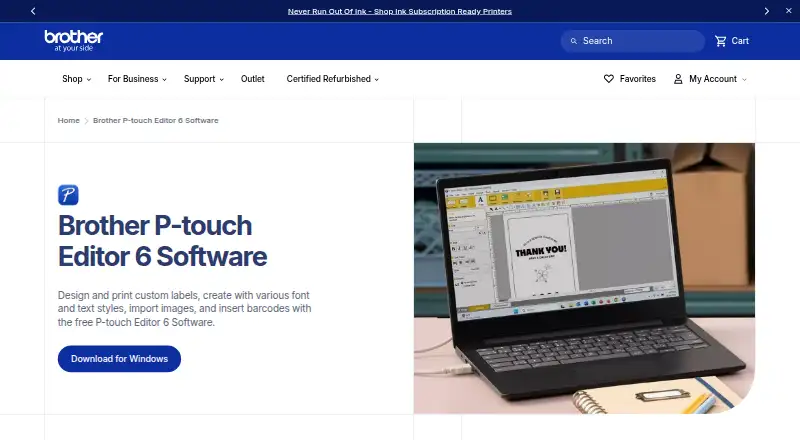
Brother P-touch Editor is free desktop software for designing and printing labels with compatible Brother P-touch and QL printers. It suits home, office, retail, education, government, and IT users who need more than basic text labels, including asset tags, point-of-sale labels, file and folder organization, and other identification tasks. Designs can combine text, symbols, images, tables, drawings, templates, date and time fields, barcodes, and QR codes. Unicode support and print preview support a range of labeling requirements.
Its strongest fit is variable-data and repeat printing. Sequential numbering can apply to text, dates, times, and barcodes, while batch printing supports barcode and specialty labels. Database-driven label creation can use Microsoft Excel and other supported database programs, making the software a practical choice for lists of items, assets, or products. Users can also import BMP, JPG/JPEG, GIF, TIF/TIFF, and PNG images, with template search and sorting available for recurring work. Compatible label makers can provide tape size and color detection, and Brother iPrint&Label is included in the surrounding integration options.
P-touch Editor is best for Brother label-maker users who want free Windows or macOS software with design control, barcode and QR creation, and structured printing workflows. It is less suitable for teams seeking browser-based or cloud deployment, since it is desktop software and requires compatible Brother hardware. Buyers should also assess whether their database format is supported before planning a data-driven workflow. Choose it when the printing environment is centered on Brother devices and the work benefits from templates, imported data, or batches; consider another option when printer-brand flexibility or cloud access is the priority.
Your product? Our editors can test Brother P-touch Editor in depth and publish a review, labelled as paid · from $149/mo →
Brother P-touch Editor pricing
Brother P-touch Editor fact sheet
| Free plan | Yes |
|---|---|
| Paid from | Free |
| Deployment | Desktop |
| Variable data | Yes |
| Batch printing | Yes |
| Data import | Yes |
| API access | Not verified |
| Included users | Not verified |
| Print limit | Not verified |
| Deployment | Desktop |
| Platforms | Windows, macOS |
| Integrations | 3 integrations: Microsoft Excel, Other supported database formats, Brother iPrint&Label |
| Pricing | Free plan |
| Website | brother-usa.com |
| Facts checked | 19 Sep 2026 |
Brother P-touch Editor integrations
Brother P-touch Editor lists 3 integrations on its own site.
- Microsoft Excel
- Other supported database formats
- Brother iPrint&Label
Alternatives to Brother P-touch Editor
- BarcodeLabelGenA free, open-source workflow for designing, importing, and printing barcode labels.9.4
- ZPLabA free, open-source ZPL editor with validation, variable data, and batch printing.9.3
- PrintSpiritA broad labeling toolkit for teams that need APIs, databases, and remote printing.9.1

See all Brother P-touch Editor alternatives →
Also Ranked In
Brother P-touch Editor is ranked in 4 of our directories.
Used Brother P-touch Editor? Be the first to review it
The editor score above is our own research. What this page doesn't have yet is a reader's view — what you used Brother P-touch Editor for, what worked and what didn't. No stars are seeded and no review is paid for; an editor reads every one before it appears.
Write a reviewTwo minutes · verified accounts only · read by an editor before it appears
Featured on iTechGuides

Brother P-touch Editor is listed in our Barcode Labeling Software directory. Add the badge to your site — it links back to this page.
<a href="https://www.itechguides.com/products/brother-p-touch-editor/"><img src="https://www.itechguides.com/best/badge/brother-p-touch-editor.svg" alt="Featured on iTechGuides" width="230" height="46"></a>
Reviewed by iTechGuides Editors · Editorial team · Updated Oct 2026
Advertiser disclosure: iTechGuides is reader-supported. Vendors can pay for top positions in our rankings and for a place on other products' pages, and we may earn a commission when you click some links. Bought places stand at the number bought; this page and our disclosure say so. Paying vendors may get a fuller, more detailed review from our editors, and that review can change their score. How we rank.
Last updated · How we research and update