
Brother iPrint&Scan
Brother iPrint&Scan: A capable free companion for Brother devices across desktop and mobile. Ranked #9 of 22 in Scanner Software by our editors (8.3/10); pricing: Free plan; best for free scanning with mobile and cloud workflows.
At a glance
- Editor score8.3 / 10
- PricingFree plan
- Best forFree scanning with mobile and cloud workflows
- Free planYes
- Paid fromFree
- OCR includedYes
- Facts checked20 Sep 2026
Where it wins
- Free access across Windows, macOS, iOS, and Android
- OCR, searchable PDFs, multi-page scanning, and image corrections
- Mobile scanning plus Dropbox, OneDrive, Evernote, and iCloud support
Where it doesn't
- Compatibility and available functions vary by Brother model and operating system
- Android in-app cloud-service login is temporarily suspended
- Designed for compatible Brother printers, multifunction devices, and scanners
Our verdict on Brother iPrint&Scan
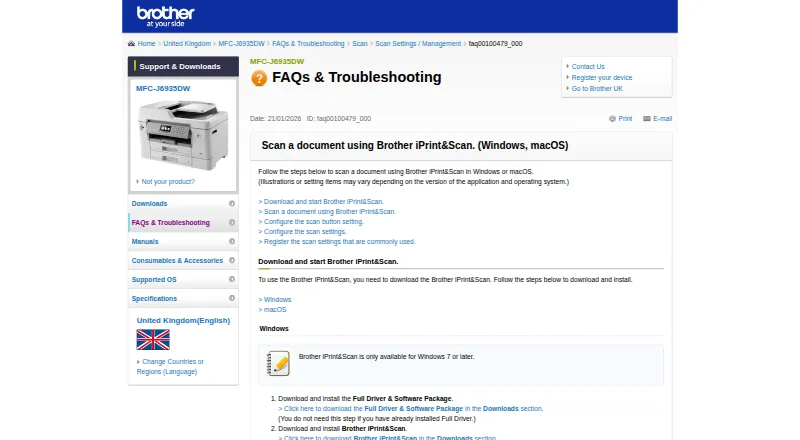
Brother iPrint&Scan is free software for scanning documents and printing from compatible Brother printers, multifunction devices, and scanners. Desktop apps support Windows and macOS, while mobile apps support iOS and Android. It suits individuals and teams that already use compatible Brother hardware and want scanning, printing, mobile device access, and reusable workflows without a separate software charge.
Its strongest advantage is the combination of desktop and mobile workflows. Users can scan to a computer or mobile device, choose a file format and folder, and create searchable PDFs through OCR. Multi-page scanning supports add-page and continuous-scan workflows, while brightness, contrast, background-colour, and ghosting corrections help adjust captured documents. Mobile printing and scanning work over a local wireless network, and mobile users can print from Dropbox, OneDrive, Evernote, and iCloud. Device status and error viewing are also available on mobile. The published specifications include PDF and JPEG output and ADF support.
The main consideration is hardware and operating-system fit. Available functions, supported models, file types, and cloud capabilities vary by device and operating system, so the experience depends on the Brother equipment in use. The Android listing also states that in-app cloud-service login is temporarily suspended. Choose iPrint&Scan if you want free Brother device software with OCR, multi-page scanning, correction tools, mobile access, and selected cloud connections. It is less suitable for workflows that require broad hardware neutrality or cloud access that does not depend on model and platform compatibility.
Questions about Brother iPrint&Scan
What does Brother iPrint&Scan run on? Windows, macOS, iOS and Android. It runs as a desktop app and as a mobile app.
What does Brother iPrint&Scan integrate with? 4 integrations: Dropbox, OneDrive, Evernote and iCloud.
Who is Brother iPrint&Scan built for? Solo users, small businesses, mid-market companies and enterprises (our editorial estimate).
Your product? Our editors can test Brother iPrint&Scan in depth and publish a review, labelled as paid · from $149/mo →
Brother iPrint&Scan pricing
Brother iPrint&Scan fact sheet
| Free plan | Yes |
|---|---|
| Paid from | Free |
| Supported platforms | Windows, macOS, iOS, Android |
| OCR included | Yes |
| ADF support | Yes |
| Duplex scanning | Not verified |
| Output formats | PDF, JPEG |
| Cloud destinations | Yes |
| Deployment | Desktop, Mobile |
| Platforms | Windows, macOS, iOS, Android |
| Support | Email, Docs |
| Built for | Solo, Small business, Mid-market, Enterprise (editorial estimate) |
| Integrations | 4 integrations: Dropbox, OneDrive, Evernote, iCloud |
| Pricing | Free plan |
| Website | support.brother.com |
| Facts checked | 20 Sep 2026 |
Brother iPrint&Scan integrations
Brother iPrint&Scan lists 4 integrations on its own site.
- Dropbox
- OneDrive
- Evernote
- iCloud
Alternatives to Brother iPrint&Scan
- NAPS2A capable free scanner utility for searchable PDFs, batch workflows, and automation.9.4
- ScanSnap HomeA capable free companion for organizing scans across desktop and mobile.9.2
- PaperStream CaptureA capable Windows scanner workflow for batch capture, extraction, checking, and routing.8.9

See all Brother iPrint&Scan alternatives →
Also Ranked In
Brother iPrint&Scan is ranked in 2 of our directories.
Used Brother iPrint&Scan? Be the first to review it
The editor score above is our own research. What this page doesn't have yet is a reader's view — what you used Brother iPrint&Scan for, what worked and what didn't. No stars are seeded and no review is paid for; an editor reads every one before it appears.
Write a reviewTwo minutes · verified accounts only · read by an editor before it appears
Featured on iTechGuides

Brother iPrint&Scan is listed in our Scanner Software directory. Add the badge to your site — it links back to this page.
<a href="https://www.itechguides.com/products/brother-iprint-scan-scanner-software/"><img src="https://www.itechguides.com/best/badge/brother-iprint-scan-scanner-software.svg" alt="Featured on iTechGuides" width="230" height="46"></a>
Reviewed by iTechGuides Editors · Editorial team · Updated Nov 2026
Advertiser disclosure: iTechGuides is reader-supported. Vendors can pay for top positions in our rankings and for a place on other products' pages, and we may earn a commission when you click some links. Bought places stand at the number bought; this page and our disclosure say so. Paying vendors may get a fuller, more detailed review from our editors, and that review can change their score. How we rank.
Last updated · How we research and update