
BillQuick
BillQuick: A broad service-business toolkit, priced above simpler invoicing options. Ranked #74 of 83 in Invoicing Software by our editors (3.0/10); pricing: 20-day trial; best for service businesses needing invoicing and scheduling.
At a glance
- Editor score3.0 / 10
- Pricing20-day trial
- Best forService businesses needing invoicing and scheduling
- Free planNo
- Paid from$39/mo
- Facts checked20 Sep 2026
Where it wins
- Combines invoicing, scheduling, customer management, and payment tracking
- Tracks time, expenses, revenue, collections, and outstanding payments
- Business adds API access, custom integrations, and unlimited team members
Where it doesn't
- Starter costs $39 per month and supports only 1 user
- The platform is available only on the web
- API access and custom integrations require the Business plan
Our verdict on BillQuick
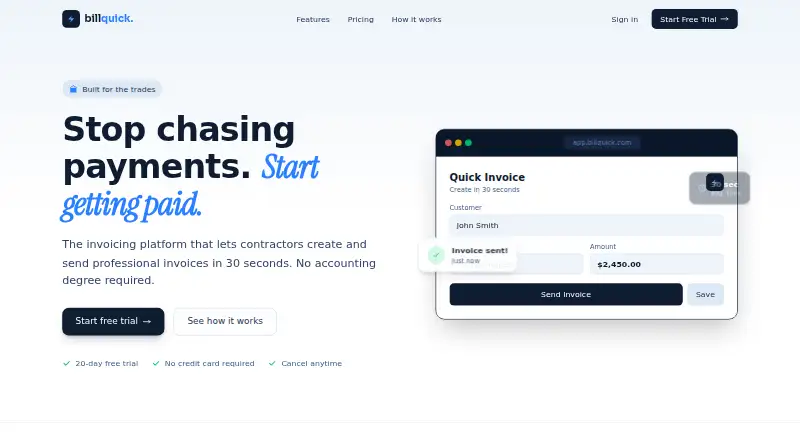
BillQuick is a web-based invoicing and job-management platform for contractors, solo professionals, growing teams, and service operations. Its feature set covers invoice creation, PDF generation, email delivery, payment-status tracking, payment notifications, job scheduling with employee assignments, customer management, time and expense tracking, revenue and collection analytics, and outstanding payment alerts. The result is a broader operational tool than an invoice-only product, particularly for businesses that coordinate scheduled work alongside billing.
Pricing starts with the Starter plan at $39 per month, billed monthly. It includes unlimited invoices, job scheduling, PDF generation, email delivery, and 1 user. Team costs $69 per month and adds customer management, time and expense tracking, an analytics dashboard, and priority support. Business includes everything in Team, plus unlimited team members, custom branding, API access, dedicated support, and custom integrations; its pricing is custom. BillQuick also offers a 20-day full-featured trial without requiring a credit card. These tiers make the main tradeoff clear: the lower plans cover core invoicing and scheduling, while collaboration and ecosystem access sit higher in the plan structure.
BillQuick fits service businesses that want invoicing connected to job scheduling, customer records, time, expenses, and collection visibility in one web platform. Online payments are supported, and alerts help teams follow outstanding balances. The main limitations are the $39 monthly entry price, Starter's single-user allowance, and the web-only platform. API access and custom integrations are available through Business rather than the lower tiers, so organizations needing broader connections should budget for the custom-priced plan. Choose BillQuick when scheduling and financial follow-up matter together; choose another option when you need a lower-cost, multi-user starting plan or a broader platform footprint.
Your product? Our editors can test BillQuick in depth and publish a review, labelled as paid · from $149/mo →
BillQuick pricing
All 3 BillQuick plans and prices →
BillQuick fact sheet
| Free plan | No |
|---|---|
| Paid from | $39/mo |
| Recurring invoices | Not verified |
| Online payments | Yes |
| Payment reminders | Not verified |
| Multi-currency invoicing | Not verified |
| Included team users | 1 users |
| Client portal | Not verified |
| Free trial | 20 days · no card needed |
| Deployment | Cloud |
| Platforms | Web |
| Built for | Solo, Small business, Mid-market (editorial estimate) |
| Pricing | 20-day trial (source) |
| Website | billquick.app |
| Facts checked | 20 Sep 2026 |
Alternatives to BillQuick
- Zoho InvoiceA free invoicing tool with payments, reminders, portals, projects, and reporting.9.4
- PayPal InvoicingA free invoicing option for small businesses already using PayPal.9.3
- Stripe InvoicingA payment-focused invoicing system for global billing and recurring collections.9.2



See all BillQuick alternatives →
Used BillQuick? Be the first to review it
The editor score above is our own research. What this page doesn't have yet is a reader's view — what you used BillQuick for, what worked and what didn't. No stars are seeded and no review is paid for; an editor reads every one before it appears.
Write a reviewTwo minutes · verified accounts only · read by an editor before it appears
Featured on iTechGuides

BillQuick is listed in our Invoicing Software directory. Add the badge to your site — it links back to this page.
<a href="https://www.itechguides.com/products/billquick/"><img src="https://www.itechguides.com/best/badge/billquick.svg" alt="Featured on iTechGuides" width="230" height="46"></a>
Reviewed by iTechGuides Editors · Editorial team · Updated Oct 2026
Advertiser disclosure: iTechGuides is reader-supported. Vendors can pay for top positions in our rankings and for a place on other products' pages, and we may earn a commission when you click some links. Bought places stand at the number bought; this page and our disclosure say so. Paying vendors may get a fuller, more detailed review from our editors, and that review can change their score. How we rank.
Last updated · How we research and update