
BetterTouchTool
BetterTouchTool: A powerful Mac automation toolkit with broad customization at a one-time price. Ranked #25 of 105 in Keyboard and Mouse Customization Software by our editors (6.2/10); pricing: 45-day trial; best for mac users wanting powerful input automation.
At a glance
- Editor score6.2 / 10
- Pricing45-day trial
- Best forMac users wanting powerful input automation
- Free planNo
- Paid from$15 one-time
- Supported operating systemsMacos
- Facts checked20 Sep 2026
Where it wins
- Extensive gesture, shortcut, remapping, and per-app controls
- Chained actions, scripting, window management, and clipboard tools
- Supports Stream Deck, macro pads, Apple Shortcuts, and BTT Mobile
Where it doesn't
- Runs only on macOS
- No free plan; access requires a paid license
- Standard License updates end after two years
Our verdict on BetterTouchTool
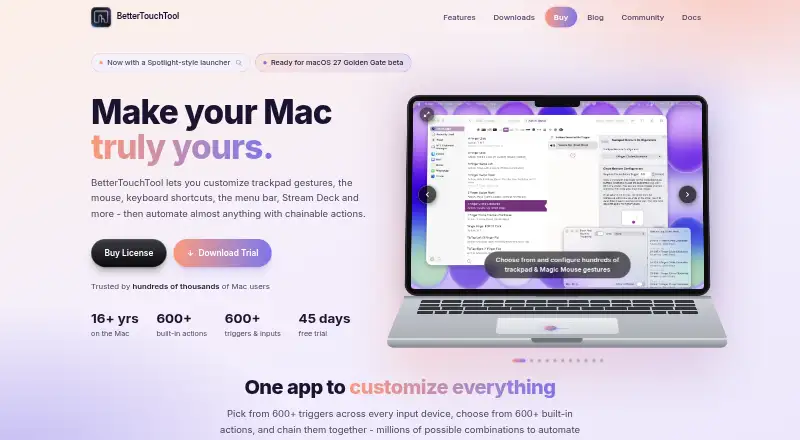
BetterTouchTool is macOS software for users who want detailed control over trackpad and Magic Mouse gestures, keyboard shortcuts, mouse buttons, Touch Bar controls, Stream Deck devices, and macro pads. Global and per-application triggers can launch predefined actions, scripts, or chained sequences, making it suited to Mac users building personalized input workflows rather than seeking only basic remapping.
Its standout strength is breadth within Mac input automation. BetterTouchTool combines gesture customization, mouse button remapping, shortcut creation, window management, clipboard tools, floating menus, widgets, menu bar customization, and a Spotlight-style launcher. Scripting options include JavaScript, AppleScript, URL scheme, web server, and OSC interfaces. Integrations with Elgato Stream Deck, Apple Shortcuts, BTT Mobile, and Setapp extend its usefulness across input hardware and automation workflows.
Pricing is structured around two one-time licenses. The Standard License costs $15, includes updates for two years, and allows continued use of the last received version afterward; one license covers personal Macs. The $25 Lifetime License includes updates while BetterTouchTool exists and is also valid for other macOS apps released during the following two years. A 45-day trial gives prospective buyers time to assess the feature set before paying. BetterTouchTool is a strong choice for Mac users who want extensive automation and per-app control. Users on other operating systems, or those seeking a free customization tool, should choose an alternative.
Your product? Our editors can test BetterTouchTool in depth and publish a review, labelled as paid · from $149/mo →
BetterTouchTool pricing
All 2 BetterTouchTool plans and prices →
BetterTouchTool fact sheet
| Free plan | No |
|---|---|
| Paid from | $15 one-time |
| Supported operating systems | Macos |
| Macro support | Yes |
| Per-app profiles | Yes |
| Onboard device memory | Not verified |
| Polling rate control | Not verified |
| Sensitivity controls | Not verified |
| Profile slots | Not verified |
| Free trial | 45 days |
| Deployment | Desktop |
| Platforms | macOS |
| Integrations | 4 integrations: Elgato Stream Deck, Apple Shortcuts, BTT Mobile, Setapp |
| Pricing | 45-day trial (source) |
| Website | folivora.ai |
| Facts checked | 20 Sep 2026 |
BetterTouchTool integrations
BetterTouchTool lists 4 integrations on its own site.
- Elgato Stream Deck
- Apple Shortcuts
- BTT Mobile
- Setapp
Alternatives to BetterTouchTool
- Razer SynapseA free Razer-focused hub for remapping, macros, profiles, and Chroma lighting.9.2
- Logi Options+A broad free toolkit for remapping, automation, profiles, and multi-computer control.9.1
- Logitech G HUBA free desktop suite for Logitech G lighting, profiles, and device settings.9.0



See all BetterTouchTool alternatives →
Also Ranked In
BetterTouchTool is ranked in 2 of our directories.
Used BetterTouchTool? Be the first to review it
The editor score above is our own research. What this page doesn't have yet is a reader's view — what you used BetterTouchTool for, what worked and what didn't. No stars are seeded and no review is paid for; an editor reads every one before it appears.
Write a reviewTwo minutes · verified accounts only · read by an editor before it appears
Featured on iTechGuides

BetterTouchTool is listed in our Keyboard and Mouse Customization Software directory. Add the badge to your site — it links back to this page.
<a href="https://www.itechguides.com/products/bettertouchtool/"><img src="https://www.itechguides.com/best/badge/bettertouchtool.svg" alt="Featured on iTechGuides" width="230" height="46"></a>
Reviewed by iTechGuides Editors · Editorial team · Updated Oct 2026
Advertiser disclosure: iTechGuides is reader-supported. Vendors can pay for top positions in our rankings and for a place on other products' pages, and we may earn a commission when you click some links. Bought places stand at the number bought; this page and our disclosure say so. Paying vendors may get a fuller, more detailed review from our editors, and that review can change their score. How we rank.
Last updated · How we research and update