
Beaver Notes
Beaver Notes: A strong desktop Markdown notebook for private, offline-first personal knowledge. Ranked #95 of 214 in Note-Taking Apps by our editors (3.0/10); pricing: Free plan; best for local encrypted Markdown notes.
At a glance
- Editor score3.0 / 10
- PricingFree plan
- Best forLocal encrypted Markdown notes
- Free planYes
- Paid from$4/mo
- Offline accessYes
- Facts checked20 Sep 2026
Where it wins
- Open-source Markdown editor with linking, labels, search, and LaTeX
- Local storage, offline use, encryption, and per-note password locks
- Sync options include Dropbox, OneDrive, iCloud, Syncthing, and Nextcloud
Where it doesn't
- Available only on Windows, macOS, and Linux desktop platforms
- No AI features
- Collaboration is not a core documented feature
Our verdict on Beaver Notes
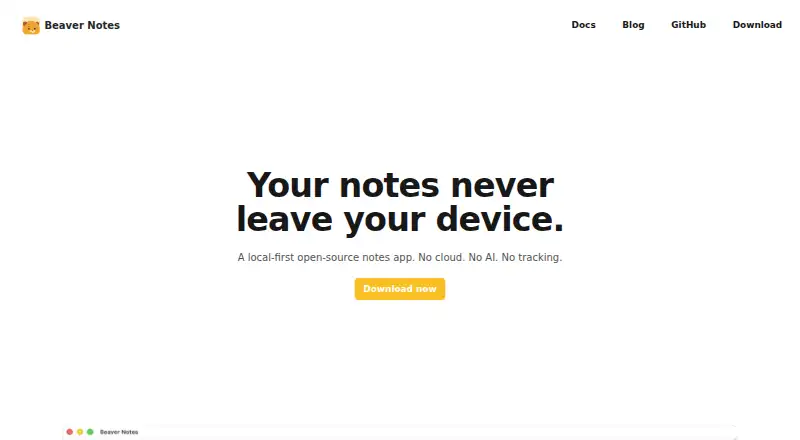
Beaver Notes is a local-first, open-source note-taking app for individuals who want their notes stored on their own devices. It combines Markdown editing with note linking, labels, search, file, image, and audio attachments, drawings, handwritten sections, and LaTeX math rendering. The app works offline, supports local note storage, and does not require an account for its core local note-taking workflow. Its audience is best defined by control and privacy rather than shared workspaces or AI-assisted organization.
Pricing centers on Beaver Sync rather than the core local notebook. The Free plan includes the full Beaver Notes app and encrypted cloud sync using your own cloud. Starter costs $4 per month and adds 30 days of note history, 10 GB of storage, and Beaver-provided storage. Pro costs $9 per month with one year of note history and 50 GB of storage. Team costs $12 per seat per month and includes one year of note history plus 100 GB of storage and 25 GB per seat. Enterprise offers custom history retention and customizable storage. This structure lets solo users keep using their own infrastructure or pay for managed storage as their needs grow.
Platform fit is practical for desktop workflows: Beaver Notes supports Windows, macOS, and Linux, with synchronization through Dropbox, OneDrive, iCloud, Syncthing, or Nextcloud. App-level encryption and per-note password locks add control for sensitive notebooks, while the plugin system provides room for extension. The trade-off is a narrow focus. There are no AI features, and the product is limited to desktop platforms; teams seeking a mature collaborative workspace should look elsewhere. Choose Beaver Notes for local, encrypted Markdown knowledge management and flexible synchronization, not for broad cross-platform collaboration or AI-driven note assistance.
Your product? Our editors can test Beaver Notes in depth and publish a review, labelled as paid · from $99/mo →
Beaver Notes pricing
All 5 Beaver Notes plans and prices →
Beaver Notes fact sheet
| Free plan | Yes |
|---|---|
| Paid from | $4/mo |
| Offline access | Yes |
| Supported platforms | Windows, macOS, Linux |
| Note sharing | Yes |
| Real-time collaboration | Not verified |
| Storage limit | Not verified |
| Integrations | Dropbox, OneDrive, iCloud, Syncthing, Nextcloud |
| Deployment | Desktop |
| Platforms | Windows, macOS, Linux |
| Support | Docs, Community |
| Built for | Solo, Small business (editorial estimate) |
| Integrations | 5 integrations: Dropbox, OneDrive, iCloud, Syncthing, Nextcloud |
| Pricing | Free plan (source) |
| Website | beavernotes.com |
| Facts checked | 20 Sep 2026 |
Beaver Notes integrations
Beaver Notes lists 5 integrations on its own site.
- Dropbox
- OneDrive
- iCloud
- Syncthing
- Nextcloud
Alternatives to Beaver Notes
- Microsoft OneNoteA broad, collaborative note system with strong Microsoft integration and a capable free option.9.3
- NotionA flexible workspace for teams that want notes and knowledge bases alongside databases and collaboration.9.2
- EvernoteA broad note-taking workspace for organizing information, tasks, calendars, and documents.9.0


See all Beaver Notes alternatives →
Also Ranked In
Beaver Notes is ranked in 2 of our directories.
Used Beaver Notes? Be the first to review it
The editor score above is our own research. What this page doesn't have yet is a reader's view — what you used Beaver Notes for, what worked and what didn't. No stars are seeded and no review is paid for; an editor reads every one before it appears.
Write a reviewTwo minutes · verified accounts only · read by an editor before it appears
Featured on iTechGuides

Beaver Notes is listed in our Note-Taking Apps directory. Add the badge to your site — it links back to this page.
<a href="https://www.itechguides.com/products/beaver-notes/"><img src="https://www.itechguides.com/best/badge/beaver-notes.svg" alt="Featured on iTechGuides" width="230" height="46"></a>
Guides on Note-Taking apps
- Best note-taking apps for iPad and Apple Pencil 2026Aug 2026
- Best Note-Taking Apps for iPad: Top 7 in 2026Aug 2026
- Best Note-Taking Apps to Use in 2026Aug 2026
Reviewed by iTechGuides Editors · Editorial team · Updated Oct 2026
Advertiser disclosure: iTechGuides is reader-supported. Vendors can pay for top positions in our rankings and for a place on other products' pages, and we may earn a commission when you click some links. Bought places stand at the number bought; this page and our disclosure say so. Paying vendors may get a fuller, more detailed review from our editors, and that review can change their score. How we rank.
Last updated · How we research and update