
Batch Image Resizer by Vovsoft
Batch Image Resizer by Vovsoft: A focused Windows batch resizer with broad format support and a $19 lifetime license. Ranked #13 of 28 in Photo Resizing Software by our editors (6.3/10); pricing: From $19; best for affordable offline Windows resizing.
At a glance
- Editor score6.3 / 10
- PricingFrom $19
- Best forAffordable offline Windows resizing
- Free planNo
- Batch resizingYes
- Facts checked20 Sep 2026
Where it wins
- Batch resizing with pixel, percentage, and multiple-dimension options
- Offline processing with aspect-ratio preservation and drag-and-drop input
- Supports JPEG, PNG, WEBP, BMP, GIF, TIFF, WMP, and DDS
Where it doesn't
- Windows is the only listed platform
- The trial limits batch resizing and commercial use
- The lifetime license is a paid one-time purchase
Our verdict on Batch Image Resizer by Vovsoft
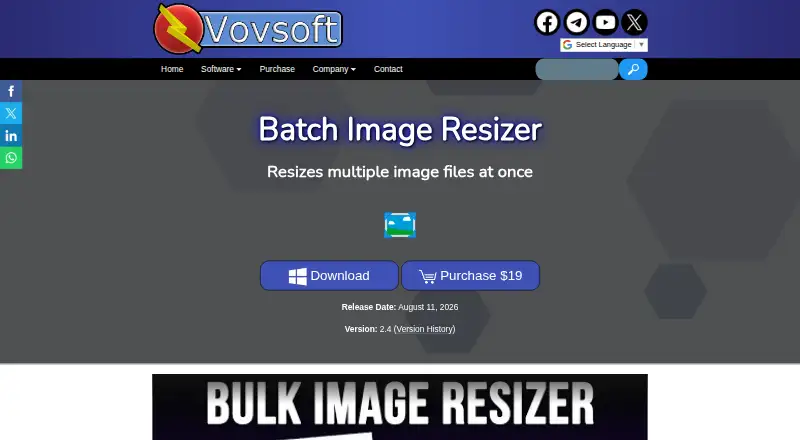
Batch Image Resizer by Vovsoft is a Windows desktop application for resizing and converting multiple image files in one workflow. It is aimed at users who need repeatable local image processing rather than a broader online editing environment. Pixel width-height resizing, percentage resizing, multiple output dimensions, aspect-ratio preservation, drag-and-drop input, and thumbnail creation cover the main requirements of a batch resizing workflow. Processing takes place offline, and supported formats include JPEG, PNG, WEBP, BMP, GIF, TIFF, WMP, and DDS.
Pricing is straightforward across the two listed plans. The Free trial allows the software to be tried, but batch resizing of multiple image files and commercial use are unavailable. The trial also includes a nag screen and ads. The Lifetime license costs $19 as a one-time payment and adds unrestricted use, all future updates, and no nag screen or ads. The published refund policy generally does not allow refunds, with discretionary exceptions. That makes the paid tier most relevant for users who need the central batch feature or intend to use the software commercially.
Its strongest area is focused resizing control. Users can choose Nearest Neighbor, Linear, Cubic, Fant, or Automatic interpolation methods, while output dimensions and thumbnails extend the workflow beyond a single resize action. The trade-off is scope: it is Windows-only, has no AI features, and is focused on desktop resizing and conversion rather than a wider image-editing toolkit. Choose it when offline Windows processing, format coverage, and a lifetime price matter; choose an alternative if you need another platform or broader editing capabilities.
Batch Image Resizer by Vovsoft pricing
All 2 Batch Image Resizer by Vovsoft plans and prices →
Batch Image Resizer by Vovsoft fact sheet
| Free plan | No |
|---|---|
| Paid from | Not verified |
| Batch resizing | Yes |
| Output formats | JPEG, PNG, WEBP, BMP, GIF, TIFF, WMP, DDS |
| Resize methods | Dimensions |
| Quality controls | Not verified |
| Maximum batch size | Not verified |
| Supported platforms | Desktop |
| Deployment | Desktop |
| Platforms | Windows |
| Support | Tickets, Docs |
| Built for | Solo, Small business (editorial estimate) |
| Pricing | From $19 (source) |
| Website | vovsoft.com |
| Facts checked | 20 Sep 2026 |
Alternatives to Batch Image Resizer by Vovsoft
- XnResizeA capable offline batch resizer with broad format support and detailed quality controls.9.0
- PhotoResize ProA capable desktop batch processor for creative teams handling large image collections.8.3
- ConverseenA capable free desktop tool for batch resizing, conversion, compression, and renaming.8.2


See all Batch Image Resizer by Vovsoft alternatives →
Used Batch Image Resizer by Vovsoft? Be the first to review it
The editor score above is our own research. What this page doesn't have yet is a reader's view — what you used Batch Image Resizer by Vovsoft for, what worked and what didn't. No stars are seeded and no review is paid for; an editor reads every one before it appears.
Write a reviewTwo minutes · verified accounts only · read by an editor before it appears
Featured on iTechGuides

Batch Image Resizer by Vovsoft is listed in our Photo Resizing Software directory. Add the badge to your site — it links back to this page.
<a href="https://www.itechguides.com/products/batch-image-resizer-by-vovsoft/"><img src="https://www.itechguides.com/best/badge/batch-image-resizer-by-vovsoft.svg" alt="Featured on iTechGuides" width="230" height="46"></a>
Reviewed by iTechGuides Editors · Editorial team · Updated Sep 2026
Advertiser disclosure: iTechGuides is reader-supported. We may earn a commission when you click some links. How we rank.
Last updated · How we research and update