BackendsideFTP
BackendsideFTP: A free Windows FTP client with queues, retries, secure credentials and multi-session support. Ranked #28 of 36 in FTP Clients by our editors (6.3/10); pricing: Free plan; best for free Windows users needing core FTP.
At a glance
- Editor score6.3 / 10
- PricingFree plan
- Best forFree Windows users needing core FTP
- Free planYes
- Paid fromFree
- Protocol coverageFtp-ftps-sftp
- Facts checked20 Sep 2026
Where it wins
- Supports FTP, FTPS and SFTP in one Windows client
- Queue controls include pause, resume, cancel and automatic retry
- Encrypted credentials, saved sites and activity logging support routine transfers
Where it doesn't
- Available for Windows only
- Does not provide verified synchronization
- Scheduling and automation are not included
Our verdict on BackendsideFTP
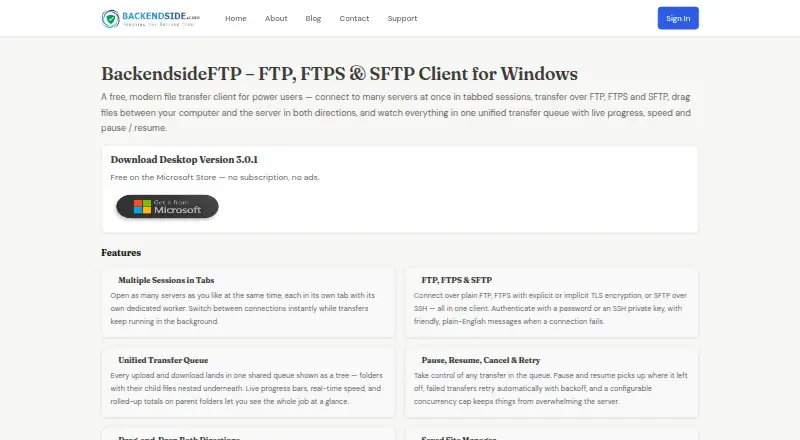
BackendsideFTP is a free Windows desktop client for connecting to FTP, FTPS and SFTP servers. It is aimed at users who need a graphical way to manage transfers across multiple servers without a subscription or ads. Tabbed multi-session connections, drag-and-drop transfers, saved site configurations and remote file and folder management cover the core tasks of a desktop FTP client. The CHMOD permission editor also provides direct control over remote file permissions.
For transfer management, the unified queue shows live progress and supports pausing, resuming, canceling and automatic retry. Auto-reconnect and keep-alive features help maintain sessions, while transfer history, speed limiting and activity logging add visibility and control. Encrypted credential storage is a useful fit for saved server connections, and verbosity control lets users adjust the amount of activity information displayed. These features make BackendsideFTP practical for recurring manual transfers and work involving several open sessions.
The product is a focused file-transfer client rather than a broader synchronization or automation tool. Verified synchronization, scheduling and automation are not part of its feature set, so users who need unattended workflows or managed folder synchronization should choose a product built around those capabilities instead. For Windows users seeking core FTP, FTPS and SFTP access with queue controls, site management and logging, the Free plan provides the full listed product scope without a subscription.
Your product? Our editors can test BackendsideFTP in depth and publish a review, labelled as paid · from $149/mo →
BackendsideFTP pricing
All 1 BackendsideFTP plans and prices →
BackendsideFTP fact sheet
| Free plan | Yes |
|---|---|
| Paid from | Free |
| Protocol coverage | Ftp-ftps-sftp |
| Supported platforms | Windows |
| File synchronization | Not verified |
| Scheduled transfers | Not verified |
| Transfer automation | Not verified |
| Concurrent transfers | Not verified |
| Portable version | Not verified |
| Deployment | Desktop |
| Platforms | Windows |
| Built for | Solo, Small business, Mid-market (editorial estimate) |
| Pricing | Free plan (source) |
| Website | backendside.com |
| Facts checked | 20 Sep 2026 |
Alternatives to BackendsideFTP
- WinSCPA capable free Windows client for multi-protocol transfers, scripting, and SSH workflows.9.3
- FileZilla ClientA capable free FTP client for straightforward desktop file transfers.9.2
- CyberduckA broad, free FTP client for desktop transfers, synchronization, and automation.9.1



See all BackendsideFTP alternatives →
Used BackendsideFTP? Be the first to review it
The editor score above is our own research. What this page doesn't have yet is a reader's view — what you used BackendsideFTP for, what worked and what didn't. No stars are seeded and no review is paid for; an editor reads every one before it appears.
Write a reviewTwo minutes · verified accounts only · read by an editor before it appears
Featured on iTechGuides

BackendsideFTP is listed in our FTP Clients directory. Add the badge to your site — it links back to this page.
<a href="https://www.itechguides.com/products/backendsideftp/"><img src="https://www.itechguides.com/best/badge/backendsideftp.svg" alt="Featured on iTechGuides" width="230" height="46"></a>
Reviewed by iTechGuides Editors · Editorial team · Updated Oct 2026
Advertiser disclosure: iTechGuides is reader-supported. Vendors can pay for top positions in our rankings and for a place on other products' pages, and we may earn a commission when you click some links. Bought places stand at the number bought; this page and our disclosure say so. Paying vendors may get a fuller, more detailed review from our editors, and that review can change their score. How we rank.
Last updated · How we research and update