
AzuraCast
AzuraCast: A capable free choice for running scheduled, multi-station internet radio. Ranked #12 of 26 in Music Live Stream Software by our editors (6.3/10); pricing: Free plan; best for free self-hosted multi-station radio.
At a glance
- Editor score6.3 / 10
- PricingFree plan
- Best forFree self-hosted multi-station radio
- Free planYes
- Paid fromNone
- 24/7 streamingYes
- Facts checked20 Sep 2026
Where it wins
- 24/7 AutoDJ with playlist rotation and time-based scheduling
- Multi-station administration, Web DJ, live DJ accounts, and listener requests
- REST API, analytics, relays, and integrations with Icecast and Shoutcast
Where it doesn't
- Requires self-hosting on a server or desktop that supports Docker
- Focused on radio servers and relays rather than native video multistreaming
- Does not include AI features or built-in audio visualizers
Our verdict on AzuraCast
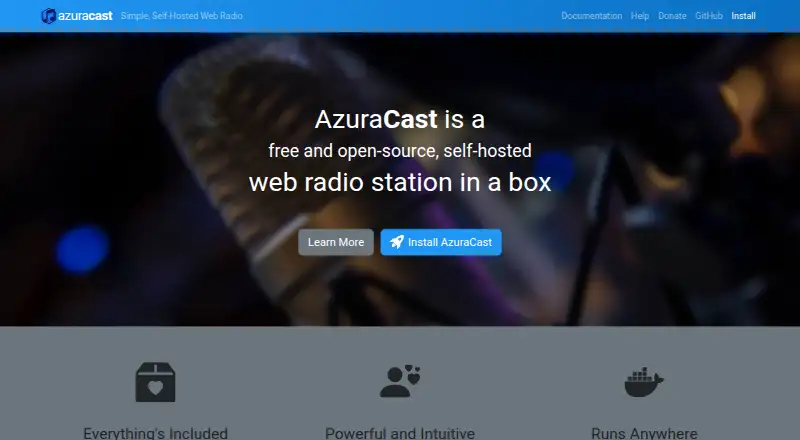
AzuraCast is free, open-source, self-hosted web radio management software for individuals, broadcasters, and organizations running internet radio stations. Its browser-based administration covers one or multiple stations, with media uploads, metadata editing, previews, folder organization, playlist rotation, and time/date-based scheduling. The platform also supports 24/7 AutoDJ broadcasting, live DJ accounts, browser-based Web DJ, embeddable public player pages, listener song requests, analytics, and listener reports. It is designed for deployments on servers or desktops that support Docker.
The strongest fit is a radio operation that needs automation and station control without a commercial subscription. AutoDJ keeps broadcasts running continuously, while scheduling supports planned playlist rotation. Live DJ accounts and Web DJ add browser-based participation, and remote relays can connect to Icecast or Shoutcast servers. Public player pages and listener requests extend the listener-facing experience, while REST API access supports station monitoring and management. Integrations with Slack, Discord, TuneIn, Twitter, and S3-compatible storage add connections around the station workflow.
AzuraCast’s main trade-off is its self-hosted operating model. The software is free and open source, but the organization running it is responsible for providing a suitable Docker-capable server or desktop and managing the deployment environment. Its documented destination model centers on internet radio servers and remote relays, so it is a better choice for radio-focused streaming than for workflows built around native YouTube or Twitch multistreaming. Choose AzuraCast for free, multi-station radio with AutoDJ, scheduling, live broadcasting, and API access; consider another tool if visualizers, AI features, or video-platform distribution are central requirements.
AzuraCast pricing
AzuraCast fact sheet
| Free plan | Yes |
|---|---|
| Paid from | None |
| Main destinations | Other |
| 24/7 streaming | Yes |
| Playlist scheduling | Yes |
| Audio visualizers | Not verified |
| Multistreaming | Not verified |
| Audio file upload | Yes |
| Deployment | Self-hosted, Cloud, Desktop |
| Platforms | Web, Linux |
| Support | Community, Docs |
| Built for | Solo, Small business, Mid-market, Enterprise (editorial estimate) |
| Integrations | 7 integrations: Icecast, Shoutcast, Slack, Discord, TuneIn, Twitter … |
| Pricing | Free plan |
| Website | azuracast.com |
| Facts checked | 20 Sep 2026 |
AzuraCast integrations
AzuraCast lists 7 integrations on its own site.
- Icecast
- Shoutcast
- Slack
- Discord
- TuneIn
- S3-compatible storage
Alternatives to AzuraCast
- playout.videoA cloud-first option for scheduled music channels, browser production, and multistreaming.9.0
- SavePoint Station ManagerA flexible station manager with free scheduling and paid multichannel live output.8.4
- UpstreamA flexible cloud studio for scheduled, always-on, and multistreamed broadcasts.8.2



See all AzuraCast alternatives →
Also listed in
Used AzuraCast? Be the first to review it
The editor score above is our own research. What this page doesn't have yet is a reader's view — what you used AzuraCast for, what worked and what didn't. No stars are seeded and no review is paid for; an editor reads every one before it appears.
Write a reviewTwo minutes · verified accounts only · read by an editor before it appears
Featured on iTechGuides

AzuraCast is listed in our Music Live Stream Software directory. Add the badge to your site — it links back to this page.
<a href="https://www.itechguides.com/products/azuracast/"><img src="https://www.itechguides.com/best/badge/azuracast.svg" alt="Featured on iTechGuides" width="230" height="46"></a>
Reviewed by iTechGuides Editors · Editorial team · Updated Sep 2026
Advertiser disclosure: iTechGuides is reader-supported. We may earn a commission when you click some links. How we rank.
Last updated · How we research and update