
Argon
Argon: A broad retro emulator with a built-in library, cloud saves, and premium extras. Ranked #29 of 53 in Multi-System Emulators by our editors (6.5/10); pricing: Free plan; best for retro gaming across Android and Windows.
At a glance
- Editor score6.5 / 10
- PricingFree plan
- Best forRetro gaming across Android and Windows
- Free planYes
- Facts checked22 Sep 2026
Where it wins
- Supports Atari, NES, Game Boy, PICO-8, Vectrex, and more
- Includes a built-in library of classic and indie games
- Supports controllers, keyboards, sideloading, and cloud saves
Where it doesn't
- Availability is limited to Android devices and Windows
- Google Drive support is reserved for premium subscribers
- Premium subscription pricing is not published on the current product pages
Our verdict on Argon
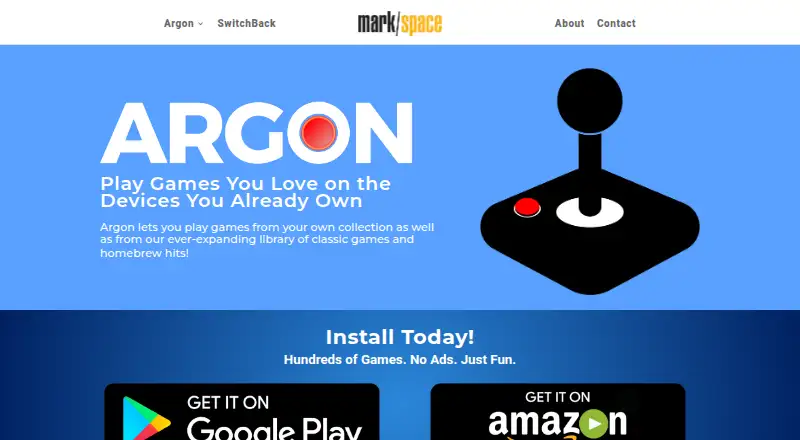
Argon is a multi-system emulator for playing retro console and home-computer games on Android devices and Windows. It supports Atari 2600, 5200, 7800, 8-bit and Lynx systems, alongside ColecoVision, Intellivision, NES, the Game Boy family, PICO-8, and Vectrex. Users can play titles from Argon's built-in library of classic and indie games or add games from their own collection. That combination makes it a strong fit for solo players who want one application for several retro systems, rather than a tool focused on one console family.
Its main strength is breadth. Argon brings multiple console and computer emulators together with support for console controllers and keyboards. Local game-library sideloading is available on supported devices, giving users another way to access games from their own collection. The published platform coverage is focused on Android and Windows, with desktop and mobile deployment represented across those platforms. Buyers who need a retro library and multi-system coverage on those devices have a clear use case; users seeking broader platform availability should look elsewhere.
Argon follows a freemium model with a free plan, while premium features add cloud saves, Google Drive support, and cross-device library access. Cloud saves can carry progress across Argon-enabled devices, and Google Drive provides an additional storage connection for premium subscribers. Support channels include tickets, documentation, and email. Argon is therefore suited to users who value a built-in library and want to move between supported Android and Windows devices, especially if premium synchronization features matter. It is less suitable for buyers who require a single published subscription price before choosing a plan or who need platforms beyond Android and Windows.
Your product? Our editors can test Argon in depth and publish a review, labelled as paid · from $149/mo →
Argon pricing
Argon fact sheet
| Free plan | Yes |
|---|---|
| Paid from | Not verified |
| Supported systems | Not verified |
| Android support | Yes |
| Arcade support | Not verified |
| Netplay | Not verified |
| BIOS required | Not verified |
| Shader/upscaling | Not verified |
| License | Not verified |
| Deployment | Desktop, Mobile |
| Platforms | Windows, Android |
| Support | Tickets, Docs, Email |
| Built for | Solo, Small business (editorial estimate) |
| Integrations | 1 integrations: Google Drive |
| Pricing | Free plan |
| Website | markspace.com |
| Facts checked | 22 Sep 2026 |
Argon integrations
Argon lists 1 integrations on its own site.
- Google Drive
Alternatives to Argon
- RetroArchA broad, free emulator hub with one interface for collections, cores, controls, and play.9.4
- FoxolFoxol combines multi-system emulation, cloud saves, and multiplayer across web, desktop, and mobile.9.1
- aresA broad, free desktop emulator with preservation-focused tools and system-specific BIOS requirements.8.8


Used Argon? Be the first to review it
The editor score above is our own research. What this page doesn't have yet is a reader's view — what you used Argon for, what worked and what didn't. No stars are seeded and no review is paid for; an editor reads every one before it appears.
Write a reviewTwo minutes · verified accounts only · read by an editor before it appears
Featured on iTechGuides

Argon is listed in our Multi-System Emulators directory. Add the badge to your site — it links back to this page.
<a href="https://www.itechguides.com/products/argon-multi-system-emulator/"><img src="https://www.itechguides.com/best/badge/argon-multi-system-emulator.svg" alt="Featured on iTechGuides" width="230" height="46"></a>
Reviewed by iTechGuides Editors · Editorial team · Updated Oct 2026
Advertiser disclosure: iTechGuides is reader-supported. Vendors can pay for top positions in our rankings and for a place on other products' pages, and we may earn a commission when you click some links. Bought places stand at the number bought; this page and our disclosure say so. Paying vendors may get a fuller, more detailed review from our editors, and that review can change their score. How we rank.
Last updated · How we research and update