appimagetool
appimagetool: A focused, free tool for Linux teams packaging AppImages in CI. Ranked #21 of 29 in Software Packaging Tools by our editors (6.9/10); pricing: Free plan; best for linux AppImage builds with update metadata.
At a glance
- Editor score6.9 / 10
- PricingFree plan
- Best forLinux AppImage builds with update metadata
- Free planYes
- Paid fromFree
- Output formatsAppImage; optional zsync file
- Facts checked20 Sep 2026
Where it wins
- Creates AppImages from existing AppDirs with configurable compression
- Embeds update information and can generate optional zsync files
- Supports GPG signing and AppStream metadata validation
Where it doesn't
- Requires an existing AppDir rather than building application bundles from scratch
- Linux-focused, with documented builds limited to listed architectures
- AppImage updating requires the separate AppImageUpdate project
Our verdict on appimagetool
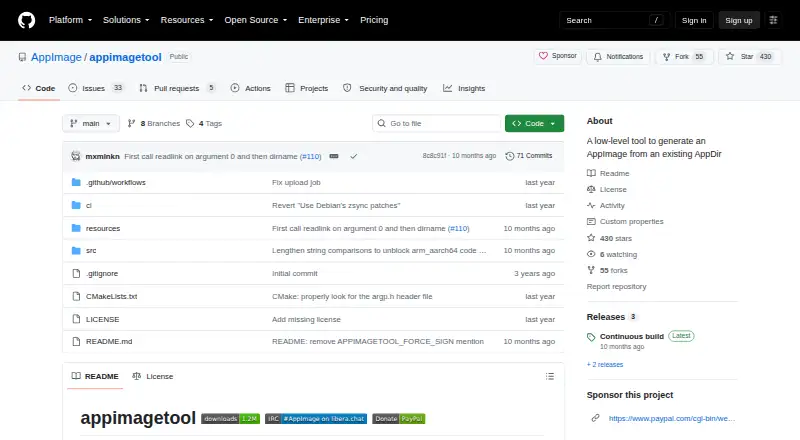
appimagetool is a free, open-source command-line utility that converts an existing AppDir into an AppImage. It is aimed primarily at application developers and higher-level packaging tools that need a focused Linux packaging step. The tool supports documented builds for x86_64, i686, aarch64, and armhf, with AppImage as its main output and an optional zsync file.
Its strongest fit is automated packaging. appimagetool can embed update information, generate zsync files, and infer update information from common CI environment variables. That makes it suitable for CI/CD workflows where build artifacts and update metadata need to be produced together. GPG signing, AppStream metadata validation, configurable SquashFS compression, custom runtime files, and mksquashfs exclusion files provide useful control over the resulting package. The open-source model also keeps the tool available without a paid tier.
The trade-off is its deliberately narrow, low-level scope. A usable AppDir is required, so teams looking for a full application build system or a graphical packaging workflow will need another layer. The tool creates update metadata and zsync artifacts, but actual AppImage updating is handled by the separate AppImageUpdate project. Choose appimagetool when your workflow already produces AppDirs and needs scriptable AppImage packaging with signing, validation, and update metadata. Choose an alternative when you need broader platform coverage, source-to-bundle build automation, or updating contained within the same tool.
Your product? Our editors can test appimagetool in depth and publish a review, labelled as paid · from $149/mo →
appimagetool pricing
appimagetool fact sheet
| Free plan | Yes |
|---|---|
| Paid from | Free |
| Target platforms | Linux; builds documented for x86_64, i686, aarch64, and armhf |
| Output formats | AppImage; optional zsync file |
| Command-line packaging | Yes |
| Silent installation | Not verified |
| Auto-update support | Yes |
| Delta updates | Yes |
| CI/CD integration | Yes |
| Deployment | Self-hosted |
| Platforms | Linux |
| Support | Docs |
| Built for | Solo, Small business, Mid-market, Enterprise (editorial estimate) |
| Pricing | Free plan |
| Website | github.com |
| Facts checked | 20 Sep 2026 |
Alternatives to appimagetool
- electron-builderA broad Electron release toolkit covering builds, updates, signing, publishing, and CI/CD.9.4
- Advanced InstallerA broad Windows packaging suite for teams managing installers, updates, and deployment automation.9.2
- install4jA capable choice for Java publishers shipping signed installers across major desktop platforms.9.0



See all appimagetool alternatives →
Used appimagetool? Be the first to review it
The editor score above is our own research. What this page doesn't have yet is a reader's view — what you used appimagetool for, what worked and what didn't. No stars are seeded and no review is paid for; an editor reads every one before it appears.
Write a reviewTwo minutes · verified accounts only · read by an editor before it appears
Featured on iTechGuides

appimagetool is listed in our Software Packaging Tools directory. Add the badge to your site — it links back to this page.
<a href="https://www.itechguides.com/products/appimagetool/"><img src="https://www.itechguides.com/best/badge/appimagetool.svg" alt="Featured on iTechGuides" width="230" height="46"></a>
Reviewed by iTechGuides Editors · Editorial team · Updated Oct 2026
Advertiser disclosure: iTechGuides is reader-supported. Vendors can pay for top positions in our rankings and for a place on other products' pages, and we may earn a commission when you click some links. Bought places stand at the number bought; this page and our disclosure say so. Paying vendors may get a fuller, more detailed review from our editors, and that review can change their score. How we rank.
Last updated · How we research and update