
electron-builder
electron-builder: A broad Electron release toolkit covering builds, updates, signing, publishing, and CI/CD. Ranked #1 of 29 in Software Packaging Tools by our editors (9.4/10); pricing: Open source; best for cross-platform Electron apps with full release workflows.
At a glance
- Editor score9.4 / 10
- PricingOpen source
- Best forCross-platform Electron apps with full release workflows
- Paid fromFree
- Output formatsDMG, PKG, MAS, AppImage, Snap, DEB, RPM, FreeBSD, Pacman, P5P, APK, NSIS, NSIS Web, portable EXE, AppX, MSIX, MSI, Squirrel.Windows, ZIP, 7z, tar.xz, tar.gz, tar.bz2, tar.lz, tar.7z
- Facts checked20 Sep 2026
Where it wins
- Builds installers, archives, portable apps, and packages across three platforms
- Supports signing, macOS notarization, silent MSI installs, and differential updates
- Automates publishing and multi-platform releases with CLI, APIs, and GitHub Actions
Where it doesn't
- Focused on Electron applications rather than general software packaging
- Its broad configuration scope may exceed simple packaging needs
- Release workflows depend on configuring targets, signing, publishing, and updates
Our verdict on electron-builder
electron-builder is an open-source command-line tool and Node.js package for turning Electron applications into distributable installers, portable builds, archives, and platform packages. It targets macOS, Windows, and Linux, with configuration through package.json or dedicated configuration files. Developers can invoke builds from the command line or programmatic APIs, making it suitable for teams that need repeatable packaging across operating systems and a complete release path rather than a basic installer generator.
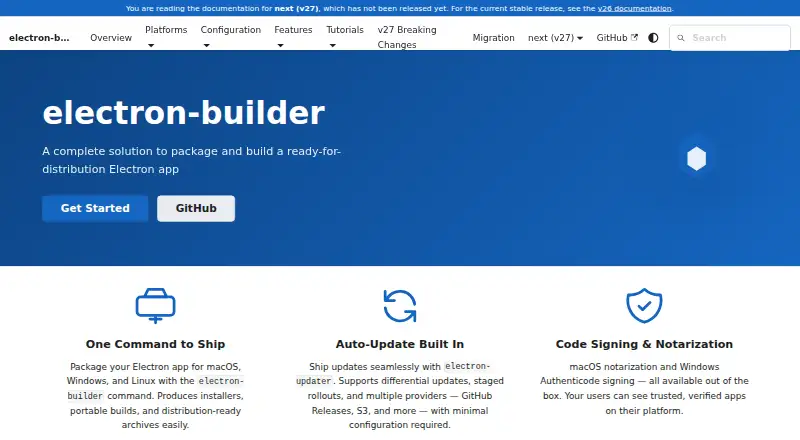
Its main strength is breadth. The published capabilities cover formats including DMG, PKG, MAS, AppImage, Snap, DEB, RPM, NSIS, MSIX, MSI, portable EXE, ZIP, and multiple archive types. Release workflows also include code signing, macOS notarization, Windows MSI silent installation, and application updates through electron-updater. Embedded blockmaps support differential updates, which can reduce the amount of data included in update delivery. These features make electron-builder a strong fit for Electron products that must ship through several distribution channels and maintain an update process after release.
The ecosystem and automation support are equally important for teams operating releases in CI/CD. Artifacts can be published to GitHub Releases, Amazon S3, DigitalOcean Spaces, Keygen, or generic HTTP(S) servers, while GitHub Actions supports multi-platform workflows. The trade-off is focus: electron-builder is designed for Electron applications, so teams packaging other application types should choose a tool aligned with those targets. It is also better suited to projects that need signing, publishing, updates, and multiple formats than to a simple one-platform packaging task. Choose it for cross-platform Electron releases with a full workflow; look elsewhere for general-purpose packaging outside Electron.
Questions about electron-builder
What does electron-builder run on? Windows, macOS and Linux. It runs as a desktop app.
What does electron-builder integrate with? 5 integrations: GitHub Releases, Amazon S3, DigitalOcean Spaces, Keygen and generic HTTP(S) servers.
Who is electron-builder built for? Solo users, small businesses, mid-market companies and enterprises (our editorial estimate).
Your product? Our editors can test electron-builder in depth and publish a review, labelled as paid · from $149/mo →
electron-builder pricing
electron-builder fact sheet
| Free plan | Not verified |
|---|---|
| Paid from | Free |
| Target platforms | macOS, Windows, Linux |
| Output formats | DMG, PKG, MAS, AppImage, Snap, DEB, RPM, FreeBSD, Pacman, P5P, APK, NSIS, NSIS Web, portable EXE, AppX, MSIX, MSI, Squirrel.Windows, ZIP, 7z, tar.xz, tar.gz, tar.bz2, tar.lz, tar.7z |
| Command-line packaging | Yes |
| Silent installation | Yes |
| Auto-update support | Yes |
| Delta updates | Yes |
| CI/CD integration | Yes |
| Deployment | Desktop |
| Platforms | Windows, macOS, Linux |
| Support | Community, Docs |
| Built for | Solo, Small business, Mid-market, Enterprise (editorial estimate) |
| Integrations | 5 integrations: GitHub Releases, Amazon S3, DigitalOcean Spaces, Keygen, generic HTTP(S) servers |
| Pricing | Open source |
| Website | electron.build |
| Facts checked | 20 Sep 2026 |
electron-builder integrations
electron-builder lists 5 integrations on its own site.
- GitHub Releases
- Amazon S3
- DigitalOcean Spaces
- Keygen
- generic HTTP(S) servers
Alternatives to electron-builder
- Advanced InstallerA broad Windows packaging suite for teams managing installers, updates, and deployment automation.9.2
- install4jA capable choice for Java publishers shipping signed installers across major desktop platforms.9.0
- WiX ToolsetA developer-focused toolkit for source-controlled Windows MSI and bundle engineering.8.8



See all electron-builder alternatives →
electron-builder vs the competition
- electron-builder vs Advanced Installer
- electron-builder vs install4j
- electron-builder vs WiX Toolset
- electron-builder vs Electron Forge
- electron-builder vs Tauri Bundler
- electron-builder vs Inno Setup



Compare electron-builder with any tool side by side →
Used electron-builder? Be the first to review it
The editor score above is our own research. What this page doesn't have yet is a reader's view — what you used electron-builder for, what worked and what didn't. No stars are seeded and no review is paid for; an editor reads every one before it appears.
Write a reviewTwo minutes · verified accounts only · read by an editor before it appears
Featured on iTechGuides

electron-builder is listed in our Software Packaging Tools directory. Add the badge to your site — it links back to this page.
<a href="https://www.itechguides.com/products/electron-builder/"><img src="https://www.itechguides.com/best/badge/electron-builder.svg" alt="Featured on iTechGuides" width="230" height="46"></a>
Reviewed by iTechGuides Editors · Editorial team · Updated Nov 2026
Advertiser disclosure: iTechGuides is reader-supported. Vendors can pay for top positions in our rankings and for a place on other products' pages, and we may earn a commission when you click some links. Bought places stand at the number bought; this page and our disclosure say so. Paying vendors may get a fuller, more detailed review from our editors, and that review can change their score. How we rank.
Last updated · How we research and update