
ApowerManager
ApowerManager: A broad desktop toolkit for managing phones, backups, files, and screens. Ranked #17 of 44 in Phone Transfer Software by our editors (7.7/10); pricing: Free plan; best for phone management beyond migration.
At a glance
- Editor score7.7 / 10
- PricingFree plan
- Best forPhone management beyond migration
- Free planYes
- Paid from$59.90/yr
- Mobile OS supportBoth
- Facts checked21 Sep 2026
Where it wins
- Manages files, contacts, messages, apps, photos, videos, and documents
- Backs up and restores phone data on Windows or Mac computers
- Supports USB and Wi-Fi connections, mirroring, screenshots, and recording
Where it doesn't
- Its transfer workflow centers on phone-to-computer operations
- The monthly plan costs $39.90 per month
- Business and team plans cost more than personal options
Our verdict on ApowerManager
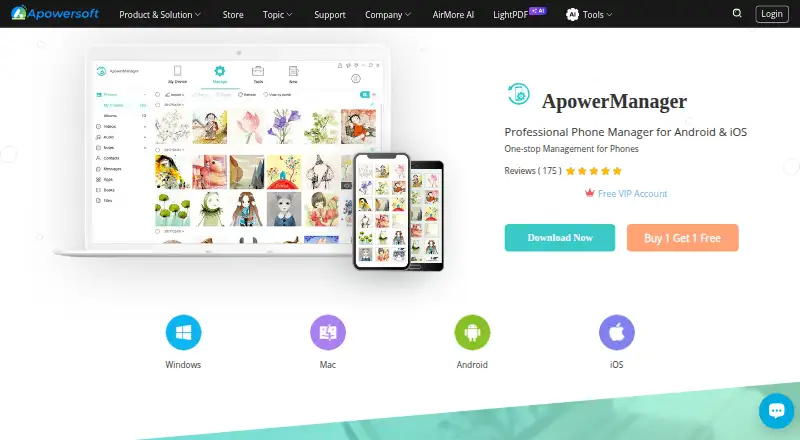
ApowerManager is desktop phone-management software for Android and iOS devices. It connects phones to Windows PCs or Macs through USB or Wi-Fi, giving individuals and businesses a way to import, export, organize, preview, and delete mobile files. Alongside photos, videos, music, and documents, it manages contacts, messages, and apps. It also supports full phone backups to a computer, restoring data from those backups, phone-screen mirroring, screenshots, and screen recording. This makes it a fit for people who want broader phone management beyond a single migration task.
Pricing is structured across personal and business licenses. Personal Annual costs $59.90 per year and includes auto-renewal with cancellation anytime. Personal Monthly costs $39.90 per month with the same billing controls, while Personal Lifetime costs $129.90 as a one-time purchase and includes free lifetime updates and technical support. Business Annual costs $119.90 per year, and Business Lifetime costs $259.90 as a one-time purchase; both include business-oriented support terms, with the lifetime plan including free updates and technical support. Business Lifetime Team is also $259.90 one-time per user, with volume pricing by number of PCs. A free plan is available.
Its strongest case is breadth: ApowerManager combines file operations, app management, computer backups, restore, mirroring, and capture tools across Windows, macOS, iOS, and Android. USB and Wi-Fi connections add flexibility for different desktop workflows. The trade-off is focus: buyers seeking a narrowly defined phone-to-phone migration tool may prefer software centered specifically on that task. ApowerManager suits users who need an ongoing desktop control center for mobile data and device content; it is less suited to buyers who only want a one-purpose transfer utility.
Your product? Our editors can test ApowerManager in depth and publish a review, labelled as paid · from $149/mo →
ApowerManager pricing
All 6 ApowerManager plans and prices →
ApowerManager fact sheet
| Free plan | Yes |
|---|---|
| Paid from | $59.90/yr |
| Mobile OS support | Both |
| Phone-to-phone transfer | Not verified |
| Phone-to-computer transfer | Yes |
| App transfer | Yes |
| Computer backup | Yes |
| Devices per license | Not verified |
| Money-back guarantee | 30 days |
| Deployment | Desktop, Mobile |
| Platforms | Windows, macOS, iOS, Android |
| Support | Community, Docs |
| Built for | Solo, Small business, Mid-market (editorial estimate) |
| Pricing | Free plan (source) |
| Website | apowersoft.com |
| Facts checked | 21 Sep 2026 |
Alternatives to ApowerManager
- Samsung Smart SwitchA free transfer and backup utility for moving data into Samsung Galaxy devices.9.4
- vivo EasyShareA free migration tool for moving phone data across Android, iOS, Windows, and macOS.9.3
- Wondershare MobileTransA paid transfer suite for phones, computers, backups, apps, and messaging data.9.2


See all ApowerManager alternatives →
Used ApowerManager? Be the first to review it
The editor score above is our own research. What this page doesn't have yet is a reader's view — what you used ApowerManager for, what worked and what didn't. No stars are seeded and no review is paid for; an editor reads every one before it appears.
Write a reviewTwo minutes · verified accounts only · read by an editor before it appears
Featured on iTechGuides

ApowerManager is listed in our Phone Transfer Software directory. Add the badge to your site — it links back to this page.
<a href="https://www.itechguides.com/products/apowermanager/"><img src="https://www.itechguides.com/best/badge/apowermanager.svg" alt="Featured on iTechGuides" width="230" height="46"></a>
Reviewed by iTechGuides Editors · Editorial team · Updated Oct 2026
Advertiser disclosure: iTechGuides is reader-supported. Vendors can pay for top positions in our rankings and for a place on other products' pages, and we may earn a commission when you click some links. Bought places stand at the number bought; this page and our disclosure say so. Paying vendors may get a fuller, more detailed review from our editors, and that review can change their score. How we rank.
Last updated · How we research and update