
AnyTrans
AnyTrans: A focused choice for iPhone backups, selective transfers, and Apple content management. Ranked #32 of 44 in Phone Transfer Software by our editors (6.2/10); pricing: From $35.99/mo · 3-day trial; best for iPhone backup and selective transfer workflows.
At a glance
- Editor score6.2 / 10
- PricingFrom $35.99/mo · 3-day trial
- Best foriPhone backup and selective transfer workflows
- Free planNo
- Paid from$35.99/mo
- Mobile OS supportBoth
- Founded2011 · Chengdu, Sichuan, China
- Facts checked16 Sep 2026
Where it wins
- Selective, incremental, scheduled, and wireless iPhone backups
- Transfers app data and WhatsApp, LINE, and Viber content
- Manages iCloud and iTunes content alongside device transfers
Where it doesn't
- No free plan; the trial lasts three days
- Monthly and yearly subscriptions cover one computer
- Android transfer is limited to moving data to iPhone
Our verdict on AnyTrans
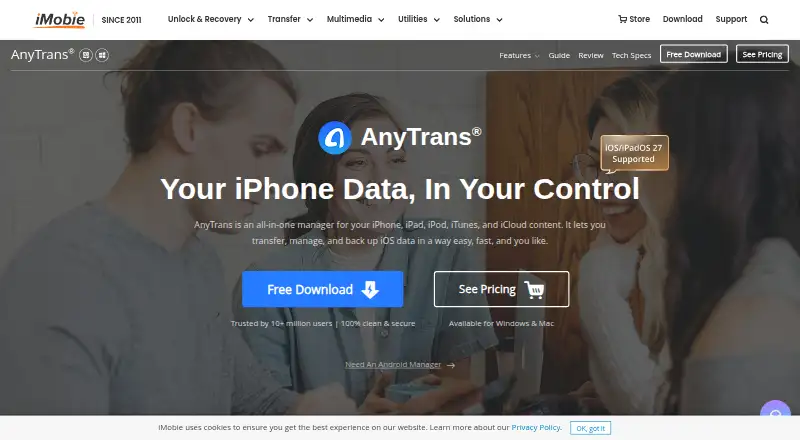
AnyTrans is desktop software from iMobie for transferring, managing, exporting, and backing up phone data. It runs on Windows and macOS, with iOS devices as its main focus, and handles iPhone, iPad, and iPod content such as photos, music, messages, contacts, app data, WhatsApp data, iCloud content, and iTunes libraries. It suits people moving between iOS devices, switching from Android to iPhone, exporting phone data to a computer, or maintaining more selective backups than a full-device workflow provides.
The published plans show four purchase options. The 1-Month Subscription costs $35.99 per month, covers unlimited devices, and allows one computer with automatic monthly renewal. The 1-Year Subscription costs $39.99 per year with the same device and computer limits and automatic yearly renewal. The One-Time Purchase costs $59.99, includes a lifetime plan and lifetime free updates, and covers unlimited devices on one computer. The $79.99 Family Plan adds coverage for five computers, with a lifetime plan and lifetime free updates. A three-day trial is available, but there is no free plan.
AnyTrans fits Apple-centered workflows that need phone-to-phone transfer, phone-to-computer export, backup preview, extraction, restoration, batch iOS app and app-data transfer, or scheduled wireless backups. Its ecosystem connections include iTunes, iCloud, WhatsApp, LINE, and Viber. The product is a stronger match for selective iPhone management and messaging-app transfer than for broad, two-way Android support, since the listed Android workflow transfers to iPhone. Choose it for detailed iOS backup and migration tasks; choose an alternative if you need a free tier, wider Android coverage, or a subscription that covers multiple computers.
Your product? Our editors can test AnyTrans in depth and publish a review, labelled as paid · from $99/mo →
AnyTrans pricing
All 4 AnyTrans plans and prices →
AnyTrans fact sheet
| Free plan | No |
|---|---|
| Paid from | $35.99/mo |
| Mobile OS support | Both |
| Phone-to-phone transfer | Yes |
| Phone-to-computer transfer | Yes |
| App transfer | Yes |
| Computer backup | Yes |
| Devices per license | Not verified |
| Free trial | 3 days |
| Deployment | Desktop, Mobile |
| Platforms | Windows, macOS, iOS |
| Integrations | 5 integrations: iTunes, iCloud, WhatsApp, LINE, Viber |
| Pricing | From $35.99/mo · 3-day trial (source) |
| Website | imobie.com |
| Facts checked | 16 Sep 2026 |
AnyTrans integrations
AnyTrans lists 5 integrations on its own site.
- iTunes
- iCloud
- LINE
- Viber
Alternatives to AnyTrans
- Samsung Smart SwitchA free transfer and backup utility for moving data into Samsung Galaxy devices.9.4
- vivo EasyShareA free migration tool for moving phone data across Android, iOS, Windows, and macOS.9.3
- Wondershare MobileTransA paid transfer suite for phones, computers, backups, apps, and messaging data.9.2


See all AnyTrans alternatives →
Used AnyTrans? Be the first to review it
The editor score above is our own research. What this page doesn't have yet is a reader's view — what you used AnyTrans for, what worked and what didn't. No stars are seeded and no review is paid for; an editor reads every one before it appears.
Write a reviewTwo minutes · verified accounts only · read by an editor before it appears
Featured on iTechGuides

AnyTrans is listed in our Phone Transfer Software directory. Add the badge to your site — it links back to this page.
<a href="https://www.itechguides.com/products/anytrans/"><img src="https://www.itechguides.com/best/badge/anytrans.svg" alt="Featured on iTechGuides" width="230" height="46"></a>
Reviewed by iTechGuides Editors · Editorial team · Updated Sep 2026
Advertiser disclosure: iTechGuides is reader-supported. Vendors can pay for top positions in our rankings and for a place on other products' pages, and we may earn a commission when you click some links. How we rank.
Last updated · How we research and update