
AccelByte Development Toolkit
AccelByte Development Toolkit: A broad game development toolkit with useful crash investigation features and usage-based costs. Ranked #3 of 25 in Game Crash Reporting Software by our editors (8.9/10); pricing: Free plan; best for studios needing crash reporting inside a dev toolkit.
At a glance
- Editor score8.9 / 10
- PricingFree plan
- Best forStudios needing crash reporting inside a dev toolkit
- Free planYes
- Founded2016 · Bellevue, Washington, United States
- Facts checked22 Sep 2026
Where it wins
- Crash reports include call stacks, logs, builds, sessions, and replay video.
- Supports Unity and Unreal crash-reporting workflows.
- Combines builds, playtests, bug reports, crash grouping, and performance metrics.
Where it doesn't
- Standard support costs $2,500 per month.
- Crash and event processing costs $0.014 per event.
- Unity crash reporting is documented as an alpha feature.
Our verdict on AccelByte Development Toolkit
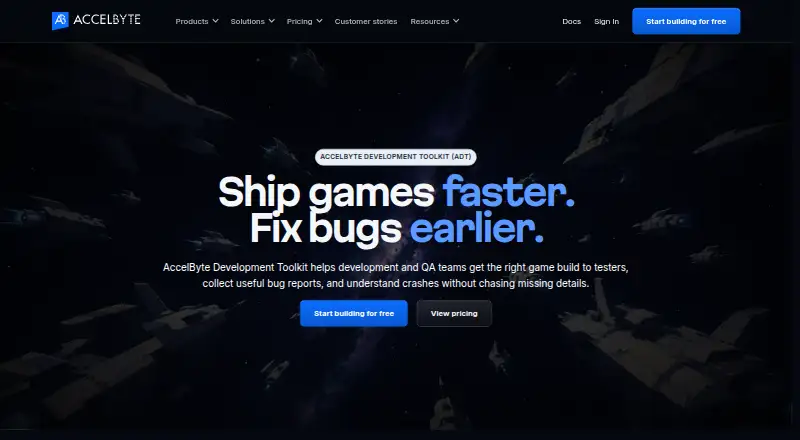
AccelByte Development Toolkit is a cloud-based toolkit for game development and QA teams. It combines build upload, distribution, downloading, installation, and launch with organized playtests, tester management, bug reporting, crash investigation, and performance analysis. Studios can collect call stacks, logs, build information, session details, and crash replay video, while teams working in Unity or Unreal can follow engine-specific crash-reporting workflows. It is suited to teams that want crash reporting alongside broader development and testing operations rather than as a standalone service.
The published plans use a freemium model with several cost layers. Basic users receive build downloads and uploads, organized playtests, and bug reporting. Standard users cost $25 per seat per month and add Smart Builds, automatic downloading, and statistics. Power users cost $60 per seat per month and add access control, crash reporting, performance metrics, and the UTrace viewer. Usage charges include $0.102 per GB for data transfer, $0.023 per GB for storage, and $0.014 per event for crash and event processing. The plans include 100 GB of free monthly data transfer and 1 TB of free data storage, while the published pricing page states a 1,000-events-per-day cap.
Its strongest distinction is breadth: crash reports can include up to 10 seconds of replay video before a crash, recurring issues can be grouped across builds, and AI-assisted crash analysis plus MCP server access extend investigation workflows. Smart Builds transfer only changed build data, and the toolkit also covers screenshots, video, logs, and performance metrics. The trade-off is that teams seeking only crash reporting may find the wider toolkit and usage-based billing less focused. Unity crash reporting is documented as an alpha feature, and dedicated support adds a $2,500 monthly tier. Choose it when build distribution, playtesting, and diagnostics belong in one workflow; consider a narrower alternative when those broader functions are unnecessary.
Your product? Our editors can test AccelByte Development Toolkit in depth and publish a review, labelled as paid · from $149/mo →
AccelByte Development Toolkit pricing
All 10 AccelByte Development Toolkit plans and prices →
AccelByte Development Toolkit fact sheet
| Free plan | Yes |
|---|---|
| Paid from | Not verified |
| Monthly event limit | Not verified |
| Unity support | Yes |
| Unreal support | Yes |
| Source maps | Not verified |
| Breadcrumbs | Not verified |
| Player context | Not verified |
| Crash-free users metric | Not verified |
| Deployment | Cloud, Self-hosted |
| Platforms | Web, Windows, Linux |
| Compliance & security | GDPR |
| Support | Community, Docs, Tickets · 24/7 |
| Built for | Small business, Mid-market, Enterprise (editorial estimate) |
| Pricing | Free plan (source) |
| Website | accelbyte.io |
| Facts checked | 22 Sep 2026 |
Alternatives to AccelByte Development Toolkit
- TombstackGame-native crash monitoring with player context, analytics and a low-cost Studio tier.9.3
- BugSplatA game-focused crash reporting platform with useful diagnostics and an accessible free tier.9.1
- BacktraceBacktrace combines deep crash analysis with broad platform coverage, but paid access starts high.8.7



See all AccelByte Development Toolkit alternatives →
AccelByte Development Toolkit vs the competition
- AccelByte Development Toolkit vs Tombstack
- AccelByte Development Toolkit vs BugSplat
- AccelByte Development Toolkit vs Backtrace
- AccelByte Development Toolkit vs Firebase Crashlytics
- AccelByte Development Toolkit vs Breakpad
- AccelByte Development Toolkit vs Playloop



Compare AccelByte Development Toolkit with any tool side by side →
Used AccelByte Development Toolkit? Be the first to review it
The editor score above is our own research. What this page doesn't have yet is a reader's view — what you used AccelByte Development Toolkit for, what worked and what didn't. No stars are seeded and no review is paid for; an editor reads every one before it appears.
Write a reviewTwo minutes · verified accounts only · read by an editor before it appears
Featured on iTechGuides

AccelByte Development Toolkit is listed in our Game Crash Reporting Software directory. Add the badge to your site — it links back to this page.
<a href="https://www.itechguides.com/products/accelbyte-development-toolkit/"><img src="https://www.itechguides.com/best/badge/accelbyte-development-toolkit.svg" alt="Featured on iTechGuides" width="230" height="46"></a>
Reviewed by iTechGuides Editors · Editorial team · Updated Oct 2026
Advertiser disclosure: iTechGuides is reader-supported. Vendors can pay for top positions in our rankings and for a place on other products' pages, and we may earn a commission when you click some links. Bought places stand at the number bought; this page and our disclosure say so. Paying vendors may get a fuller, more detailed review from our editors, and that review can change their score. How we rank.
Last updated · How we research and update