
4DDiG Disk Copy
4DDiG Disk Copy: A focused Windows disk-cloning tool with flexible migration and lifetime licensing. Ranked #21 of 26 in Disk Cloning Software by our editors (7.0/10); pricing: Paid; best for straightforward Windows disk migration.
At a glance
- Editor score7.0 / 10
- PricingPaid
- Best forStraightforward Windows disk migration
- Free planNo
- Paid from$30.95/device/yr
- Supported operating systemsWindows
- Founded2007 · Hong Kong
- Facts checked20 Sep 2026
Where it wins
- Supports full, system, and individual partition cloning
- Can migrate to smaller disks within used-capacity limits
- Offers monthly, annual, and lifetime licensing options
Where it doesn't
- Windows-only support limits cross-platform use
- No free plan is available
- Smaller-disk cloning depends on target used-capacity limits
Our verdict on 4DDiG Disk Copy
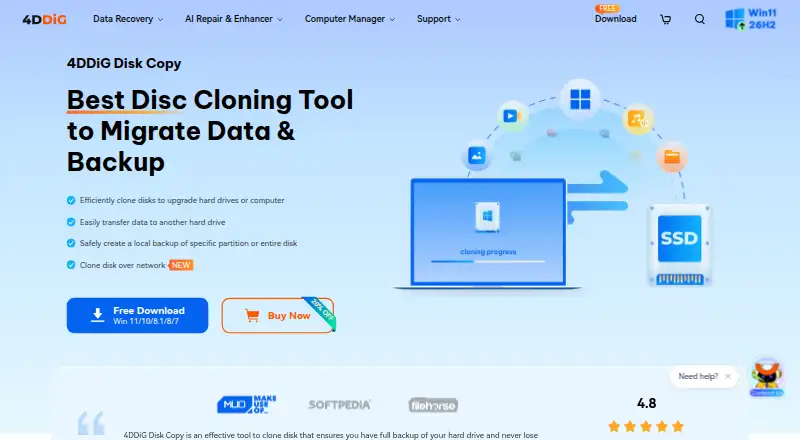
4DDiG Disk Copy is Windows disk-cloning software for upgrading drives, migrating operating systems, transferring data, and creating local backups. It supports full hard-drive cloning, system-disk cloning, individual partition cloning, HDD-to-SSD migration, and network-based disk cloning. The product supports Windows 11, 10, 8.1, 8, and 7, making it a fit for users who want to move a Windows installation or selected data without switching to a broader backup platform. Its strongest audience is people planning a drive upgrade or system migration on a Windows computer.
Pricing is structured around three paid licenses. The 1 Month License costs $12.95 per month and includes one month of free upgrades. The 1 Year License costs $30.95 per year and includes one year of free upgrades. The Lifetime License costs $49.95 as a one-time payment and includes lifetime free upgrades. Every plan includes hard-drive, system-disk, smaller-disk, and specific-partition cloning. The lifetime option is the clearest fit for recurring maintenance or multiple future migrations, while the monthly plan suits a single short-term project. Published prices are discounted US prices and exclude tax.
Its practical scope goes beyond a basic drive-to-drive copy. Users can preview a clone and resize partitions during that step, create local disk and partition backups, and clone disks over a network. Smaller-disk migration is useful when the destination can hold the source drive’s used capacity, but that condition narrows the workflow for heavily occupied drives. The main trade-off is platform focus: 4DDiG Disk Copy is designed for Windows rather than mixed operating-system environments. Choose it for direct Windows disk migration with partition control and a lifetime option; choose another category of tool if you need broader platform coverage or a free plan.
Your product? Our editors can test 4DDiG Disk Copy in depth and publish a review, labelled as paid · from $149/mo →
4DDiG Disk Copy pricing
All 3 4DDiG Disk Copy plans and prices →
4DDiG Disk Copy fact sheet
| Free plan | No |
|---|---|
| Paid from | $30.95/device/yr |
| Supported operating systems | Windows |
| Clone scope | Both |
| Bootable media | Not verified |
| Resize during cloning | Yes |
| Sector cloning modes | Not verified |
| Scheduled cloning | Not verified |
| Dissimilar-hardware restore | Yes |
| Money-back guarantee | 30 days |
| Deployment | Desktop |
| Platforms | Windows |
| Support | Email, Docs · 24/7 |
| Built for | Solo, Small business (editorial estimate) |
| Pricing | Paid (source) |
| Website | 4ddig.tenorshare.com |
| Facts checked | 20 Sep 2026 |
Alternatives to 4DDiG Disk Copy
- ClonezillaA capable free choice for cross-platform cloning, recovery, and multi-device deployment.9.4
- RescuezillaA free, cross-platform recovery toolkit for imaging, cloning, and restoring computers.9.2
- FOG ProjectA strong free choice for network-based imaging, with more deployment focus than general-purpose cloning.9.0



See all 4DDiG Disk Copy alternatives →
Used 4DDiG Disk Copy? Be the first to review it
The editor score above is our own research. What this page doesn't have yet is a reader's view — what you used 4DDiG Disk Copy for, what worked and what didn't. No stars are seeded and no review is paid for; an editor reads every one before it appears.
Write a reviewTwo minutes · verified accounts only · read by an editor before it appears
Featured on iTechGuides

4DDiG Disk Copy is listed in our Disk Cloning Software directory. Add the badge to your site — it links back to this page.
<a href="https://www.itechguides.com/products/4ddig-disk-copy/"><img src="https://www.itechguides.com/best/badge/4ddig-disk-copy.svg" alt="Featured on iTechGuides" width="230" height="46"></a>
Reviewed by iTechGuides Editors · Editorial team · Updated Oct 2026
Advertiser disclosure: iTechGuides is reader-supported. Vendors can pay for top positions in our rankings and for a place on other products' pages, and we may earn a commission when you click some links. Bought places stand at the number bought; this page and our disclosure say so. Paying vendors may get a fuller, more detailed review from our editors, and that review can change their score. How we rank.
Last updated · How we research and update