
Do these 3 things before closing this tab:
1Fix the driver behind crashes, sound loss and screen glitches2Repair Windows errors before they cause bigger problems3Scan for outdated or missing drivers - takes under a minuteIf your chassis is marked “VLT-4036E – 30034,” it is most likely the Mellanox/Voltaire Grid Director 4036E, documented as configuration or part number VLT-30034. It is a legacy 1U QDR InfiniBand switch with an integrated Ethernet gateway—not an FDR, EDR or HDR switch. Confirm the label, serial number and installed options before buying cables, replacement parts or a second-hand unit.
What the VLT-4036E/VLT-30034 is
The Grid Director 4036E is a rack-mountable QDR InfiniBand edge switch. Mellanox’s installation manual describes an embedded subnet manager plus CLI and SNMP management, so the unit can participate in fabric administration without requiring a separate subnet-manager appliance for basic operation.

The model wording is easy to misread: the documentation identifies the hardware as Grid Director 4036E and lists VLT-30034 as the documented product/configuration number. A seller may call it a “36-port” switch, but the manual’s interface descriptions should take precedence over that shorthand.
Published specifications
| Item | Documented detail | Qualification |
|---|---|---|
| InfiniBand interfaces | 34 QDR ports using 34 QSFP interfaces | From the installation manual’s overview and technical-specification sections |
| InfiniBand rate | 40 Gbps per port | QDR-generation hardware; verify negotiated speed with connected equipment |
| Aggregate throughput | 2.72 Tbps | Figure published by Mellanox in its 2011 installation manual, not an independent current benchmark |
| InfiniBand port-to-port latency | Less than 100 nanoseconds | Published Mellanox figure and promotional wording, not an independently measured result |
| Ethernet interfaces | Two 1/10 GbE SFP+ interconnect ports | The manual also describes bridging InfiniBand traffic to Ethernet |
| InfiniBand-to-Ethernet bridging latency | Less than 2 microseconds | Published Mellanox figure; actual behavior depends on configuration and traffic |
| Management | Embedded subnet manager, CLI and SNMP | Features described in the installation manual |
| Serviceability | Hot-swappable fans and power supplies | Exact replacement part, airflow direction and PSU configuration must be confirmed for the individual chassis |
QDR compatibility: what it can and cannot connect to
This is QDR-generation InfiniBand equipment. A specialist listing for VLT-30034 explicitly states that its unit is not FDR, EDR or HDR and does not support InfiniBand above QDR. Treat that as a listing-specific confirmation; still verify the speed generation of every adapter, switch and cable in your own fabric.
#1 Best Overall
Before connecting it to an existing fabric
- Check the exact model and configuration on the chassis label.
- Identify the InfiniBand generation supported by each host adapter and neighboring switch.
- Confirm that links can negotiate at QDR (40 Gb/s) rather than assuming a newer endpoint will fall back correctly.
- Check cable type, connector, reach and transceiver requirements at both ends.
- Confirm whether your design needs the integrated Ethernet gateway and whether its 1/10 GbE ports match the intended network.
Connecting a QDR switch does not upgrade a fabric to FDR, EDR or HDR. If higher-generation operation is a requirement, select a switch designed for that generation instead.
Cabling and transceivers
The manual describes QSFP passive copper, active copper and optical InfiniBand cabling. Ethernet uses separate SFP+ cabling. The Mellanox solution brief gives MTM1T02A-SR and MTM1T02A-LR as examples of 10 GbE SFP+ transceivers and also references QSFP copper cables.
Rank #2
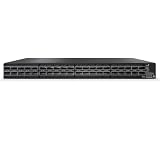
- Technology: InfiniBand
- Connector Type: QSFP56
- Max Speed: HDR
- Max Ports: 40
Those examples are investigation leads, not universal purchasing recommendations. Match each item to the endpoint’s interface, signaling rate, optical wavelength or copper reach, connector, polarity and supported vendor coding. A cable that fits mechanically may still be wrong for the link speed or transceiver requirements.
Installation and first power-up
- Verify the hardware. Photograph the front and rear labels, record VLT-30034 if present, and note the serial number, power supplies and fan modules.
- Plan airflow and rack position. Confirm the chassis airflow direction and that the rack provides adequate clearance for both intake and exhaust.
- Install compatible cabling. Use QSFP InfiniBand cables for the fabric ports and correctly matched SFP+ components for Ethernet. Do not mix cable classes solely because the connector appears identical.
- Apply power and inspect indicators. Record power, fan and system LED states before connecting the fabric.
- Connect management. Use the console or documented management interface to access the CLI, then verify that the embedded subnet manager is running and that the switch reports the expected port states.
- Bring up links incrementally. Connect one known-compatible adapter or neighboring switch, check link state and negotiated rate, and only then expand the fabric.
- Validate the gateway separately. If Ethernet bridging is required, configure and test the 1/10 GbE interfaces independently from the InfiniBand fabric.
Troubleshooting checklist
When asking for help, provide enough information to distinguish a wrong part, a cabling mismatch, a power problem and a fabric-management problem.
The Tool Desk
Outbyte Driver Updater FREEScan for outdated or missing drivers - takes under a minuteDriver Scan →Outbyte PC Repair FREERepair Windows errors before they cause bigger problemsFix Now →Rank #3

- MeIIanox MQM8520-H Spine Blade 40-Port QSFP56 InfiniBand Switch
- Clear photos of every identification label and the rear-panel port layout
- Exact part/configuration number and serial number
- Power, fan and system LED states, including any change during boot
- Console output from power-up and the relevant CLI status
- Connected adapter and neighboring-switch models
- InfiniBand generation on each side: QDR, FDR, EDR or HDR
- Exact cable and transceiver part numbers, length and optical/copper type
- Whether the failure affects one port, a group of ports, the Ethernet gateway or the entire chassis
No link on an InfiniBand port
- Recheck that both endpoints support QDR and that the cable is an InfiniBand QSFP cable of the required type.
- Swap in a known-compatible cable and test a different switch port.
- Inspect the CLI for administrative shutdown, link-training errors or a disabled port.
- Test the adapter and cable on equipment known to support the same generation.
Switch powers on but the fabric does not initialize
- Check system and fan alarms first; a hardware fault can prevent stable operation.
- Confirm that one subnet manager is active for the fabric and that the switch’s embedded manager is configured as intended.
- Capture console and CLI output rather than relying only on front-panel LEDs.
Ethernet gateway traffic fails
- Verify that the SFP+ module and cable are rated for the selected 1 or 10 GbE link.
- Check Ethernet link state independently of InfiniBand port state.
- Confirm the gateway configuration and the destination network’s speed, duplex and VLAN expectations.
Replacement fans, power supplies and used hardware
The manual confirms that fans and power supplies are hot-swappable, but it does not establish the correct replacement part for every serial-numbered unit. Before ordering, read the device label and confirm the part number, electrical rating, airflow direction and input configuration with a qualified seller or service provider.
The 2011 manual and 2012-era solution brief document the product’s original design, not current firmware, repair availability, warranty coverage or resale condition. A used unit should therefore be evaluated for fan noise, PSU alarms, LED behavior, console access, port errors and included modules before it is deployed in production.
Rank #4

- MeIIanox MQM8510-H Leaf Blade 40-Port HDR QSFP56 InfiniBand Switch
How to compare it with another InfiniBand switch
| Comparison axis | Why it matters |
|---|---|
| InfiniBand generation and negotiated rate | Determines whether the switch can meet the fabric’s speed requirements. |
| Port count and interface type | Compare actual QSFP or other interfaces, not a seller’s rounded “port-count” label. |
| Ethernet gateway capability | Important if traffic must bridge to 1/10 GbE networks. |
| Management and subnet-manager features | Determines how the fabric is initialized, monitored and administered. |
| Airflow and power-supply condition | Affects rack compatibility, cooling and reliability in used equipment. |
| Cable availability | Legacy QDR-compatible QSFP and SFP+ parts may be easier or harder to source than newer-generation components. |
| Current support | Verify firmware, documentation, repair and warranty options rather than assuming historical manufacturer support continues. |
What to confirm before buying or deploying one
- Ask for a photo showing the complete chassis label and the VLT-30034 identifier.
- Request the serial number and a current boot or console report.
- Confirm the number and condition of power supplies and fan modules.
- Ask which ports were tested, at what QDR rate and with which cable types.
- Verify that the seller’s return policy covers link, fan, PSU and management faults.
- Confirm that your adapters, neighboring switches and cables support the required QDR topology.
The Bottom Line
The safest identification is a Mellanox/Voltaire Grid Director 4036E, documented as VLT-30034. Treat it as legacy 40 Gb/s QDR hardware with 34 QSFP InfiniBand ports and two 1/10 GbE SFP+ gateway ports. Confirm the exact label, generation, cabling, airflow and used-unit condition before connecting it to a production fabric.
Quick Recap
Product prices and availability are accurate as of the date/time indicated and are subject to change. Any price and availability information displayed on Amazon at the time of purchase will apply.
What’s actually slowing this PC down?
Pick the symptom - the matching free tool is one click away.

