
Quick wins for a faster PC:
Clear out junk files and repair common Windows errorsFree Scan →Fix the driver behind crashes, sound loss and screen glitchesFind Drivers →Repair Windows errors before they cause bigger problemsFix Now →iTechGuides is reader-supported. When you buy through links on our site, we may earn an affiliate commission. As an Amazon Associate I earn from qualifying purchases. Learn more
Minecraft version 26.60 launched on 27 October 2026 and brings the game to Nintendo Switch 2 with support for Vibrant Visuals. The update also introduces the experimental Game Drop 4 content, including Ice Caves, falling icicles, Ice Crystals, the Freezing effect, Frostbites and Ice Balls. Mojang says the release contains more than 600 bug fixes, including 89 reported by the community. Existing Nintendo Switch players can carry their worlds to Switch 2, and digital owners have a free upgrade path to the Standard Edition, subject to Nintendo’s offer terms.
What is new in Minecraft 26.60 on Switch 2?
Version 26.60 is both a platform release and a broad gameplay update. On Switch 2, Minecraft supports Vibrant Visuals, while the experimental Game Drop 4 features can be enabled separately in worlds using experiments. The update is available from 27 October 2026.
| # | Preview | Product | Price | |
|---|---|---|---|---|
| 1 |

|
Minecraft - Nintendo Switch 2 | $29.99 | Buy on Amazon |
| 2 |
|
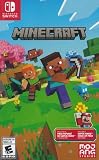
Minecraft - Nintendo Switch | $29.83 | Buy on Amazon |
| 3 |

|
Minecraft Dungeons II Deluxe Edition - Nintendo Switch 2 | $49.94 | Buy on Amazon |
| 4 |

|
Minecraft - Nintendo Switch | $34.90 | Buy on Amazon |
| 5 |

|
Minecraft: Switch Edition | $31.49 | Buy on Amazon |
- Switch 2 support with Vibrant Visuals.
- Experimental Ice Cave content and related freezing mechanics.
- More than 600 fixes, including 89 originating from community reports.
- World transfer support from the original Nintendo Switch version.
- Creator, scripting, accessibility, input, graphics and stability improvements.
What does the experimental Ice Cave update add?
Game Drop 4 is experimental, so its mechanics may change before becoming part of a regular release. Enable experiments when creating or editing a world if you want to encounter the new content.
Ice Cave biome
Ice Caves generate beneath colder Overworld biomes. Their main materials are Packed Ice and Calcite, with hanging and ground icicles, occasional snow, ore pockets and Ice Crystals. Strays and Frostbites can spawn there. Dirt, Granite and Glow Lichen do not generate in this biome.
Popular on Amazon
- Build whatever you can imagine in your own infinite world that’s unique in every playthrough.
Ice Crystals
Ice Crystals are crystal-like blocks that emit light. They can generate on Packed Ice and can be placed in any direction. Removing their supporting block breaks them. The changelog notes that their current size is smaller than intended.
Icicles
Icicles grow beneath Packed Ice and can extend five blocks downward. In sufficiently high light they may fall, damaging entities; entities that land on them take additional damage. Icicles break near light sources and in the Nether, apart from their base block.
The Tool Desk
Outbyte Driver Updater FREEScan for outdated or missing drivers - takes under a minuteDriver Scan →Outbyte PC Repair FREERepair Windows errors before they cause bigger problemsFix Now →Freezing effect
Freezing makes a player shake, reduces jump height and eventually causes damage while progressively freezing the target in a way similar to Powder Snow. Leather Armor prevents the frozen state but does not stop the effect being applied and does not remove it. Mobs vulnerable to freezing take five times the normal freezing damage.
Also popular on Amazon
- Minecraft is a game about placing blocks and going on adventures
- Explore randomly generated worlds and build amazing things from the simplest of homes to the grandest of castles
- Play in creative mode with unlimited resources or mine deep into the world in survival mode, crafting weapons and armor to fend off the dangerous mobs
- Play on the go in handheld or tabletop modes
- Includes Super Mario Mash-Up, Natural Texture Pack, Biome Settlers Skin Pack, Battle & Beasts Skin Pack, Campfire Tales Skin Pack; Compatible with Nintendo Switch only
Ice Balls enable a Potion of Freezing, plus splash and lingering versions, and freezing arrows.
Frostbites
Frostbites are cold-biome zombie variants. They switch between melee attacks that apply Freezing and ranged Ice Ball attacks, are immune to freezing and can stand on Powder Snow. They drop Rotten Flesh and Ice Balls. A Frostbite that remains underwater long enough transforms into a normal Zombie. Zombies and Husks inside Powder Snow now transform into Frostbites.
Ice Balls
An Ice Ball projectile deals four damage before velocity scaling, applies knockback and breaks when it hits a block or entity.
Recommended Free Tools
Also popular on Amazon
- Drop the pickaxe, grab a sword, and charge into a thrilling new adventure in the Minecraft Dungeons II Deluxe Edition
Which gameplay and technical issues does 26.60 fix?
Mojang’s complete changelog covers hundreds of corrections. The major areas are:
- World and gameplay: abandoned camps, humid-region cave generation, Snow and Mushroom behavior, Axolotl regeneration stacking, collisions and fall damage, Bundles, Horses, Villagers, Explorer Map names, Shulkers, Maces, arrows, status effects, trapdoor placement, sneaking in water, sleeping camera height and Strider dismounting.
- Redstone and commands: piston behavior, Cushion and Straw Bed placement, command selectors, time-command behavior and dedicated-server attack compatibility.
- Accessibility: narration and captions, closed-caption behavior and improvements for extended Latin, Cyrillic and Greek fonts.
- Graphics: block outlines, colored-light aliasing, render-resolution crashes, Vibrant Visuals warnings, Shulker dithering, fog, minecart textures, Character Creator layer visibility, cube-map support, End flash sizing, Switch 2 world-preview UI, inventory visibility, water fog and automatic upscaling.
- Input and interface: Switch wireless-controller world selection, cursor movement, duplicate friend worlds, pack-list reordering, Marketplace Pass visibility, Realms and report-player navigation, large-world duplication on Switch, command-block editing, pagination, Wishlists, onboarding and Marketplace storage. Touch controls also receive stutter fixes.
- Stability and servers: cleaner dedicated-server exits, less mob and item stutter, fixes for crashes caused by densely connected blocks, improved Switch network stability, malformed resource-archive handling, loading-screen hangs and corrected memory-measurement behavior on Switch. Changed preview memory values affect the displayed measurement, not actual memory use.
What creator and scripting changes are included?
Several sound APIs and Dimension.spawnXp leave beta. Server sound definitions now use format version 1.26.60. Commands add /time pause, /time resume and /time query time; /time set now accepts next, previous and stay. Editor, debugger, block-entity, cursor and recipe APIs are also added or updated.
What does Minecraft on Nintendo Switch 2 support?
Nintendo lists a 1.5 GB Switch 2 game build that works in TV, tabletop and handheld modes. Single-system play supports one to four players, local wireless supports two to eight, and online play supports two to eight. Online multiplayer requires a separately sold Nintendo Switch Online membership.
Also popular on Amazon
Vibrant Visuals adds directional lighting, volumetric fog, dynamic shadows, reflections and other rendering improvements. Nintendo cautions that it is unavailable in some split-screen situations and with certain Marketplace worlds or content.
Free tools Windows power users keep installed
One-click scans. No signup required.
Can I move my existing Switch worlds to Switch 2?
Yes. Nintendo says previous Minecraft players on Nintendo Switch can carry their worlds over to Nintendo Switch 2 and continue from where they stopped. Use the transfer option presented by the game or console setup and keep the original save available until the move is confirmed.
Independent reader supportYour contribution helps us test, update, and keep practical guides available for everyone.Do I need to buy Minecraft again for Switch 2?
Not necessarily. Digital owners of Minecraft for Nintendo Switch can upgrade to the digital Standard Edition for free through Nintendo eShop. From 27 October 2026 at 9 a.m. PT through 31 January 2027 at 9 a.m. PT, launching the Switch version on Switch 2 also presents a discounted digital Ultimate Collection offer. These dates and eligibility rules are time-limited and may vary by region.
Also popular on Amazon
- Explore randomly-generated worlds and build amazing things from the simplest of homes to the grandest of castles
- Play in Creative Mode with unlimited resources or mine deep into the world in survival mode, crafting weapons and armour to fend off the dangerous mobs
A physical Minecraft Standard Edition for Nintendo Switch 2 is also sold at retail. The following are Nintendo’s stated US list prices and included extras:
| Edition | US list price | Format and included content |
|---|---|---|
| Standard | $29.99 | Physical retail edition is available; digital Standard is the free upgrade route for eligible Switch owners. |
| Deluxe | $39.99 | Includes six named cosmetic/content groups and 700 Minecoins. |
| Ultimate | $49.99 | Adds Decocraft, weapons and tools, two additional cosmetics and 300 more Minecoins, for 1,000 Minecoins total. |
The Switch 2 edition includes the Super Mario Mash-Up Pack, with 15 tracks and 40 player skins. Prices, stock and upgrade eligibility are region- and date-sensitive, especially after the 31 January 2027 deadline.
What should Switch 2 players check after updating?
- Open Minecraft and confirm that version 26.60 is installed.
- Sign in with the account that owns the Switch version before checking Nintendo eShop upgrade options.
- Back up or retain the original Switch world before starting a transfer.
- Enable Game Drop 4 experiments only in worlds where experimental changes are acceptable.
- Open Video settings and select Vibrant Visuals, then check whether the current split-screen mode or Marketplace content disables it.
- Install the Super Mario Mash-Up Pack or other included content from the appropriate content or Marketplace menus.
Frequently Asked Questions
How do I enable Ice Caves in Minecraft 26.60?
Create a new world or edit a world, open the Experiments section and enable the Game Drop 4 option before loading it. Experimental worlds can receive mechanics that change in later updates, so keep a separate copy of important saves.
Why can’t I use Vibrant Visuals in split-screen?
Nintendo says Vibrant Visuals is unavailable in some split-screen situations. Certain Marketplace worlds or content can also disable it, so test the setting in a standard single-player world if the option is missing.
Does Minecraft 26.60 require Nintendo Switch Online?
The game itself can be played without that membership. Nintendo Switch Online is required for online multiplayer, while single-system and local-wireless modes use the player counts listed for the Switch 2 edition.
Do these 3 things before closing this tab:
1Repair Windows errors before they cause bigger problems2Fix the driver behind crashes, sound loss and screen glitches3Clear out junk files and repair common Windows errorsWhat happens to my original Switch copy after the upgrade?
Your existing Switch purchase remains associated with your Nintendo account, and Nintendo provides the digital Standard Edition upgrade for eligible owners. Keep the original installation or console available until you verify that your worlds and downloaded content appear on Switch 2.
Quick Recap
Product prices and availability are accurate as of the date/time indicated and are subject to change. Any price and availability information displayed on Amazon at the time of purchase will apply.

