
iTechGuides is reader-supported. When you buy through links on our site, we may earn an affiliate commission. As an Amazon Associate I earn from qualifying purchases. Learn more
The right headset depends first on the hardware you already own. Meta Quest 3 works on its own for supported apps and can also connect to a PC. PlayStation VR2 is primarily for PS5; using it with a Windows PC requires a separate adapter and DisplayPort cable, and some PS5 features are unavailable. If you already have a PS5 and want PS VR2 games, PS VR2 may fit naturally. If you want standalone wireless play or one headset for both standalone and PC VR, Quest 3 is the more flexible setup.
Start with your host system
Quest 3 is an all-in-one headset: supported games and apps run on the headset, so a console or PC is not required for standalone use. Meta also lists PC VR support through Meta Quest Link, using a cable or Air Link. PlayStation VR2 is built around PS5 play. Sony also supports a separate Windows PC and Steam VR setup, but it is not the same as plugging the headset into a PS5.
| Your setup | Which headset fits more naturally? | What to check |
|---|---|---|
| You own a PS5 and want PS VR2 games | PlayStation VR2 | Confirm that each game is specifically compatible with PS VR2; original PS VR games are not compatible. |
| You want VR without buying a console or using a PC | Meta Quest 3 | Check that the apps and games you want run on Quest 3. |
| You mainly want PC VR | Either may work, depending on your PC, network, and games | Quest 3 supports Link by cable or Air Link. PS VR2 requires additional PC equipment and loses some PS5 features. |
| You have neither a PS5 nor a suitable gaming PC | Meta Quest 3 is the simpler starting point | It can run supported apps itself; a PS VR2 setup requires a PS5 or the separate PC configuration. |
Should you get Quest 3 or PS VR2 if you already own a PS5?
PS VR2 is the direct fit if your priority is its PS5 game catalog and you are comfortable playing with a wired headset. Sony says the PS5 setup requires the headset, Sense controllers, a compatible PS VR2 game, and a PS5. Initial setup also uses a DualSense controller and a TV or monitor. Check the compatibility notes for each title: original PlayStation VR games do not run on PS VR2. Sony’s PS VR2 specifications and compatibility guidance explain the requirements.
The Tool Desk
Outbyte PC Repair FREEClear out junk files and repair common Windows errorsFree Scan →Outbyte Driver Updater FREEFix the driver behind crashes, sound loss and screen glitchesFind Drivers →Quest 3 can still make sense for a PS5 owner who wants standalone wireless apps, color passthrough, or PC VR support in addition to headset-based games. Its main advantage is flexibility across those modes, not access to PS VR2 games. The two headsets do not share one interchangeable game library.
Popular on Amazon

- GOLF+ — Play your next round at TPC Sawgrass. Get GOLF+, 1,800 in-game credits and more with Meta Quest 3.
- HOW TO REDEEM — Activate and set up your Meta Quest, pair your Meta Quest with the Meta Horizon app and claim GOLF+ during the pairing process.
- NEARLY 30% LEAP IN RESOLUTION — Experience every thrill in breathtaking detail with sharp graphics and stunning 4K+ Infinite Display.
- NO WIRES, MORE FUN — Break free from cords. Game, play and explore in immersive worlds — untethered and without limits.
- 2X GRAPHICAL PROCESSING POWER — Enjoy lightning-fast load times and next-gen graphics for smooth gaming powered by the Snapdragon XR2 Gen 2 processor.
Can you use PS VR2 without a PS5?
Yes, with a Windows PC, Sony’s PC adapter, a separately sold DisplayPort 1.4 cable, and compatible Steam VR software. The adapter connects to the PC over USB 3.0 Type-A. The Sense controllers pair over Bluetooth; Sony notes that a separate Bluetooth adapter may be needed if the PC lacks Bluetooth, and that not every Bluetooth adapter works properly. Sony also cautions against connecting the adapter through a USB hub or extension cable. See the PC adapter instruction manual for the connection details.
PC use is not feature-identical to PS5 use. Sony lists HDR output, headset feedback, eye tracking, adaptive triggers, and full Sense controller haptics as unsupported on PC; basic controller vibration remains. PC games come from Steam VR, whereas the PS5 setup uses PS VR2 games. Those differences matter if you are buying the headset mainly for PC rather than as a PS5 accessory. Sony’s PC-versus-PS5 feature comparison lists the distinctions.
Also popular on Amazon

- GOLF+ — Play your next round at TPC Sawgrass. Get GOLF+, 1,800 in-game credits and more with Meta Quest 3S.
- HOW TO REDEEM — Activate and set up your Meta Quest, pair your Meta Quest with the Meta Horizon app and claim GOLF+ during the pairing process.
- NO WIRES, MORE FUN — Break free from cords. Game, play and explore immersive worlds — untethered and without limits.
- 2X GRAPHICAL PROCESSING POWER — Enjoy lightning-fast load times and next-gen graphics for smooth gaming powered by the Snapdragon XR2 Gen 2 processor.
- EXPERIENCE VIRTUAL REALITY — Take gaming to a new level and blend virtual objects with your physical space to experience two worlds at once in your VR headset.
Can Quest 3 play PC VR games?
Yes. Meta lists PC VR support through Quest Link, either with a cable or Air Link. Air Link avoids a cable between headset and PC, but whether it suits your setup depends on your PC, Wi-Fi conditions, and the games you want to play. A cable is another option. This PC connection is separate from Quest 3’s standalone mode, in which supported software runs on the headset. Meta’s device comparison describes Link support and the headset’s standalone specifications.
Quick wins for a faster PC:
Scan for outdated or missing drivers - takes under a minuteDriver Scan →Repair Windows errors before they cause bigger problemsFix Now →For PC-first buyers, compare the exact games and equipment before choosing. Quest 3 offers a cable or wireless Link route; PS VR2 requires the adapter and DisplayPort cable and omits the listed PS5-specific features on PC. Neither route removes the need to check that your PC and chosen games meet their requirements.
Also popular on Amazon
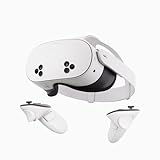
- NO WIRES, MORE FUN — Break free from cords. Game, play, exercise and explore immersive worlds — untethered and without limits.
- 2X GRAPHICAL PROCESSING POWER — Enjoy lightning-fast load times and next-gen graphics for smooth gaming powered by the SnapdragonTM XR2 Gen 2 processor.
- EXPERIENCE VIRTUAL REALITY — Take gaming to a new level and blend virtual objects with your physical space to experience two worlds at once.
- 2+ HOURS OF BATTERY LIFE — Charge less, play longer and stay in the action with an improved battery that keeps up.
- 33% MORE MEMORY — Elevate your play with 8GB of RAM. Upgraded memory delivers a next-level experience fueled by sharper graphics and more responsive performance.
How do the displays and everyday use compare?
The manufacturers list different display technologies, but those specifications alone cannot determine which image or headset experience you will prefer. Quest 3 uses an LCD display; PS VR2 uses OLED. Both are listed at about 110 degrees of horizontal field of view, and both support refresh rates up to 120 Hz, though Sony specifies a 90–120 Hz range for PS VR2.
| Manufacturer-listed specification | Meta Quest 3 | PlayStation VR2 |
|---|---|---|
| Display technology | LCD | OLED |
| Resolution per eye | 2064 × 2208 pixels | 2000 × 2040 pixels |
| Refresh rate | Up to 120 Hz | 90–120 Hz |
| Approximate field of view | 110° horizontal; 96° vertical | Approximately 110° |
| Connection for primary use | Wireless standalone; PC Link by cable or Air Link | One USB-C cable to PS5 |
These are manufacturer specifications, not comparative test results. Meta also lists color stereoscopic passthrough with a depth sensor for Quest 3, which is relevant if you want mixed-reality apps that show your surroundings in color. Meta estimates approximately two hours of battery life; actual runtime depends on use. That estimate is a manufacturer figure, not a guaranteed session length. PS VR2’s PS5 connection is wired, so consider cable tolerance as part of the decision.
Also popular on Amazon

- NEARLY 30% LEAP IN RESOLUTION — Experience every thrill in breathtaking detail with sharp graphics and stunning 4K Infinite Display.
- NO WIRES, MORE FUN — Break free from cords. Play, explore and exercise in immersive worlds — untethered and without limits.
- 2X GRAPHICAL PROCESSING POWER — Enjoy lightning-fast load times and next-gen graphics for smooth gaming powered by the Snapdragon XR2 Gen 2 processor.
- EXPERIENCE VIRTUAL REALITY — Blend virtual objects with your physical space and experience two worlds at once.
- 2+ HOURS OF BATTERY LIFE — Charge less, play longer and stay in the action with an improved battery that keeps up.
Will your room and play style work?
Room requirements depend on the game and play mode, not just the headset. Sony classifies PS VR2 games as sitting, standing, or room-scale. For room-scale PS VR2 titles, Sony specifies a minimum clear area of 2 m × 2 m (6 ft 7 in × 6 ft 7 in); check the PlayStation Store listing for each game’s requirements. Meta lists a minimum 6.5 ft × 6.5 ft area for Quest 3 stationary or room-scale play. Check the selected app’s requirements and make sure the actual play area is clear.
What should you budget for the complete setup?
As listed on Meta’s US product page accessed October 7, 2026, Quest 3 starts at $599.99. That is a current US starting price, not a full-system estimate; configuration, offers, accessories, stock, and price can change. Meta announced a $499.99 US starting price at launch on October 10, 2023, but that is historical and should not be used as today’s price. Check Meta’s current product listing for the available configuration and price.
Also popular on Amazon

- Your purchase of this item includes a new Meta Quest Pro 256 GB VR headset and a 12-month subscription to Optima Academy Online (OAO) field trips.
- Optima Academy Online (OAO) harnesses the power of virtual reality to make previously impossible learning opportunities just a few clicks away. Our VR Field Trips provide powerful ways of engaging users on a whole new level while providing learning experiences. With our VR Field Trips, we deliver users directly into an immersive educational experience that engages them like never before. We offer a one-month subscription to our VR Field Trips. During your subscription, you can spend as much time in our uniquely created Metaverse environments as you like. Each environment has its own theme, learning experiences, and adventures.
- High resolution mixed reality passthrough uses full-color sensors to let you see and engage with the physical world around you, even as you connect, work and play in virtual spaces.
- Share your true emotions and reactions with real time natural avatar expressions. Meta Avatars translate your natural facial expressions into VR so you can bring your true personality to meetings and gatherings with friends.
- Meta Quest Touch Pro Controllers translate instinctive hand gestures and detailed finger actions directly into VR with self-tracking cameras and precision controls. Multi-point, advanced haptics make virtual interactions feel entirely real
The sources available here do not establish a current PS VR2 US price. Compare current checkout prices in your region rather than assuming one. The more useful calculation is what you still need to buy: a PS5 if you do not own one, or for PC use the PS VR2 adapter and DisplayPort cable; for Quest PC play, the computer and connection setup matter, while standalone play does not require a host system. Your total depends on region, bundle, and equipment you already own.
Quick Recap
Choose by the trade-off that matters most
- Choose Quest 3 if you want standalone wireless play, color passthrough, or one headset that can also connect to a PC. Factor in Meta’s approximately two-hour battery estimate and your charging tolerance.
- Choose PS VR2 if you already own a PS5, want PS VR2-compatible games, prefer its OLED specification, and are comfortable with a wired console setup. Verify compatibility for each game rather than assuming all PlayStation VR software works.
- Compare carefully if PC is your main platform. Quest 3 supports Link by cable or Air Link; PS VR2 needs its PC adapter and DisplayPort cable and does not retain the listed PS5 features on PC.
- Check space before choosing room-scale games. Match the game’s play mode to the clear floor area you can actually provide.

