
iTechGuides is reader-supported. When you buy through links on our site, we may earn an affiliate commission. As an Amazon Associate I earn from qualifying purchases. Learn more
For the MacBook Air M1 vs. M2 vs. M3 vs. M4 comparison, the M4 is the best overall choice, the M3 is usually the best value, the M2 makes sense only at a substantial discount, and the M1 is an ultra-budget used option. In 2026, new buyers should also compare the M4 with Apple’s newer M5 Air.
The four 13-inch generations share Apple’s fanless design and strong everyday performance, but they are not interchangeable. The M2 introduced the modern chassis, MagSafe, a brighter display, and a 1080p camera; the M3 added newer connectivity and more flexible display support; and the M4 raised the memory ceiling, improved the camera, and supports two external displays while keeping the built-in screen active.
Key takeaways
- The MacBook Air M4 is the strongest option among the M1, M2, M3, and M4, with a 10-core CPU, up to 32GB of memory, a 12MP Center Stage camera, and native support for two external displays while the built-in display remains active.
- The MacBook Air M3 is usually the value winner when a 16GB/512GB configuration is substantially cheaper than an equivalent M4.
- The M2 is the least compelling generation at a small discount because the M3 adds hardware ray tracing, AV1 decoding, Wi-Fi 6E, and better external-display flexibility without changing the basic modern design.
- The M1 remains suitable for browsing, office work, school, streaming, and light coding, but its 720p camera, older wedge-shaped chassis, 400-nit display, lower memory ceiling, and one-display limit make it a different product experience.
- For most buyers, 16GB of unified memory and 512GB of storage are a better priority than moving up one chip generation with only 8GB of memory or 256GB of storage.
- Apple’s comparison interface lists M5 MacBook Air models as of August 16, 2026, so the M4 is not the newest Air for a full-price new purchase.
Which MacBook Air should you buy?
Buy the M4 if you want the best MacBook Air among these four generations, plan to keep the laptop for years, need more than 24GB of memory, use multiple monitors, or regularly work with code, large spreadsheets, photos, video, or virtual machines.
Buy the M3 if you want the modern Air design and most of the M4’s practical experience at a lower price. A discounted M3 with 16GB of memory and 512GB of storage is the strongest value target.
Popular on Amazon

- STRIKINGLY THIN DESIGN — The redesigned MacBook Air is more portable than ever and weighs just 2.7 pounds. It’s the incredibly capable laptop that lets you work, play or create just about anything — anywhere
- SUPERCHARGED BY M2 — Get more done faster with a next-generation 8-core CPU, up to 10-core GPU and up to 24GB of unified memory
- BIG, BEAUTIFUL DISPLAY — The 13.6-inch Liquid Retina display features over 500 nits of brightness, P3 wide color and support for 1 billion colors for vibrant images and incredible detail
- ADVANCED CAMERA AND AUDIO — Look sharp and sound great with a 1080p FaceTime HD camera, three-mic array and four-speaker sound system with Spatial Audio
- VERSATILE CONNECTIVITY — MacBook Air features a MagSafe charging port, two Thunderbolt ports and a headphone jack
Buy the M2 only when the M2 is materially cheaper than an equivalent M3. The M2 remains a good school and productivity laptop, but a small price difference does not compensate for the M3’s newer graphics, wireless, media, and monitor features.
Buy the M1 only as a low-cost used or refurbished computer, preferably with 16GB of memory. The M1 is still fast enough for basic work, but the older display, camera, chassis, charging arrangement, and one-external-display limit should be reflected in the price.
Choose a 15-inch model when screen area, split-screen work, and speaker quality matter more than minimum weight. A discounted 15-inch M2 or M3 can be a better productivity purchase than a 13-inch M4.
What’s actually slowing this PC down?
Pick the symptom - the matching free tool is one click away.
Buying-new warning: This article compares the M1 through M4 generations because that is the useful comparison for used, refurbished, clearance, and discounted inventory. Apple’s current MacBook Air comparison interface lists M5 models as of August 16, 2026. Compare the M4 with the M5 before paying full price for a new laptop.
What are the main differences between the MacBook Air M1, M2, M3, and M4?
The M1-to-M2 change is the biggest physical redesign, the M2-to-M3 change is mainly a platform-feature upgrade, and the M3-to-M4 change combines higher performance, more memory capacity, a better camera, and more capable native monitor support.
M1 to M2: the major everyday redesign
The M2 replaced the M1 Air’s tapered wedge-shaped body with a flatter design. The M2 also added MagSafe 3 charging, a larger and brighter 13.6-inch display, a 1080p camera, newer colors, and an updated keyboard layout. Those changes are more noticeable during daily use than the processor name alone suggests.
The M2 also raised the maximum unified-memory configuration from 16GB to 24GB and changed the listed base storage from 128GB on the M1 to 256GB. Buyers should normalize memory and storage before comparing prices: a 16GB M1 can be more useful for multitasking than an 8GB M2, while a 128GB M1 may be too restrictive for a long-term computer.
The Tool Desk
Outbyte PC Repair FREERepair Windows errors before they cause bigger problemsFix Now →Outbyte Driver Updater FREEFix the driver behind crashes, sound loss and screen glitchesFind Drivers →M2 to M3: newer graphics, wireless, and monitor behavior
The M3 keeps the M2-generation body and 13.6-inch display but adds hardware-accelerated ray tracing, AV1 decoding, Wi-Fi 6E, and a more flexible external-display arrangement. The M3 can drive one external display with the lid open or a second external display when the lid is closed.
The M3 is therefore a more meaningful upgrade for users with newer wireless networks, supported games or 3D applications, modern video workloads, or a desk setup with two monitors. For web browsing and documents, the difference from an M2 is less dramatic than the model number implies.
Also popular on Amazon
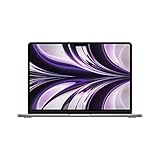
- SUPERCHARGED BY M2: The 13.6-inch MacBook Air laptop is a portable powerhouse. Get more done faster with a next-generation 8-core CPU, up to 10-core GPU and up to 24GB of unified memory.
- UP TO 18 HOURS OF BATTERY LIFE: Go all day and into the night, thanks to the power-efficient performance of the brand new Apple M2 chip. (Up to 18 hours of video playback)
- BIG, BEAUTIFUL DISPLAY: The 13.6-inch Liquid Retina display features 500 nits of brightness, P3 wide color, and support for 1 billion colors for vibrant images and incredible detail.
- STRIKINGLY THIN DESIGN: The redesigned MacBook Air is more portable than ever and weighs just 2.7 lbs. It’s the incredibly capable laptop that lets you work, play or create anything, anywhere.
- VERSATILE CONNECTIVITY: The MacBook Air features a MagSafe charging port, two Thunderbolt 3 ports and a headphone jack that lets you connect and power high-speed accessories.
M3 to M4: performance, memory, camera, and displays
The M4 has a 10-core CPU, up to 32GB of unified memory, 120GB/s memory bandwidth, and a 12MP Center Stage camera with Desk View. The M4 also supports two external displays at up to 6K/60Hz while retaining the built-in display, which is a major advantage over the M3’s lid-closed requirement.
The M4 is the better long-term platform for demanding multitasking, development environments, video calls, photo work, and multiple-monitor use. The M4 is not automatically worth any price premium, however. If an equivalent M3 costs substantially less and your work is mostly browser, document, email, streaming, and video-call use, the M3 is usually the more rational purchase.
How do the 13-inch MacBook Air M1, M2, M3, and M4 specifications compare?
The following table compares the mainstream 13-inch generations. Individual machines can differ because Apple sold different GPU, memory, storage, and adapter configurations.
| Feature | MacBook Air M1 | MacBook Air M2 | MacBook Air M3 | MacBook Air M4 |
|---|---|---|---|---|
| Introduced | 2020 | 2022 | 2024 | 2025 |
| Display | 13.3-inch Retina | 13.6-inch Liquid Retina | 13.6-inch Liquid Retina | 13.6-inch Liquid Retina |
| Resolution | 2560×1600 | 2560×1664 | 2560×1664 | 2560×1664 |
| Stated brightness | 400 nits | 500 nits | 500 nits | 500 nits |
| CPU | 8-core | 8-core | 8-core | 10-core |
| GPU options | 7-core or 8-core | 8-core or 10-core | 8-core or 10-core | 8-core or 10-core |
| Neural Engine | 16-core | 16-core | 16-core | 16-core |
| Memory bandwidth | Not listed in Apple’s relevant comparison summary | 100GB/s | 100GB/s | 120GB/s |
| Maximum unified memory | 16GB | 24GB | 24GB | 32GB |
| Listed base storage | 128GB | 256GB | 256GB | 256GB |
| Maximum storage | 2TB | 2TB | 2TB | 2TB |
| Camera | 720p FaceTime HD | 1080p FaceTime HD | 1080p FaceTime HD | 12MP Center Stage with Desk View |
| Wi-Fi | Wi-Fi 6 | Wi-Fi 6 | Wi-Fi 6E | Wi-Fi 6E |
| Bluetooth | 5.0 | 5.3 | 5.3 | 5.3 |
| Native external displays | One, up to 6K/60Hz | One, up to 6K/60Hz | One with lid open; two with lid closed | Two while the built-in display remains active |
| Apple-rated video playback | Up to 18 hours | Up to 18 hours | Up to 18 hours | Up to 18 hours |
| Weight | 2.8 lb | Approximately 2.7 lb | Approximately 2.7 lb | Approximately 2.7 lb |
These specifications come from Apple’s MacBook Air technical specifications and model information. Apple’s specifications establish supported features and configurations, not a guaranteed application-level speed difference. Performance depends on the software, memory configuration, workload duration, and thermal behavior.
Which MacBook Air is fastest?
The expected overall ranking is M4 > M3 > M2 > M1, based on the chip specifications and platform features. That ranking should not be converted into an exact percentage advantage without independent benchmark results for the specific application and configuration.
The M4 has the highest stated CPU core count and memory bandwidth of these four Air generations. The M3 and M4 add hardware-accelerated ray tracing, which the M1 and M2 Air models do not have, and both M3 and M4 include AV1 decoding. The M4 also permits more unified memory, which can matter more than a modest processor-generation difference when many applications are open.
All four models are fanless. Fanless operation keeps the computers quiet in classrooms, offices, libraries, and recording spaces, but silence does not mean unlimited sustained performance. Long renders, exports, compilations, or other continuous workloads can behave differently from short interactive tasks.
How much memory and storage should you buy?
For most buyers, the best configuration is 16GB of unified memory and 512GB of storage. Memory and storage are integrated and cannot be upgraded by the owner after purchase, so configuration choices are more important than they are on many Windows laptops.
| Configuration | Who it suits | What to watch for |
|---|---|---|
| 8GB / 256GB | Very light browsing, email, documents, and streaming | Accept only at a substantial discount; limited headroom for long-term multitasking |
| 16GB / 256GB | General productivity when most files are stored externally or in the cloud | Storage can become restrictive with photos, games, development tools, or video |
| 16GB / 512GB | Most students, office users, programmers, and general buyers | Usually the best balance of price, longevity, and convenience |
| 24GB / 512GB or 1TB | Heavier multitasking, coding, photo work, and longer ownership | Compare the total price with a MacBook Pro before buying |
| 32GB / 1TB or more | Unusually memory-heavy development, media, or virtual-machine workloads | Available on the M4; the price premium may make a Pro model more sensible |
The M1 supports up to 16GB, the M2 and M3 support up to 24GB, and the M4 supports up to 32GB. The M1 could be configured with 128GB of storage, while the M2, M3, and M4 configurations listed by Apple begin at 256GB; all four generations can be configured up to 2TB. Do not compare an 8GB/128GB M1 with a 16GB/512GB M3 or M4 using processor generation alone.
Also popular on Amazon

- IMPRESSIVELY BIG, IMPOSSIBLY THIN — The 15-inch MacBook Air makes room for more of what you love with a spacious Liquid Retina display. The durable 100 percent recycled aluminum enclosure is strikingly thin and light.
- SUPERCHARGED BY M2 — Get more done faster with a powerful 8-core CPU, 10-core GPU, and up to 24GB of unified memory.
- UP TO 18 HOURS OF BATTERY LIFE — Go all day with the power-efficient performance of the Apple M2 chip. (Battery life varies by use and configuration. See apple.com/batteries for more information.)
- SPACIOUS, BEAUTIFUL DISPLAY — The high-resolution, 15.3-inch Liquid Retina display features 500 nits of brightness, P3 wide color, and support for one billion colors for vibrant images and incredible detail. (The display on the 15-inch MacBook Air has rounded corners at the top. When measured as a standard rectangular shape, the screen is 15.3 inches diagonally; actual viewable area is less.)
- SILENT DESIGN — MacBook Air features a fanless design that runs completely silent, no matter the task.
Which MacBook Air has the best display and camera?
The M2, M3, and M4 have the better display experience, while the M4 has the best camera. The M1 uses a 13.3-inch Retina panel rated at 400 nits; the newer 13-inch models use a 13.6-inch Liquid Retina panel rated at 500 nits with a notch.
Do these 3 things before closing this tab:
1Repair Windows errors before they cause bigger problems2Fix the driver behind crashes, sound loss and screen glitches3Clear out junk files and repair common Windows errorsThe M2, M3, and M4 display dimensions and resolution are essentially the same, so moving from M2 to M3 or M4 does not produce the same visual change as moving from M1 to M2. The M2 redesign provides the more noticeable display and chassis upgrade.
| Generation | Camera | Practical verdict |
|---|---|---|
| M1 | 720p FaceTime HD | Usable, but visibly older for frequent video calls |
| M2 | 1080p FaceTime HD | Clear improvement for school and work meetings |
| M3 | 1080p FaceTime HD | Similar camera hardware to M2 |
| M4 | 12MP Center Stage with Desk View | Best for calls, presentations, framing, and desk demonstrations |
The M4 camera is the clear winner for video calls, but a built-in 12MP camera is not automatically equivalent to a dedicated webcam. Lighting, framing, software processing, and the user’s quality expectations still affect the result.
Which MacBook Air supports two external monitors?
The M4 has the most capable native monitor support: it can run two external displays at up to 6K/60Hz while the built-in display remains active. The M3 can run two external displays only with the laptop lid closed, while the M1 and M2 natively support one external display.
| Model | Native monitor arrangement | Important limitation |
|---|---|---|
| M1 | One external display up to 6K/60Hz | Not a native two-external-monitor laptop |
| M2 | One external display up to 6K/60Hz | Not a native two-external-monitor laptop |
| M3 | One with the lid open; two with the lid closed | Two-display mode turns off the built-in screen |
| M4 | Two external displays with the built-in display active | Check the exact display resolutions and connection method |
Apple documents the display limitations in its official MacBook Air technical specifications. DisplayLink docks and other third-party adapters can change the practical setup, but they add cost, software, and compatibility considerations and should not be confused with native Apple support.
Recommended Free Tools
Does every MacBook Air M1, M2, M3, and M4 support Apple Intelligence?
Apple’s comparison interface marks the M1, M2, M3, and M4 MacBook Air models as supporting Apple Intelligence, but compatibility does not mean identical feature availability or performance. Apple Intelligence features depend on the operating-system version, language, region, account settings, and rollout status.
Apple’s Apple Intelligence availability information notes that some features may not be available in every region or language. Do not buy an M1 assuming that Apple Intelligence support makes the M1 equivalent to an M4 for general computing, local workloads, or future software.
How long does the battery last?
Apple rates the 13-inch M1, M2, M3, and M4 MacBook Air models for up to 18 hours of video playback and up to 15 hours of wireless web use under Apple’s test conditions. Those figures are official reference ratings, not a promise that every generation will last equally long in every real-world workload.
Battery life varies with brightness, browser tabs, video calls, wireless activity, applications, connected displays, operating-system version, and sustained CPU or GPU work. Apple’s test dates, configurations, operating systems, and test systems can also differ between specifications pages, so the headline ratings should not be treated as a controlled cross-generation benchmark.
Free tools Windows power users keep installed
One-click scans. No signup required.
Also popular on Amazon
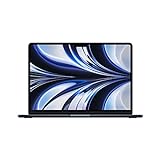
- SUPERCHARGED BY M2: The 13.6-inch MacBook Air laptop is a portable powerhouse. Get more done faster with a next-generation 8-core CPU, up to 10-core GPU and up to 24GB of unified memory.
- UP TO 18 HOURS OF BATTERY LIFE: Go all day and into the night, thanks to the power-efficient performance of the brand new Apple M2 chip. (Up to 18 hours of video playback)
- BIG, BEAUTIFUL DISPLAY: The 13.6-inch Liquid Retina display features 500 nits of brightness, P3 wide color, and support for 1 billion colors for vibrant images and incredible detail.
- STRIKINGLY THIN DESIGN: The redesigned MacBook Air is more portable than ever and weighs just 2.7 lbs. It’s the incredibly capable laptop that lets you work, play or create anything, anywhere.
- VERSATILE CONNECTIVITY: The MacBook Air features a MagSafe charging port, two Thunderbolt 3 ports and a headphone jack that lets you connect and power high-speed accessories.
For a used M1, M2, or M3, battery health can matter more than one generation of chip difference. Check System Settings → Battery → Battery Health; wording can differ on older macOS versions. Also inspect the cycle count, maximum capacity, service warnings, and whether the seller offers a return period.
Are the 13-inch and 15-inch MacBook Air models different buying propositions?
Yes. The 15-inch Air is not merely a larger screen attached to the same buying decision: the larger chassis provides more workspace and stronger built-in audio, but it weighs more and is less portable.
| Consideration | 13-inch Air | 15-inch Air |
|---|---|---|
| Display | 13.3-inch on M1; 13.6-inch on M2/M3/M4 | 15.3-inch Liquid Retina |
| 15-inch resolution | Not applicable | 2880×1864 |
| Speakers | Smaller speaker system | Six-speaker system on the M2 15-inch specification |
| Weight | 2.8 lb for M1; approximately 2.7 lb for M2/M3/M4 | 3.3 lb for the M2 15-inch model |
| Best reason to choose it | Portability and lower carrying weight | Split-screen work, larger documents, and stronger built-in sound |
Apple’s 15-inch MacBook Air technical specifications list the M2 15-inch model’s 15.3-inch display, six-speaker system, 66.5Wh battery, and 3.3-pound weight. A discounted 15-inch M2 or M3 can be a better choice than a 13-inch M4 when workspace is the main priority.
Which model is best for your workload?
| Workload or buyer | Best choice | Recommended configuration or condition | Why |
|---|---|---|---|
| Web, email, documents, and streaming | M2 or M3 | 16GB / 256GB or 512GB | Modern display, camera, MagSafe, and quiet everyday operation without paying for maximum performance |
| Student on a budget | Used M1 or discounted M2 | Prefer 16GB; inspect battery and return policy | Both are fast enough for common school workloads, but the M2 has a better daily-use design |
| General office work for many years | M3 or M4 | 16GB / 512GB | More headroom and newer platform features than the M1 or M2 |
| Coding and development | M3 or M4 | 16GB minimum; 24GB for heavier tools or virtual machines | More memory headroom and newer platform support; choose M4 for unusually demanding multitasking |
| Photo editing | M3 or M4 | 16GB / 512GB minimum; 24GB for large libraries | Newer media and graphics capabilities, with storage headroom for libraries and applications |
| Light video editing | M3 or M4 | 16GB / 512GB or 1TB | Newer media features and more useful storage; sustained exports remain limited by the fanless design |
| Gaming or 3D work | M3 or M4 | 10-core GPU configuration where available | Hardware ray tracing exists on M3 and M4, not M1 or M2; game support still varies |
| Virtual machines or unusually heavy multitasking | M4 | 24GB or 32GB, with 512GB or more storage | Highest memory ceiling and strongest platform of these four |
| Two external displays with laptop screen active | M4 | Confirm monitor resolution and connection method | M4 is the only one of these four with that native arrangement |
| Frequent video calls | M4 | Any sensible memory/storage configuration | 12MP Center Stage camera and Desk View are superior to the older cameras |
For sustained professional video production, large virtual-machine workloads, or configurations approaching the price of a MacBook Pro, compare the Air’s fanless design and total upgrade cost with a MacBook Pro rather than assuming the highest-specification Air is the best value.
Is the MacBook Air M4 worth paying more for than the M3?
The M4 premium is justified when the price difference is modest and the buyer will use the M4’s extra memory, camera, performance, or monitor support. The M4 premium is usually not justified for basic productivity when an M3 has the same memory and storage and is meaningfully cheaper.
| Choose M4 when… | Choose M3 when… |
|---|---|
| You need 24GB or 32GB of memory | You need 16GB and can buy it at a clear discount |
| You need two external displays while using the built-in screen | You use one display or can work with the lid closed |
| You make frequent video calls and want Center Stage or Desk View | A 1080p camera is sufficient |
| You compile, edit, multitask, or keep the laptop for a long time | Your work is mainly browser, documents, email, and streaming |
| The equivalent M4 is only modestly more expensive | The M3 has the same RAM and storage and costs substantially less |
Is the MacBook Air M2 still worth buying?
The M2 is worth buying when its price is substantially below a comparable M3 and the buyer values the modern chassis, MagSafe, 1080p camera, and 13.6-inch display. The M2 is difficult to recommend at a small discount because the M3 preserves the design while adding newer platform capabilities.
A 16GB/512GB M2 can still be an excellent school, office, browsing, coding, and moderate creative-work computer. Avoid comparing an 8GB M2 against a 16GB M3 only by processor generation; memory capacity is often the more important long-term difference.
Independent reader supportYour contribution helps us test, update, and keep practical guides available for everyone.Is the MacBook Air M1 still worth buying?
The M1 is still worth buying as an inexpensive used or refurbished Mac for basic work, but only when the price reflects its older design and configuration limits. The M1’s 720p camera, 400-nit 13.3-inch display, wedge-shaped body, lack of MagSafe, Wi-Fi 6, older Bluetooth 5.0, and one-external-display limit are meaningful compromises.
PC Slower Than It Used to Be?
A free scan shows the junk files, broken settings and background clutter dragging Windows down - then fixes them in one click.Free scan · Windows 10 & 11Outdated Drivers Are Slowing You Down
One free scan finds every outdated or missing driver and matches the right update for your exact hardware.Free scan · exact hardware matchPrefer an M1 with 16GB of memory and avoid 128GB storage unless the price is exceptionally low and the workload is light. Check Apple’s Mac model identification and operating-system compatibility information before buying, because software support should be verified for the exact M1 model rather than inferred from its age.
Also popular on Amazon

- IMPRESSIVELY BIG, IMPOSSIBLY THIN — The 15-inch MacBook Air makes room for more of what you love with a spacious Liquid Retina display. The durable 100 percent recycled aluminum enclosure is strikingly thin and light.
- SUPERCHARGED BY M2 — Get more done faster with a powerful 8-core CPU, 10-core GPU, and up to 24GB of unified memory.
- UP TO 18 HOURS OF BATTERY LIFE — Go all day with the power-efficient performance of the Apple M2 chip. (Battery life varies by use and configuration. See apple.com/batteries for more information.)
- SPACIOUS, BEAUTIFUL DISPLAY — The high-resolution, 15.3-inch Liquid Retina display features 500 nits of brightness, P3 wide color, and support for one billion colors for vibrant images and incredible detail. (The display on the 15-inch MacBook Air has rounded corners at the top. When measured as a standard rectangular shape, the screen is 15.3 inches diagonally; actual viewable area is less.)
- SILENT DESIGN — MacBook Air features a fanless design that runs completely silent, no matter the task.
How should you compare MacBook Air prices in 2026?
Do not use launch prices as current buying guidance. Compare the exact model, memory, storage, screen size, condition, battery health, warranty, return window, and seller before deciding whether an M1, M2, M3, or M4 is a bargain.
Apple’s current comparison pages can expose dynamic pricing fields rather than a dependable set of static prices for every old configuration. Record the price and configuration at publication time, and identify whether the machine is new, Apple Certified Refurbished, retailer-refurbished, or used.
| Purchase type | Best use | What to verify |
|---|---|---|
| New Apple inventory | Latest available model, full Apple warranty, configuration choice | Whether the M4 is priced close to the newer M5, exact RAM/storage, AppleCare eligibility |
| Apple Certified Refurbished | Lower price with Apple-backed refurbishment and warranty | Available configuration, warranty terms, return policy, and whether the discount is large enough |
| Retailer clearance | Discounted M2 or M3 stock | Seller identity, condition, warranty, return period, and exact specifications |
| Marketplace used | Lowest possible price, especially for M1 | Battery health, Activation Lock, display, keyboard, charger, seller reputation, and returns |
What should you check before buying a used or refurbished MacBook Air?
- Confirm the exact chip and size. Check Apple menu → About This Mac and confirm whether the machine is an M1, M2, M3, or M4 and whether it is the 13-inch or 15-inch model.
- Confirm memory and storage. Verify RAM and SSD capacity rather than relying on a listing title or stock photograph.
- Check battery condition. Open System Settings → Battery → Battery Health, then inspect maximum capacity, cycle count, and any service warning. Older macOS versions may use different labels.
- Confirm Activation Lock is removed. The seller must sign out of iCloud and erase the Mac so the buyer can complete setup without the previous owner’s Apple Account.
- Inspect the physical hardware. Test the display, keyboard, trackpad, ports, MagSafe connector where applicable, camera, speakers, Wi-Fi, and biometric login.
- Check the charger. Confirm that the charger and cable are present, functional, and appropriate for the model.
- Verify warranty and returns. A lower price is less attractive if the seller provides no meaningful return period or if the machine cannot receive support.
- Compare the normalized price. Compare like-for-like memory, storage, screen size, GPU core count, condition, battery health, warranty, and included accessories.
MacBook Air M1 vs. M2 vs. M3 vs. M4: final recommendations
| Buying goal | Recommendation | Minimum sensible target |
|---|---|---|
| Best overall among M1–M4 | M4 | 16GB / 512GB |
| Best value | M3 | 16GB / 512GB at a meaningful discount |
| Best discounted modern design | M2 | 16GB / 512GB, priced well below M3 |
| Cheapest acceptable used MacBook Air | M1 | 16GB if possible; healthy battery and return protection |
| Best for two monitors plus the built-in display | M4 | Confirm the monitors’ resolutions and connections |
| Best for video calls | M4 | Any configuration that meets the workload’s RAM and storage needs |
| Best large-screen productivity option | 15-inch M2, M3, or M4 | Choose the best discounted configuration, not automatically the newest chip |
| Best new purchase in August 2026 | Compare M4 with M5 | Check current Apple pricing, warranty, and configuration |
The simplest decision is to buy the M4 when you need its extra memory, camera, performance, or native monitor support; buy the M3 when it offers a clear discount with the same RAM and storage; consider the M2 only at a stronger discount; and choose the M1 only when a low used price outweighs its older design and limitations.
Quick wins for a faster PC:
Repair Windows errors before they cause bigger problemsFix Now →Fix the driver behind crashes, sound loss and screen glitchesFind Drivers →Clear out junk files and repair common Windows errorsFree Scan →Frequently Asked Questions
Is the M3 MacBook Air better value than the M4 in 2026?
The M3 MacBook Air is usually better value than the M4 when a 16GB/512GB M3 costs substantially less and the buyer does not need 24GB or 32GB of memory, Center Stage, or two external displays with the built-in screen active. The M4 is worth the premium when those capabilities or longer-term headroom matter.
Can the MacBook Air M3 run two external monitors?
The MacBook Air M3 can run two external displays only when its lid is closed. The M3 can use one external display while the built-in screen is open, whereas the M4 can use two external displays while retaining the built-in display.
Is 16GB RAM more important than choosing a newer MacBook Air chip?
For many buyers, 16GB of unified memory is more important than moving up one generation with only 8GB. A properly configured 16GB M2 or M3 can provide better long-term multitasking headroom than an 8GB newer Air, although workload, price, storage, and condition still matter.
Should you buy a used MacBook Air M1?
A used MacBook Air M1 can be a good ultra-budget computer for browsing, documents, streaming, schoolwork, and light coding if it has a healthy battery and a low price. Prefer 16GB of memory, and account for the M1’s 720p camera, older 400-nit display, wedge-shaped design, lack of MagSafe, and one-external-display limit.
Do these 3 things before closing this tab:
1Repair Windows errors before they cause bigger problems2Fix the driver behind crashes, sound loss and screen glitches3Clear out junk files and repair common Windows errorsIs the M4 MacBook Air the newest MacBook Air in 2026?
No. As of August 16, 2026, Apple’s MacBook Air comparison interface lists M5 MacBook Air models. The M4 remains the best choice among the M1, M2, M3, and M4 models discussed here, but new buyers should compare the M4 with the current M5 before purchasing.
The Bottom Line
Bottom line: Buy the M4 with 16GB/512GB if you want the best of these four generations or need the M4’s memory, camera, performance, or native two-monitor support. Buy a discounted M3 with 16GB/512GB for the best value. Choose an M2 only at a substantial discount, and choose an M1 only as a carefully inspected, low-cost used machine. For a new purchase in August 2026, compare either option with Apple’s current M5 Air.

