
The Tool Desk
Outbyte Driver Updater FREEScan for outdated or missing drivers - takes under a minuteDriver Scan →Outbyte PC Repair FREERepair Windows errors before they cause bigger problemsFix Now →iTechGuides is reader-supported. When you buy through links on our site, we may earn an affiliate commission. As an Amazon Associate I earn from qualifying purchases. Learn more
KB5043080 was Microsoft’s September 10, 2024 Windows 11 24H2 cumulative security update for applicable Copilot+ PCs and former Insider 24H2 devices, producing OS build 26100.1742. The release fixed Windows Installer, Task Manager, and Remote Desktop Services issues, but build 26100.1742 is historical—not the latest 24H2 build in August 2026.
KB5043080 matters today mainly when identifying an older Windows 11 installation, understanding a September 2024 deployment, or troubleshooting its documented Arm-device Roblox issue. Current systems should follow Windows Update and Microsoft’s later Windows 11 24H2 release history rather than manually pursuing this older build.
Key takeaways
- KB5043080 was released on September 10, 2024, and updated applicable Windows 11 version 24H2 systems to OS build 26100.1742.
- KB5043080 targeted Copilot+ PCs and devices that had previously run Windows Insider 24H2 builds; applicability depended on the device’s servicing state.
- The update addressed Windows Installer elevation prompts, Task Manager dark-mode graph colors, and a Remote Desktop Services responsiveness problem.
- KB5043080 included servicing-stack update KB5043113, which brought the servicing stack to build 26100.1738.
- Microsoft documented an Arm-device issue affecting Roblox downloads and playback through the Microsoft Store, with Roblox.com as the workaround.
- A USB flash drive is not required for ordinary KB5043080 installation; Microsoft requires a blank drive with at least 8 GB only when creating Windows 11 installation media.
What is KB5043080?
KB5043080 was a Windows 11 version 24H2 security cumulative update released by Microsoft on September 10, 2024. Microsoft says, “This update addresses security issues for your Windows operating system,” but the release notes do not quantify the number or severity of vulnerabilities. The update brought applicable systems to OS build 26100.1742. Read Microsoft’s KB5043080 release notes for the official applicability and change list.
Outdated Drivers Are Slowing You Down
One free scan finds every outdated or missing driver and matches the right update for your exact hardware.Free scan · exact hardware matchPC Slower Than It Used to Be?
A free scan shows the junk files, broken settings and background clutter dragging Windows down - then fixes them in one click.Free scan · Windows 10 & 11KB5043080 was aimed at Copilot+ PCs and devices that had previously used Windows Insider 24H2 builds. That description does not mean every Copilot+ PC necessarily received identical behavior: Windows Update eligibility also depended on the installed Windows version, servicing state, architecture, and organizational update policies.
Popular on Amazon

- Ergonomic Posture Correction: Designed to elevate your laptop to the perfect eye level, this adjustable laptop stand significantly reduces neck, shoulder, and spinal fatigue. Transform your desk into a healthier workstation, ideal for long hours of typing, Zoom meetings, or gaming.
- Unshakable Dual-Rod Stability: Unlike single-hinge models, our stand features a highly engineered dual-support rod mechanism. It perfectly distributes weight to ensure a 100% wobble-free typing experience, safely supporting heavy-duty devices up to 22 lbs (10kg).
- Advanced Thermal Cooling Panel: Maximize your device's performance. The unique geometric heat-vent design on the upper panel provides superior airflow compared to standard solid stands. This continuous heat dissipation prevents your laptop from thermal throttling and hardware damage during intensive tasks.
- Universal 10-16” Compatibility: A versatile computer riser that seamlessly fits all 10 to 16-inch laptops. Broadly compatible with MacBook Pro/Air, Dell XPS, HP, Lenovo, ASUS, Chromebook, and large gaming laptops. The anti-slip silicone pads firmly grip your device and protect it from scratches.
- Foldable, Portable & Ready to Go: Maximize your productivity anywhere. The dual-foldable design allows the stand to collapse completely flat in seconds. Easily slip it into your backpack or briefcase, making it the ultimate portable office accessory for business trips, cafes, or hybrid work setups.
What is Windows 11 build 26100.1742?
Windows 11 build 26100.1742 is the OS build produced by KB5043080 on applicable Windows 11 24H2 systems. The build number identifies the resulting operating-system revision, while KB5043080 identifies the particular Microsoft update package.
Build 26100.1742 is historical rather than current. In the research context dated August 13, 2026, Microsoft’s release history lists later updates in the same 26100 branch, including build 26100.9106 released on August 11, 2026. Therefore, readers should not treat KB5043080 or build 26100.1742 as the latest Windows 11 24H2 release. Check Microsoft’s Windows 11 release information for the current branch history.
What problems does KB5043080 fix?
KB5043080 documents three notable operating-system fixes and includes improvements from the earlier August 27, 2024 preview update KB5041865.
| Area | Problem addressed | Practical effect |
|---|---|---|
| Windows Installer | Application repair can now trigger a User Account Control prompt for credentials. | Automation scripts that repair applications may need updating. Application owners should use the Shield icon to show that full administrator access is required. |
| Task Manager | Performance-page graphs could display incorrect colors when dark mode was enabled. | Performance graphs should use more appropriate colors in dark mode. |
| Remote Desktop Services | Remote Desktop Services could stop responding. | The update addresses that responsiveness condition. |
| Included preview work | KB5043080 includes improvements from KB5041865, released August 27, 2024. | Some changes first delivered as preview work are included in the cumulative update. |
Is KB5043080 also a servicing-stack update?
KB5043080 is paired with servicing-stack update KB5043113, which brought the Windows 11 24H2 servicing stack to build 26100.1738. The servicing stack is the Windows component responsible for installing updates, so the combined release updates both the operating system and part of the update-installation infrastructure.
Also popular on Amazon

- 【Adjustable & Ergonomic】:This laptop stand can be adjusted to a comfortable height and angle according to your actual needs, letting you fix posture and reduce your neck fatigue, back pain and eye strain. Very comfortable for working in home, office and outdoor.
- 【Sturdy & Protective】 :Made of sturdy metal, it can support up to 17.6 lbs (8kg) weight on top; With 2 rubber mats on the hook and anti-skid silicone pads on top & bottom, it can secure your laptop in place and maximum protect your device from scratches and sliding. Moreover, smooth edges will never hurt your hands.
- 【Heat Dissipation】 :The top of the laptop stand is designed with multiple ventilation holes. The open design offers greater ventilation and more airflow to cool your laptop during operation other than it just lays flat on the table.
- 【Portable & Foldable】:The foldable design allows you to easily slip it in your backpack. Ideal for people who travel for business a lot.
- 【Broad Compatibility】:Our desktop book stand is compatible with all laptops from 10-15.6 inches, such as MacBook Air/ Pro, Google Pixelbook, Dell XPS, HP, ASUS, Lenovo ThinkPad, Acer, Chromebook and Microsoft Surface, etc.Be your ideal companion in Home, Office & Outdoor.
Updating the servicing stack can improve its robustness and reliability, but Microsoft does not promise that KB5043113 will resolve every Windows Update installation error. A failure can still result from damaged system files, insufficient storage, policy restrictions, incompatible drivers, or another servicing condition.
What known issue did KB5043080 cause?
Microsoft documented a specific Roblox problem for players on Arm devices: Roblox might not download or play through the Microsoft Store. The documented workaround is to download Roblox directly from Roblox.com, as referenced in Microsoft’s KB5043080 notes.
This issue should not be described as a universal Windows 11 gaming problem or as evidence that KB5043080 broadly breaks applications. Microsoft’s scope is limited to players on Arm devices using the Microsoft Store route.
How do I install KB5043080?
The normal way to install KB5043080 was through Windows Update or Microsoft Update. On a personal PC, open Settings > Windows Update, select Check for updates, and allow Windows to download and install any applicable update. Restart the computer if Windows requests it.
Also popular on Amazon

- 【Adjustable & Ergonomic】:This laptop stand can be adjusted to a comfortable height and angle according to your actual needs, letting you fix posture and reduce your neck fatigue, back pain and eye strain. Very comfortable for working in home, office and outdoor.
- 【Sturdy & Protective】 :Made of sturdy metal, it can support up to 17.6 lbs (8kg) weight on top; With 2 rubber mats on the hook and anti-skid silicone pads on top & bottom, it can secure your laptop in place and maximum protect your device from scratches and sliding. Moreover, smooth edges will never hurt your hands.
- 【Heat Dissipation】 :The top of the laptop stand is designed with multiple ventilation holes. The open design offers greater ventilation and more airflow to cool your laptop during operation other than it just lays flat on the table.
- 【Portable & Foldable】:The foldable design allows you to easily slip it in your backpack. Ideal for people who travel for business a lot.
- 【Broad Compatibility】:Our printer stand is compatible with all laptops from 10-15.6 inches, such as MacBook Air/ Pro, Google Pixelbook, Dell XPS, HP, ASUS, Lenovo ThinkPad, Acer, Chromebook and Microsoft Surface, etc.Be your ideal companion in Home, Office & Outdoor.
Because KB5043080 is a September 2024 release, a fully updated Windows 11 24H2 computer in 2026 may receive a later cumulative update instead of offering KB5043080 separately. Do not downgrade a current system merely to obtain the older build 26100.1742.
| Installation route | Who controls it | When to use it | Important limitation |
|---|---|---|---|
| Windows Update or Microsoft Update | Windows, subject to device eligibility and local settings | Normal consumer installation | The computer may receive a later cumulative update rather than KB5043080 itself. |
| Windows Update for Business | Organization policies | Managed business PCs | Policy settings can determine when the update appears and installs. |
| Microsoft Update Catalog | The administrator or user selecting a standalone package | Manual package acquisition or controlled deployment | The package must match the supported Windows version and device architecture. |
| WSUS | Organization administrators | Centralized enterprise deployment | Windows 11 must be selected as the product and Security Updates as the classification for synchronization. |
| Installation media or ISO | The person performing repair, upgrade, or installation | Recovery, in-place repair, upgrade, or clean installation | This is not the ordinary delivery method for a cumulative update and requires backup and compatibility checks. |
Administrators can obtain standalone packages through the Microsoft Update Catalog search for September 2024 updates. Managed computers may not display the update when a Windows Update for Business deferral, WSUS approval, or another organization policy controls servicing.
Do I need a USB flash drive to install KB5043080?
No. A USB flash drive is not required to install KB5043080 through Windows Update, Windows Update for Business, WSUS, or the Microsoft Update Catalog. A USB drive becomes relevant only when Windows installation or recovery media is needed because normal updating is unavailable or an in-place repair, upgrade, or clean installation is being considered.
What’s actually slowing this PC down?
Pick the symptom - the matching free tool is one click away.
How do I create a Windows 11 recovery USB?
To create Windows 11 installation media, use Microsoft’s official Windows 11 download instructions. Microsoft specifies a blank USB flash drive with at least 8 GB of capacity and warns that all content on the selected drive will be deleted.
Also popular on Amazon
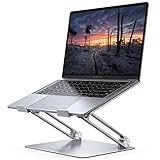
- Wide Compatibility: The laptop stand for desk is compatible with all laptops from 10" up to 17.3", including popular models like MacBook, MacBook Air, MacBook Pro, Surface Laptop, Dell XPS, Google Pixelbook, HP, ASUS, Acer, Chromebook, Alienware, etc.
- Adjustable & Portable Design: The laptop riser can be easily adjusted to comfortable height and angle based on your actual need. Besides, you also can fold the laptop stand up to carry around for travel and business trips or store it in your laptop bag.
- Upgrade Large Base: Made of high-quality aluminum alloy, the larger heavier base greatly improves the stability of the notebook stand. The laptop stand will never shaking, sliding and falling when you type on your laptop with this notebook holder.
- Ergonomic Design: The MacBook air pro stand holder works as a raiser to elevate the laptop screen to your eye level. The office computer stand let you fix posture and relieves neck, shoulder and spinal pain, it's very comfortable for working at home, office and outdoor, make typing more easier.
- Heat Dissipation: The multiple ventilation holes offers better ventilation and more airflow to cool your laptop and prevent from overheating and crashes. Anti-skid silicone and smooth edge can protects your laptop from sliding and scratches.
- Back up important files and save any work before creating media or changing boot settings.
- Obtain the Windows 11 installation-media or ISO option from Microsoft’s download page.
- Connect a blank USB flash drive with at least 8 GB of space.
- Choose the USB-media creation workflow and select the correct removable drive.
- Confirm the deletion warning only after verifying that the selected drive contains no files you need.
- Use the resulting media for recovery, repair, upgrade, or installation as appropriate for the supported PC.
A practical blank USB flash drive for Windows 11 installation media is an optional troubleshooting accessory, not a component of KB5043080. Microsoft also allows an ISO to be mounted directly and setup.exe to be run for an upgrade, so an ISO can avoid using a USB flash drive or DVD in that scenario.
Microsoft warns that installation media used on hardware that does not meet Windows 11 requirements can cause compatibility problems, leave the device unsupported, and affect eligibility for updates. Do not use recovery media as a reason to bypass Windows 11 hardware requirements. For device-specific driver, firmware, or compatibility problems, consult the PC manufacturer’s support site and check for updated drivers before attempting a major repair.
Independent reader supportYour contribution helps us test, update, and keep practical guides available for everyone.What should I do if KB5043080 failed to install?
If KB5043080 failed to install, first identify the system’s current version and build, then determine whether Windows Update is offering this historical package or a later 24H2 cumulative update.
Free tools Windows power users keep installed
One-click scans. No signup required.
- Open Settings > Windows Update > Update history and record the failed update name and error code.
- Press Windows key + R, enter winver, and check whether the computer is running Windows 11 version 24H2 and which OS build is installed.
- Restart the PC if a pending restart is shown, then check Windows Update again.
- On a managed PC, ask the administrator whether Windows Update for Business, WSUS, or another policy controls the deployment.
- For manual deployment, use the Microsoft Update Catalog and select a package appropriate for the installed Windows release and architecture.
- If Windows servicing remains damaged, use Microsoft’s supported installation-media or ISO recovery route after backing up important files and confirming hardware compatibility.
KB5043080’s combined servicing-stack and cumulative-update design affects removal. Microsoft states that the LCU can be removed with DISM by using the package name, while the combined package cannot be removed with the WUSA /uninstall switch because the servicing-stack update cannot be removed from the system. Do not assume that uninstalling the cumulative portion reverses every component installed with the combined package.
Also popular on Amazon

- ✔️[Foldabe & Protable] - Foldable laptop stand for desk & Protable computer stand, It combines the advantages of market brackets, convenient travel laptop stand. Easy to use. Suitable for working at home, office and outdoor, improve comfort.
- ✔️[360°Rotation] - The computer stand with 360° rotating base, 360° rotation connected with the base is more flexible, the computer stand allows you to rotate the laptop to any angle.
- ✔️[Stable & Durable] - The Computer stand is made of one-piece fiber metal material, which is more durable and stable than ordinary aluminum alloy computer stands. The upgraded rotating base makes the stand performance more stable, and the non-slip silicone protects the laptop from sliding.Only supports laptops up to 16 inches.
- ✔️[Ergonmic Desing] - You can freely adjust the height and angle of the laptop stand to keep it at eye level, which helps to reduce the pressure on your body while working. Whether sitting or standing, there is a comfortable angle.
- ✔️[Wide Compatibility] - Our laptop stand is compatible with all laptops from 10-16 inches, such as MacBook Air/Pro, Google PixelBook, Dell XPS, HP, ASUS, Lenovo ThinkPad, Acer, Chromebook and Microsoft Surface, etc. It is an ideal companion for computer workers.
Should you install KB5043080 today?
On August 13, 2026, KB5043080 should be treated as a historical Windows 11 24H2 release, not as the current update to seek manually. If Windows Update offers a later 24H2 cumulative update, the later release is the relevant update for a normally maintained system. KB5043080 remains useful when identifying an older build, diagnosing a September 2024 deployment, or researching the documented Arm-device Roblox issue.
For a current PC, verify the installed build with winver and consult Microsoft’s release history rather than relying on the old KB number. For a failed update, use Windows Update, the organization’s management system, the Microsoft Update Catalog, or supported installation media according to the device’s ownership and recovery situation.
Frequently Asked Questions
Do I need a USB flash drive to install KB5043080?
No. KB5043080 installs through Windows Update, Windows Update for Business, WSUS, or the Microsoft Update Catalog. A USB flash drive is only needed if you create Windows 11 installation or recovery media for repair, upgrade, or installation.
Do these 3 things before closing this tab:
1Scan for outdated or missing drivers - takes under a minute2Repair Windows errors before they cause bigger problems3Fix the driver behind crashes, sound loss and screen glitchesIs Windows 11 build 26100.1742 still the latest 24H2 build?
KB5043080 is no longer the latest Windows 11 24H2 update. The August 13, 2026 release context lists later 26100-branch updates, including build 26100.9106 released on August 11, 2026, so check Windows Update and Microsoft’s release history for the applicable current update.
What Roblox problem did KB5043080 cause?
Microsoft documented the Roblox issue only for players on Arm devices who downloaded or played Roblox through the Microsoft Store. The listed workaround is to download Roblox directly from Roblox.com; the note does not describe a universal Windows 11 gaming problem.
How large must a Windows 11 recovery USB be?
Use a blank USB flash drive with at least 8 GB when creating Windows 11 installation media. Microsoft warns that creating the media deletes the selected drive’s contents, so back up the drive first; an ISO can also be mounted and setup.exe run for an upgrade without USB media.
The Bottom Line
KB5043080 was Microsoft’s September 10, 2024 security cumulative update for applicable Windows 11 24H2 systems, producing build 26100.1742 and including servicing-stack build 26100.1738. The update is now historical; use current Windows Update guidance and later 26100-branch releases instead. A USB flash drive is optional and belongs to the recovery or installation-media path, not ordinary KB5043080 installation.

