
Outdated Drivers Are Slowing You Down
One free scan finds every outdated or missing driver and matches the right update for your exact hardware.Free scan · exact hardware matchPC Slower Than It Used to Be?
A free scan shows the junk files, broken settings and background clutter dragging Windows down - then fixes them in one click.Free scan · Windows 10 & 11No. ViewSonic specifies the XG2401 for 1920×1080 at up to 144 Hz. If your PC offers only 60 or 120 Hz, that does not by itself show that the monitor was misrepresented: the selected display mode and the entire connection path—from the computer’s output through its cable or adapters—must support 144 Hz. For the clearest first test, connect a PC graphics-card DisplayPort output directly to the monitor.
What ViewSonic specifies for the XG2401
The XG2401 is a 24-inch TN monitor with a native resolution of 1920×1080. ViewSonic lists a maximum refresh rate of 144 Hz and specifically confirms support for 1920×1080 at 144 Hz. The monitor has two HDMI inputs and one DisplayPort input; ViewSonic lists a DisplayPort cable among the package contents. It is marked discontinued on the company’s product page. ViewSonic’s XG2401 product page and specifications and its support article about 1920×1080 at 144 Hz document the mode.
There is a documentation wrinkle: an older CNET Content-hosted datasheet lists a 24–120 Hz vertical-frequency range for HDMI and DisplayPort. That conflicts with ViewSonic’s current product specifications and its explicit support statement for 144 Hz. The conflict is worth noting, but the available documents do not establish that the monitor has a hidden 120 Hz hardware limit or identify a particular hardware revision.
What 144 Hz means—and what it does not
- Refresh rate is how often the monitor can update the displayed image. The XG2401’s 144 Hz rating is its maximum supported refresh rate, not a setting every source selects automatically.
- Frame rate is how many frames a computer or game renders. A game reporting 144 FPS does not prove the monitor is receiving a 144 Hz signal; a monitor running at 144 Hz does not guarantee a game can render 144 FPS.
- Selected refresh rate is the display mode currently sent by the computer. Windows, a graphics control panel, and a game can each have settings that affect the result.
- FreeSync / Adaptive-Sync can vary refresh behavior to coordinate with changing frame output. It does not force the monitor to operate at 144 Hz continuously.
ViewSonic also lists a typical 1 ms GTG response time. Response time describes pixel transitions, not the display’s refresh rate; the marketing figure does not mean every pixel transition completes in exactly one millisecond under every setting.
Quick wins for a faster PC:
Fix the driver behind crashes, sound loss and screen glitchesFind Drivers →Clear out junk files and repair common Windows errorsFree Scan →#1 Best Overall

- BE THE DIFFERENCE: Full HD resolution, ultra fast 1ms response time, and amazing 144Hz refresh rate give you the edge in all your gaming quests
- SMOOTH GAMING: AMD FreeSync technology enables smooth frame rates to aid you in battle
- IN IT TO WIN IT: A fully adjustable ergonomic stand and blue light filter delivers the comfort you need for marathon gaming sessions
- GAME ON: An arsenal of pre set customizable visual modes keeps you ready for any FPS, RTS, eSports, or MOBA games
- FLEXIBLE CONNECTIVITY: The XG2401 supports laptops, PCs, and Macs with HDMI, USB, and Display Port inputs
Why 144 Hz may be missing
The target mode to use when diagnosing this monitor is 1920×1080 at 144 Hz. A lower or non-native resolution can change which modes the computer offers. Common causes of a missing 144 Hz option include:
- Windows or the GPU driver is set to 60 or 120 Hz.
- The graphics output, cable, adapter, dock, KVM switch, or other device in the path cannot pass the required signal.
- A laptop’s external display port has a lower limit than the monitor, or its USB-C connection is being routed through a limiting dock.
- The GPU control panel is showing a television-format resolution entry with fewer refresh-rate choices.
- A game has its own resolution or refresh-rate setting, or is capped at 120 FPS.
- A cable, monitor input, GPU port, or other component is faulty.
If 144 Hz appears in Windows but not in one game, focus first on that game’s display mode and frame-rate settings. If it is absent from Windows altogether, investigate the signal path and driver before blaming the game.
Test with a direct DisplayPort connection
For a PC, start with a native DisplayPort connection from the graphics card to the XG2401: GPU DisplayPort output → monitor DisplayPort input. This removes many common variables and is a better diagnostic baseline than an adapter chain. Do not connect the monitor to a motherboard output if you intend to test a discrete graphics card’s output.
Rank #2

- Versatile Full HD IPS Display: Elevate your home office with this 24 Inch 1080p (1920 x 1080) LED monitor featuring a smooth 120Hz refresh rate; the IPS panel and frameless design deliver consistent colors and wide viewing angles, providing a seamless visual experience for all your daily tasks
- Consistent Color from Any Angle: Enjoy vibrant, true-to-life colors and consistent brightness with SuperClear IPS technology; the wide viewing angles ensure a clear, high-quality picture for everyone around the screen, making it ideal for collaboration or group viewing
- Enhanced Viewing Comfort: Minimize eye fatigue during long workdays or study sessions with integrated Flicker-Free technology and a Blue Light Filter; these eye care features provide a more comfortable viewing experience for students and professionals
- Tailored ViewMode Settings: Optimize screen performance with ViewSonic exclusive ViewMode presets; quickly switch between “Game,” “Movie,” “Web,” “Text,” and “Mono” modes to get the ideal gamma curve, contrast, and brightness for any task or application
- Streamlined Multi-Monitor Connectivity: Seamlessly connect your laptops, PCs, and Macs via HDMI and DisplayPort; utilize DisplayPort-out technology to Daisy Chain multiple monitors, allowing you to extend your workspace with a single-cable connection between displays for a clutter-free desk
For the first test, bypass HDMI-to-DisplayPort conversion cables, USB-C docks, laptop docking stations, KVM switches, capture cards, daisy-chain display devices, and inexpensive passive adapters. They may limit or convert the signal; their presence makes it harder to identify where a mode is being lost.
The Tool Desk
Outbyte PC Repair FREEClear out junk files and repair common Windows errorsFree Scan →Outbyte Driver Updater FREEScan for outdated or missing drivers - takes under a minuteDriver Scan →Select 144 Hz in Windows and the GPU control panel
- Connect the monitor directly to the graphics card with DisplayPort if possible, then turn on the monitor and PC.
- Open Settings → System → Display. If several displays are connected, select the ViewSonic XG2401.
- Set the resolution to 1920×1080.
- Open Advanced display (the wording can vary by Windows version) and choose 144 Hz under refresh rate. Apply the setting and confirm the picture remains stable.
- If 144 Hz is unavailable, check the GPU control panel and then return to the connection checks below.
NVIDIA
Open NVIDIA Control Panel → Display → Change resolution. Select the ViewSonic display. If the list separates PC resolutions from television formats, choose 1920×1080 in the PC category, then select 144 Hz. A television-format entry can expose fewer choices.
AMD
In AMD Software, inspect the display settings and confirm that the active mode is 1920×1080 at 144 Hz. If the software will not offer or accept that mode, the output, cable, driver, or display identification data may be limiting the signal.
Rank #3

- Versatile Full HD IPS Display: Elevate your home office or study space with this 24 Inch 1080p (1920 x 1080) LED monitor; enjoy an IPS panel that delivers consistent colors and wide viewing angles for clear visuals from any perspective
- Enhanced Viewing Comfort: Minimize eye fatigue during long workdays or study sessions with integrated Flicker-Free technology and a Blue Light Filter; these eye care features provide a more comfortable viewing experience for students and professionals
- Fluid Multimedia Performance: Eliminate screen tearing and stuttering with integrated AMD FreeSync technology; enjoy a seamless viewing experience with smooth frame rates that enhance high-definition videos, streaming, and everyday transitions
- Flexible Connectivity: Seamlessly connect your laptops, PCs, and Macs with versatile input options; this monitor features HDMI and VGA inputs, providing the reliable compatibility needed for both modern hardware and legacy devices in any setup
- Industry-Leading 3-Year Warranty: Have peace of mind with 3-year limited warranty coverage and access to our US-based customer service team; we stand by the quality and reliability of our monitors to support your long-term productivity
Intel graphics and laptops
Check the specifications for the laptop’s exact physical port and implementation. A monitor’s capability does not establish the maximum refresh rate of a laptop’s HDMI output, USB-C port, or dock. Some laptops may provide a higher-rate path through USB-C DisplayPort Alt Mode than through HDMI, but the specific computer must support it.
HDMI can work, but the whole chain matters
It is too broad to say that HDMI cannot deliver 144 Hz on the XG2401. ViewSonic says the monitor can support 1920×1080 at 144 Hz over HDMI when the graphics output and cable meet the required signal conditions. Its support guidance specifies an HDMI 1.4 output capable of a 340 MHz pixel clock or HDMI 2.0, together with a suitable high-bandwidth cable; ViewSonic recommends a Premium-certified HDMI cable. ViewSonic’s HDMI requirements for this mode are more specific than simply checking the HDMI version label.
Free tools Windows power users keep installed
One-click scans. No signup required.
So an HDMI setup that offers only 60 or 120 Hz may be limited by the computer’s implementation, cable, adapter, dock, or selected mode. A direct DisplayPort test is a useful way to separate those possibilities. Do not assume that an HDMI-to-DisplayPort cable will solve the issue: such cables can be directional or actively convert between signal standards, and add another possible limitation.
Rank #4

- High-Performance Quad HD Display: Elevate your home office with this 27 Inch 2K (2560 x 1440) LED monitor featuring a smooth 100Hz refresh rate; the IPS panel and frameless design deliver consistent colors and wide viewing angles for seamless setups
- Seamless Frameless Design: Maximize your viewing area with an immersive edge-to-edge screen; the ultra-thin bezels provide a sleek aesthetic and enable nearly seamless multi-monitor setups for a more productive and expansive workspace
- Smooth Adaptive Sync Performance: Enjoy fluid visuals for casual gaming and multimedia with VESA Adaptive Sync technology; this feature enables a smooth 75Hz refresh rate to ensure consistent frame rates and reduced screen tearing for a seamless experience
- Enhanced Viewing Comfort: Minimize eye fatigue during long workdays or study sessions with integrated Flicker-Free technology and a Blue Light Filter; these eye care features provide a more comfortable viewing experience for students and professionals
- Tailored ViewMode Settings: Optimize screen performance with ViewSonic exclusive ViewMode presets; quickly switch between “Game,” “Movie,” “Web,” “Text,” and “Mono” modes to get the ideal gamma curve, contrast, and brightness for any task or application
Check the monitor and the game separately
Use the operating system’s advanced display information and the XG2401’s on-screen display (OSD) information page as independent checks of the selected signal mode. ViewSonic’s product documentation lists an information section in the monitor’s OSD. A reputable browser motion test can provide additional evidence, but browser behavior, background applications, synchronization, and frame delivery can affect what it shows. Treat it as corroboration, not a substitute for the OS and monitor-reported mode.
If Windows and the monitor indicate 144 Hz, but a game seems slow, check the game’s own display settings:
- Resolution: 1920×1080.
- Refresh rate: 144 Hz, if the game exposes the setting.
- Display mode: full screen or borderless, as appropriate for the game.
- V-sync, in-game frame-rate limits, and GPU-driver frame-rate caps.
- Whether the game is rendering enough frames to make high refresh rate noticeable.
A 120 FPS cap or a game rendering 80 FPS is not proof that the monitor’s input signal is running at that rate. Conversely, a 144 FPS counter alone does not prove that the monitor is receiving 144 Hz. Motion smearing or ghosting can also reflect pixel-response behavior rather than a low refresh rate.
Best Value
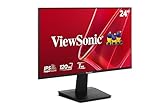
- Versatile Full HD IPS Display: Elevate your home office or study space with this 24 Inch 1080p (1920 x 1080) LED monitor featuring a smooth 120Hz refresh rate; enjoy an IPS panel that delivers consistent colors and wide viewing angles for clear visuals from any perspective
- Fluid Variable Refresh Rate: Experience smoother visuals and eliminate screen tearing for everyday tasks and multimedia use; this technology ensures seamless frame rates and reduced stuttering for a more responsive and polished viewing experience
- Enhanced Viewing Comfort: Minimize eye fatigue during long workdays or study sessions with integrated Flicker-Free technology and a Blue Light Filter; these eye care features provide a more comfortable viewing experience for students and professionals
- Tailored ViewMode Settings: Optimize screen performance with ViewSonic exclusive ViewMode presets; quickly switch between “Game,” “Movie,” “Web,” “Text,” and “Mono” modes to get the ideal gamma curve, contrast, and brightness for any task or application
- Flexible Connectivity: Seamlessly connect your laptops, PCs, and Macs with versatile input options; this monitor features HDMI and VGA inputs, providing the reliable compatibility needed for both modern hardware and legacy devices in any setup
If the highest option is 120 Hz
120 Hz is commonly a sign of a mode or connection limitation, not evidence by itself that the XG2401 cannot reach 144 Hz. Check the resolution, HDMI output and cable capability, adapters or docks, laptop port specifications, GPU mode category, and any game-specific cap. The next useful PC test is native 1920×1080 over direct DisplayPort from a compatible graphics card.
People have reported XG2401 systems limited to 120 Hz, including cases involving DisplayPort or mode selection, but such reports are anecdotal and do not establish a product-wide defect. One community report is an example of that failure mode.
When a fault becomes more plausible
Test one variable at a time so you can tell whether the limitation follows the monitor, cable, port, or computer:
- Set 1920×1080 at 60 Hz if the current signal is unstable, then power-cycle the monitor and computer.
- Reconnect the cable firmly. Try another known-good DisplayPort cable and another graphics-card output.
- Remove docks, adapters, KVMs, custom resolutions, and GPU overclocks; restore standard display settings.
- Reset the monitor’s OSD to factory defaults and test direct DisplayPort again.
- Try the monitor with another compatible computer, and try the original computer with another display if available.
A cable, driver change, sleep/wake handshake, input switch, custom timing, GPU overclock, or failing input can make 144 Hz intermittent. Hardware trouble becomes more plausible if a second compatible PC also cannot select or sustain 144 Hz over direct DisplayPort with known-good cables, or if the monitor flickers, loses signal, or becomes unstable at multiple refresh rates. A second computer helps isolate the cause; it does not by itself prove which component has failed.
Buying or evaluating a used XG2401
Because ViewSonic marks the XG2401 discontinued, a second-hand buyer should factor in the unit’s condition, included accessories, return terms, and applicable warranty rather than assuming replacement support will be the same as for a current model. Before paying, verify the model label and, if possible, have the seller demonstrate 1920×1080 at 144 Hz on a compatible PC.
- Confirm that the label says XG2401, not XG2402 or a different XG-series model.
- Inspect for dead pixels, backlight problems, flicker, and input-specific failures.
- Check whether the stand and DisplayPort cable are included.
- Ask whether you can test the native 144 Hz mode and whether returns are accepted.
If a known-good direct DisplayPort test confirms that the monitor is fine, replacing it before identifying a source or connection limitation may not help. If the unit itself is faulty, compare current replacements by panel type, stand ergonomics, warranty, price, and the frame rates your computer can actually produce. A 240 Hz model is not automatically a better value for a system that cannot make use of the additional refresh headroom.
Quick Recap
Product prices and availability are accurate as of the date/time indicated and are subject to change. Any price and availability information displayed on Amazon at the time of purchase will apply.

