
IOGEAR announced the GKM611B Multi-Link Bluetooth Keyboard with Touchpad at International CES 2011 as a couch-friendly keyboard for home-theater PCs and other Bluetooth-enabled devices. Its distinguishing feature was the ability to switch among as many as six paired devices; it also combined a keyboard, media hotkeys and an integrated touchpad with left- and right-click buttons.
What was the IOGEAR GKM611B?
The GKM611B was a Bluetooth keyboard designed to control an HTPC without requiring a separate mouse. IOGEAR’s 2011 announcement described it as suitable for HTPCs, gaming consoles and smartphones. It used Bluetooth 2.0 and included custom media hotkeys, a low-profile design and a slip-resistant base. HotHardware’s contemporaneous coverage reproduces the announcement and its specifications.
Could it control multiple devices?
IOGEAR said the keyboard could switch among up to six Bluetooth-enabled devices. That made it possible, in principle, to use one keyboard with several compatible devices rather than keeping a separate keyboard for each. The announcement does not detail the switching procedure or establish compatibility with every device in those categories.
What features and specifications did IOGEAR announce?
| Feature | Announcement detail |
|---|---|
| Bluetooth | Bluetooth 2.0, according to IOGEAR’s 2011 announcement |
| Operating radius | 30 feet, as stated by IOGEAR in 2011; not an independent test result |
| Device switching | Up to six Bluetooth-enabled devices, according to IOGEAR |
| Pointing controls | Integrated touchpad with left- and right-mouse buttons |
| Other keyboard features | Custom media hotkeys, low-profile design and slip-resistant base |
| Power and weight | Two AA batteries; 1.90 lb, as stated by IOGEAR |
These are launch-announcement specifications, not independently verified performance measurements. Engadget’s January 2011 report provides additional launch context.
What’s actually slowing this PC down?
Pick the symptom - the matching free tool is one click away.
#1 Best Overall

- Pair with 6 Bluetooth Enabled Devices and Fast Switch Between Each Other
- Bluetooth 2.0 Technology Offers Greater Range up to 30 Feet Away from Your Computer
- Integrated Hot Keys Let Users Freely Quick Access to My TV, Videos, Pictures, Music, Volume Control and More
- RoHS Compliant
- 3 Year Warranty
What did it cost, and when was it expected to ship?
IOGEAR announced a $79.95 MSRP and expected shipping late in Q1 2011. Those are historical launch terms, not a current price or evidence that the keyboard is still sold. The announcement also quoted Bill Nguyen, then an IOGEAR senior marketing manager, describing the keyboard’s multi-device use: “Our new multi-link Bluetooth keyboard offers this same comfort for six separate devices, providing freedom to move around or stay seated while staying connected.”
Is the GKM611B available today?
The available launch coverage does not establish current stock, resale prices, or the condition of any listing. If looking for this specific model, verify the model number and whether an item is new, used or refurbished before buying; the 2011 MSRP should not be treated as a guide to today’s resale value.
Rank #2
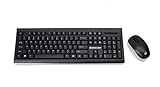
- 2.4 GHz wireless keyboard and mouse use from up to 33 ft.
- Spill-Resistant/SpillProof: Accidental liquid spills and splashes will harmlessly drain out of your keyboard
- Precision Ergonomic 3-Button Mouse
- PI switch allows you to adjust mouse sensitivity to your preferences
- Battery status LED indicator
What is the difference between the GKM611B and GKM562R?
IOGEAR’s GKM562R is a separate wireless keyboard with touchpad, not an established successor to the GKM611B. Its product page describes PC, Smart TV and HTPC control, setup using a USB receiver, and a rechargeable battery. By contrast, IOGEAR announced the GKM611B as a Bluetooth 2.0 keyboard with multi-device switching and two AA batteries. These product descriptions do not provide a complete head-to-head comparison.
When choosing between a Bluetooth keyboard and a USB-receiver model, check the connection method, how devices are paired or switched, compatibility with the target PC or TV, whether you need an integrated pointing control, the power source and the keyboard layout. The available product information does not establish one as the best choice for every setup.
Quick Recap
Best Value

- Switch Usb Devices Between Computers - Share 4 Usb 3.0 Peripheral Devices Between 2 Different Computers. Perfect For A Small Office To Share A Keyboard, Mouse Printer, Or Even A Portable Hard Drive
- Easy Switching Method - Switch Between One Computer To Another With The Press Of A Button. Led On The Unit Will Light Up To Identify Which Computer Is Currently Active For The Switch
- Perfect For Small Office / Home Office Users, The Iogear Usb 3.0 Peripheral Sharing Switch Creates A Space Saving, Convenient And Productive Work Environment
- A Simple Press Of The Button Changes The Connection Of Four Usb Devices Such As Keyboard, Mouse, Printer, Portable Hard Drives, Etc. From One Computer To Another
- Supports Hot-Plugging Which Allows Easily Add Or Remove Computers Connected To The Installation Without Having To Power Down The Switch. Over-Current Protection
Rank #4
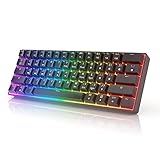
- ✅ PREMIUM OPTICAL SWITCHES: The GK61 comes equipped with Optical mechanical switches that deliver ultimate performance and reliability, designed for enduring and intense usage.
- ✅ CUSTOMIZABLE RGB LIGHTING: Experience a vivid spectrum of 16.8 million colors with twenty adjustable backlight patterns using the included software, letting you tailor the multicolor RGB system to your preference.
- ✅ TACTILE: Offers tactile responsive feel for both typing and gaming; utilized by some of the world's elite gamers for optimal performance.
- ✅ REMOVABLE TYPE-C CABLE: Features a 5FT/1.5M Type-C to Type-A USB cable that can be detached for your convenience, providing a consistent connection with your devices.
- ✅ SMOOTH STABILIZERS: With pre-lubricated stabilizers, enjoy solid gaming without wire rattle, for a seamless experience.
Rank #3

- Membrane style 124-key gaming keyboard, use on any Windows, Mac, or Chromebook Gaming PC
- Zone-RGB backlight with multiple lighting patterns
- Built-in volume control/lighting control wheel
- Magnetically attached, self-centering keyboard wrist rest
Product prices and availability are accurate as of the date/time indicated and are subject to change. Any price and availability information displayed on Amazon at the time of purchase will apply.

