
Recommended Free Tools
iTechGuides is reader-supported. When you buy through links on our site, we may earn an affiliate commission. As an Amazon Associate I earn from qualifying purchases. Learn more
How to use the Sora AI video generator depends on which version you mean: OpenAI discontinued the consumer Sora web and app experiences on April 26, 2026, so new users should not expect normal access. Former users can still try to export existing work, while the Sora API is scheduled for discontinuation on September 24, 2026.
If you are trying to recover videos you already created, skip to How to export old Sora videos. If you are learning how the former product worked, the prompt and refinement sections explain the process without implying that the old interface is still online.
Key takeaways
- OpenAI discontinued the Sora web and app experiences on April 26, 2026, and the current help notice says the Sora API is scheduled to end on September 24, 2026.
- Former Sora users can request an export at
sora.chatgpt.com/sunset, wait for OpenAI’s email, and back up the downloaded files before the applicable export window closes. - The former workflow began with a text prompt, still image, supported video asset, or community creation, followed by generation, variation selection, remixing, and downloading.
- Historical Sora controls included Remix, Re-cut, Storyboard, Loop, Blend, and presets, but those labels should not be treated as currently available features.
- Sora output could contain visual, motion, continuity, audio, likeness, copyright, and provenance issues; C2PA metadata is different from a visible watermark.
Is the Sora AI video generator still available?
The consumer Sora web and app experiences are discontinued. OpenAI’s current Sora discontinuation and export notice states that the web and app products ended on April 26, 2026. The same notice says the Sora API is scheduled for discontinuation on September 24, 2026.
| Access path | Current status as of August 18, 2026 | What readers should do |
|---|---|---|
| Sora web experience | Discontinued April 26, 2026 | Do not troubleshoot account tiers or browser settings as though normal access remains. |
| Sora mobile app | Discontinued April 26, 2026 | Use the official sunset process if you need existing work. |
| Sora API | Scheduled for discontinuation September 24, 2026 | Do not build a new long-term production dependency on the API. |
| Existing Sora creations | Potentially exportable through the official sunset page | Request an export as soon as possible and keep multiple backups. |
New users should not be promised access to the former Sora product, and an existing ChatGPT subscription should not be described as providing current Sora access. OpenAI warns that associated Sora data may be permanently deleted after the applicable final export window closes; the cited notice does not state one universal final deadline for every user.
Popular on Amazon
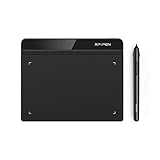
- Battery-Free Pen: StarG640 drawing tablet is the perfect replacement for a traditional mouse! The XPPen advanced Battery-free PN01 stylus does not require charging, allowing for constant uninterrupted Draw and Play, making lines flow quicker and smoother, enhancing overall performance
- Ideal for Online Education: XPPen G640 graphics tablet is designed for digital drawing, painting, sketching, E-signatures, online teaching, remote work, photo editing, it's compatible with Microsoft Office apps like Word, PowerPoint, OneNote, Zoom, Xsplit etc. Works perfect than a mouse, visually present your handwritten notes, signatures precisely
- Compact and Portable: The G640 art tablet is only 2 mm thick, it's as slim as all primary level graphic tablets, allowing you to carry it with you on the go
- Chromebook Supported: XPPen G640 digital drawing tablet is ready to work seamlessly with Chromebook devices now, so you can create information-rich content and collaborate with teachers and classmates on Google Jamboard’s whiteboard; Take notes quickly and conveniently with Google Keep, and effortlessly sketch diagrams with the Google Canvas
- Multipurpose Use: Designed for playing OSU! Game, digital drawing, painting, sketch, sign documents digitally, this writing tablet also compatible with Microsoft Office programs like Word, PowerPoint, OneNote and more. Create mind-maps, draw diagrams or take notes as replacement for mouse
What was Sora, and which version did you see?
Sora was OpenAI’s video-generation product, but “Sora,” “Sora Turbo,” “Sora 2,” the Sora app, and the Sora API were not interchangeable names for one unchanging interface.
| Name | What it referred to | Important qualification |
|---|---|---|
| Sora | The original OpenAI video-generation model and product. | Original capabilities and limits varied by release. |
| Sora Turbo | A faster version associated with the standalone Sora experience. | Older tutorials may show Turbo-specific controls or limits. |
| Sora 2 | A later video-and-audio model associated with the Sora app and sora.com. |
OpenAI described synchronized dialogue and sound effects for Sora 2. |
| Sora API | The developer-facing access path for programmatic video generation. | The API is scheduled for discontinuation on September 24, 2026. |
OpenAI’s Sora 2 launch information described synchronized dialogue and sound effects, while OpenAI’s technical overview of the original Sora covered text, image, and video generation or transformation in the relevant workflows. Product capabilities, access methods, regional availability, and limits changed between releases.
How did the former Sora workflow work?
The former consumer workflow generally moved from an input, to a short scene description, to several generated results, followed by refinement and export. The following steps are historical instructions, not a currently working signup guide.
Quick wins for a faster PC:
Fix the driver behind crashes, sound loss and screen glitchesFind Drivers →Clear out junk files and repair common Windows errorsFree Scan →1. Open the former Sora experience
Historically, users accessed Sora through sora.com or the Sora app, depending on the product release and rollout region. OpenAI announced Sora 2 for sora.com and a standalone iOS app. Because the web and app experiences ended on April 26, 2026, those addresses should not be presented as active registration paths.
2. Start with text, an image, or another supported input
The former workflow could begin with a text prompt, a still image, supported existing video assets, or a community creation selected for remixing. A prompt worked best when it described observable elements: the subject, one or more actions, the setting, camera behavior, lighting, composition, style, and—where supported by that Sora version—audio or dialogue.
3. Describe one manageable shot
A short, visually simple shot was a better starting point than a complicated sequence containing many characters, actions, locations, and camera changes. A practical historical template was:
[Shot type and camera movement] of [subject] [performing one action]
in [specific setting]. [Lighting and time of day]. [Visual style].
[Motion details]. [Aspect ratio or orientation]. [Audio or dialogue, if relevant].
For example:
Medium tracking shot of a red fox walking through a misty pine forest
at dawn. The camera moves slowly from left to right as the fox pauses
and looks toward the light. Soft blue-gray fog, natural fur movement,
cinematic documentary style, subtle birdsong and footsteps.
The prompt gives the model a subject, a single central action, a location, a time of day, camera movement, motion details, style, and audio cues. The goal is not to add as many adjectives as possible; the goal is to remove ambiguity while keeping the shot achievable.
4. Generate variations and choose a base clip
Historically, users reviewed generated results and selected the strongest variation. AI video generation was iterative: a first result could include inconsistent motion, incorrect object interactions, visual defects, or an action that the prompt did not prioritize. The number of outputs, generation speed, and credit behavior varied by product version and plan, so a fixed output count should not be assumed.
5. Refine the strongest result
The former Sora interface included controls with names such as Remix, Re-cut, Storyboard, Loop, Blend, and presets. The historical use cases were:
Also popular on Amazon

- Customize Your Workflow: The 6 customizable press keys on Huion H640P drawing tablet for pc let you assign your most-used commands—like undo, zoom, brush switch, or save—so you can keep your hands on the tablet and your mind on the art. Whether you're a digital painter switching brushes, or a comic artist zooming in and out, these keys keep your workflow smooth and uninterrupted. Plus, the Huion driver lets you save different shortcut profiles for different apps, so you never have to reconfigure when switching software.
- Professional Pen Performance: Huion H640P drawing pad for computer comes with the battery-free PW100 stylus that's always ready when inspiration strikes. With 8192 levels of pressure sensitivity, every light sketch, or bold stroke responds naturally to your hand—just like a real pen. The 5080 LPI resolution and 233 PPS report rate deliver lag-free, precise strokes, so you can draw confidently without second-guessing your cursor. The pen side buttons help you switch between pen and eraser instantly.
- Compact and Portable: Huion H640P computer graphics tablet features a compact, ultra-portable design at just 0.3 inches thin and 0.61 lbs light, so it slides easily into your backpack—perfect for sketching in coffee shops, taking notes in class, or editing on the go between home and studio. The 6x4 inch active area offers enough room for natural pen movements while fitting comfortably on crowded desks, or lecture hall seats.
- Stable Compatibility: Huion H640P graphic drawing tablet works seamlessly with Mac, Windows, Linux PCs, and Android smartphones/tablets (OS version 6.0 or later). Left-handed friendly, and you just need to flip the tablet and adjust the settings in the driver. Please note: H640P does NOT support iPhone/iPad.
- Move Beyond the Mouse: Huion Inspiroy H640P is a pen tablet that replaces your mouse for more natural, precise control. Freehand draw, take notes, or even play OSU—everything you do with a mouse, you can do better with a pen. The precise tip makes it ideal for detailed photo editing, graphic design, or signing PDF. Meanwhile, the ergonomic pen grip helps you avoid the strain that comes from hours of using a mouse.
| Former tool | Historical purpose | Useful application |
|---|---|---|
| Remix | Change an existing result without starting entirely over. | Alter wardrobe, setting, mood, props, or selected visual elements. |
| Re-cut | Isolate or extend part of a scene. | Repair an opening or ending, or preserve the strongest section. |
| Storyboard | Arrange distinct scene instructions on a timeline. | Plan a multi-shot sequence with separate moments. |
| Loop | Create a repeating clip. | Make background footage, ambience, or a social-media loop. |
| Blend | Combine two videos into one sequence. | Create a transition or hybrid scene. |
| Presets | Apply a predefined visual treatment. | Experiment quickly with a recognizable style. |
OpenAI’s former Sora product page documented these historical product features. Remix, Re-cut, Storyboard, Loop, Blend, and preset controls should be labeled by product era in screenshots or archived tutorials because the consumer interface is no longer available.
6. Download or share the result
The former product supported video downloads, but download behavior depended on the former plan and product rules. OpenAI’s old product information stated that Pro users could download videos without a visible watermark, while provenance information remained embedded. “No visible watermark” did not mean “no provenance,” and the historical plan description is not a current offer.
Free tools Windows power users keep installed
One-click scans. No signup required.
How should you write an effective Sora prompt?
An effective Sora prompt describes what a camera should observe and how the scene should move, rather than relying only on an abstract goal such as “make a beautiful cinematic video.” Include the following elements when they matter:
- Subject: Identify the person, animal, object, or environment.
- Action: Start with one clear action before adding secondary actions.
- Setting: Specify location, time, weather, and important surrounding objects.
- Camera: Name a close-up, wide shot, tracking shot, overhead view, static camera, handheld shot, or another useful viewpoint.
- Motion: State direction, speed, facial movement, and object interaction.
- Lighting: Describe natural, studio, neon, golden-hour, low-key, or backlit illumination.
- Style: Use a documentary, stop-motion, animated, period-film, surreal, or product-advertising direction when appropriate.
- Composition: Explain foreground, background, depth of field, and subject placement.
- Audio: Add dialogue, ambience, music, or sound effects only when the relevant Sora version supported them.
- Constraints: State duration, orientation, aspect ratio, or continuity requirements when the historical interface exposed those controls.
Weak prompt versus more useful prompt
A weak prompt leaves the subject, action, camera, and setting undefined:
A beautiful cinematic city video.A more specific version gives the generator a coherent shot to attempt:
Wide establishing shot of a rain-soaked downtown street at blue hour.
A cyclist in a yellow rain jacket crosses the frame from right to left
while buses pass in the background. Wet pavement reflects red and blue
neon signs. Slow dolly forward, restrained cinematic color grade,
realistic traffic motion, distant rain and city ambience.
The second prompt does not guarantee accurate traffic, reflections, text, or human movement. The second prompt reduces ambiguity by defining the shot’s subject, direction, background activity, lighting, camera movement, color treatment, and sound.
The Tool Desk
Outbyte PC Repair FREEClear out junk files and repair common Windows errorsFree Scan →Outbyte Driver Updater FREEFix the driver behind crashes, sound loss and screen glitchesFind Drivers →How should you structure a multi-shot sequence?
A storyboard-style prompt separates moments and gives each moment an order, but a storyboard is an instruction structure rather than a guarantee of character, prop, geography, or physics continuity.
Shot 1 — 0–3 seconds:
Wide shot of a lighthouse on a stormy cliff at dusk.

Shot 2 — 3–6 seconds:
Slow push toward the lighthouse window as warm light appears.

Shot 3 — 6–10 seconds:
Interior close-up of a brass compass vibrating on a wooden table.
Separate shots are often easier to control than one long uninterrupted narrative. Keep recurring clothing, props, lighting, camera angle, and setting descriptions consistent, and change one major variable at a time.
What historical Sora limits and capabilities mattered?
Historical Sora limits must be tied to a release or product page; the limits below should not be treated as current consumer entitlements.
Also popular on Amazon

- Word-first 16K Pressure Levels: The upgraded stylus features 16,384 levels of pressure sensitivity and supports up to 60 degrees of tilt, delivering smoother lines and shading for a natural drawing experience. With no battery or charging needed, it operates like a real pen, making it easy for beginners to create effortlessly. This functionality helps novice artists develop their skills and explore their creativity without the intimidation of complex tools
- Designed for Beginners: This drawing pad desinged with 8 customizable shortcuts for both right and left-hand users, express keys create a highly ergonomic and convenient work platform
- Perfectly Adapted for Android: The XPPen Deco 01 V3 art tablet supports connections with Android devices running version 10.0 and above. It is recommended to download the XPPen Tools Android application, which adapts to your smartphone's screen aspect ratio, ensuring accurate mapping. It also supports mapping on Android screens with different aspect ratios in portrait mode
- Large Drawing Space, Bigger Bold Inspiration: This expansive drawing pad has10 x 6.25-inch helps you break through the limit between shortcut keys and drawing area
- Easy Connectivity for Beginners: The Deco 01 V3 offers USB-C to USB-C connectivity, plus adapters for USB C. This ensures easy connection to various devices, allowing beginner artists to set up quickly and focus on their creativity without compatibility concerns. Whether using a laptop, tablet, or desktop, the Deco 01 V3 provides a seamless experience, making it an ideal choice for those just starting their digital art journey
| Release or plan | Documented historical detail | How to interpret it |
|---|---|---|
| December 2024 Sora product | Up to 1080p, up to 20 seconds, and widescreen, vertical, or square formats. | These were launch-era product details, not current access promises. |
| Former Plus plan | $20 per month; up to 720p and 10-second videos. | Historical pricing and limits from the old Sora page. |
| Former Pro plan | $200 per month; up to 1080p and 20-second videos, faster generations, up to five concurrent generations, and downloads without a visible watermark. | Historical pricing and capabilities from the old Sora page. |
| Sora 2 API model page | $0.10 per second for Sora 2 and $0.30 per second for Sora 2 Pro; portrait and landscape dimensions were shown. | Price signals seen on the API model page, despite the scheduled API sunset. |
According to OpenAI’s December 2024 Sora launch materials, the product supported videos up to 1080p and 20 seconds in widescreen, vertical, or square formats. OpenAI’s former Sora pricing and feature page separately listed Plus at $20 per month with up to 720p and 10-second videos, and Pro at $200 per month with up to 1080p and 20-second videos. These are historical figures, not reasons to purchase a current plan.
The Sora 2 API model page displayed $0.10-per-second pricing for Sora 2 and $0.30-per-second pricing for Sora 2 Pro. Because OpenAI’s current discontinuation notice schedules the API’s end for September 24, 2026, those figures should not be used to justify a new long-term integration.
How can you fix common Sora video problems?
Former Sora users generally improved weak results by simplifying the scene, separating instructions, and iterating from the strongest clip instead of regenerating an entire complex sequence.
The output ignores part of the prompt
- Reduce the number of simultaneous actions.
- Separate camera instructions from subject instructions.
- Specify the order in which events happen.
- Use a shorter shot or storyboard structure.
- Remove conflicting style directions.
- Generate a base shot, then use Remix for a focused change.
Characters or props change between shots
Use a reference image where the former workflow supported one, and repeat clothing, camera angle, lighting, setting, and prop descriptions. Change one variable at a time. Separate a long narrative into shorter shots and extend or remix the strongest clip instead of regenerating every scene.
Text, signs, and logos are wrong
Generated signage, labels, user-interface text, and readable documents were unreliable risk areas. For dependable typography, create a clean background and add text during conventional video post-production rather than relying on generated lettering.
Motion or physics looks unnatural
OpenAI’s original Sora launch material acknowledged unrealistic physics and difficulty with complex actions over long durations. Hands, fingers, teeth, faces, object permanence, walking, sports, dance, crowds, liquids, collisions, reflections, and deformable materials deserved careful review. These were risk areas, not guaranteed defects in every generation.
Dialogue or audio is inaccurate
Sora 2 was described as supporting synchronized dialogue and sound effects, but dialogue timing, lip synchronization, speech content, and background audio still required review. Treat generated audio as an element to check rather than a guarantee of broadcast-ready sound.
A prompt or output is blocked
Safety filters could block sexual content, exploitation, harmful activity, nonconsensual likeness, public-figure abuse, and other restricted categories. Do not try to evade safeguards. Reframe the idea as a benign, consent-based, non-deceptive scenario or choose a different subject.
What are Sora’s watermark, C2PA, copyright, and consent implications?
A visible watermark and C2PA provenance metadata are different things. A video could lack an obvious on-screen mark while still carrying embedded information associated with Sora or identifying the content as AI-generated. Re-encoding or uploading a file through another service can remove or alter metadata, so the absence of metadata after processing is not proof that the video was not AI-generated.
Do these 3 things before closing this tab:
1Clear out junk files and repair common Windows errors2Scan for outdated or missing drivers - takes under a minute3Repair Windows errors before they cause bigger problemsAlso popular on Amazon

- 【Multi-Function Quick Dial and 12 Customized Express keys】 The quick dial is specially designed for VEIKK A15Pro drawing tablet. It has default functions for zooming canvas/adjusting brush/scrolling page. You can program the quick dial and all the 12 express keys to functions that you need. Thus, they greatly simplify your workflow, and you would not have to have a keyboard close.
- 【Intelligent Passive Pen】The battery-free pen features 8192 levels of pressure sensitivity and 250 PPS report rate, so you can draw lines of different thicknesses according to your needs without any delay.The Passive pen supports ±60°tilt function after FIRMWARE UPDATED, helping you add shadow to your art creation.
- 【Ultra Large Drawing Area】VEIKK A15Pro graphics tablet has 10x6 inch large active area, provides enough space for your digital artwork creation. Ultra-thin for only 9mm and light weight body makes it quite convenient and portable. The type-C port on this computer graphics tablets can bring more stable transmission. And it comes with 28 spare nibs ,1 pen holder and 1 artist glove, no need to buy additionally.
- 【Application】VEIKK A15Pro digital art tablet is perfect for beginners and professional digital artists for drawing, animation, photo-editing, 3D Modeling, or design work. It is also an ideal tool for online education and remote working. It can not only be used with a computer, but also with a mobile phone. VEIKK provides one-year warranty and lifetime technical support.
- 【Compatibility】A15Pro graphic tablet is compatible with Mac 10.12 or above, Windows 11/10/8/7, Linux OS and Android 6.0(After FIRMWARE UPDATED)or above. And it works with major design softwares, such as Photoshop, Illustrator, Sai, Corel painter, Comic studio, MediBang Paint, Paintstorm Studio ,Clip Studio, Krita ,Zbrush,etc.
OpenAI described Sora-generated videos as including C2PA provenance metadata. OpenAI’s Sora safety and provenance material also discussed consent-based use of people’s image and audio likenesses. Historical watermark behavior varied by product, plan, and output context; “no visible watermark” should never be presented as “no provenance.”
Can you use another person’s face or voice?
Do not upload or generate a real person’s likeness without appropriate permission. Sora 2 safety materials emphasized consent for image and audio likenesses and described controls intended to let people control use of their likeness, including revoking access. A photograph alone does not establish permission to commercialize someone’s face or voice.
Public figures and real people require particular caution. Do not use Sora to create deceptive or harmful impersonations, fabricated evidence, harassment, or misleading political or commercial material.
Does Sora output automatically have clear copyright or commercial rights?
No single statement in the cited material establishes universal copyright ownership or commercial clearance for every Sora output. AI-generated video can raise copyright, trademark, publicity-rights, privacy, and contractual issues. Users remain responsible for the legality of their prompts, uploads, music, likeness use, and distribution in the jurisdictions that matter to them.
OpenAI’s Sora 2 safety information stated that generated speech transcripts were scanned and that attempts to generate music imitating living artists or existing works could be blocked. That safeguard does not replace legal review of the complete output or a guarantee that a particular video is cleared for commercial use.
Independent reader supportYour contribution helps us test, update, and keep practical guides available for everyone.How do you export old Sora videos?
Former users should request an export as soon as possible through OpenAI’s official sunset page. The export process is the most useful current Sora workflow because the service and associated data may not remain available indefinitely.
- Open
sora.chatgpt.com/sunset. - Choose Export.
- Wait for OpenAI’s email confirming that the export is ready.
- Download the exported files.
- Back up the files locally and in a second location, such as an independently maintained backup drive or storage account.
- Preserve original filenames and metadata where possible.
OpenAI’s current discontinuation notice recommends exporting content as soon as possible and warns that Sora-related data may be permanently deleted after the applicable final export period. The cited notice does not promise that every export contains all prompts, project state, edit history, or metadata, so preserve whatever the export provides rather than assuming a project can later be reconstructed.
Is Sora worth paying for now?
No—not specifically for Sora access. The consumer web and app products were discontinued on April 26, 2026, and the API is scheduled to end on September 24, 2026. Do not purchase ChatGPT Plus or Pro on the promise that either plan provides current Sora access.
What’s actually slowing this PC down?
Pick the symptom - the matching free tool is one click away.
The former Plus and Pro prices belong in an archive or historical comparison, not a current signup call to action. The temporary API price signals are also a poor basis for a new production dependency because the API has a scheduled sunset. A current alternative would require separate verification of availability, price, commercial terms, output limits, watermark policy, provenance, privacy, and cancellation conditions; the cited research does not establish a particular replacement service.
Also popular on Amazon
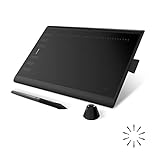
- Working Area Configuration - HUION art tablet equips with a 10 x 6.25 inches working area, providing the user with the most comfortable size to work; the 10mm slim structure and minimalist design of appearance make the drawing tablet more attractive.
- Tilt Function Battery-free Stylus: This computer graphics tablet come with a battery-free stylus PW100, no need to charge, allowing for constant uninterrupted drawing. ±60° tilt support enables imitation of lines input with diverse drawing gestures, with accuracy ensured.
- Press Keys:12 programmable press keys plus 16 programmable soft keys, you can set shortcut keys on drawing tablet's driver based on your preferences, such as erase, zoom in/out, scroll up and down, and so on.
- Compatibility: HUION graphics tablet supports Windows 7 or later/ macOS 10.12 or later/ Android 6.0 or later/ Linux (Ubuntu). A USB adapter is required to connect to a Mac computer. H1060P supports various mainstream design and drawing software, including PS, SAI, AI, CDR, etc. (Please note: The H1060P is compatible with Ubuntu, but it requires the use of the Xorg display server. Wayland is not supported.)
- NOTE: You can easily connect your phone to the art tablet via the OTG connector; while iPhone and iPad are NOT at the moment. The cursor will not show up in the SAMSUNG Galaxy S series at present. If you are not sure whether the product is compatible with your Phone or any help, please contact us.
What should you check before choosing a successor video tool?
If you are replacing the former Sora workflow, compare tools against the actual production requirement rather than assuming that any text-to-video service is an equivalent replacement.
| Decision area | Questions to ask |
|---|---|
| Availability | Is the service currently available in your country, edition, and intended workflow? |
| Inputs | Does the service support text-to-video, image-to-video, video transformation, or reference assets? |
| Output | What are the maximum clip length, resolution, aspect ratios, frame controls, and export formats? |
| Control | Can you maintain character identity, props, camera movement, and scene continuity? |
| Audio | Does the service generate dialogue, sound effects, music, or only silent video? |
| Editing | Are there tools for extending, remixing, storyboarding, looping, blending, or masking? |
| Rights and privacy | What permissions are required for uploads and likenesses, and what commercial-use terms apply? |
| Provenance | Does the output include a visible watermark, embedded metadata, both, or neither? |
| Cost and stability | Is pricing per month, credit, generation, or second, and is the API stable enough for the project? |
| Retention | How long are prompts, uploads, projects, and exports retained, and how can they be deleted? |
Those checks matter because a compelling short clip is not the same as a finished film. Continuity, exact art direction, editable timelines, dialogue accuracy, legal clearance, and production-ready assets require capabilities that a video generator may not provide reliably.
Frequently Asked Questions
Can I still sign up for Sora?
No. OpenAI discontinued the Sora web and app experiences on April 26, 2026, so readers should not be promised normal consumer access. Former users can use the official sunset page to request an export of existing work.
Outdated Drivers Are Slowing You Down
One free scan finds every outdated or missing driver and matches the right update for your exact hardware.Free scan · exact hardware matchPC Slower Than It Used to Be?
A free scan shows the junk files, broken settings and background clutter dragging Windows down - then fixes them in one click.Free scan · Windows 10 & 11How do I recover videos I made with Sora?
Go to sora.chatgpt.com/sunset, choose Export, wait for OpenAI’s confirmation email, and download and back up the exported files. OpenAI warns that Sora-related data may be permanently deleted after the applicable final export period.
Is the Sora API still available?
The Sora API is scheduled for discontinuation on September 24, 2026. Any price shown on the Sora 2 API model page should therefore be treated as a temporary or historical price signal, not a basis for a long-term production integration.
Did Sora videos have watermarks?
Visible watermark behavior varied by product, plan, and output context. C2PA provenance metadata is separate from a visible watermark, so a video without an on-screen mark could still contain embedded information associated with Sora or AI generation.
Can I use a person’s face in a Sora video?
Use a person’s image or audio likeness only with appropriate permission, and do not create deceptive or harmful impersonations. A photograph alone does not establish permission to commercialize someone’s likeness.
Crashes, No Sound, or Screen Glitches?
Random freezes, missing sound and display glitches usually trace back to one bad driver. Find and replace yours safely.Free scan · under a minuteWindows Errors? Fix Them Before They Spread
Repair common Windows errors and clear accumulated junk for a smoother, more stable PC - no reinstall needed.Free scan · no reinstallThe Bottom Line
Bottom line: Sora is no longer a normal consumer video-generation service. Do not buy a plan for Sora access or build a long-term integration around the API. If you created videos in the former product, request an export at sora.chatgpt.com/sunset now, and treat the historical prompt and editing workflow as reference material rather than current product instructions.

