
iTechGuides is reader-supported. When you buy through links on our site, we may earn an affiliate commission. As an Amazon Associate I earn from qualifying purchases. Learn more
Upgrade your sales tech stack by first identifying a measurable workflow problem, then fixing the smallest set of tools and processes that can address it. Buying software alone does not guarantee more revenue: results depend on fit, reliable shared data, integration, and whether reps actually use the tools.
What is a sales tech stack?
A sales tech stack is the connected set of tools a team uses to manage sales work. It commonly centers on customer relationship management (CRM) software as the system of record for contacts, accounts, deals, and customer conversations. Depending on the workflow, a team may also use engagement tools for outreach and follow-up, prospecting or lead-generation capabilities, and analytics for pipeline and performance reporting. Automation or AI can help when processes and data are ready for them; they are not prerequisites for every team. Salesforce describes the category and its uses in its Sales Tech Stacks: A Complete Guide and its overview of sales technology.

The best stack is not the one with the most categories. It is the combination that supports your goals and workflows without creating unnecessary entry, handoffs, or administration. Salesforce’s guidance is useful for understanding the category, but it comes from a vendor that sells products in this market, not independent comparative testing.
What’s actually slowing this PC down?
Pick the symptom - the matching free tool is one click away.
How to tell whether your stack needs an upgrade
Start with observable friction rather than a product category you think you should own. Trace how work moves from lead discovery through qualification, outreach, opportunity management, and close. Look for:
#1 Best Overall
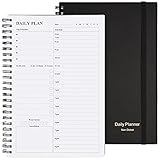
- Start Plan Anytime: The daily planner is undated,if you miss a day or you are off of work that day you don’t need to waste a page, start use this schedule planner any time.
- Work Smarter with Daily Task Management: Each page includes space for 5 top priorities, 8 to do list,daily schedule from 6am-9pm, notes&ideas and water intake.Break your day into hours and help you work effective.
- Portable Size: 8.3 x 5.8 inch, perfect size to fit in your bag.1 quick reference sheet and 79sheet (158 page),100gsm non-bleed paper, thick paper with clear printing, suitable for most pen.
- Funtional Details:Sturdy PVC cover help protect the planner,elastic band keep the notebook close nicely or you can use the elastic closure to mark your page, two pocket in the back stroage your note receipts and cards,twin-wire binding allows turning pages smoothly and laying flat.
- Get Closer to Your Goals: The hourly planner allows you to keep track of every appointment, with space for your top goals and task, this agenda notebook will help you do more,achieve more and save time. This will be a perfect gift for busy person.
- Repeated entry of the same customer or deal information in multiple systems.
- Missed or inconsistent follow-ups because ownership, reminders, or activity history are unclear.
- Handoffs where the next person lacks customer context or cannot see what has happened.
- Pipeline reports that are late, incomplete, or difficult to reconcile with the underlying records.
- Tools reps avoid, duplicate, or maintain manually because the workflow is cumbersome.
These symptoms can come from configuration, unclear ownership, or inadequate training as well as missing software. Check whether your existing tools can support the workflow before adding another vendor.
How to upgrade your sales tech stack
- Choose an outcome. Define a specific result, such as more consistent follow-up or better pipeline visibility. Make it measurable and set a baseline before changing the stack.
- Map the current workflow. Follow a typical lead from discovery to close. Record who updates each system, where information is lost, and where work stalls or gets duplicated.
- Separate process problems from tool gaps. Review existing configuration, usage, and handoffs. Simplify or coach the current process if it can solve the problem without another tool.
- Write requirements before evaluating products. Specify workflow coverage, integration and shared-data needs, data ownership, permissions and security, reporting, usability, implementation effort, administration, and total cost at your expected team size.
- Compare options against the bottleneck. Weight criteria according to the problem. For example, a team with weak CRM adoption may need simpler workflows and coaching; a team that cannot see pipeline movement may need cleaner data and reporting.
- Run a focused pilot where available. Test the workflow with a defined group and use case. Check whether information moves as expected, users can complete the work, and the result can be measured before expanding rollout.
- Train users and assign ownership. Make clear who maintains data quality, approves workflow changes, and handles support. Train reps on the actual tasks they need to complete, not just the tool’s features.
- Review results against the baseline. Compare the agreed measures after rollout. Keep, adjust, or remove tools based on usage and outcomes rather than the assumption that a purchase must be delivering value.
This sequence puts goals, process mapping, connectivity, testing, and training ahead of procurement, consistent with Salesforce’s stack guidance and sales technology overview.
Rank #2

- Easily Stay On Track & Make The Most of Your Time: ZICOTOs’ daily planner makes it easier than ever for you to stay organized, reduce stress & enjoy more free time! Arrange your schedule, priorities, to do’s and jot down plans & ideas on the daily notes section
- Smartly Plan Ahead & Boost Your Productivity: Absolutely clever & efficient! With the planner notebook you can break down your daily tasks into half-hourly focus blocks and map out priorities & follow-up duties to keep your day on track and enhance productivity
- Plenty Of Space For Efficient Planning: Stay focused & manage your time wisely! The 9.3x6.3” (inner pages) work planner & organizer notebook offers ample space for 80 days of life-changing planning with each day being spread across 2 pages - set yourself up for purposeful days
- Now Is The Best Time To Start: The daily planner is undated so you can start to add structure to your schedule and cultivate new planning habits right away! Beat procrastination, boost happiness & make each day count with the hourly planner
- Adds Beauty To Daily Planning: A gorgeous champagne pink cover, chic gold foil letters, a golden ring wire and a clean, easy-to-use layout - enjoy the gorgeous and modern minimalist design of the undated daily planner!
How to choose the right mix of tools
Use the workflow you mapped to decide which capabilities are necessary. A CRM commonly anchors the stack, while the other categories below address different needs; a team may not need all of them.
| Capability | Use it when | What to check |
|---|---|---|
| CRM | You need a shared record of contacts, accounts, opportunities, and interactions. | Whether reps keep records current, the data model matches your process, and other tools can use the same dependable information. |
| Sales engagement | Outreach and follow-up need a more consistent process. | Whether activities and replies connect to the right customer and opportunity records, and whether the workflow is usable for reps. |
| Prospecting or sales intelligence | Finding and qualifying potential customers is a defined bottleneck. | Whether the information supports your target market and can be used responsibly in your existing workflow. |
| Analytics and reporting | You cannot reliably see conversion, pipeline health, or progress toward targets. | Whether reports draw on clean, consistently defined data and answer a decision the team needs to make. |
| Automation or AI | A stable, well-understood process includes repeatable work or a specific assistance need. | Whether data and ownership are reliable enough, and whether the team can verify outputs and manage exceptions. |
Before choosing any tool, assess integration quality, shared data, usability, security and governance, measurement, implementation and administration burden, total cost for the expected team size, and scalability. Compare candidates against requirements rather than feature counts. A tool that adds capabilities but creates another disconnected record or extra manual step may worsen the original problem.
Rank #3

- Half Meeting Half Note: 1.MEETING PLANNING: Date, Location, Topic & Attendees 2.MEETING MINUTES: Agenda, Quick Notes & Other 3.NOTES AREA: Lined Page 4.ACTION ITEMS: Action Steps, Person, Due Date & Check Box 5.NEXT MEETING: Date, Time & Location 6.INDEX PAGE: Date, Title, Page Number, which will help create more effective meetings and good results.
- Premium Quality Notebook for Work: Golden spiral binding is sturdy and flexible, with easy-to-turn pages. Hot-stamped cover is water-resistant and not easy to bend. Bonus Bookmark and Pockets. Perfectly hold up well to frequent transfers in and out of backpacks, briefcases, and cars.
- Fight Ink-bleeding & Great Size: The high-end 100gsm paper could prevent ink bleeding through or feathering, handle double-sided writing and most daily use pens pretty well. The office/business work notebook measures 7.5"x 10"(similar to B5 size), Generous size provides ample space to jot down your meeting notes.
- Each 160 Pages Per Book: Provide ample space for note taking & planning and with the date section at the top for tracking them. With 160 pages for meeting minutes, the manager notebook will cover more than half a year, even in daily use. Also provides index pages for organizing this office planner.
- Better Tool Drives Better Meetings: The hassle of organizing the chaotic meeting notes VS this professional meeting notebook. Definitely a step up! Everything is neatly zoned on each page makes it a breeze to fill them out and ensure all you need are accounted for.
Why integration, data, and adoption matter
Tools create a coherent stack only when the information and workflows connect. Decide which system owns key records, how updates reach other tools, who can access sensitive information, and how data quality will be maintained. A connection that moves incomplete or inconsistent data can spread errors rather than improve visibility.
Usability and rollout are equally important. If the process is hard to follow or training is missing, reps may bypass the tools or maintain parallel records. Plan for implementation, support, and ongoing ownership as part of the upgrade—not as work to consider after purchase. Salesforce’s category guidance emphasizes aligning tools to goals and planning connectivity and training; the right implementation still depends on each team’s systems and constraints.
How to measure the ROI of your sales tech stack
There is no universal KPI set for every sales team. Pick measures that correspond to the outcome you chose, define how each is calculated, and record a baseline before the change. Depending on the bottleneck, useful measures may include:
The Tool Desk
Outbyte PC Repair FREERepair Windows errors before they cause bigger problemsFix Now →Outbyte Driver Updater FREEScan for outdated or missing drivers - takes under a minuteDriver Scan →- Follow-up consistency: time to first outreach or the share of assigned leads receiving follow-up within your defined window.
- Funnel performance: conversion from one stage to the next, using stable stage definitions.
- Pipeline visibility: forecast accuracy or the completeness and timeliness of required opportunity data.
- Sales-cycle efficiency: deal-cycle duration, interpreted alongside deal type and sales motion.
- Adoption: whether intended users complete the workflow and keep required records current.
Compare results after rollout with the baseline and note what else changed during the same period. Adoption without an improved business outcome may mean the workflow, tool fit, or chosen measure needs attention; a changed outcome alone does not prove the software caused it. A fuller financial ROI calculation also needs the relevant implementation and operating costs, which vary by company and product.
What sales teams currently report about tool sprawl
Salesforce’s State of Sales, 7th Edition (2026) reports that 34% of surveyed sales teams use one platform, 45% use a platform supplemented by standalone tools, and 20% use many standalone tools. Salesforce also reports that teams using a platform plus standalone tools average eight standalone tools per team, and that 42% of sales reps say they are overwhelmed by too many tools. These are Salesforce survey findings, not a census or universal estimate of all sales organizations; the published category percentages total 99% as printed. See the 2026 report.
The figures make tool count a relevant question, not a target to optimize in isolation. A consolidated platform may reduce fragmentation, while standalone tools may serve needs the platform does not cover. Evaluate whether the mix gives your team usable workflows and dependable information rather than assuming either model is best.
Quick Recap
Product prices and availability are accurate as of the date/time indicated and are subject to change. Any price and availability information displayed on Amazon at the time of purchase will apply.

