
Short answer: A historical exploit can unlock some Verizon Galaxy Note 4 phones, but this is not a normal Android OEM-unlocking procedure. It targets the SM-N910V (device target trltevzw) and was documented primarily on Android 5.1.1. It changes low-level bootloader-related storage, erases the microSD card, and can permanently brick an incompatible phone. Do not assume it works on Android 6.0.1, an arbitrary security patch, a refurbished handset, or another Note 4 model.
Team Win currently lists the SM-N910V on its Qualcomm Galaxy Note 4 page and provides TWRP files, but TWRP availability does not remove Verizon’s locked-bootloader limitation. Check every compatibility condition before running a command.
Check whether your phone is the exact Verizon model
Open Settings > About phone and record the model number, Android version, build number and baseband version. The target must be:
- Model: SM-N910V
- Carrier edition: Verizon
- Qualcomm/Snapdragon platform
- TWRP device target:
trltevzw
SM-N910F, N910T, N910P, N910G, N910W8, N910R4 and Exynos variants are different targets. Never flash their recovery or firmware because the phones share the “Galaxy Note 4” name.
Quick wins for a faster PC:
Repair Windows errors before they cause bigger problemsFix Now →Scan for outdated or missing drivers - takes under a minuteDriver Scan →Clear out junk files and repair common Windows errorsFree Scan →#1 Best Overall
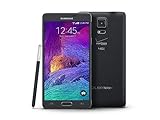
- 2G: CDMA 800 / 1900 / GSM 850 / 900 / 1800 / 1900, 3G: CDMA2000 1xEV-DO / HSDPA 850 / 900 / 1900 / 2100, 4G: LTE 700 / 850 / 1700 / 2100
- 5.7-inch Super AMOLED Capacitive Multi-Touchscreen w/ Protective Corning Gorilla Glass 3
- Android v4.4.4 (KitKat), Quad-core 2.7 GHz Processor, Chipset: Krait 450, Adreno 420 Graphics
- 16 Megapixel Camera (3456 x 4608 pixels) w/ Optical Image Stabilization, Autofocus & LED Flash + Front-Facing 3.7 Megapixel Camera
- Internal Memory: 32GB, 3GB RAM + microSD Slot Expandable up to 128GB
Team Win’s current compatibility listing is at https://twrp.me/samsung/samsunggalaxynote4qualcomm.html. Samsung’s Verizon support page, which documents several Android generations including a June 7, 2016 Marshmallow manual, is at https://www.samsung.com/us/business/support/owners/product/galaxy-note-4-verizon/.
Know what is—and is not—being unlocked
- SIM or network unlock: Lets the phone use another carrier. It is unrelated to this procedure.
- Root: Gives Android administrator privileges.
- Custom recovery: TWRP replaces or supplements stock recovery so you can create full backups and flash packages.
- Bootloader unlock: Permits modification of boot-critical partitions. Verizon’s model does not normally expose the modern OEM unlocking workflow.
- Developer mode: The historical exploit’s resulting bootloader state; it is not necessarily the same flag used by modern fastboot devices.
- eMMC CID: A storage-chip identifier that the exploit changes to a development value.
- Reactivation Lock: Samsung anti-theft protection. It is separate from root and can interfere with flashing.
Compatibility and risk decision
The original procedure, published April 15, 2016 and updated April 22, 2016, says it was tested on Verizon Note 4 phones running Android 5.1.1 Lollipop. It does not establish compatibility with Android 6.0.1, every security-patch level, every eMMC revision, or every refurbished device. The old instructions also use a CID beginning with 15 as an exploit-specific prerequisite; that is not a general Samsung safety rule and does not guarantee success.
Proceed only when the model is exactly SM-N910V, the firmware is within a documented compatibility window, temporary root can be obtained from a trustworthy source, the eMMC check matches the old exploit’s requirements, and you have a stock recovery path. Otherwise, remaining stock or using a phone with an officially unlockable bootloader is safer.
Files, hardware and protections to prepare
| Item | Purpose | Qualification |
|---|---|---|
| Samsung USB driver | PC-to-phone communication | Use Samsung’s official support resources; the support page may supply a dynamic download URL. |
| ADB/platform tools | Push and run the exploit file | Use a current, reputable platform-tools package. |
| Odin | Flash a recovery .tar |
Use a verified copy; Odin itself does not unlock the bootloader. |
TWRP for trltevzw |
Custom recovery | Use the official directory: https://dl.twrp.me/trltevzw/. |
| Temporary-root tool | Obtain the initial root shell | The historical guide names KingRoot 4.8.5. It is obsolete third-party software; do not install a random repackaged APK. |
| MicroSD card | Exploit storage and loader backup | The old process formats it. Use a card whose contents are backed up and which you can leave available afterward. |
| Matching stock firmware | Recovery or unbrick path | It must be for SM-N910V and an appropriate build. |
Back up internal storage and the microSD card. Disable Samsung Reactivation Lock and remove account protection as appropriate. Charge the battery, use a reliable data cable and USB port, and preserve the stock firmware package. Keep the exploit-created loader backup in more than one safe location.
Do these 3 things before closing this tab:
1Repair Windows errors before they cause bigger problems2Scan for outdated or missing drivers - takes under a minute3Clear out junk files and repair common Windows errorsObtain temporary root only with a verified source
The historical guide recommends KingRoot 4.8.5 and Root Checker. Root Checker merely confirms root; it does not unlock anything. KingRoot is not an official Samsung or Android component, may no longer function on your build, and old APK mirrors can be malicious or modified. If you cannot establish the APK’s provenance and integrity, stop rather than substituting an unknown download. Treat temporary root as a historical prerequisite, not a current security recommendation.
Run the historical CID and loader exploit
The original guide uses an executable named samsung_unlock_n4-2. Obtain it only from a source whose integrity you can verify; the old article’s Dropbox, Google Drive and mirror links are not automatically trustworthy. With USB debugging enabled and temporary root active, the documented command sequence is:
Rank #2

- Display: 5.7-inches
- Camera: 16-MP
- Processor Speed: 2.1 GHz
- OS: Android 5.1.1 Lollipop
adb push samsung_unlock_n4-2 /data/local/tmp/
adb shell
su
cd /data/local/tmp/
chmod 777 samsung_unlock_n4-2
chown root.root samsung_unlock_n4-2
./samsung_unlock_n4-2
su must receive permission from the root manager. The historical guide says the first run should report that the phone is not using the development CID, program a new CID, power off the device and ask you to boot it again. Representative output includes:
[+] CID at boot time is/was: 1501...
[+] device not yet dev CID, now changing to dev CID
[+] programming new CID ...
[+] success! powering off device, power back on and verify CID
[+] then run this binary again to finish the process
Do not continue if the model, CID, storage condition or message differs materially from the expected state. A corrupted binary, unsupported firmware, typo or interrupted write can destroy the boot path.
What’s actually slowing this PC down?
Pick the symptom - the matching free tool is one click away.
Reboot and run the exploit a second time
After the first stage has completed its power-off, boot the phone again without interrupting an active write. The old instructions may require battery removal on an unresponsive device; document what happened before attempting recovery. Repeat the same commands. The expected second-stage messages are similar to:
[+] dev CID matching, proceeding to unlock
[+] backing up loaders, this will take a few minutes
[+] loaders successfully backed up
[+] success! powering off device, hopefully its not bricked!
The microSD card is formatted during this process and may contain the backed-up loaders afterward. Do not discard it until the backup has been copied elsewhere.
Verify Developer mode in Download Mode
With the phone powered off, hold Volume Down + Home + Power to enter Download Mode. Confirm that it identifies as the Verizon SM-N910V and shows the expected Developer mode state. Stop if Download Mode shows an error, the phone does not boot, the CID is unexpected, or the handset enters a boot loop or security warning. Do not use a generic fastboot flashing unlock command; this Samsung procedure does not use that workflow.
Flash TWRP with Odin
Use the current official TWRP listing for the trltevzw file rather than blindly reusing the historical guide’s TWRP 2.8.5 reference. Team Win’s Odin instructions are documented at https://twrp.me/samsung/samsunggalaxynote4qualcomm.html, with downloads at https://dl.twrp.me/trltevzw/.
Outdated Drivers Are Slowing You Down
One free scan finds every outdated or missing driver and matches the right update for your exact hardware.Free scan · exact hardware matchWindows Errors? Fix Them Before They Spread
Repair common Windows errors and clear accumulated junk for a smoother, more stable PC - no reinstall needed.Free scan · no reinstallRank #3

- Display: 5.7-inches
- Camera: 16-MP
- Processor Speed: 2.1 GHz
- OS: Android 5.1.1 Lollipop
- Install a verified Odin copy and the Samsung USB driver on a Windows PC.
- Boot the unlocked phone into Download Mode and connect it directly by USB.
- In Odin, place the TWRP
.tarin the AP field (older Odin versions label it PDA). - Check that the correct SM-N910V file is selected, then start the flash. Do not disconnect the cable or interrupt power.
- When Odin reports success, boot directly to recovery with Power + Volume Up + Home.
Team Win warns that some devices replace a custom recovery with stock recovery during the first normal boot. Entering TWRP immediately after flashing gives it a chance to patch the stock ROM when required.
Root from TWRP, with period-specific caution
The 2016 guide recommends flashing SuperSU from TWRP and mentions CF-Auto-Root as an alternative. SuperSU is obsolete, and an unverified “latest” package can be unsafe or incompatible. Do not assume a modern Magisk tutorial works with this old boot image and firmware. If you cannot obtain a compatible, trustworthy root package for the exact build, keep TWRP without adding another unverified file.
Create and preserve a complete backup
Once TWRP boots, create a full Nandroid backup and copy it off the phone. Include every relevant partition TWRP exposes, especially boot, system and data. Also preserve:
- The original model, build, baseband and bootloader information.
- The matching stock firmware and Odin package.
- The exploit-created loader backup.
- A separate copy of important internal and microSD data.
Troubleshooting and stop conditions
“OEM unlocking” is missing
That is expected on this carrier Samsung model. The historical route relies on the exploit, not the modern Developer Options toggle.
Free tools Windows power users keep installed
One-click scans. No signup required.
adb devices is unauthorized
- Unlock the phone and accept the RSA prompt.
- Toggle USB debugging off and on.
- Reinstall the Samsung driver.
- Try another data cable, USB port or computer.
su fails
Temporary root is inactive, the root manager denied ADB shell access, or the root method does not support the firmware. Do not run the low-level binary without a working root shell.
The binary reports an unexpected CID or loader state
Stop immediately. Recheck the model, build, eMMC condition and binary integrity. Repeated execution cannot make an unsupported state safe.
Rank #4

- GSM 850 / 900 / 1800 / 1900, 3G Network: HSDPA 850 / 900 / 1900 / 2100.
- 5.7-inch Super AMOLED Capacitive Multi-Touchscreen w/ Protective Corning Gorilla Glass 3 Android v4.3 Jelly Bean (upgradable).
- 13 Megapixel Camera (4128 x 3096 pixels) + Front-Facing 2 Megapixel Camera.
- Internal Memory: 32GB storage, 3GB RAM + microSD Slot Expandable up to 64GB.
- Unlocked cell phones are compatible with GSM carriers like AT&T and T-Mobile as well as with GSM SIM cards (e.g. H20, Straight Talk, and select prepaid carriers). Unlocked cell phones will not work with CDMA Carriers like Sprint, Verizon, Boost or Virgin.
Odin fails
Check the TWRP variant, file type, driver, USB connection and Download Mode. A failed flash can also indicate firmware or bootloader incompatibility. Use matching stock firmware for recovery; never substitute another carrier’s package.
TWRP is replaced by stock recovery
Flash again if necessary and boot directly to recovery immediately after Odin finishes, following Team Win’s warning.
Boot loop after rooting
Restore the Nandroid backup or flash the correct SM-N910V stock firmware. Do not mix partitions from another Note 4 model.
Knox, security or warranty warnings
Modifying Samsung boot partitions can change Knox and security-integrity state, disable normal OTA behavior and cause banking or streaming applications to reject the phone. Exact warnings vary by firmware; no unchanged Knox, warranty, OTA or app compatibility should be promised.
What you gain—and what you give up
TWRP enables full-device backups, ZIP/image flashing, custom ROMs and system modifications such as disabling carrier software. The costs are substantial: possible permanent brick, erased data, uncertain support for obsolete root tools, no normal Verizon OTA path, and potential loss of Verizon-specific functions, VoLTE, camera features, S Pen integration or proprietary services on a custom ROM. Modern applications may also be incompatible with the Note 4’s age.
If the documented conditions do not match
Do not force the exploit onto Marshmallow, an unknown security patch, another model or an unverified eMMC state. Remaining stock is the lowest-risk option. For custom firmware, consider a Note 4 variant with an established unlock path or a newer Android phone with an officially unlockable bootloader. Paid remote “unlock” services and SIM-unlock services cannot remove the device-specific brick risk or perform the same bootloader exploit.
Quick Recap
Product prices and availability are accurate as of the date/time indicated and are subject to change. Any price and availability information displayed on Amazon at the time of purchase will apply.

