
Recommended Free Tools
iTechGuides is reader-supported. When you buy through links on our site, we may earn an affiliate commission. As an Amazon Associate I earn from qualifying purchases. Learn more
To stake NEAR, use a NEAR-compatible wallet, open its staking section, select a staking pool, check the pool’s fee and performance information, enter the amount, and approve the transaction. Your NEAR is delegated through that pool; the pool’s fee is taken from rewards, not from your principal. Choose a pool by weighing fee, reliability, stake concentration, account identity, and custody requirements rather than selecting the lowest advertised fee.
What NEAR staking does
NEAR uses delegated proof of stake. Instead of operating validator infrastructure yourself, you delegate NEAR to a staking pool associated with a validator. The validator performs network work, while the pool records your delegated balance and distributes rewards after applying its configured fee.
Delegation does not turn NEAR into a fixed-income product. Rewards depend on network conditions, validator performance, pool settings, and the amount you stake. A validator that is offline or unstable can miss rewards and may lose its active validation seat under NEAR’s performance rules. The market price of NEAR can also rise or fall while your tokens are delegated.
The Tool Desk
Outbyte PC Repair FREEClear out junk files and repair common Windows errorsFree Scan →Outbyte Driver Updater FREEScan for outdated or missing drivers - takes under a minuteDriver Scan →What you need before staking
- A NEAR-compatible wallet, such as NEAR Wallet or MyNearWallet.
- NEAR in the account you will use for delegation.
- A small unstaked balance reserved for network fees and ordinary account activity.
- A verified staking-pool account and a validator choice.
- Your wallet recovery phrase or signing device secured offline.
Staking is an on-chain transaction. Confirm the destination account, amount, and transaction details in the wallet or hardware device before signing. A staking pool account often has an account-style name such as p2p.pool.near; do not assume that a similarly named website, service, or validator is the correct contract.
Popular on Amazon

- Protect your privacy, identity & digital assets while growing your wealth with the all-in-one Ledger Wallet app and this premium touchscreen signer.
- Digital asset control at your fingertips: manage 15,000+ crypto across multiple chains. Earn rewards. Top up & share with ease. Explore DeFi with confidence. Collect and showcase NFTs. Make informed choices with clarity.
- Connect effortlessly with Ledger Wallet: pair your secure Ledger signer with the all in one Ledger Wallet crypto app to manage thousands of digital assets across multiple devices and accounts with Ledger Sync from a single, secure dashboard.
- Award-winning design: confidently monitor the market, compare rates and Clear Sign transactions on the secure high resolution, 3.7'' curved E Ink touchscreen.
- This is what security feels like: Ledger touchscreen signers all come with a private, offline, PIN-protected backup, Ledger Recovery Key, to never lose access to your assets.
The staking process at a glance
- Open the wallet’s staking area.
- Review the available validators or staking pools.
- Compare each pool’s fee, reliability information, total stake, and account identity.
- Select the pool and enter the amount of NEAR to delegate.
- Approve the transaction and verify that the wallet shows the new staked balance.
Rewards accrue through the selected pool. The pool’s configured fee is deducted from rewards earned. NEAR Wallet’s staking guidance explains that the fee is charged on rewards rather than on the total token balance staked to the validator.
How delegation and staking pools work
Depositing into a pool
The underlying account model has two related actions. You first deposit NEAR into the selected staking-pool contract. You then stake the deposited balance, or stake funds that were previously unstaked and have become available again. Wallet interfaces generally combine these actions into a simpler “Stake” flow, while the command-line interface exposes them separately.
Where rewards come from
The validator earns rewards for participating in NEAR’s validation process. Your delegated share receives a portion of the pool’s rewards, less the pool fee. A lower fee can improve your net result only if the validator performs reliably enough to earn rewards consistently. A fee percentage is therefore one input to a decision, not a guarantee of return.
Quick wins for a faster PC:
Repair Windows errors before they cause bigger problemsFix Now →Scan for outdated or missing drivers - takes under a minuteDriver Scan →Clear out junk files and repair common Windows errorsFree Scan →Why an advertised APY is not a promise
The available guidance does not establish one current, authoritative APY for every validator. Wallet estimates can change with network conditions, validator performance, pool configuration, and the amount delegated. Treat a displayed rate as a variable estimate. An older NEAR Wallet article described 5% annual static inflation, but that figure is historical context and should not be treated as a current guaranteed yield.
How to stake NEAR in a wallet
NEAR Wallet
- Sign in to your NEAR Wallet account.
- Open the staking or validator section.
- Review the listed validators and their fee and reliability information.
- Select the validator or staking pool you want to use.
- Enter the amount of NEAR to stake, leaving enough unstaked for transaction fees.
- Review the pool account, amount, and fee, then confirm the transaction.
- Return to the staking screen and verify that the balance is shown as staked or delegated.
The exact labels can change as the wallet interface is updated. If the wallet displays both a validator name and a pool account, verify both before signing. The pool account is the on-chain identity that receives and manages the delegation.
MyNearWallet
- Unlock MyNearWallet and open its staking area.
- Browse the available validators or pools.
- Check the fee, reliability indicators, and current total stake shown for each option.
- Choose a pool and enter the amount to delegate.
- Confirm the pool identity and transaction details.
- Approve the transaction and check the resulting staked balance.
MyNearWallet specifically directs users to consider validator reliability and total stake in addition to the fee. Total stake can indicate that a pool is established, but it is not a guarantee of performance or safety.
Also popular on Amazon

- More than just crypto: confirm your device is authentic with Genuine Check, manage all your logins with Ledger Security Key, detect common scams with Transaction Check and more.
- Industry-defining security: battle-tested by the Donjon's white hat hackers, protected by the Secure Element, and powered by Ledger OS.
- Connect effortlessly with Ledger Wallet: pair your secure Ledger signer with the all in one Ledger Wallet crypto app to manage thousands of digital assets across multiple devices and accounts with Ledger Sync from a single, secure dashboard.
- Playful, user-friendly design: monitor the market, compare rates and Clear Sign all transactions on the secure 2.8'' anti-glare, scratch-resistant touchscreen.
- This is what security feels like: Ledger touchscreen signers all come with a private, offline, PIN-protected backup, Ledger Recovery Key, to never lose access to your assets.
Command-line staking
The NEAR command-line workflow reflects the two-stage pool model. You deposit NEAR into the selected staking pool, then call the pool’s staking function for the deposited amount or for funds that have finished the unstaking process. Use the current NEAR CLI documentation and the pool’s published contract instructions for the exact commands and method arguments. Never paste a command from an unverified source without checking the account and contract it targets.
How to choose a validator or staking pool
No single validator is universally best. The active set, fees, performance, and stake distribution change, so compare the choices visible in your wallet at the time you stake.
| Comparison point | What to inspect | How to use it |
|---|---|---|
| Fee on rewards | The percentage configured by the pool | Lower fees can increase your net reward, but only when performance is comparable. |
| Reliability | Uptime, missed rounds, and the wallet’s reliability indicators | Prefer consistent performance; an unstable validator can miss rewards or lose its active seat. |
| Total stake | The pool’s current delegated stake | Use it as one signal of adoption, not as a guarantee of quality. |
| Pool identity | The exact staking-pool account displayed by the wallet | Verify the account-style contract name before signing. |
| Operational transparency | Published operator information, maintenance notices, and clear fee disclosure | Choose an operator that explains how it is run and keeps information current. |
Compare the fee correctly
Pool fees are normally taken from rewards, not from the amount you stake. For illustration, if a pool earned 1 NEAR for your delegation and charged a 10% fee on rewards, 0.10 NEAR would be retained as the fee and 0.90 NEAR would be credited to you. This example demonstrates the calculation only; it is not a claim about any pool’s current reward rate or fee.
Check whether the wallet labels the figure as a reward fee, validator fee, or pool fee. Do not compare a fee shown in one interface with a differently defined figure from an external dashboard without confirming that both use the same basis.
Interpret reliability and uptime
Validator reliability matters because a validator must remain online and perform its duties to earn rewards. NEAR’s economics guidance describes a performance rule under which an offline or unstable validator can be removed from the coming validation epoch. A high total stake or familiar name cannot compensate for repeated missed performance.
Reliability figures are snapshots. Look for a recent trend and any explanation for outages rather than relying on one percentage. If the wallet exposes only a summary indicator, use it alongside the validator’s operational information and the pool account shown on-chain.
Also popular on Amazon
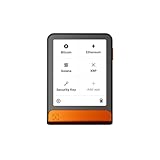
- Simply & securely take control of your digital assets and identity with the all-in-one Ledger Wallet crypto app and Ledger Flex touchscreen signer.
- Digital asset control at your fingertips: manage 15,000+ crypto across multiple chains. Earn rewards. Top up & share with ease. Explore DeFi with confidence. Collect and showcase NFTs. Make informed choices with clarity.
- Connect effortlessly with Ledger Wallet: pair your secure Ledger signer with the all in one Ledger Wallet crypto app to manage thousands of digital assets across multiple devices and accounts with Ledger Sync from a single, secure dashboard.
- Cutting-edge design: monitor the market, compare rates, and Clear Sign transactions on the secure, high resolution, 2.8'' E Ink touchscreen.
- This is what security feels like: Ledger touchscreen signers all come with a private, offline, PIN-protected backup, Ledger Recovery Key, to never lose access to your assets.
Think about stake concentration
Large pools may have strong operating resources, but concentrating too much delegated stake in a small number of pools can reduce diversity. Total stake is useful context, not a safety rating. If two pools have similar fees and reliability, distributing delegation can reduce dependence on one operator, provided your wallet and account setup make that practical.
Verify the exact pool account
Names can be similar. Before approving a transaction, compare the account string shown in the wallet with the operator’s published account information. Reject a transaction if the account changes unexpectedly, if the wallet displays a contract you did not select, or if a website asks you to send NEAR directly to a personal address instead of using the staking flow.
Rewards, balances, and liquidity
After confirmation, the wallet may show a staked balance, an available balance, and a reward figure. These labels vary by interface. A displayed reward can be an estimate until the relevant epoch is complete, and the amount can change with validator performance and pool accounting.
Crashes, No Sound, or Screen Glitches?
Random freezes, missing sound and display glitches usually trace back to one bad driver. Find and replace yours safely.Free scan · under a minutePC Slower Than It Used to Be?
A free scan shows the junk files, broken settings and background clutter dragging Windows down - then fixes them in one click.Free scan · Windows 10 & 11Delegated NEAR is not immediately liquid in the same way as an unstaked balance. You must begin an unstaking operation and wait for the protocol’s release period before withdrawing the funds. Keep a separate unstaked amount for fees, transfers, and emergencies.
How unstaking and withdrawal work
Unstaking and withdrawing are separate actions. Unstaking starts the release period; withdrawal moves the released balance back into the account’s usable balance.
- Open the staking page and select the validator or pool holding your delegation.
- Choose Unstake and confirm the amount.
- Wait for the wallet’s release countdown to finish.
- Return to the same validator or pool page.
- Select Withdraw and confirm the transaction.
- Check that the funds now appear as available rather than staked.
NEAR wallet guidance describes a release period of approximately 36–48 hours, or three full epochs. An earlier official getting-started guide describes 48–72 hours, or four full epochs. Because epoch timing and wallet interfaces can change, treat the practical range as approximately 36–72 hours and follow the live countdown displayed by your wallet.
Also popular on Amazon

- All your digital assets in one place. You can manage thousands of crypto including Bitcoin, Ethereum, Solana, Tether and more.
- Connectivity: USB-C cable connection only. No Bluetooth.Compatible with the Ledger Wallet crypto app, both desktop (Windows, macOS, Linux) and mobile (Android only). Not compatible with iOS.
- Protect your digital assets with the industry's best security: keep your private keys offline in your private signer, battle-tested by the Donjon's white hat hackers, CC EAL 6+ certified Secure Element, constantly updated Ledger OS.
- Effortlessly build your crypto portfolio via the all in one Ledger Wallet app: buy, sell, send, receive, swap, stake and more across popular blockchains. 15,000+ coins & tokens in a single dashboard. Keep a close eye on the market. Compare service providers. Track performance. Get timely alerts. Build your portfolio with confidence.
- Choose the colors that match your style: express your personality and your crypto management mood, color code your signers, one for each use (trading, staking, HOLDing...).
| Stage | What happens | What you can do |
|---|---|---|
| Staked | NEAR is delegated through the pool. | Continue earning variable rewards while the validator performs. |
| Unstaking requested | The pool records the request and starts the release period. | Wait; the balance is not yet withdrawable. |
| Released | The waiting period has completed. | Use the wallet’s Withdraw action. |
| Withdrawn | The funds return to the account’s available balance. | Transfer or use the NEAR, subject to normal network fees. |
Using a hardware wallet such as a Ledger device
A hardware wallet can keep signing keys isolated from a general-purpose computer and require physical approval for transactions. A community staking guide documents using NEAR Wallet with a Ledger device, making hardware signing a plausible option for people who prioritize offline key protection.
Free tools Windows power users keep installed
One-click scans. No signup required.
Compatibility is not universal across every hardware model, wallet version, or operating system. Before moving funds, verify that your specific device, firmware, NEAR application, and wallet integration are currently supported. Confirm the transaction details on the hardware device’s own screen, not only in the browser window.
- Set up the hardware wallet using the manufacturer’s official procedure.
- Install the required NEAR application and keep device firmware current.
- Connect the device to a supported NEAR wallet.
- Confirm that the receiving account is the account controlled by your device.
- Test with a small amount before delegating a larger balance.
- Approve staking, unstaking, and withdrawal transactions on the device after checking the pool account and amount.
Hardware protection does not remove smart-contract, validator, market, or user-interface risk. Keep your recovery phrase offline and never enter it into a website, support chat, or staking form.
Independent reader supportYour contribution helps us test, update, and keep practical guides available for everyone.Risks and safeguards
Validator downtime
Downtime can reduce or eliminate rewards for the affected period. Under NEAR’s performance rules, an unstable validator can also be removed from the next validation epoch. Review performance indicators periodically and be prepared to move your delegation if reliability deteriorates.
Pool and smart-contract risk
Delegation depends on the staking-pool contract and the wallet transaction that calls it. Verify the contract account, use the wallet’s native staking flow, and avoid signing arbitrary transactions supplied through unsolicited messages or advertisements.
Do these 3 things before closing this tab:
1Clear out junk files and repair common Windows errors2Scan for outdated or missing drivers - takes under a minute3Repair Windows errors before they cause bigger problemsPrice volatility
Staking rewards are paid in NEAR, so a higher token balance does not guarantee a higher value in your local currency. Decide how much to stake based on your tolerance for NEAR price movements, not only on a projected reward percentage.
Also popular on Amazon
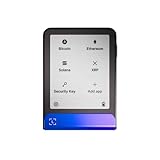
- Simply & securely take control of your digital assets and identity with the all-in-one Ledger Wallet crypto app and Ledger Flex touchscreen signer.
- Digital asset control at your fingertips: manage 15,000+ crypto across multiple chains. Earn rewards. Top up & share with ease. Explore DeFi with confidence. Collect and showcase NFTs. Make informed choices with clarity.
- Connect effortlessly with Ledger Wallet: pair your secure Ledger signer with the all in one Ledger Wallet crypto app to manage thousands of digital assets across multiple devices and accounts with Ledger Sync from a single, secure dashboard.
- Cutting-edge design: monitor the market, compare rates, and Clear Sign transactions on the secure, high resolution, 2.8'' E Ink touchscreen.
- This is what security feels like: Ledger touchscreen signers all come with a private, offline, PIN-protected backup, Ledger Recovery Key, to never lose access to your assets.
Temporary illiquidity
The 36–72-hour practical release range means you cannot assume that delegated funds will be available immediately. Keep emergency funds and expected transaction fees outside the staking position.
Key loss and phishing
If you lose your recovery phrase or approve a malicious transaction, staking rewards cannot restore access. Bookmark the wallet you use, check the domain before signing in, and treat unexpected requests for your phrase or remote-control software as fraudulent.
Troubleshooting common staking problems
The stake does not appear
Wait for the transaction to finalize, refresh the wallet, and check the account’s transaction history. Confirm that you are viewing the same account used for signing. If the transaction failed, inspect the error and leave enough NEAR for fees before trying again.
The reward estimate changed
Estimates can move as validator performance, pool accounting, and epoch data change. Compare the pool’s current fee and reliability rather than treating a previous estimate as guaranteed income.
Withdraw is unavailable
Check whether the release countdown has finished and whether you are viewing the same pool from which you unstaked. Until the required epochs pass, the balance remains in the release stage and cannot be withdrawn.
The wallet shows an unexpected pool account
Stop before signing. Reopen the wallet’s validator list, compare the account string character by character, and use the wallet’s support documentation if the mismatch remains. Do not send funds manually to an address supplied in a message.
The hardware wallet will not sign
Check the cable or connection, unlock the device, open the correct NEAR application, and verify that the wallet supports your device and firmware versions. Update only through official software and retry with a small transaction after the device is recognized.
A practical decision checklist
- Have you selected a current, compatible wallet?
- Did you reserve unstaked NEAR for fees and account activity?
- Did you compare the fee charged on rewards?
- Did you review recent reliability or uptime information?
- Did you consider total stake without treating it as a guarantee?
- Did you verify the exact staking-pool account?
- Do you understand that unstaking and withdrawal are separate steps?
- Can you wait roughly 36–72 hours after unstaking?
- Are your recovery credentials protected offline?
- If using a hardware wallet, did you verify current device and wallet compatibility?
The most defensible choice is the pool that combines dependable performance, a clearly disclosed reward fee, a verifiable account identity, and operating practices you understand. Recheck those factors when conditions change instead of assuming that today’s selection will remain optimal indefinitely.
Quick Recap
Product prices and availability are accurate as of the date/time indicated and are subject to change. Any price and availability information displayed on Amazon at the time of purchase will apply.

