
Quick wins for a faster PC:
Fix the driver behind crashes, sound loss and screen glitchesFind Drivers →Repair Windows errors before they cause bigger problemsFix Now →Scan for outdated or missing drivers - takes under a minuteDriver Scan →iTechGuides is reader-supported. When you buy through links on our site, we may earn an affiliate commission. As an Amazon Associate I earn from qualifying purchases. Learn more
Use alerts to tell you that a market condition occurred, and use exchange orders and position limits to control what happens next. Before opening an alert screen, define your entry, the price that invalidates the trade, the maximum cash loss you can accept, and your time horizon. Then size the position from that invalidation level, place an appropriate exit order, and keep custody controls separate from trading controls.
Altcoins can move sharply, gap through orders and become difficult to trade. The SEC says crypto-asset investments can be exceptionally volatile and speculative and that the only money to risk on a speculative investment is money you can afford to lose entirely. No regulator publishes one universally safe altcoin percentage, stop distance or position-size rule.
What an alert can—and cannot—do
A price alert is a notification generated when a condition is met. It can prompt you to inspect a chart, reassess a thesis or place an order, but it is not an order itself. Coinbase’s help documentation explicitly says its mobile alerts do not place an order for the asset. An alert that arrives late, is muted by a phone setting or is missed while you sleep provides no guaranteed protection.
What’s actually slowing this PC down?
Pick the symptom - the matching free tool is one click away.
An exchange order is an instruction held by the trading venue. A stop order can be triggered without you responding to a notification, subject to the venue’s rules, liquidity and available connectivity. Even then, a trigger is not the same as a guaranteed fill at the displayed stop price.
Popular on Amazon
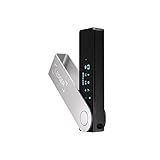
- Effortlessly build your crypto portfolio via the all in one Ledger Wallet app: buy, sell, send, receive, swap, stake and more across popular blockchains. 15,000+ coins & tokens in a single dashboard. Keep a close eye on the market. Compare service providers. Track performance. Get timely alerts. Build your portfolio with confidence.
- Enjoy Bluetooth connectivity, iOS access, and hours of battery use with this mobile-first, secure backup signer. Freedom you can depend on.
- Genuine Check: confirm your signer is authentic during setup with the Ledger Wallet app.
- Protect your signer: keep it in mint condition at all times with a bespoke Pod or Case to avoid scratches and everyday wear and tear.
| Control | Primary function | Main limitation |
|---|---|---|
| Price alert | Notifies you that a price or percentage condition occurred | Does not submit or cancel an order |
| Stop-market order | Attempts to execute at the next available market prices after triggering | Fast moves can produce substantial slippage |
| Stop-limit order | Sets a worst acceptable limit price after triggering | May remain unfilled if the market moves beyond the limit |
| Portfolio loss limit | Caps how much capital you are willing to lose across trades | Requires you to pause or close trades when reached |
| Cold-wallet custody | Keeps private keys on a typically offline physical device | Cannot generate exchange alerts or execute trading orders |
Define the trade before setting an alert
Alerts are useful only when each one has a decision attached to it. Write the following items before entering an order:
- Entry: the planned price or market condition for opening the position.
- Invalidation: the price or condition that proves the trade idea is no longer valid.
- Maximum cash loss: the largest loss you will accept on this idea, including a realistic allowance for fees and slippage.
- Time horizon: the period over which the idea is expected to work.
- Portfolio context: existing positions that depend on the same market, sector or narrative.
Anchor the stop to the invalidation level, not to a percentage selected because it is popular. A chart level that invalidates the thesis may be closer or farther from entry than a fixed 5% or 10% rule.
Calculate position size from cash risk
Use this planning formula:
Position size = maximum cash loss ÷ absolute distance from entry to invalidation
Recommended Free Tools
For example, if an entry is $2.00, the invalidation is $1.60 and the maximum planned loss is $40, the distance is $0.40 and the position size is 100 tokens. The position’s entry notional is therefore $200. Fees, spread, slippage and a fill below the intended stop can make the actual loss larger, so size down when liquidity is thin or the market is moving quickly.
This is a risk-management framework, not an official regulator threshold. The SEC does not publish a universal safe percentage for one altcoin trade or for total altcoin exposure.
Build an alert set that prompts specific decisions
Use separate alerts for separate decisions instead of placing one notification at an arbitrary round number.
Entry or watch-zone alert
Set an alert near the price where you would investigate an entry. It should prompt a check of liquidity, spread, news, volume and whether the original setup still exists. An entry alert is not permission to buy automatically.
PC Slower Than It Used to Be?
A free scan shows the junk files, broken settings and background clutter dragging Windows down - then fixes them in one click.Free scan · Windows 10 & 11Outdated Drivers Are Slowing You Down
One free scan finds every outdated or missing driver and matches the right update for your exact hardware.Free scan · exact hardware matchInvalidation or risk-review alert
Place an alert at, or slightly before, the level where the trade thesis fails. When it fires, check whether an existing stop order is active, whether the order quantity is correct and whether market conditions justify cancelling or modifying the trade. If the invalidation is reached, do not move it farther away merely to avoid taking the planned loss.
Also popular on Amazon

- Seedless by design, nothing to steal: Your private key is generated inside the EAL6+ chip and never leaves it. No seed phrase is shown or typed at setup, so a tampered device, keylogger, or phishing site has nothing to capture. 9+ years, millions of card.
- Tap once to manage your entire crypto wallet across 90 blockchains - no USB cables or Bluetooth, no batteries, no setup. Access 16,100+ coins & tokens, DeFi, NFTs, and staking instantly from your phone
- Backup without a seed phrase: Your wallet is copied to 2 backup cards with end-to-end encryption, so there are no words on paper to lose or leak. Keep them in separate places; if one card is lost, the others restore full access. Optional seed phrase for advanced users.
- Engineered to last up to 25 years: Waterproof (IP69K), shockproof and tested for extreme temperatures from −25°C to 50°C. A durable cold wallet with long‑term protection and independently audited security.
- Trusted by 6 million users worldwide - buy, sell, swap, stake, and spend cryptocurrency directly. The secure offline storage wallet designed for how people actually use crypto wallets
Take-profit or trailing-review alert
Use an alert at a planned profit area to review whether to reduce exposure, move a protective stop or leave the position unchanged. Treat a take-profit alert as a decision point, not as a promise that the market will continue upward.
Volatility alert
Where supported, add a percentage-move alert for an unusually large change over the platform’s stated interval. It can identify a news-driven move or a liquidity event that warrants smaller orders and wider caution.
Binance alert limits documented for 2026
Binance’s current help documentation describes price-reaches, percentage-change and 24-hour-change alerts on Binance Pro. It allows up to 10 alerts per trading pair and 50 alerts in total; each alert is valid for 90 days. Review expiry dates rather than assuming a recurring alert remains active indefinitely.
Coinbase mobile alerts
Coinbase documents mobile alerts for a selected asset. They notify you when the configured condition occurs, but they do not place an order. Confirm that the correct asset, currency and threshold are selected before saving.
Verify delivery
Enable notifications for the exchange app and your operating system, permit background activity where required, and check that the account is signed in on the intended device. Test a non-critical alert. Do not count a silent, delayed or blocked notification as a functioning risk control.
Choose the exit order for the failure mode
Stop-market: prioritize an attempted exit
A stop-market order becomes a market order after the trigger condition is met. Its purpose is to seek execution rather than preserve a particular price. In a rapid decline, a thin order book or a gap between trades, the fill can be materially worse than the stop price. The SEC states that the stop price is not the guaranteed execution price for a stop order.
Use this type when getting out is more important than controlling the exact worst price and the market normally has sufficient liquidity. Check whether the venue uses the last traded price, mark price or another trigger source, because a different source can activate the order at a different moment.
Stop-limit: prioritize price control
A stop-limit order has a trigger and a separate limit price. Once triggered, it posts a limit order that will execute only at the limit price or better. If the market trades through that limit, the order can remain partially filled or completely unfilled while the asset continues lower. Binance warns that a triggered stop-limit is only a limit order on the book and is not guaranteed to fill.
Also popular on Amazon

- UNPARALLELED SECURITY: Protect your assets with Trezor Safe 5's NDA-free EAL 6+ Secure Element, offering robust defense and complete transparency.
- EFFORTLESS NAVIGATION: Experience seamless crypto management with the vibrant color touchscreen, designed for intuitive and user-friendly interactions.
- ENHANCED USER EXPERIENCE: Enjoy tactile confirmation with Trezor Touch Haptic Engine, making each interaction precise and engaging.
- SUPPORTS 1000s OF COINS & TOKENS: Securely handle thousands of assets, including Bitcoin, Ethereum, and more, all in one wallet.
- EASY ASSET MANAGEMENT: Monitor and transact seamlessly with Trezor Suite, our user-friendly desktop and mobile app
Choose the limit offset with the asset’s liquidity and normal spread in mind. A very tight offset improves price control but raises non-fill risk; a wider offset raises fill probability but approaches the slippage risk of a market order. Monitor open stop-limit orders after major moves.
Fixed stops and trailing stops
Fixed stop
A fixed stop stays at the invalidation level you selected when planning the trade. It is appropriate when the thesis depends on a specific support level, event outcome or time-bound setup. Moving a fixed stop farther away changes the original risk calculation and should be treated as a new trade decision.
Trailing stop
A trailing stop follows a favorable price move and stops following when price reverses. The protective level therefore can rise with a long position, but it does not move back down when the market weakens. It can protect accumulated gains without requiring you to manually raise a stop.
Binance documents a 0.1%–20.0% trailing-delta input for the cited spot trailing-stop feature. The appropriate value depends on the asset’s ordinary noise, liquidity and your time horizon; there is no universal optimal delta. A delta set too close to entry can trigger on normal fluctuations, while a very large delta permits a larger loss before activation. Review the delta when volatility or liquidity changes.
Set portfolio-level limits above each trade
Single-trade stops do not prevent a series of correlated positions from producing a damaging drawdown. Define three portfolio rules in writing:
- Maximum total altcoin exposure: the largest portion of your account you will commit to volatile altcoins, including open orders that could fill.
- Maximum loss for one idea: the cash amount used in the position-size calculation.
- Daily or weekly loss stop: a threshold that pauses new trades until you review what caused the losses.
Count positions that depend on the same market narrative together. Several different tokens can behave like one trade during a broad sell-off. Reduce overlapping exposure, cancel unneeded entry orders and avoid increasing size to recover a prior loss.
Because no cited regulator sets a universal safe percentage, choose limits that fit your finances, liquidity needs and ability to withstand a total loss. Keep leverage, borrowing and liquidation rules in the calculation if they apply to your account.
A repeatable setup workflow
- Write the plan: record entry, invalidation, maximum cash loss, time horizon and correlated positions.
- Compute quantity: divide the cash-loss limit by the absolute entry-to-invalidation distance, then reduce the result for fees, spread and expected slippage.
- Check the market: inspect order-book depth, recent volatility, trading volume and the venue’s trigger-price rules.
- Create alerts: add entry/watch, invalidation, take-profit or trailing-review and, where useful, an unusual-percentage-move alert.
- Confirm delivery: verify app permissions, device connectivity, account login and alert expiry.
- Place the exit: select stop-market when execution priority outweighs price certainty, or stop-limit when price control is worth the risk of a non-fill.
- Confirm order details: check side, quantity, trigger source, limit offset, reduce-only setting where available and expiration.
- Set portfolio brakes: record total exposure and the daily or weekly loss threshold that will pause new trades.
- Document the result: save the alert level, order type, actual fill, fees and reason for any manual change.
Keep custody separate from trading controls
A wallet stores the private keys that control assets; it does not store coins in the same way a bank account stores cash. The SEC’s 2025 custody guidance describes cold wallets as typically physical devices kept offline. Holding keys offline can reduce exposure to online cyberthreats for assets that are not being actively traded, but the device can be lost, damaged or stolen.
Also popular on Amazon
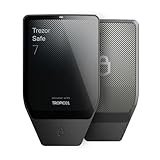
- Dual-chip architecture for maximum protection: The next-gen, fully auditable TROPIC01 chip works alongside a certified EAL6+ Secure Element—completely NDA-free—to deliver radically transparent, industry-leading defense against physical attacks.
- Quantum-ready security: Get protection against future threats with the first-ever hardware wallet designed with quantum-ready architecture.
- See every detail with confidence: Our largest high-resolution color touchscreen makes it easy to navigate your assets, review transactions and manage your coins with clarity.
- Wireless freedom with encrypted Bluetooth control: Manage, buy, swap and stake securely using Trezor Suite on desktop or mobile. Qi2-compatible wireless charging keeps your Trezor powered up. No cables required—security meets convenience.
- Works seamlessly with Android, iOS and desktop: Connect wirelessly or via USB-C to your phone or computer. Manage your crypto anywhere with our companion Trezor Suite app.
| Custody location | Useful for | Trade-off |
|---|---|---|
| Exchange account | Fast access to alerts, order books and automated exits | Depends on the exchange, account security, withdrawal rules and platform availability |
| Cold wallet | Longer-term holding with keys kept offline | Requires secure seed-phrase management and manual transfer before trading |
A hardware wallet cannot send an exchange price alert, monitor a stop or execute an order. Use strong account passwords and multifactor authentication, protect seed phrases from digital copies and unauthorized disclosure, and review the custodian’s failure, withdrawal and insurance terms. Keep only the amount needed for active trading on a venue whose controls you understand.
Common failure modes and fixes
The alert fired but no order exists
This is normal for a notification alert. Check the account immediately, reassess the thesis and place an order only if the plan still qualifies. If you need automatic execution, create and verify an exchange order separately.
The stop filled far below the trigger
That outcome is possible with a stop-market order during a fast move or thin liquidity. Review the trigger source, order-book depth and slippage. Reduce future quantity, avoid illiquid periods or use a stop-limit only if you can accept the possibility of no fill.
Do these 3 things before closing this tab:
1Fix the driver behind crashes, sound loss and screen glitches2Clear out junk files and repair common Windows errors3Scan for outdated or missing drivers - takes under a minuteThe stop-limit did not fill
Inspect the open order and the limit price relative to current bids. Do not assume that a triggered stop-limit is still protecting you. Decide whether to cancel and replace it under your written plan, accepting that the market may already be worse.
A trailing stop triggered on ordinary noise
The delta may be too small for the asset’s normal fluctuations. Compare the setting with observed volatility and liquidity, then choose a wider, thesis-based distance or use a fixed invalidation level. Do not widen it after a reversal solely to avoid a loss.
Multiple positions hit their stops together
Review correlation and the total exposure rule. Treat the cluster as one portfolio event, pause new entries at the daily or weekly loss threshold and reduce positions that depend on the same market driver.
A notification was missed
Check operating-system permissions, battery-saving restrictions, app connectivity and alert expiry. Add an exchange-side order when the risk requires action without manual response; a phone notification alone is not a fail-safe.
Maintain an auditable trade record
For every position, record the planned entry, invalidation, cash-loss limit, calculated quantity, alert thresholds, order type, trigger source, actual fill, fees, slippage and any manual intervention. Note why the trade was closed and whether the thesis or the risk control failed. A written record exposes repeated problems such as oversized positions, stops placed outside the thesis or alerts that expired unused.
Review the rules on a schedule and after material changes in volatility, liquidity, platform behavior or your financial circumstances. Keep the alert layer, execution layer, portfolio layer and custody layer distinct so that a failure in one does not masquerade as protection from another.
Quick Recap
Product prices and availability are accurate as of the date/time indicated and are subject to change. Any price and availability information displayed on Amazon at the time of purchase will apply.

