
Do these 3 things before closing this tab:
1Scan for outdated or missing drivers - takes under a minute2Clear out junk files and repair common Windows errors3Fix the driver behind crashes, sound loss and screen glitchesiTechGuides is reader-supported. When you buy through links on our site, we may earn an affiliate commission. As an Amazon Associate I earn from qualifying purchases. Learn more
Windows 11 normally saves scans in PicturesScans, unless you selected another folder in the Windows Scan app. You can open the scan immediately from the app, find it later with File Explorer, or add its folder to Microsoft Photos if it does not appear in the photo library.
Open a scanned document or picture immediately
- Turn on the scanner and place the document or picture on the glass or in the document feeder. Follow the scanner manufacturer’s instructions for whether the page should face up or down.
- Open Start, select Search, type
Windows Scan, and open Scan under Apps. - Check the Scanner setting and select the correct device.
- Set Source to Flatbed, Feeder, or Auto-configured, depending on how you loaded the page.
- Choose a File type. Windows Scan supports JPEG, PNG, TIFF, and Bitmap.
- Select Show more. Under Save file to, select the folder link, choose a destination, and select Select Folder.
- Select Scan at the bottom of the window.
- When scanning finishes, select View at the top of the Scan app. Windows opens the result in Microsoft Photos, where you can view and edit it.
Find saved scans with File Explorer
If you did not change the destination in Windows Scan, open the default scan folder:
C:Users<your-name>PicturesScansA quicker way to open it is to press Windows key + E, select Pictures in File Explorer’s left navigation pane, and open Scans. You can also paste this path into File Explorer’s address bar:
Free tools Windows power users keep installed
One-click scans. No signup required.
%USERPROFILE%PicturesScansIf you selected a different location under Save file to, open that folder instead. The scan may not be under Documents; PicturesScans is the documented default for Windows Scan.
Popular on Amazon

- Scanner type: Document
- Connectivity technology: USB
- With Auto Scan Mode, the scanner automatically detects what you're scanning
- Digitize documents and images
In newer Windows 11 versions, known folders such as Pictures may be shown in the left navigation pane, File Explorer Home, or Quick access rather than directly under This PC. If you cannot see Pictures under This PC, use the left pane or the address-bar path above.
Open a scan directly from its folder
In File Explorer, double-click the scanned image. Windows opens it with the default app associated with that file type, normally Microsoft Photos for JPEG, PNG, BMP, or TIFF files.
If you are not sure where the file was saved, open File Explorer and search from Home, This PC, or the folder you selected in Windows Scan. Searching for the file extension, such as *.jpg or *.png, can help narrow the results.
Make scans appear in Microsoft Photos
Photos normally displays images from the Pictures folder. If your scans were saved somewhere else, add that location to Photos:
Also popular on Amazon

- Enjoy high speed scanning in as fast as 8 seconds, with the included USB Type-C cable. With USB Type-C the Cano scan lied 400 has one cable for data and power.
- Preserve detailed photos and images thanks to 4800 x 4800 dpi resolution, and with image enhancements, such as color restore and dust removal, Your photos will continue to look great.
- Enjoy ease of use with 'EZ' Buttons. With auto scan mode, the Scanner automatically detects what you are scanning; built-in PDF buttons, scan and save multi-page pdf's that are editable and searchable
- Paper size: 8.27 x 11.69, 8.50 x 11.69
- Open Photos from Start or Windows Search.
- Select Gallery in the left navigation pane.
- Select Add folder.
- Choose the folder containing the scans.
The folder’s files should then appear in the Photos gallery. Removing a folder from Photos does not delete the scans; it only removes that folder from the app’s view. You can still open the files through File Explorer.
What to do if Windows Scan is missing
Search for Windows Scan and look for Scan under Apps. If it is not listed, install Windows Scan from the Microsoft Store, then search again.
What to do if the scanner is not listed
First, check that the scanner is powered on and that its USB or network connection works. Then add or check the device in Windows:
- Open Start > Settings > Bluetooth & devices > Printers & scanners.
- Select Add device next to Add printer or scanner.
- Wait while Windows searches for connected and network devices. The search can take several minutes.
For an all-in-one printer, Windows may initially show only the printer. Select it under Printers & scanners. If Windows recognizes the scanning hardware, the device page includes Scanner settings.
Also popular on Amazon
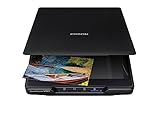
- CLEAR, DETAILED PHOTO SCANS — Achieve stand-out image clarity and detail with the Epson Perfection Scanner's 4800 dpi optical resolution1; Quickly enlarge your favorite photos with the help of this hardworking flatbed color scanner; scan up to 8.5" x 11.7"
- IMAGE AND DOCUMENT SCANNER — The versatility you need; Jumpstart your home and office projects with this compact and lightweight picture scanner; Easily scan photos, artwork, illustrations, books, documents, and more
- EFFORTLESS ONE-TOUCH SCANNING — Flatbed scanner allows you to scan documents and images in fewer steps with easy-to-use buttons³ making scanning a breeze; Scan letter-sized documents in as quickly as 10 seconds⁴
- PHOTO RESTORATION MADE EASY — Restore color to faded photos with one click using Easy Photo Fix technology, ensuring your memories remain vibrant; This scanner for old photos is the simple way to bring new life to your memories
- HIGH-RISE REMOVABLE LID — Scanner also features a high-rise, removable lid that allows you to preserve and organize information straight from pages; USB-powered for portability
If the device still does not appear, install the current Windows 11 driver or scanning application from the scanner manufacturer. Typical causes include a faulty cable or network connection, missing drivers, an incompatible driver, or a scanner that is switched off.
On an ARM-based Windows 11 PC, the scanner also needs a built-in or manufacturer-provided driver that supports ARM64. Older scanner software may not work on that hardware.
If Photos cannot access Pictures
Windows may restrict an app’s access to the Pictures library. Check the relevant permission here:
Quick wins for a faster PC:
Scan for outdated or missing drivers - takes under a minuteDriver Scan →Clear out junk files and repair common Windows errorsFree Scan →Start > Settings > Privacy & security > PicturesReview the Pictures library access setting, then reopen Photos or Windows Scan and try again.
Also popular on Amazon

- CLEAR, DETAILED PHOTO SCANS — Achieve stand-out image clarity and detail with the Epson Perfection Scanner's 4800 dpi optical resolution1; Quickly enlarge your favorite photos with the help of this hardworking flatbed color scanner
- IMAGE AND DOCUMENT SCANNER — The versatility you need; Jumpstart your home and office projects with this compact and lightweight picture scanner; Easily scan photos, artwork, illustrations, books, documents, and more
- ENHANCED SCANNING — Boost your scanning capability and creative projects by seamlessly stitching oversized images together or sending scans to cloud storage services³ with powerful Epson ScanSmart technology² included with this image scanner
- EFFORTLESS ONE-TOUCH SCANNING — Flatbed scanner allows you to scan documents and images in fewer steps with easy-to-use buttons³ making scanning a breeze; Scan letter-sized documents in as quickly as 10 seconds⁴
- PHOTO RESTORATION MADE EASY — Restore color to faded photos with one click using Easy Photo Fix technology, ensuring your memories remain vibrant; This scanner for old photos is the simple way to bring new life to your memories
Does Windows Scan save scans as PDF?
Microsoft’s current Windows Scan instructions list JPEG, PNG, TIFF, and Bitmap as file types; they do not list PDF as a Windows Scan option. Do not assume that the app will offer PDF on every Windows 11 installation.
If you need a PDF, use the scanner manufacturer’s application if it supports PDF output. You can also open the scanned image in an app that supports printing, select Print, choose Microsoft Print to PDF, and save the result.
Windows Fax and Scan is not always available
Older instructions often recommend Windows Fax and Scan, but it is not available on Windows 11 ARM-based PCs or on Windows 11 devices running in S mode. The Windows Scan app or the scanner manufacturer’s software is the more reliable option on those systems.
What’s actually slowing this PC down?
Pick the symptom - the matching free tool is one click away.
Quick location checklist
| Situation | Where to look |
|---|---|
| You just completed a scan | Select View in the Windows Scan app. |
| You used the default destination | %USERPROFILE%PicturesScans |
| You chose a destination yourself | Open the folder shown under Save file to. |
| The file is not in Photos | Photos > Gallery > Add folder. |
| The scanner is missing | Settings > Bluetooth & devices > Printers & scanners. |
FAQ
Where does Windows 11 save scanned documents?
Unless you choose another location, Windows Scan saves them in %USERPROFILE%PicturesScans, such as C:UsersAlexPicturesScans.
Also popular on Amazon

- The easiest way to scan photos and documents. Supports 3x5, 4x6, 5x7, and 8x10 in sizes photo scanning but also letter and A4 size paper. Optical Resolution is up to 600 dpi ( PS: two setting: 300dpi/ 600dpi).
- Fast and easy, 2 seconds for one 4x6 photo and 5 seconds for one 8x10 size photo@300dpi. You can easily convert about 1000 photos to digitize files in one afternoon and share with your family or friends.
- More efficient than a flatbed scanner. Just insert the photos one by one and then scan. This makes ePhoto much more efficient than a flatbed scanner.
- Powerful Image Enhancement functions included. Quickly enhance and restore old faded images with a click of the mouse.
How do I view a scan after scanning it?
Open Windows Scan, complete the scan, and select View at the top of the app. The file opens in Microsoft Photos.
Why can I see my scan in File Explorer but not in Photos?
The scan folder may not be included in Photos’ gallery. Open Photos, select Gallery, choose Add folder, and select the folder containing the scan.
Why is my scanner not showing in Windows 11?
Check power and the USB or network connection, then go to Settings > Bluetooth & devices > Printers & scanners and select Add device. If Windows still cannot find it, install the current Windows 11 driver or scanning app from the manufacturer.
The Bottom Line
For most Windows 11 scans, open %USERPROFILE%PicturesScans in File Explorer. To see a new scan immediately, select View in Windows Scan; to show scans stored elsewhere in Photos, use Photos > Gallery > Add folder.

