
Quick wins for a faster PC:
Clear out junk files and repair common Windows errorsFree Scan →Scan for outdated or missing drivers - takes under a minuteDriver Scan →Fastest answer: use your browser’s built-in full-page capture. In Microsoft Edge, press Ctrl+Shift+S (Windows or macOS keyboards) and choose Capture full page. In Firefox, right-click the page, select Take Screenshot, then Save full page. On iPhone Safari, take a screenshot, tap its preview, choose Full Page, and save or share it. These commands create one capture that includes content below the visible screen, so you do not have to scroll and stitch images manually.
What a “whole-page” screenshot includes
A normal screenshot records only the current viewport. A full-page capture renders the document from its top to its bottom and saves it as one tall image or, on some devices, a PDF. It is useful for documenting a web page, reviewing a design, preserving an article, or sharing a long error state.
Full-page tools capture the document, not necessarily every pixel a visitor could eventually see. Content in a separate scrolling panel, a virtualized list, or a section that appears only after interaction may require a different method.
Microsoft Edge: capture the entire page
- Open the page and wait for its initial content to finish loading.
- Press Ctrl+Shift+S. You can also open Edge’s browser menu and launch the Screenshot tool.
- Choose Capture full page.
- Review the long image. Use Edge’s annotation controls if required, then save it or copy it.
Edge’s full-page action is the quickest desktop route when you want a single image and do not need to configure a viewport, device, or loading behavior.
Free tools Windows power users keep installed
One-click scans. No signup required.
#1 Best Overall

- 【Zoom in & out】This remote shutter with zoom feature (Must open zoom in accessibility setting for iPhone/iPad) can help you easily zoom in and out from a distance when taking photos and videos, bringing great convenience and making your shooting more professional
- 【Front & Rear Camera Switch】There is a bluetooth button on the side of the wireless remote control that can switch the camera. Click once to switch the system camera, and double-click to switch the camera within the application. This unique feature can help you easily and quickly switch between front and rear cameras, making it perfect for content creation
- 【Video Scrolling & Page Turner】Compared to other single function remote controls, our upgraded wirless remote control not only has a shutter function, but also multiple functions such as zooming, switching between front and rear cameras, flipping pages, scrolling short videos and adjusting volume. This Versatile remote control can meet all your needs for taking photos & videos, Tiktok and reading e-books at the same time
- 【Reachageable & Portable】This camera remote control only takes 1 hour to charge and can last for 30 days of standby after being fully charged. The weight of 28 grams and compact size make it easy to store and carry, making it convenient to use both indoors and when traveling
- 【Widely Compatible】The Multi-functional wirless shutter is compatible with all iPhone, iPad, iPod and most smartphones and tablets with Android systems, compatible with most camera applications
Firefox desktop: save a full-page PNG
- Open the target page in Firefox.
- Right-click an empty area and choose Take Screenshot. The keyboard shortcut is Ctrl+Shift+S on Windows/Linux or Command+Shift+S on macOS.
- In the screenshot toolbar, select Save full page.
- Download the PNG or copy it using the controls shown.
If the context-menu item is unavailable, open Firefox’s screenshot tool from the browser interface and select the same full-page option.
Firefox Developer Tools: fallback and element-level capture
Developer Tools is useful when the standard screenshot menu is hidden, or when you need one element rather than the whole document.
- Open Developer Tools using your normal Firefox shortcut or browser menu.
- Use the screenshot control, or open the Developer Tools command line.
- Run the screenshot command with the fullpage option enabled for the entire document. To capture one component, target that element instead.
- Firefox saves the result to your Downloads folder by default unless you choose another destination.
This method can capture either the entire page or a selected element, which is valuable for a dashboard card, modal, or component inside a larger layout.
iPhone Safari: capture beyond the screen
- Open the webpage in Safari and take a normal iPhone screenshot using your model’s hardware-button combination.
- Tap the screenshot thumbnail before it disappears.
- At the top of the preview, select Full Page.
- Use the sharing and saving controls. Depending on the iOS version and destination, Safari may offer a PDF-oriented full-page file or a Photos/Files option.
Safari’s full-page mode is designed for webpages and is the simplest mobile solution. It may produce a PDF rather than a tall desktop-style PNG, so choose the destination that matches your use case.
Which method should you choose?
| Method | Typical output | Best for | Important limitation |
|---|---|---|---|
| Edge Capture full page | One tall image | Fast desktop captures | May omit content that loads only after scrolling or interaction |
| Firefox Save full page | PNG or copied image | Desktop pages and quick sharing | Separate inner scroll areas are not automatically expanded |
| Firefox Developer Tools | Full-page image or element image | Hidden controls and precise element capture | Requires Developer Tools and command familiarity |
| iPhone Safari Full Page | Often PDF-oriented, with sharing options | Reading or filing a long page on iPhone | Not always a PNG suitable for image workflows |
Why a full-page capture can be incomplete
Lazy-loaded images
Some pages request images only as they approach the viewport. A browser command may capture before those requests occur. Wait for visible images to load and, if necessary, move through the page once before taking the capture.
Rank #2

- CONVENIENT AND EASY HANDS-FREE SHUTTER CONTROL FOR MOBILE DEVICES: Perfect for taking selfies and steady tripod shots.【Update】: compatible with Instagram and Snapchat(long press for taking video and short press for photo
- SMALL ENOUGH TO KEEP ON A KEYCHAIN OR IN YOUR POCKET: The remote is very small and lightweight, so it is convenient to carry with you
- OPERATIONAL UP TO 30 FEET (10M): Take photos even when at a distance from your device
- COMPATIBLE WITH ANDROID 4.2.2 OS AND UP / APPLE IOS 6.0 AND UP: Option to use in-built app or Google Camera 360 app
- COMPATIBLE WITH WIDE RANGE OF DEVICES: Including iPhone17 17 pro 17pro max 17 air, iPhone 16,16 Pro,16 Pro max, iPhone 15 15 pro 15 Pro max , 14, 14pro, 14 pro max, 13 13 pro max, iPhone 12 pro max, 12 pro, 12, 11, 11 pro, 11 Pro max, Xs, Xs max, XR, X, 8, 8 Plus, 7, 7 Plus, 6, 6 Plus, ; iPad 3, 4,5,6, Mini , Pro, Air; Samsung Galaxy S24 S23,S22,S21,S10, Note 20, NOTE 10 NOTE 10 PLUS S9+, S9, S8, S7, S7 Edge, S6, ; and other smart andriod device.
Independent scroll containers
A table, chat transcript, code editor, or sidebar may have its own scrollbar. The browser treats that region as an element with a fixed height; a document screenshot will not necessarily include all of its hidden rows. Capture the element separately with Firefox Developer Tools, expand the panel first, or export the data from the application.
Virtualized lists
Performance-focused applications may keep only the visible rows in the DOM. Scrolling changes which rows exist, so no single document render contains the entire list. Use the application’s export function, temporarily disable virtualization when you control the code, or capture several states.
Animations and delayed content
Carousels, ads, cookie dialogs, and client-side components can change while the browser is rendering. Let the page settle, pause or disable animation where possible, and close overlays before invoking full-page capture.
Very tall or restricted documents
A page can exceed image-dimension or memory limits. Save a PDF, capture logical sections, or use an automated service that can return a PDF or resize the image. A very tall bitmap is also awkward to open and share, even when technically complete.
Prepare the page before capturing
- Confirm that the correct URL and account state are open; private or authenticated content may disappear after a reload.
- Wait for fonts, charts, images, and embedded content to finish loading.
- Dismiss cookie notices, newsletter forms, chat bubbles, and sticky toolbars that obscure the page.
- Set the browser zoom and window width deliberately. Responsive layouts can show different text and navigation at different widths.
- For reproducible documentation, record the date, URL, viewport, and whether you used light or dark mode.
When you need a PDF instead of a tall image
Choose a PDF when the page will be printed, archived, or reviewed across multiple pages. Browser print or export commands generally paginate the document and may omit interactive states, backgrounds, or content hidden by print CSS. A screenshot preserves the rendered appearance but can become unwieldy at extreme heights. Decide based on whether visual fidelity or paper-like pagination matters more.
Rank #3
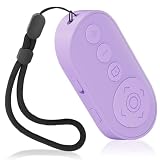
- Zoom In & Out & Front/Rear Camera Switch – This wireless camera remote control features a zoom function, allowing you to easily adjust the focal length for photos and videos. The side button enables quick switching between front and rear cameras with a single or double click, perfect for content creation, selfies, and group photos.
- Multi-Functional Remote for Short Videos & E-Books – Beyond a simple shutter, this upgraded remote supports video scrolling, page turning, and volume control. Swipe through short videos, like content, and adjust volume hands-free. It also works as a page turner for e-book apps (not compatible with Kindle devices).
- Wide Compatibility & Stable Wireless Connection – Compatible with iOS (14.8 and above) and Android 11+ devices, Not compatiable with Ipad Google Pixel 9 Pixel Pro 8.this remote uses advanced wireless technology for a stable connection up to 33 feet. It automatically turns off after 5 minutes of inactivity to save power.
- Rechargeable & Long-Lasting Battery – Equipped with a rechargeable battery, this remote supports over 2,000 photos on a single charge. The Type-C charging port ensures quick recharging, while the compact, lightweight design (28g) makes it portable for travel and daily use.
- Detachable Lanyard & Hands-Free Convenience – Includes a detachable lanyard for secure attachment to your wrist or belongings, preventing loss during use. Enjoy hands-free control for photography, video recording, and content creation, making it a must-have tool for creators and photographers.
Or skip the browser setup
ScreenshotNeo provides a website screenshot API and MCP server for developers. One GET request returns a PNG, JPEG, WebP, or PDF. Before capture, it accepts cookie/consent banners and removes more than 60 known consent platforms, newsletter popups, and chat widgets; each cleanup step can be disabled. Bot checks or CAPTCHAs, blank pages, timeouts, failed loads, and cache hits are not billed, and response headers identify the page verdict and billing result.
Use the ScreenshotNeo documentation for all parameters. The following examples use the target URL https://stripe.com; replace it with the page you are allowed to capture.
cURL
curl -G "https://api.screenshotneo.com/v1/shot" -d access_key=YOUR_API_KEY --data-urlencode url=https://stripe.com -o shot.webpPython
import requests

r = requests.get(
    "https://api.screenshotneo.com/v1/shot",
    params={"access_key": "YOUR_API_KEY", "url": "https://stripe.com"},
    timeout=90,
)
r.raise_for_status()
open("shot.webp", "wb").write(r.content)
Node.js
const q = new URLSearchParams({ access_key: 'YOUR_API_KEY', url: 'https://stripe.com' });
const res = await fetch(`https://api.screenshotneo.com/v1/shot?${q}`);
if (!res.ok) throw new Error(`${res.status} ${res.statusText}`);
const fs = await import('node:fs/promises');
await fs.writeFile('shot.webp', Buffer.from(await res.arrayBuffer()));
Options that replace manual browser work
You can request full-page capture with lazy images loaded, a CSS-selected element, dark mode, any viewport or one of 12 device presets, retina scale, PDF paper size/margins/orientation/page ranges, custom CSS or JavaScript, a pre-capture click, hidden selectors, a selector or network-idle wait, blocked ads/trackers/requests/resource types, custom headers/cookies/user agent/Authorization, timezone and geolocation, transparent backgrounds, image resizing, and a cache TTL you choose. Signed links serve public <img> tags; asynchronous jobs support signed webhooks; bulk capture accepts 100 URLs per call. There are also a usage API and OpenAPI specification, and parameter names used by other screenshot APIs are accepted to ease migration.
An MCP server exposes take_screenshot, get_page_info, and capture_pdf to Claude, Cursor, and other MCP clients, so an AI agent can request captures without custom browser automation.
Reliability, billing, and plans
Only clean shots are billed. Inspect X-Page-Verdict and X-Billed in each response when you need to audit a job. ScreenshotNeo includes every feature on every plan: Free provides 1,000 shots per month with no card; Starter is $5 for 3,000; Growth $15 for 15,000; Pro $39 for 60,000; Scale $99 for 250,000; and Business $249 for 1,000,000. Yearly billing gives two months free.
For occasional captures, start with the free account at ScreenshotNeo sign-up: 1,000 screenshots a month are included with no card. Paid plans start at $5 for 3,000 shots.
The Tool Desk
Outbyte Driver Updater FREEFix the driver behind crashes, sound loss and screen glitchesFind Drivers →Outbyte PC Repair FREERepair Windows errors before they cause bigger problemsFix Now →Rank #4
![[Upgraded] Bluetooth 5.0 Remote Shutter for iPhone & Android Camera Wireless Remote Control Selfie Button for iPad iPod Tablet, HD Selfie Clicker for Photos & Videos (Black)](https://m.media-amazon.com/images/I/41q1vdRtGmL._SL160_.jpg)
- Hardware Upgrade: 【1】Newer Bluetooth 5.0 Wireless Technology chip with Longer control range, Lower power consumption, and Wider device compatibility【2】Same type of battery as Airtag, CR2032 coin battery with 230mAh capacity is 3 times of CR2016 (75mAh) , Provide longer use time【3】Equipped with a combinable and detachable lanyard that can be hung on the neck and wrist, Convenient to use at any time and prevent loss.
- Functional Design: 【1】Ultra-long Control Range ( 50 ft / 15m) 【2】Zero Delay Shutter(Capture the wonderful moment as your wish)【3】Simple Pairing (only Bluetooth connection, No APP required) 【4】Compact & Portable (2 × 1in body, 12g weight) 【5】Longer Use Time(Up to half a year with normal daily use).
- Perfect Selfie Essential: Reject ugly 'long-arm' selfies & blurry images, No worry about cell phone shake! Easily Take HD photos or Recording vlogs or Capture exciting moments. No need to ask strangers to help take pictures, No need for time-lapse shooting, Perfect to solve selfie problems.
- Widely Compatible: The Bluetooth shutter is equipped with the latest technology hardware that compatible with all iPhone, iPad, iPod (iOS 5.0+) and most Android phones (4.3+) and tablets, compatible with most camera applications.( NOTE: Windows phones, Blackberry phones not recommend).
- More Amazing Features: Travel shooting kit for use with the selfie stick, Personal photo or video diary set for use with the desktop stand, Group photo kit for use with the floor-standing mobile phone stand, and Animal research and exploration kit for remote-controlled toy cars... More features look forward to your smart discovery.
Troubleshooting checklist
The capture stops at the visible viewport
Verify that you selected Capture full page or Save full page, not a region or viewport mode. If the browser still stops early, use Firefox Developer Tools or export the page to PDF.
Images or charts are blank
Wait longer, reload with a stable connection, and ensure lazy-loaded assets have been triggered. Charts inside iframes or canvases may need an application export or a deliberate wait before capture.
A cookie banner or chat bubble covers the page
Dismiss it before using a native browser tool. For automated jobs, configure a pre-capture click or hide selector; ScreenshotNeo can remove known consent platforms, newsletter popups, and chat widgets before the shot.
Only part of a table or panel appears
Check for an inner scrollbar or virtualized rows. Expand the element, capture it separately, or use the product’s export feature instead of relying on document height.
The output is too large to open
Choose JPEG or WebP, reduce the capture scale or dimensions, split the page into sections, or request a PDF. Keep the original viewport and format in your notes so another person can reproduce the result.
Best Value

- Photo and Video Control: This bluetooth shutter remote works in supported photo and video modes; press the shutter once to take a picture or start and stop video recording, while Android users can also switch photo and video modes with the camera access button
- Front and Rear Camera Switch: Use this iphone remote camera control to switch between front and rear cameras with one press, making it easier to capture selfies, group photos, vlogs, product shots, travel clips, and daily content
- Zoom for Photos and Videos: This zoom focus camera remote clicker supports step-by-step zoom with one press or continuous zoom by holding the button, helping adjust framing for close-ups, full-body shots, and group scenes
- Rechargeable Portable Design: This bluetooth phone remote is built for repeated use after charging, with a compact lightweight body, adjustable wrist strap, and responsive control without holding the phone
- Compatible Devices: This wireless camera remote works with Android phones and tablets, plus iPhone and iPad on iOS 14.8 or later, for selfies, group photos, vlogs, travel, and product shots
The automated request returns an error
Check the API key, URL encoding, response status, and timeout. Confirm that the target is reachable without an interactive login, then inspect X-Page-Verdict and X-Billed. A failed load, timeout, blank page, or bot check is not billed by ScreenshotNeo, but it still needs a page-access or timing fix before a useful image can be returned.
Frequently Asked Questions
Can I capture a page that requires scrolling inside a div?
Not reliably with a normal document screenshot. Expand the inner panel, capture that element with Firefox Developer Tools, or use the application’s own export function.
Will a full-page screenshot include content behind a collapsed accordion?
Usually no. Expand the accordion and wait for its content to render before capturing.
PC Slower Than It Used to Be?
A free scan shows the junk files, broken settings and background clutter dragging Windows down - then fixes them in one click.Free scan · Windows 10 & 11Outdated Drivers Are Slowing You Down
One free scan finds every outdated or missing driver and matches the right update for your exact hardware.Free scan · exact hardware matchIs a full-page screenshot the same as a PDF?
No. A screenshot is a rendered image, while a PDF is paginated and may follow print-specific styles. Safari’s Full Page workflow may offer a PDF-oriented result.
Can I take a full-page screenshot of a private dashboard?
Yes, if the browser session or automation is authenticated and permitted to access it. Avoid sharing files or API credentials that expose private data.
Quick Recap
Product prices and availability are accurate as of the date/time indicated and are subject to change. Any price and availability information displayed on Amazon at the time of purchase will apply.

