
Free tools Windows power users keep installed
One-click scans. No signup required.
If you mean a KaiOS JioPhone or JioPhone 2 keypad phone, Jio’s published instructions do not show a way to save a webpage as a PDF from its built-in browser. Don’t follow Android steps expecting them to work on KaiOS. If you mean an Android phone using Chrome, Google documents a print-to-PDF option; the steps are below.
First identify which Jio phone and browser you mean
JioPhone 2 runs KaiOS, and Jio describes its built-in browser as supporting 4G internet browsing. Its product information does not provide a PDF-save procedure, so there is no verified menu path to give for that browser. That absence does not prove no software version could ever offer the feature; it means a PDF option should not be assumed. Jio’s JioPhone 2 product information
JioSphere (formerly JioPages/JioBrowser) is a separate mobile browser app, not the name of the JioPhone’s KaiOS browser. Its current Google Play listing describes downloads but does not document webpage-to-PDF steps. A historical listing for JioSphere 2.1.0 mentions “Print/Save as pdf,” but that does not establish availability in the current app or on KaiOS. Historical JioSphere 2.1.0 listing
Save a webpage as PDF in Chrome on Android
These directions are for Chrome on an Android phone, not the KaiOS JioPhone browser. Google’s documented workflow is:
Do these 3 things before closing this tab:
1Repair Windows errors before they cause bigger problems2Scan for outdated or missing drivers - takes under a minute3Clear out junk files and repair common Windows errors#1 Best Overall

- Carrier: This phone is locked to Tracfone, which means this device can only be used on the Tracfone wireless network. Activating is easy, just 3 steps.
- ACTIVATION Promotion: Includes 1500 min, 1500 texts & 1500 MB Data + add more as you need it
- CAMERA SYSTEM: 50MP Quad Pixel camera. Capture sharper, more vibrant photos day or night with 4x the light sensitivity.
- PERFORMANCE: Blazing-fast Qualcomm performance. Get the speed you need for great entertainment with a Snapdragon 680 processor and 4GB of RAM.
- 64GB built-in storage. Get plenty of room for photos, movies, songs, and apps. Made for US
- Open the webpage in Chrome on Android.
- Tap More, then Share.
- Choose Print.
- In the print preview, select Save as PDF.
- Choose where to save the file and tap Print.
Menu wording can vary by Android or Chrome version, but Google’s help page documents this Android Chrome route: Print from Chrome on Android.
If you have JioSphere on an Android phone
Open the page in JioSphere and check the app’s current menu for a print or PDF option. The app listing does not confirm the feature or its current menu location. Older release information mentions PDF printing, but it is not a reliable guide to the current version. If no PDF option appears, use Chrome on Android and its documented print workflow instead.
Rank #2

- Carrier: This phone is locked to Tracfone, which means this device can only be used on the Tracfone wireless network. A Tracfone plan is required to activate this device. Activating is easy, upon receipt go to Tracfone Website and select “Activate” and follow the prompts.
- 📱 Classic Flip Design & Dual Displays: Features a pocket-friendly flip design with a large internal display for easy reading and navigation, plus a convenient external preview screen to check time, incoming caller ID, and notifications at a glance without opening the phone. Sim Card Included - Separate Purchase Not Necessary
- 📶 Reliable 4G LTE Connectivity & VoLTE: Powered by 4G LTE network speeds for crystal-clear HD voice calls, reliable text messaging, and dependable nationwide coverage across America's top networks.
- ⌨️ Tactile Keypad & Loud Speakerphone: Designed with large, easy-to-press buttons for comfortable dialing, intuitive menu navigation, and a powerful speakerphone for hands-free conversations.
- 🔋 All-Day Battery: Stay connected with a long-lasting battery designed for extended talk and standby time. Wi-Fi Note: Wi-Fi is locked until device is activated. Note: Network-locked to TracFone for 365 days from activation.To find the no-contract Tracfone plan for you, visit the Tracfone Store Link located below the product title
What to do on a KaiOS JioPhone
Jio says additional apps for JioPhone 2 are obtained through Jio Store, but its cited FAQ does not identify a PDF-export app. JioPhone 2 app FAQ No verified procedure in the available device information establishes that an app or setting can add webpage-to-PDF export to the KaiOS browser. If the handset has no print or PDF option, use an Android phone or computer that offers browser printing to create the file; do not assume a JioPhone 2 has Android’s Chrome print menu.
Independent reader supportYour contribution helps us test, update, and keep practical guides available for everyone.Or skip the browser setup:
For developers who need a webpage screenshot rather than a PDF, ScreenshotNeo can return an image or PDF from one API request. For example, this cURL request saves a capture as WebP:
Quick wins for a faster PC:
Fix the driver behind crashes, sound loss and screen glitchesFind Drivers →Repair Windows errors before they cause bigger problemsFix Now →Scan for outdated or missing drivers - takes under a minuteDriver Scan →Rank #3

- Only Compatible with Lively Phone Service: The Jitterbug Flip2 is only compatible with Lively phone service; plans include flexible talk & text options and 24/7 access to Lively’s caring team
- Easy-to-Use Flip Phone: The Jitterbug Flip2 features a high-contrast screen, big buttons, simple menus, a powerful speaker, one-touch speed dial, easy voice services and a help button on the keypad.
- Help when you need it: Once your phone is activated with Lively, our 100% U.S.-based team is here to help, 24/7 - From everyday questions to emergencies. You can even add Urgent Response service for extra peace of mind.
- Online Activation: Activate phone online for easy setup, and for additional questions, call our customer service agents for questions about your service and phone
- Why Lively: Lively offers Jitterbug cell phones and Lively medical alert devices that help seniors stay connected, safe and healthy
curl -G "https://api.screenshotneo.com/v1/shot" -d access_key=YOUR_API_KEY --data-urlencode url=https://stripe.com -o shot.webp
Quick Recap
Best Value
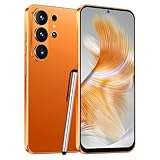
- 4G Full Network Compatibility & Powerful Performance: Equipped with MTK6739 chipset and 4GB RAM + 32GB ROM, the T26Ultra supports 4G FDD/TDD, 3G WCDMA and 2G GSM networks,Stay connected worldwide—use dual SIM to separate work/personal lines.GSM Unlocked: Enjoy seamless connectivity with your preferred GSM carrier. Compatible with T-Mobile, Metro PCS, AT&T, Cricket, Mint Mobile and other GSM networks. SIM card not included. For network compatibility, please check with your carrier. Note: Not compatible with CDMA networks like Verizon.
- 6.6" Incell HD Display & Dual Camera: 6.6-inch Incell HD screen delivers clear visuals for streaming and browsing. 13MP front + 16MP rear dual cameras capture crisp selfies and vivid daily photos, easily preserving your precious moments.
- Large Storage & Triple Card Tray: 32GB internal storage, expandable up to 256GB via microSD card (not included). Triple card tray supports 2 Nano SIM cards + 1 memory card simultaneously, realizing dual SIM standby and flexible storage expansion.
- Long-Lasting Battery & Convenient Features: 5000mAh large-capacity battery supports all-day use without frequent charging. Type-C charging port for fast and stable charging; supports Face Unlock for quick and secure access, plus OTG function for easy connection to external devices.
- Complete Package & User-Friendly: The package includes smartphone, charger, Type-C cable, earphone, screen protector, phone case, SIM card ejector pin, English manual and OTG adapter. Ready to use right out of the box, perfect for daily use and travel.
Rank #4

- Simple operating system for operate easier, Sound clear and loud
- Nostalgic button design, focused on calls and texts, No Internet access and without camera
- Type-C fast charging, 1050mAh real capacity battery for up to 120h+ standby
- Special SOS button and #2 to #9 8 keys can be set as speed dial buttons for quick assistance
- FM Radio, Alarms, MP3 Player, Mini-games, Notes, Calculator, Calendar, Bluetooth, Flashlight & more—all in one
See the ScreenshotNeo API documentation for setup and options. It removes cookie banners, popups and chat widgets before capture; bot checks, blank pages and failed loads are not billed; and its MCP server lets AI agents take screenshots. The free plan includes 1,000 screenshots a month with no card, and paid plans start at $5 for 3,000. Sign up for the free plan.
Product prices and availability are accurate as of the date/time indicated and are subject to change. Any price and availability information displayed on Amazon at the time of purchase will apply.

