
What’s actually slowing this PC down?
Pick the symptom - the matching free tool is one click away.
iTechGuides is reader-supported. When you buy through links on our site, we may earn an affiliate commission. As an Amazon Associate I earn from qualifying purchases. Learn more
To run an executable JAR file on Android, install Java in Termux and execute the file with java -jar your-file.jar. Android does not natively launch ordinary desktop JAR files by tapping them. Simple Java programs can also work in Jvdroid, while desktop GUI JARs, Android libraries, and files with missing dependencies need a different solution.
The important distinction is that a JAR is a Java archive, not an Android application package. A JAR can run on Android only when the program, Java bytecode, dependencies, native libraries, and user interface are compatible with the Android environment.
Key takeaways
- Termux plus an OpenJDK package is the most flexible way to run a Java command-line JAR on Android.
- The usual launch command is
java -jar your-file.jar, but the JAR must have aMain-Classmanifest entry or be launched with its main class and classpath. - Jvdroid bundles an OpenJDK 11 runtime and supports JAR libraries, but Jvdroid does not build native Android applications and may not run JARs compiled for newer Java versions.
- Renaming
.jarto.apkdoes not convert a Java archive into an installable Android application. - Swing, AWT, JavaFX, X11, desktop-native libraries, and platform-specific code can prevent a JAR that works on a PC from working on Android.
- A phone can be useful for testing a Java process, but Android background and battery-management restrictions make a server or cloud VM more reliable for continuous hosting.
What kind of JAR file are you trying to run?
The best way to run an executable JAR file on Android depends on what the JAR contains. The .jar extension identifies a Java archive, but Java archives can be applications, libraries, Android project components, or desktop programs that Android cannot display or support.
| JAR type | Typical examples | Android approach | Likely result |
|---|---|---|---|
| Java SE command-line application | Server, downloader, build tool, console utility, or text-based game | Run it in Termux with a compatible OpenJDK runtime, or try Jvdroid for a small program | Best chance of working |
| Java desktop GUI application | Swing, AWT, JavaFX, or a program that opens desktop windows | Look for headless mode, an Android build, a graphical Linux setup, or remote desktop | Often fails in ordinary Termux |
| Android library JAR | Reusable classes for an Android project | Add it as a project dependency and build an APK | Not normally executable by itself |
| Android application code in a JAR | Code from an older Android project or an extracted library | Obtain the matching APK or rebuild the project as an Android app | A JAR alone is not the installable product |
| JAR with native dependencies | JAR containing or loading desktop .dll, .dylib, or incompatible .so files |
Use Android-compatible native libraries for the device architecture | Depends on operating system and CPU compatibility |
An Android library is not the same artifact as a standalone Java application. Android’s library documentation explains how reusable Android library code is incorporated into an application rather than installed as an independent app.
Popular on Amazon
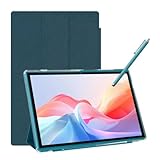
- 【Multi-function Configuration】Android 15 portable tablet with stylus and foldable protective case. You can enter text directly using a stylus, easy response to various scenarios, making your work and study get twice the result with half the effort.
- 【Android 15 Tablet】10 inch Tablet PC is equipped with the latest Android 15.0 system, built-in powerful Quad-core processor, 32GB ROM 8GB RAM(Including 5GB expansion), 1024GB expansion, support Wi-Fi, Bluetooth, GPS and more, enough memory allows you to store more favorite e-books, movies, music, pictures, videos, games
- 【Broad Vision and Responsiveness】The Android tablet uses a 10.1 inch 1280*800 full HD IPS display, which can present a clearer picture effect and richer colors, bringing you a more realistic viewing experience, bringing you clearer and brighter Image. Equipped with 10.0-inch capacitive touch, five-point capacitive touch G+G, to ensure smoother motion in movies and games
- 【Long Battery Life】 The Android tablets powered by a 6000mAh battery, can stand by 360 hours and continuous use up to 6-8 hours, easily charge via the 5V2A Type-C port. Super power and long battery life, say goodbye to the trouble of insufficient power and give you a full sense of security.
- 【Coexistence of Beauty and Strength】 Our Android tablet equipped with a protective leather case. With a slim design, wear-resistant and resistant to falling, a delicate feel, unique texture, easy to carry, and more comfortable to hold with one hand. It's a good companion for your leisure and entertainment, as well as the best gift for various festivals and birthdays.
Can Android run an ordinary executable JAR file?
Android does not natively open an ordinary desktop JAR by tapping it in a file manager. Android applications are installed as APK packages, whereas a conventional executable JAR needs a Java SE-compatible runtime and a command-line entry point. Android’s compatibility requirements address APK installation and execution, not direct launching of arbitrary desktop JAR archives.
Android can nevertheless run some Java programs through an additional environment such as Termux or Jvdroid. “Android cannot run JAR files” is therefore too broad: the accurate answer is that Android does not treat an arbitrary JAR as a native installable application, but compatible Java command-line programs can run when a suitable runtime and all required files are available.
How do you run a JAR file with Termux?
Termux is the most flexible general-purpose method because it provides an Android terminal and a package environment in which you can install Java, manage dependencies, pass arguments, redirect logs, and run shell commands. The Termux F-Droid listing describes Termux as a terminal emulator with installable packages, while Termux’s execution-environment documentation explains that programs execute natively against the Android host kernel rather than inside a complete virtual machine.
1. Install Termux from one consistent source
Use a trusted distribution, such as the F-Droid Termux listing, the official Termux source repository, or the Google Play branch information. Do not download a random APK from an unofficial mirror.
Keep Termux and its plugins from the same source. The F-Droid, GitHub, and Google Play builds can use different signing keys and are not interchangeable in every respect. The F-Droid listing researched for this article requires Android 7.0 or newer for its listed build, while the separate Google Play branch targets Android 11 and newer. Availability and requirements can change, so check the source you choose before installing.
If Android reports a signature mismatch or “App not installed” after you switch sources, back up important Termux data first. Changing signing sources may require uninstalling the existing Termux app and related plugins before installing the other build; uninstalling can remove app data.
2. Update the Termux package lists
Open Termux and run:
pkg update && pkg upgradeAccept the confirmation prompt if you want Termux packages brought up to date. Package upgrades can change available versions, so do not assume that a command copied from an older guide will use the same package name today.
Recommended Free Tools
3. Find and install an OpenJDK package
First search the repositories for available OpenJDK packages:
pkg search openjdkInstall the compatible package shown by your Termux repository. A common example is:
pkg install openjdk-17openjdk-17 is an example, not a permanent universal requirement. The JAR’s compiled bytecode determines the minimum Java runtime, and package names and versions can vary between Termux builds and repositories. If the program documentation requires Java 8, 11, 17, or another version, select an available runtime that meets that requirement rather than installing a version blindly.
4. Verify that Java works
Confirm that the runtime is installed and that Termux can find the executable:
Outdated Drivers Are Slowing You Down
One free scan finds every outdated or missing driver and matches the right update for your exact hardware.Free scan · exact hardware matchPC Slower Than It Used to Be?
A free scan shows the junk files, broken settings and background clutter dragging Windows down - then fixes them in one click.Free scan · Windows 10 & 11java --version
command -v javaThe first command should print a Java version report. The second should print the location of the Java executable. If Termux still says that Java cannot be found, review the package-installation output, run the package search again, and restart Termux before checking once more.
5. Give Termux access to the JAR
Android normally keeps shared storage separate from an app’s private home directory. Grant Termux access by running:
termux-setup-storageApprove the Android permission prompt. Termux will normally expose shared storage under:
~/storage/sharedThe exact permission wording and file-picker behavior can vary by Android version and device manufacturer.
6. Locate and copy the JAR
If the JAR is in the Android Downloads folder, list the folder:
ls ~/storage/shared/DownloadFolder capitalization can differ on some devices. To search shared storage more broadly, use:
find ~/storage/shared -iname "*.jar"Copy the file into Termux’s home directory. Running from the home directory avoids many shared-storage permission and filename problems:
cp ~/storage/shared/Download/your-file.jar ~/
ls -l ~/your-file.jar
Replace your-file.jar with the actual filename. If the filename contains spaces, quote the source and destination paths.
7. Run the JAR
Launch a properly packaged executable JAR with:
java -jar ~/your-file.jarIf the JAR is in the current directory, use:
java -jar your-file.jarA successful launch normally produces the program’s console output. A server may remain attached to the Termux session and continue displaying logs; a short utility may print a result and exit.
How do you pass arguments and memory options to a JAR?
Put Java Virtual Machine options before -jar, and put application arguments after the JAR filename. For example:
java -Xms256m -Xmx1g -jar your-file.jar --port 8080 --config config.jsonThe -Xmx1g option sets the Java heap limit to approximately 1 GB. The phone must have enough available memory, and Android can still terminate the process because of memory pressure or background restrictions. Do not copy a desktop startup command without checking each option; Windows paths, desktop-specific flags, native-library paths, and very large heap values may not work on Android.
For help, many command-line JARs support:
java -jar your-file.jar --helpArguments must come after the JAR:
java -jar your-file.jar --port 8080JVM options must come before -jar:
java -Xmx1g -jar your-file.jarHow do you keep a Java JAR running in Termux?
For a server or long-running utility, redirect output to a log and place the process in the background:
Free tools Windows power users keep installed
One-click scans. No signup required.
nohup java -jar your-file.jar > app.log 2>&1 &Check whether the Java process is running:
ps -ef | grep javaFollow the log:
tail -f app.logAndroid may suspend or kill background processes, apply battery-management rules, change network behavior, or reclaim memory. Keeping Termux visible and exempting Termux from aggressive battery optimization can help for testing where the device provides that setting, but neither step guarantees indefinite uptime. Use a computer, server, or cloud VM for reliable production hosting.
What if the JAR has no Main-Class entry?
java -jar requires the archive manifest to identify the application’s entry class. If the manifest does not contain a Main-Class entry, Java commonly reports:
no main manifest attributeInspect the manifest with:
unzip -p your-file.jar META-INF/MANIFEST.MFLook for an entry such as:
Main-Class: com.example.MainIf the JAR is an application but the manifest is missing, identify the correct class from the program documentation and launch it explicitly:
Also popular on Amazon
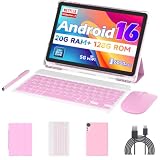
- 【Newest Android 16 Tablet】With the latest Android 16 OS and 2.0GHz quad-core processor, this 10 inch tablet smoothly handles daily apps and games, removes bloated ads, enhances user privacy, and more features for you to explore. Please note: Android 16 is the official version, not the go version.
- 【HD IPS Touch Screen + Widevine L1】Tablets features a 10.1 inch 1280x800 HD IPS display to enhance screen clarity and immerse you in vivid visuals.10.1 inch tablet is Widevine L1 certified for Netflix, Prime Video, TikTok, Disney+ and Youtube, among other popular platforms for smooth viewing of Full HD content.
- 【20GB + 128GB + 2TB Expandable】The Android tablet comes with a memory combination of 20GB (4GB + 16GB virtual memory) RAM + 128GB ROM, which allows you to easily run a wide range of software and keep multiple applications running smoothly. It supports 2TB of expandable memory for saving tons of pictures, videos and music. The tablet is Google GMS certified and allows you to download tons of apps from the app store.
- 【5G WiFi 6 + BT5.0+ 6000mAh】Our Android 16 Tablet supports 2.4G/5G WiFi 6 and Bluetooth 5.0 for a more stable and faster connection, with a 6000 mAh high-capacity battery, it's the best companion for outing and traveling. With 2MP front camera and 8MP rear camera, you can take beautiful photos and enjoy clear video chat.
- 【Perfect Gift】This 10 inch Android tablet is stylish and lightweight, portable and comes with a protective leather case and flexible stylus, ideal gift for birthday, Christmas, family, kids or friends, if you have any questions, please feel free to contact us, we will give you a satisfactory answer within 24 hours.
java -cp your-file.jar com.example.MainInspect the archive contents when you need clues about class names:
jar tf your-file.jar | head -50A class must contain a suitable Java main() method to serve as a command-line entry point. A library JAR may have no such class because it was designed to be included in another program.
How do you run a JAR with dependency files?
java -jar your-file.jar works most reliably when the JAR includes its dependencies in a bundled “fat JAR” or “uber-JAR,” although not every JAR is bundled that way. If the release includes a lib directory, preserve the directory structure and provide the dependency files on the classpath:
java -cp "your-file.jar:lib/*" com.example.MainTermux and other Unix-like environments use a colon between classpath entries. Do not copy the Windows form with a semicolon:
your-file.jar;lib/*The correct main class and dependency layout should come from the JAR’s release instructions or build documentation. Adding random JAR files to the classpath can create version conflicts rather than fix the problem.
Quick wins for a faster PC:
Repair Windows errors before they cause bigger problemsFix Now →Scan for outdated or missing drivers - takes under a minuteDriver Scan →Clear out junk files and repair common Windows errorsFree Scan →What are the common Termux errors and fixes?
| Error | Likely cause | What to try |
|---|---|---|
java: command not found |
Java is not installed, the package name differs, or the shell has not refreshed | Run pkg update, pkg search openjdk, install the available OpenJDK package, and check java --version again. |
Unable to access jarfile |
The filename or path is wrong, or storage access was not granted | Run pwd, ls -l, and find ~/storage/shared -iname "*.jar"; then use an absolute path. |
Permission denied |
The JAR is being accessed from shared storage or the path is problematic | Copy it to Termux home and try chmod 644 ~/your-file.jar. A JAR normally does not need execute permission. |
no main manifest attribute |
The manifest does not specify a Main-Class |
Find the entry class and use java -cp your-file.jar com.example.Main. |
ClassNotFoundException or NoClassDefFoundError |
A required class or dependency is missing from the classpath | Use the supplied dependency directory, such as java -cp "your-file.jar:lib/*" com.example.Main, or obtain a bundled build. |
UnsupportedClassVersionError |
The JAR was compiled for a newer Java version than the installed runtime supports | Install a newer available runtime or obtain a release compiled for the installed Java version. |
AWT, Swing, display, or UnsupportedOperationException errors |
The program expects desktop windows or a display server | Look for headless, command-line, or server mode; otherwise use a graphical Linux setup or remote desktop. |
UnsatisfiedLinkError |
A native library is missing or was built for another operating system or CPU architecture | Check whether Android-compatible native libraries exist for the device’s architecture. |
Termux’s execution-environment documentation discusses Android file-execution restrictions, including restrictions that can affect native executables. Those restrictions should not be confused with ordinary Java archive reading: the Java runtime reads the JAR, while native libraries loaded by the Java program have separate compatibility requirements.
Can Jvdroid run an executable JAR on Android?
Jvdroid is a simpler graphical option for small Java programs, students, and readers who prefer an app interface instead of Termux commands. Its Google Play listing advertises an offline compiler, a standalone OpenJDK 11 runtime, JAR library support, Maven support, a terminal emulator, and a JShell-based Java REPL.
To try a JAR in Jvdroid:
- Install Jvdroid from Google Play.
- Copy the JAR to a location Jvdroid can access.
- Open the JAR through Jvdroid or its file browser.
- Choose the app’s current run or execute action.
- Read the console output for missing classes, incompatible Java versions, or native-library errors.
Exact button labels can change between app versions, so follow the current interface rather than relying on a fixed label from an older guide.
Jvdroid is not a universal JAR launcher. The listing specifies OpenJDK 11, so a JAR compiled for a newer Java release may need another runtime. Jvdroid also states that it does not build native Android applications. The listing researched for this article specifies at least 250 MB of free internal storage and recommends 300 MB or more; storage requirements, price, and availability can vary by country, account, tax, and Google Play rules.
The Tool Desk
Outbyte Driver Updater FREEScan for outdated or missing drivers - takes under a minuteDriver Scan →Outbyte PC Repair FREERepair Windows errors before they cause bigger problemsFix Now →| Choose | Best for | Main advantages | Main limitations |
|---|---|---|---|
| Termux plus OpenJDK | Servers, automation, command-line programs, SSH, scripting, and users needing Java options | Flexible package environment, shell access, logs, classpaths, and process control | More technical; package availability varies; Android can interrupt background processes |
| Jvdroid | Small Java programs, learning, and users who prefer a graphical workflow | Bundled OpenJDK 11, compiler, terminal, REPL, and JAR library support | Not a native Android development tool; Java version and desktop GUI compatibility are limited |
| Computer or cloud VM | Desktop GUI software, platform-specific tools, and dependable long-running services | Better desktop API, native-library, uptime, and resource compatibility | Requires access to another computer or hosted service |
Why does a JAR work on a computer but fail on Android?
A JAR that works on a computer may fail on Android because Java bytecode compatibility is only one part of execution. The program may also depend on desktop APIs, native libraries, unrestricted file paths, a display server, a particular operating system, or a CPU architecture that is not present on the Android device.
Desktop GUI dependencies
Programs using java.awt, javax.swing, JavaFX, X11, or a desktop window manager generally cannot display normal windows in a plain Termux session. A graphical Linux environment with an X11 or VNC setup is an advanced possibility, but it adds configuration and still does not guarantee that the application will work.
Java version mismatch
A JAR compiled by a newer JDK cannot run on an older Java runtime. Check the installed version with:
java --versionThen consult the program’s documentation or the full error message for the required Java version. Do not assume that OpenJDK 17 or Jvdroid’s OpenJDK 11 will run every JAR.
Do these 3 things before closing this tab:
1Fix the driver behind crashes, sound loss and screen glitches2Clear out junk files and repair common Windows errors3Scan for outdated or missing drivers - takes under a minuteNative libraries and CPU architecture
Some Java programs load native code through JNI. A JAR may include Windows DLLs, macOS dynamic libraries, or Linux libraries that do not work on Android. Even a Linux library may target a different architecture; Android phones commonly use ARM architectures, while many desktop releases target x86 or x86-64. An UnsatisfiedLinkError often indicates this type of problem.
Dependencies and file assumptions
A desktop release may expect a neighboring lib directory, a particular working directory, Windows-style paths, configuration files, or permissions that Android does not provide. Preserve the release’s directory structure, use Android-accessible paths, and follow the application’s documented startup command.
Can you rename a JAR file to APK?
No. Renaming program.jar to program.apk changes only the filename extension and does not convert the archive into an Android application.
An installable APK requires Android application metadata, an Android manifest, resources where applicable, Android-compatible compiled code, packaging, and a valid signature. Android’s compatibility documentation describes APK support, while Android’s build documentation describes producing APK artifacts for installation and testing.
If the software has an official Android release, obtain the APK from the developer or an appropriate app store. If you own the source code, reuse what is portable inside a real Android project, then add Android lifecycle integration, resources, manifest configuration, and Android-compatible packaging.
When should you use an APK, rebuild the app, or use a remote computer?
Use the following decision path before spending time troubleshooting:
- The developer provides an APK or Android installation instructions: use the Android release instead of the JAR.
- The documentation calls the file a Java SE command-line, console, or server program: try Termux and a compatible OpenJDK package.
- The documentation requires a particular Java version: verify that the required runtime is available for your Termux build or use a different release compiled for an available version.
- The program requires Swing, AWT, JavaFX, desktop windows, or X11: look for headless mode, an Android-specific build, a graphical Linux environment, or remote desktop.
- The JAR has no
Main-Class: determine whether it is a library; if it is an application, launch its documented main class withjava -cp. - The program reports missing classes: obtain the dependencies or use a fat JAR with dependencies bundled.
- The program loads native libraries: verify Android operating-system and CPU-architecture support.
- The process must run continuously: use a server or cloud VM rather than treating a phone as guaranteed always-on hosting.
Can you run a JAR without root?
Ordinary Java command-line programs generally do not require root when they run inside Termux or Jvdroid. Root becomes relevant only for special requirements such as system-level operations, restricted hardware access, or particular Linux environments. A normal JAR that needs root privileges on a desktop should not be assumed to work merely because Java itself runs without root.
Use this Android JAR compatibility checklist
- Java version: Is the JAR compiled for a runtime available on the device?
- Entry point: Does the manifest define
Main-Class, or does the documentation name a main class? - Dependencies: Are required libraries bundled or supplied in a documented
libdirectory? - Operating system: Does the application assume Windows, macOS, or desktop Linux?
- User interface: Does the application require AWT, Swing, JavaFX, X11, or a window manager?
- Native code: Does the program load
.dll,.dylib, or platform-specific.sofiles? - CPU architecture: Are native components compatible with the Android device?
- File access: Does the program expect unrestricted desktop paths or a particular working directory?
- Network: Does the program require connections that the device or network permits?
- Background behavior: Can Android battery management interrupt the process?
- Licensing: Are you allowed to copy, install, or redistribute the JAR and its dependencies?
Frequently Asked Questions
Can I open a JAR file directly on Android?
Android does not normally open an arbitrary JAR by tapping it. Install a Java runtime in Termux or use a compatible Java app such as Jvdroid, then launch the program from that environment.
Quick wins for a faster PC:
Clear out junk files and repair common Windows errorsFree Scan →Fix the driver behind crashes, sound loss and screen glitchesFind Drivers →Repair Windows errors before they cause bigger problemsFix Now →Can I rename a JAR file to APK?
No. Renaming a JAR to APK changes only the filename extension; it does not add an Android manifest, DEX code, resources, packaging, or a valid APK signature. Obtain an official APK or rebuild the software as an Android application.
What does “no main manifest attribute” mean?
The JAR manifest does not identify a Main-Class entry point. If the archive is an application, find its documented main class and run it with `java -cp your-file.jar com.example.Main`; if it is a library, it is not meant to run by itself.
Why does my JAR work on a PC but not on Android?
The JAR may require a newer Java version, missing dependencies, desktop GUI APIs, desktop-native libraries, unrestricted file paths, or a different CPU architecture. A Java runtime alone does not provide every desktop operating-system feature.
Is Termux better than Jvdroid for running JAR files?
Termux is better for command-line tools, servers, scripting, automation, dependencies, and Java options. Jvdroid is easier for small programs and learners, but its advertised OpenJDK 11 runtime and Android environment limit compatibility with newer or desktop-focused JARs.
Free tools Windows power users keep installed
One-click scans. No signup required.
The Bottom Line
For a compatible Java SE command-line program, the practical answer is Termux plus OpenJDK: install the runtime, copy the JAR into Termux home, and run java -jar your-file.jar. Use Jvdroid when you want a simpler graphical workflow for small Java programs. If the file is an Android library, desktop GUI application, or platform-specific build, use the corresponding APK, rebuild it for Android, or run it on a computer or cloud server instead.

