
iTechGuides is reader-supported. When you buy through links on our site, we may earn an affiliate commission. As an Amazon Associate I earn from qualifying purchases. Learn more
Use a soft power cycle first. It restarts a VIZIO TV without deliberately erasing saved settings. If the TV is frozen and will not respond to the remote, disconnect its power briefly and reconnect it. Use a factory reset only when you are prepared to erase network settings, accounts, apps, picture and audio adjustments, and other customizations.
“Hard reset” is not one universal, officially documented VIZIO TV command. Some people use the phrase for unplugging the TV; others mean a factory reset. The correct procedure depends on your VIZIO model, operating-system generation, and firmware.
Choose the right type of reset
| Reset type | What it does | When to use it |
|---|---|---|
| Soft power cycle or restart | Turns the TV off and back on without intentionally clearing saved settings. | For temporary freezes, sluggish menus, app problems, or minor glitches. |
| Power interruption | Disconnects and restores power when the TV will not accept commands. This is commonly called a “hard reset,” but it is not a guaranteed factory reset. | When the screen or remote controls are frozen. |
| Factory reset | Returns the TV to its default state and starts setup again. It erases settings and account or network information. | As a last software step, before selling or giving away the TV, or when persistent configuration problems justify starting over. |
A reset cannot repair a failed power board, damaged panel, backlight failure, persistent no-power condition, or other defective hardware. It also may not fix a faulty HDMI device, router, streaming-account problem, or service outage.
Recommended Free Tools
1. Try a soft power cycle first
If the TV responds to the remote, use its built-in restart option rather than immediately erasing everything.
Popular on Amazon

- 【Compatible Devices】Universal replacement remote control is compatible with TV brands for Samsung, LG, Vizio, Sony, Hisense, Onn, Sharp, RCA, Element, Westinghouse, Sanyo, Emerson, Philips, JVC, Sceptre, Sansui, Panasonic, Magnavox, Skyworth TV and More Brand Smart TVs. Compatible with of devices, including DVD/Blu-ray players, Media Streaming Players and more!
- 【NOT Compatible Devices】Universal remote is Not compatible with Roku Streaming Sticks, Roku Sound Bar, TLC Sound Bar, Hisense Sound Bar, Anker Sound Bar, Klipsch Sound Bar, All Fire TV, All TV Sticks, All TV Cube, Apple TV, Google Chromecast TV(This product can only be connected and paired via infrared) If you are unsure if our remote control is compatible with your device, please contact us.
- 【Simple Setup】Step 1: Find the device type you need in the code list. Then find and circle all the codes for the brand. Step 2: Press and hold down the (SETUP) button for 3 seconds until the red light on the remote turns on. Step 3: Press and release the (TV/STR/AUD) button on the remote, the red light will blink once and remain on. Step 4: Enter the first 4-digit code from code list. Step 5: Point the remote at the TV, and test the buttons on the remote to see if the TV responds as you would expect. If the buttons don't control the TV, repeat steps 2-4 and enter different code to test. Note:If all the code in the program fails, please check the instructions on page 7 "Automatic Code Search.
- 【Package Included】Package includes 1* Remote Control, 1* User Manual, and 1* Code list. The universal remote control is to use 2 * AAA alkaline batteries(Batteries are not included). Note: Please do not mix old and new batteries or mix different batteries together.
- 【After-Sales Service】We attach great importance to the customer's experience of using remote controls. If you have any questions about your order or product, please contact us and we will get back to you within 24 hours on working days.
Older VIZIO SmartCast models
- Press Menu on the remote.
- Open System.
- Select Reset & Admin.
- Choose Soft Power Cycle.
- Select Yes to confirm.
The TV should turn off and then restart. A soft power cycle is different from Reset to Factory Defaults: it should not intentionally remove your Wi-Fi configuration, accounts, picture settings, or other saved preferences.
Newer VIZIO OS televisions
Menu names and locations vary between VIZIO OS generations and firmware versions. Look in the TV’s settings or administration area for an item labeled Restart TV, Soft Power Cycle, or a similar restart command. Do not assume that the older Menu > System > Reset & Admin path appears on every VIZIO television.
If you cannot find the option, search for the exact model number in the correct VIZIO owner’s manual. The model-specific manual takes priority over a generic reset guide.
What’s actually slowing this PC down?
Pick the symptom - the matching free tool is one click away.
2. Power-cycle a frozen VIZIO TV
If the TV is frozen and will not respond to the remote, a basic power interruption can restart it:
- Turn the TV off if it accepts the power button.
- Unplug the TV’s power cord from the wall outlet or power strip.
- Wait briefly, then reconnect the cord directly to a known-working outlet if practical.
- Turn the TV on and test it.
This is a troubleshooting power cycle, not a confirmed factory reset. It normally does not erase the TV’s saved settings, and it does not replace the documented factory-reset procedure.
You do not need to remove every cable before power-cycling. However, if the problem began after connecting a game console, soundbar, streaming box, or other HDMI accessory, turn that accessory off or disconnect it temporarily and test the TV by itself. A malfunctioning external device can cause apparent freezing, black screens, or repeated input changes.
Also popular on Amazon

- 【Package lncluded】 Pack of 2 remote. Two-pack remote control can solve your home backup remote control needs. Infrared remote no pairing or programming needed. Just Insert 2 Pcs*AAA batteries to get it work(Batteries and manual are not included)
- 【Applicable Type】This infrared replacement remote works with all Samsung Smart TV, LED, LCD, HDTV, 3D, Series TV,Compatible with All Samsung Series TVs. We offer you an authentic details same as we advertised.
- 【Key Features】The universal infrared TV remote features 3 shortcut buttons. It is perfect to replace your old or damaged Samsung TV Remote with the Loutoc remote.
- 【Quick Response】This is the updated infrared remote control for Samsung TVs. An outstanding response between TV and remotes, it will respond quickly in 0.5 seconds, available directly use within 10 meters (32 feet).
- 【After-sale Service】We provide 30 days warranty with no condition return or exchange. If you have any query, please contact us and we will get back to you as soon as possible within 24 hours.
If the TV repeatedly freezes, reboots, or loses power after this step, avoid repeatedly factory-resetting it. Continue with model-specific VIZIO troubleshooting or contact VIZIO support. Repeated resets are unlikely to correct a failing power supply, panel, backlight, or other hardware fault.
Quick wins for a faster PC:
Clear out junk files and repair common Windows errorsFree Scan →Scan for outdated or missing drivers - takes under a minuteDriver Scan →3. Factory-reset a VIZIO TV
A factory reset erases the TV’s customized state and returns it to its initial setup condition. Back up or note anything you will need to recreate before starting, including:
- Wi-Fi network name and password
- Streaming-service or VIZIO account details
- Picture, audio, accessibility, and privacy preferences
- Favorite channels and antenna or cable-channel settings
- Paired Bluetooth, casting, or other connected devices
- Any custom system PIN information
Typical factory-reset path on older models
- Press Menu on the VIZIO remote.
- Open System.
- Select Reset & Admin.
- Choose Reset to Factory Defaults or, on some models, Reset to Factory Settings.
- Enter the system PIN if the TV asks for one.
- Confirm the reset when prompted.
- Wait for the TV to shut down and restart into its setup process.
Some VIZIO manuals use Reset to Factory Defaults while others use Reset to Factory Settings. Select the factory-reset entry—not Soft Power Cycle—when your goal is to erase the TV.
Do not rely on a universal reset PIN. The relevant PIN may be one you previously created or may vary by model and software generation. If you do not know what the TV is requesting, consult its manual or VIZIO support rather than repeatedly guessing.
What a factory reset removes
Expect a factory reset to remove or restore many types of user data and configuration, including:
PC Slower Than It Used to Be?
A free scan shows the junk files, broken settings and background clutter dragging Windows down - then fixes them in one click.Free scan · Windows 10 & 11Crashes, No Sound, or Screen Glitches?
Random freezes, missing sound and display glitches usually trace back to one bad driver. Find and replace yours safely.Free scan · under a minute- Saved wireless-network information
- Account and sign-in information supported by the TV
- App data and customized app arrangements
- Picture and audio adjustments
- Channel scans, favorites, and input preferences
- Accessibility, privacy, and other system settings
VIZIO documentation warns that settings—including wireless and picture settings—and account information can be cleared. The precise list depends on the model, VIZIO OS generation, firmware, and connected services.
Also popular on Amazon

- PACKAGE INCLUDED: Pack of 2 remote. Two-pack remote control can solve your home backup remote control needs. Infrared remote no pairing or programming needed. Just Insert 2 Pcs*AAA batteries to get it work (Batteries and manual are not included)
- EXACT COMPATIBILITY: Acoyer universal remote control only for Roku Series TVs, Compatible with TCL Roku TVs, Hisense Roku TVs, Onn Roku TVs, Sharp Roku TVs, Element Roku TVs, Westinghouse Roku TVs, Philips Roku TVs, Insignia Roku TVs, JVC Roku TVs, RCA Roku TVs, Hitachi Roku TVs and Sanyo Roku TVs Series.
- NOT APPLICABLE: TV Remote is NOT Compatible with Roku Stick/Streaming Stick/ Box(1/2/3/4(HD/LT/XS/XD))/ Ultra/ Express/ Premiere/ Player. NOT Compatible with TCL TV, Hisense TV, Onn TV, Sharp TV, Element TV, Westinghouse TV, Philips TV, Insignia TV, JVC TV, RCA TV, Hitachi TV and Sanyo TVs.
- SHORTCUT BUTTONS: Get to favorite apps quickly with shortcut buttons and it have 4 shortcuts buttons. Precisely control far from 10 meters/30 feet and it supports over total 160,000 clicks for all buttons via approved tests.
- AFTER SALE SERVICE: Acoyer remote controls with an unlimited return and refund service in 1-year warranty. If you have any questions or concerns regarding your order, please feel to reach out to us.
4. Complete setup after the reset
When the factory reset finishes, the TV should return to its initial setup flow. The screens differ by model and software, but you may need to:
- Select a language and region.
- Connect to Wi-Fi or another network.
- Accept current terms and privacy choices.
- Sign in to or link supported accounts.
- Run an antenna or cable channel scan, if applicable.
- Reconnect Bluetooth, casting, soundbar, console, and other devices.
- Reinstall, rearrange, or sign in to apps.
- Reconfigure picture, audio, accessibility, and privacy settings.
If the same problem returns immediately during or after setup, that is evidence that the cause may not be a corrupted setting. Test the TV without external HDMI equipment and verify the network separately before concluding that another reset is needed.
If you cannot open the reset menu
The documented reset paths generally require a working remote with Menu, directional navigation, and OK or selection controls. If your remote is missing or broken, a VIZIO TV remote replacement can be useful—but match it to the exact TV model or to a confirmed VIZIO code set before buying.
Do these 3 things before closing this tab:
1Fix the driver behind crashes, sound loss and screen glitches2Clear out junk files and repair common Windows errors3Scan for outdated or missing drivers - takes under a minuteA universal remote compatible with VIZIO TV may work as a lower-cost fallback, but compatibility varies. Do not assume that every universal remote exposes every VIZIO menu command or supports PIN entry and all model-specific functions. Replace the batteries or test the remote with a compatible set if the TV is not responding; a weak battery can look like a TV fault.
If the television is completely unresponsive, a remote will not repair a no-power or hardware problem. Use the power-cycle step once, check the outlet and power connection safely, and escalate if the TV remains unusable.
Independent reader supportYour contribution helps us test, update, and keep practical guides available for everyone.Factory reset versus privacy-setting reset
A factory reset is not the same as resetting the TV’s advertising identifier or changing viewing-data preferences.
VIZIO provides separate controls for items such as Viewing Data, Limited Ad Tracking, and Reset TV Advertiser ID. The exact paths differ for newer products, pre-2024 products, and pre-2020 products. Consult the privacy section for your model and software generation rather than applying an older menu path blindly.
On VIZIO OS products, VIZIO states that a factory reset returns the TV to default settings and resets Viewing Data to Off. The separate TV Ad ID control replaces the current advertising identifier with a new one. Resetting that identifier alone will not normally fix freezing, Wi-Fi failures, app crashes, casting problems, or startup faults.
Also popular on Amazon
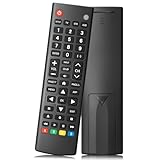
- Compatible TV Brands: Replacement Universal Smart TV Remote Control for TV brands including Samsung, LG, Hisense, TCL, Vizio, Sony, Onn, Toshiba, Philips, Element, Westinghouse, Sharp, Emerson, Sanyo, and RCA
- Compatible Other Devices: Universal Remote Control compatible with DVD, Blu ray Player, Soundbar, Streaming Media Player, Set Top Boxes, DVR, VCR, and Audio Devices including brands such as Sony, LG, Panasonic, Samsung, Bose, and Vizio
- Setup Methods: Find your TV code in the CODE LIST, press and hold down the SETUP button until the remote's red light turns on, press and release the chosen device button on the remote (TV/STR/AUD Button), enter the first 4-digit code for your device, point the remote at the device and test the buttons. If the buttons do not work as expected, repeat steps for the next code of the device until each button is working properly (Automatic pairing method on pages 8-9 of the manual)
- Package Includes: 1 Universal TV Remote Control, 1 User Manual, 1 Code List (batteries not included)
- Design Features: 26 feet long-distance remote control with 0.2 seconds fast response time, 50,000 times presses for durability, and requires 2 AAA batteries (batteries not included in package)
When a reset is unlikely to help
Stop treating the problem as a settings issue when any of these symptoms continue after the documented reset and basic checks:
- The TV has no power or repeatedly shuts off.
- The backlight, panel, or picture hardware appears to have failed.
- The TV reboots immediately after setup with no external devices connected.
- Only one HDMI source fails while the TV menus and other inputs work.
- Only one app or streaming service has a problem.
- The issue is clearly caused by a router, account, or internet-service problem.
For a hardware or warranty concern, use VIZIO’s official support and service process. Warranty service can involve deletion of user data and downloaded applications, so sign out and remove personal information where possible before sending the TV for service. If the television is being discarded or replaced, use a verified electronics-recycling or data-clearance provider and confirm how the device’s stored information will be handled.
Quick decision checklist
- Menus work and the TV is sluggish: use Restart TV or Soft Power Cycle.
- Menus are frozen: disconnect power briefly, reconnect it, and test without a problematic HDMI accessory.
- You are selling or giving away the TV: perform a factory reset and complete the confirmation before handing it over.
- You need to erase persistent settings: use the model-specific factory-reset menu and expect to repeat setup.
- The TV still fails afterward: investigate the external device, network, app service, or hardware and contact VIZIO support when appropriate.
Frequently Asked Questions
Does unplugging a VIZIO TV factory-reset it?
Usually, no. Unplugging and reconnecting the TV is a power-cycle troubleshooting step. It is not a substitute for the on-screen factory-reset command and should not be described as a guaranteed way to erase settings or accounts.
Will a soft power cycle erase Wi-Fi and app accounts?
A soft power cycle is intended to restart the TV without intentionally clearing saved settings. A factory reset is the procedure that erases network configuration, account information, app data, and other customizations.
What should I do if I cannot find Reset & Admin?
Your TV may use a newer VIZIO OS or a different firmware generation. Look for Restart TV, Soft Power Cycle, or a factory-reset option under the current settings or administration menus, then consult the manual for the exact model number.
Can a factory reset fix a black screen?
It can help only when the cause is a software or configuration problem. It is unlikely to repair a failed backlight, display panel, power board, defective HDMI device, or persistent no-power condition.
The Bottom Line
Restart the VIZIO TV before erasing it. Use the built-in soft power-cycle option when the menus work, disconnect and reconnect power once when the TV is frozen, and reserve Reset to Factory Defaults for problems or ownership changes that justify losing saved settings. Because VIZIO menu paths differ across generations, the exact model manual is the final authority.
Free tools Windows power users keep installed
One-click scans. No signup required.

