
Before handing over a connected car, clear personal information from the vehicle, remove the car from manufacturer apps and accounts, and transfer or cancel connected services. These are separate steps: a factory reset may not unlink every account or erase information held by a provider.
What personal data can a connected car store?
Depending on the vehicle and the features you used, its systems may retain paired-phone information, contacts or address books, call history, app sign-ins, music, saved destinations and routes, Wi-Fi details, preferences, and garage-door codes. The U.S. Federal Trade Commission (FTC) identifies contacts, app login information, digital music, navigation locations and routes, and garage-door codes among the information a vehicle may store: FTC guidance on removing personal information before selling a car.
Deleting the manufacturer’s app from your phone does not necessarily remove information from the car, unlink the vehicle from your account, or stop data sharing. Treat the vehicle, your manufacturer account, and any connected-service provider as separate places to check.
How to remove your data before handover
- Remove belongings and physical access items. Take out personal items, storage media, toll tags, garage remotes, and paperwork that should not go with the car. If you stored a garage-door code in the vehicle, delete that code from the system too.
- Review the vehicle’s stored information. In the infotainment, phone, and navigation settings, remove paired phones and user profiles, contacts, call history, saved addresses and routes, Wi-Fi networks and passwords, stored media, and preferences where those options exist. Check built-in or downloaded apps for sign-out or account-removal controls. Available data and controls vary by vehicle.
- Use the reset procedure for your exact vehicle. Check the owner’s manual for the make, model year, and software version, or ask the manufacturer or dealer for the appropriate factory, master, or connectivity reset. Do not assume menu names or reset behavior are identical across vehicles.
- Unlink the vehicle from manufacturer accounts. In each relevant manufacturer app or account, remove the vehicle or VIN and remove other authorized users if the service allows it. Check shared household accounts as well as your own. Confirm that remote access is no longer available to you.
- Handle subscriptions and connected services separately. Transfer or cancel services you pay for or use, such as satellite radio, a mobile Wi-Fi hotspot, telematics, remote-control features, or emergency assistance. The FTC notes that subscriptions and data services may need cancellation or transfer after a reset: FTC guidance.
- Make a separate provider data request if needed. If you also want information held by a manufacturer or service provider removed, use its privacy or account portal or contact support. A reset of the car does not establish that account or cloud records have been deleted.
What to do when returning a car
For a leased car, rental, or dealer loaner, follow the return instructions from the leasing company, rental provider, or dealer as well as clearing your personal information. Procedures are not universal, and a recipient may have specific requirements for account transfer or reset. If you cannot complete a step yourself, tell the recipient and ask them to document how it will be handled.
Recommended Free Tools
#1 Best Overall

- FARADAY PHONE POUCH — Blocks cellular, Wi-Fi and Bluetooth communication and cuts GPS reception when sealed, giving you fast control over your phone's wireless connection.
- STOP DIGITAL PICKPOCKETING — RFID/NFC shielding blocks unauthorized contactless communication with compatible cards and passports kept fully inside the pouch.
- HELP STOP KEY FOB RELAY THEFT — Blocks compatible car key-fob radio signals so relay equipment cannot communicate with the enclosed fob while the pouch is properly sealed.
- PRIVATE MEANS OFFLINE — Use the phone blocker bag for travel, meetings, confidential conversations, device storage or any time you want common wireless connections cut.
- PASSIVE FARADAY SHIELD — Conductive layers do the blocking with no battery, transmitter or charging. Approx. 9 x 4.4 in usable interior fits many large smartphones.
How manufacturer procedures differ
These official examples illustrate why a reset and account cleanup should be treated as distinct tasks. They are not universal instructions; confirm the procedure for your vehicle and market.
| Manufacturer | In-vehicle data or reset guidance | Separate account or service action |
|---|---|---|
| Ford | Ford says a master or factory reset removes imported personal information and disconnects modem-equipped vehicles from Ford or Lincoln accounts. | For vehicles with a Connectivity Device, Ford says VIN removal from the account may be needed to disassociate the vehicle and stop account-related sharing. Deleting the app alone does not disable data sharing. See Ford’s vehicle-data removal guidance. |
| General Motors | GM recommends deleting personal information such as contacts, address searches, saved map addresses, and preferences, and points owners to the vehicle manual for reset instructions. | Contact GM to transfer or cancel the account. See GM’s guidance for selling a vehicle. |
| Volvo | Volvo says a factory reset removes paired phones, stored data, and settings; the instructions vary by model and model year. | Volvo advises removing the car from the Volvo Cars app before selling. See Volvo’s vehicle-transfer guidance. |
| Tesla | Tesla identifies the in-car path Controls > Service > Factory Reset to remove personal data before giving the vehicle to a new owner. | Use Tesla’s official vehicle-selling guidance to check the account-transfer steps that apply. |
| Kia Connect | Kia Connect describes removing the VIN from the Kia Connect app or resetting the in-car system for data linked to the vehicle. | Kia distinguishes this from personal data linked to a Kia Account, for which it describes a separate deletion request through the Kia Account privacy process. |
Final checks before handing over the keys
- Your profile, paired devices, contacts, destinations, and other personal information no longer appear in the vehicle.
- The vehicle is no longer listed in the manufacturer app or account, and your remote access has been removed.
- Relevant subscriptions and connected services have been transferred or canceled.
- You have made any separate provider data request that matters to you, or have confirmed what the provider’s process covers.
The FTC’s consumer guidance dates to August 2018, and the cited manufacturer examples include U.S. and UK support pages. Feature names, account flows, and procedures can vary by region, model year, and software; consult current support for the specific car.
Quick Recap
Rank #4
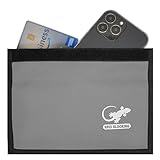
- PHONE FARADAY BAG — Put the phone in, seal the closure and cut the connection. Blocks cellular, Wi-Fi and Bluetooth communication and GPS reception while the device is properly enclosed.
- STOP RFID/NFC SCANNING — RFID blocking sleeve shields compatible credit cards, ID cards and passports from unauthorized wireless reads while they remain fully inside the pouch.
- BLOCK KEY FOB SIGNALS — Use the shielded compartment for a compatible car key fob to stop radio communication and help prevent relay-style keyless-entry signal access.
- PRIVACY ON DEMAND — Use at meetings, while traveling, during focused work or whenever you want an enclosed phone offline and unavailable to common wireless networks.
- ROOM FOR LARGE PHONES — Approx. 9.4 x 5.4 in exterior and 9 x 4.4 in usable interior; portable enough for a purse, backpack, briefcase, vehicle or desk.
Rank #3

- 【Fully Compatible with Android & iOS】Works with both Google's Find Hub and Apple Find My. This real-time GPS tracker delivers precise crowdsourced location updates without requiring a SIM card or subscription service. Whether for travel, cargo transportation, vehicles, or personal assets, this is a reliable long-distance tracking solution.
- 【No Subscription | No Monthly Fee | No SIM】Lifetime Free GPS Tracking—Enjoy a truly subscription-free GPS tracker with no contracts and no hidden fees. This tracker comes with no monthly fees and is designed for lifetime use, making it the ideal GPS tracker for vehicles, luggage, pets, and everyday valuables.
- 【Mini Magnetic Design for Hidden Placement】This mini in-vehicle GPS tracker measures just 1.3 inches and weighs only 0.4 oz. It features a built-in, upgraded strong magnet that securely attaches to cars, motorcycles, trucks, trailers, and other metal surfaces, enabling safe and discreet tracking. It is the perfect magnetic GPS tracker for cars, motorcycles.
- 【Multi-Function Tracking: Keep Your Valuables, Pets, and Family Safe】 This device isn’t just for cars. You can use it as a pet tracker to keep tabs on your dog or cat at all times; as a child locator to ensure your child’s safety; or as a lost-and-found tracker to help you locate your bags and valuables. With its extended signal range and ultra-compact design, it can be easily placed in bags, backpacks, suitcases, or pet supplies to meet your asset tracking and vehicle management needs.
- 【Important Note】With the help of Google's & Apple technology, all location information is encrypted. Once paired with your device, this GPS tracker remains invisible to unauthorized users. Only authorized devices can access location data, keeping your privacy protected. Please note: It may still be detectable by professional equipment. If you need a tracker that is visible to everyone or completely undetectable by specialized tools, this product may not be the best fit.
Rank #2
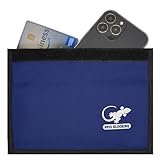
- BLOCK PHONE SIGNALS — Seal your phone inside the Faraday bag to block cellular, Wi-Fi and Bluetooth communication and cut GPS reception. No calls, texts or wireless connections while properly enclosed.
- ANTI-TRACKING PRIVACY — Stop your enclosed phone from communicating with surrounding wireless networks. Blocks common phone signals so the device cannot transmit or receive through those connections while sealed.
- RFID & NFC BLOCKING — Blocks RFID/NFC communication to help stop unauthorized wireless scanning of compatible cards and passports stored completely inside the shielded compartment.
- KEY FOB SIGNAL BLOCKER — Put a compatible car key fob inside to block its radio communication, helping stop relay-style signal access when the pouch is fully closed.
- LARGE PHONE POUCH — Approx. 9.4 x 5.4 in outside with about 9 x 4.4 in usable interior. Fits many large smartphones plus cards, passports or a compatible key fob.
Product prices and availability are accurate as of the date/time indicated and are subject to change. Any price and availability information displayed on Amazon at the time of purchase will apply.

