
Recommended Free Tools
The cleanest fix is to remove the watermark in the original project before exporting. Delete a branded ending clip or overlay, replace any watermarked stock or template asset, and export again. If the mark is permanently embedded in footage you own or are authorized to edit, crop it, cover it with an intentional design, or try tracked object removal—but expect possible artifacts. Then prepare the clean file for your phone: iPhone uses a Live Photo for an animated Lock Screen, Samsung Galaxy can apply supported videos directly, and Pixel and many other Android phones may need a live-wallpaper app.
First, identify what kind of watermark you have
Pause the video and inspect the entire timeline and every frame. The remedy depends on where the mark comes from.
| What you see | What it usually means | Correct first move |
|---|---|---|
| A logo appears only after the real video ends | Branded outro clip | Delete the ending clip in the project |
| A logo or username sits above the footage | Separate text, sticker, or overlay layer | Hide or delete that layer |
| Branding follows a template, effect, or transition | Template element or premium asset | Replace the element or use a licensed version |
| Stock-preview marks cover the image | Unlicensed preview media | Buy the clean asset or replace it |
| The mark remains in every frame of the exported file | Baked-in watermark | Use an authorized clean source, crop, cover, or inpaint |
| The mark appears only during playback or screen recording | Player control, app overlay, or notification | Open the file in another player and export the source again |
Removing a mark technically does not grant permission to use the underlying footage. Limit cleanup to your own work, licensed material, or content for which you have permission. Attribution and stock-license terms still apply.
The cleanest fix: remove it before exporting
- Open the original editing project, not only the exported MP4.
- Inspect the final seconds for a branded outro.
- Check video, text, sticker, effect, and overlay tracks, including hidden or muted layers.
- Delete the watermark layer or replace the premium, stock, or template element with an owned or properly licensed alternative.
- Preview the entire timeline, including the first and last frames.
- Export a short test and inspect it in a normal video player and your phone’s wallpaper picker.
- Export the final file only after the test is clean.
CapCut says manually created projects using original media can often export without its branding, while templates, premium assets, AI features, and embedded source marks can behave differently. Its help pages describe checking the ending clip and other timeline elements: CapCut’s watermark guidance, platform-specific removal steps, and manual editing and export guidance. Labels can vary by platform, account, region, and app version.
#1 Best Overall

- Made from the high quality Japanese PET film for easy installation and no residue when removed
- High definition transparency film that ensures maximum resolution
- Real touch sensitivity for a natural feel that provides flawless touch screen accuracy
- Protects your screen from daily scratches, dust and scrapes
- Include 6 pcs screen protectors
How to remove a baked-in watermark from authorized video
1. Get the legitimate clean source
Re-download the licensed file, purchase the unwatermarked asset, re-export from the original project, or ask the owner for a clean copy. This preserves detail and is safer than reconstructing pixels that are no longer present.
2. Crop it out
Cropping is usually the most predictable repair when the mark is near an edge. Import the clip, set a crop that excludes the logo, reposition the subject, and export at the phone’s target aspect ratio. Cropping changes composition and can reduce effective resolution, so check that the subject will not be hidden by the clock, widgets, or icons.
3. Cover it deliberately
Add a gradient, vignette, blur patch, decorative shape, or your own logo. Match the treatment to the wallpaper’s design and keep it away from important lock-screen text. A feathered mask can make the cover intentional. This is concealment, not removal, and is appropriate only for footage you are authorized to alter.
Rank #2

- Specifically designed for your iPhone SE 2 (2020 2nd)/ SE 3 (2022 3rd), iPhone 8, 7, 6S, 6
- Made from superior quality 3-layer film designed to promote optimal screen clarity (please note - Not Glass)
- Protects your screen from daily scratches, dust, scrapes, and normal signs of wear
- Attaches smoothly with a self-adhering surface and leaves no residue when removed
- Screen Protector Kit Includes: (3) HD Clear Screen Protectors (5) Dust Removal Stickers (1) Micro-Fiber Cleaning Cloth (1) Squeegee Card (1) Installation Guide
4. Use object removal or inpainting
For an authorized clip, an editor may synthesize replacement pixels. CapCut describes an Video > Basic > AI remove workflow: brush over the mark and choose Remove. Its guidance limits the feature to personal or authorized material and warns against using it to remove marks from copyrighted or paid content without permission: CapCut AI removal guidance.
In After Effects, draw a mask around the logo, track or animate the mask when the camera moves, open Window > Content-Aware Fill, choose a fill method, generate the fill, and review the result frame by frame. Adobe explains the temporal analysis and workflow here: After Effects Content-Aware Fill. Menu names and capabilities vary by release and language.
When inpainting is a poor choice
- The mark covers a face, hand, lettering, hair, foliage, water, or another detailed subject.
- The camera pans or zooms, or the watermark moves, changes opacity, or crosses independently moving objects.
- The logo is large, semi-transparent, animated, or surrounded by compression damage.
- The repaired area flickers, smears, repeats a texture, ghosts lettering, or has a different sharpness from the rest of the frame.
Test the result at normal phone size as well as zoomed in. If it still looks unstable, use a designed cover, crop farther, replace the source, or recreate the wallpaper instead of repeatedly increasing AI strength.
Rank #3
![FANGTIAN 4-Pack for Samsung Galaxy S26 Ultra Screen Protector Film [6.9']](https://m.media-amazon.com/images/I/41XvKvMboOL._SL160_.jpg)
- Compatible Device: Designed for Samsung Galaxy S26 Ultra only (6.9 inch/ January 2026 released). Please make sure your phone model is for Galaxy S26 Ultra before purchasing
- Smooth and Touch Sensitive: Flexible Galaxy S26 Ultra screen protector film constructed with soft PET HYBRID material, offers smooth touch & high sensitivity and provides excellent anti-scratch protection
- Support Fingerprint Unlock: Hybrid film screen protector for Samsung S26 Ultra (Not Glass) is designed to be compatible with fingerprint sensor. Re-register your fingerprint twice after the screen protector installed
- Easy Installation with Frame: Equipped with an installation guidance frame to assist with the application process, no worrying about bubbles and easy to install. Online installation video are also available to access
- Case Friendly: To enhance compatibility with most cases, this S26 Ultra film screen protector does not cover the entire phone screen
Fixing common CapCut watermarks
Move to the end of the CapCut timeline and select the CapCut-branded ending clip, then delete it. Inspect other tracks for logo overlays, stickers, template placeholders, and effects before exporting again. If the mark is part of a template or stock asset, replace that asset; a Pro subscription may unlock some content but cannot necessarily remove a logo already baked into imported footage or a template design. CapCut also advises exporting directly rather than using unofficial template downloaders: CapCut template-download guidance.
Prepare the clean video for wallpaper use
- Use a vertical composition where possible and match the phone’s approximate aspect ratio.
- Keep the focal subject away from the clock, widgets, and app icons.
- Trim dead time and abrupt first or last frames; make the loop short and visually continuous when an Android app will replay it.
- Export once at the device’s native or near-native dimensions. Repeated re-encoding, messaging-app downloads, and aggressive cropping reduce quality.
- Avoid unnecessarily high frame rates and bit rates that increase storage and battery use.
- Keep a clean master so you can reframe the wallpaper for another phone.
Set the cleaned result as wallpaper
iPhone: convert the video to a Live Photo
Apple’s documented current animated-wallpaper route uses a Live Photo on the Lock Screen, not an ordinary MP4. Convert the authorized video with a reputable workflow, save the resulting Live Photo to Photos, then on iOS 17 or later:
- Open Settings.
- Tap Wallpaper, then Add New Wallpaper.
- Tap Photos, then Live Photo.
- Choose the cleaned Live Photo and ensure the play control is enabled if motion should start when the phone wakes.
- Tap Add, then choose Set as Wallpaper Pair or Customize Home Screen.
Apple describes this behavior and the current labels at Apple’s Live Photo wallpaper guide. A Live Photo Lock Screen is not the same as an endlessly looping video behind Home Screen icons.
Rank #4

- 【Anti-Scratch&Never Cracks】- This is a NON-GLASS iPhone Pro Max 16 screen protector made of flexible high-density nano TPU. It offers the same anti-scratch protection as tempered glass, preventing your screen from getting scratched or cracked when dropped, but the difference is that it never cracks so you don't have to keep replacing it
- 【Ultra-Thin as Invisible】- The iPhone 16 ProMax Screen Protector is only 1/5 thickness of a tempered glass film, you can barely feel it on your phone like it's invisible. Thinner thickness also provides better touch sensitivity, especially when playing games
- 【Scratch Auto-Repair】- The screen protector 16 Pro Max has slow rebound technology and self-healing power. Minor scratches and bubbles will automatically be repaired within 24 hours. (If there are bubbles after installation, please do not tear off and wait for 24h)
- 【Improved Touch Sensitivity】The extremely thin thickness maximizes the touch sensitivity of the original iPhone 16 Pro Max screen, especially when playing games, so this would be a perfect choice for mobile gamers
- 【Easy Installation】Anyone can finish the installation in less than 3 minutes with the help of the specially designed locater and cleaning kit, and no bubbles! Included: 3 Pack TPU Screen Protector for iPhone 16 Pro Max(NOT Glass), Screen Protector Locator, Cleaning Kit
Samsung Galaxy: apply a saved video natively
On supported Galaxy models, Samsung provides separate Home Screen and Lock Screen paths. Screens can differ by model, market, tablet, and software version.
Home Screen
- Touch and hold an empty Home Screen area.
- Tap Wallpaper and style, then Change wallpapers.
- Tap Gallery and select the saved video.
- Tap Done; use Trim if offered.
- Preview and tap Done again to apply.
Lock Screen
- Touch and hold the Lock Screen.
- Tap Wallpapers, then Gallery.
- Select the video, tap Done, trim if necessary, and tap Done to apply.
See Samsung’s current instructions at Samsung Galaxy video-wallpaper support.
Pixel and other Android phones
Google’s Pixel instructions cover personal photos, preset wallpapers, and supported effects but do not establish a universal native method for importing any MP4 as a live wallpaper: Google Pixel wallpaper help. If your phone has no video option, use a reputable live-wallpaper app that supports your launcher and Android version. Prefer local-file playback, read its privacy policy and permissions, and confirm whether it supports Home Screen, Lock Screen, or both. Android behavior varies by manufacturer and app; Google’s community discussion provides context but is not a universal specification: Android video-wallpaper discussion.
Windows Errors? Fix Them Before They Spread
Repair common Windows errors and clear accumulated junk for a smoother, more stable PC - no reinstall needed.Free scan · no reinstallOutdated Drivers Are Slowing You Down
One free scan finds every outdated or missing driver and matches the right update for your exact hardware.Free scan · exact hardware matchBest Value
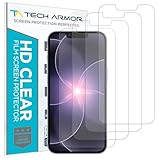
- PRECISE CASE-FRIENDLY FIT – This HD PET film screen protector is precision-cut to cover the flat surface of your iPhone 17e, 16e, 14, 13 Pro, and iPhone 13, leaving a small border that sits flush inside your case without lifting or interfering.
- SCRATCH AND IMPACT PROTECTION – The flexible HD PET film forms a tough barrier against daily scratches, scuffs, and drops, keeping your iPhone 16e and iPhone 17e display looking crystal clear without adding bulk to your phone.
- CRYSTAL-CLEAR HD DISPLAY – Tech Armor's HD PET film delivers 99.99% optical clarity and full touch sensitivity, so your screen looks and responds exactly as Apple intended, with no haze, no distortion, and no fingerprint scanner interference.
- BUBBLE-FREE EASY INSTALL – Each plastic screen protector applies in seconds using the included cleaning kit and simple step-by-step instructions, so you get a smooth, bubble-free result even if you've never installed a flexible screen protector before.
- GREAT VALUE 4-PACK WITH GUARANTEE – Your purchase includes four Tech Armor HD PET film screen protectors for iPhone 17e and iPhone 16e, plus a satisfaction guarantee: if you're not happy, Tech Armor will make it right.
Why the watermark is still visible
- Another layer remains: inspect every track, including hidden, muted, sticker, and effect layers.
- The template supplies it: replace the template asset rather than exporting repeatedly.
- It is baked into the imported source: return to the licensed clean download or use crop, cover, or authorized inpainting.
- The export preset adds branding: check project and export settings, then make a short test.
- The player or wallpaper app overlays it: test the file in another player and check app settings.
Why the repaired wallpaper looks bad
- Blur: repeated re-encoding, a low-resolution export, or phone recompression.
- Flicker or ghosting: an inaccurate track or inconsistent inpainting across frames.
- Smears and repeated patterns: the algorithm had no reliable pixels behind a moving logo.
- Bad framing: cropping removed too much of the subject or leaves icons over the focal area.
Return to the highest-quality source, perform cleanup once, export at target dimensions, and transfer the file directly to the phone. If quality remains unacceptable, licensing or recreating the wallpaper is usually better than repairing a rendered copy.
Privacy, copyright, and safer tool choices
Keep private, family, unreleased, or client footage in a local editor when possible. Unknown online remover sites can require uploads, retain copies, or bundle unwanted downloads. Avoid “watermark remover” APKs, cracked editors, and unofficial downloaders that promise to bypass paid exports. Paying for an editor does not give you rights to someone else’s footage, and legal outcomes depend on ownership, license terms, attribution requirements, and jurisdiction.
Quick Recap
Best method by situation
| Situation | Best method | Main advantage | Main drawback |
|---|---|---|---|
| Ending clip | Delete it in the original project | No quality loss | Requires the project |
| Separate overlay | Hide or delete the layer | Cleanest result | May be locked in a template |
| Watermarked stock | License or replace it | Rights and full quality | May cost money |
| Logo at an edge | Crop | Predictable and fast | Changes composition and resolution |
| Simple background | Cover, blur, or mask | More reliable than reconstruction | The mark is concealed |
| Static background behind logo | Object removal or inpainting | Can preserve framing | Artifacts are possible |
| Moving detail behind logo | Tracked repair, source replacement, or recreation | Best available repair | Time-consuming and imperfect |
| iPhone | Clean video to Live Photo | Apple-supported animated Lock Screen route | Not an ordinary video wallpaper |
| Samsung Galaxy | Gallery video wallpaper | Native workflow on supported devices | Model and software variation |
| Pixel or other Android | Compatible live-wallpaper app | Broader compatibility | Permissions, battery, and app-quality trade-offs |
Product prices and availability are accurate as of the date/time indicated and are subject to change. Any price and availability information displayed on Amazon at the time of purchase will apply.

