
iTechGuides is reader-supported. When you buy through links on our site, we may earn an affiliate commission. As an Amazon Associate I earn from qualifying purchases. Learn more
To reduce delay, first determine whether one speaker is drifting, all Bluetooth audio is late, or the speakers were never designed to synchronize. Reposition the source and speakers away from microwave ovens and other radios, disable unnecessary wireless connections, reconnect Bluetooth, and install current speaker and source software. Then verify that the speakers use a supported stereo, party, or multiroom grouping mode. Two independent Bluetooth links do not automatically share a playback clock, so they can echo even when each connection works normally. If the hardware cannot coordinate timing, use a compatible networked multiroom system—such as speakers supporting multi-speaker AirPlay on the same Wi-Fi network—or replace the grouping method rather than trying to tune an unsupported setup.
What kind of delay are you hearing?
“Audio delay” can describe three different problems. Identify the symptom before changing settings, because a fix for television lip-sync will not make two independent speakers play together.
- One speaker is late: the lagging unit may have a weak radio path, stale connection state, different firmware, or an unsupported pairing combination.
- Both speakers are late compared with video: Bluetooth transport and audio processing are behind the picture. A television may provide an A/V Sync or Bluetooth Delay control.
- The speakers echo each other: each receiver is rendering the same stream at a different time. This usually indicates that separate Bluetooth links or an incompatible group mode lack a shared timing mechanism.
Play a short, familiar song first through each speaker separately and then through the group. If the sound is synchronized when each speaker is tested alone but echoes when grouped, focus on compatibility and grouping architecture rather than on the phone’s volume or equalizer.
Why do multiple Bluetooth speakers go out of sync?
Bluetooth audio has processing and wireless-transport delay. A source collects audio, encodes it, transmits packets, and each speaker buffers, decodes, converts, and presents the signal. When receivers are independent, their buffers and clocks can differ, producing an audible offset.
Popular on Amazon

- ROOM-FILLING PERFORMANCE: The most flexible home speakers ever from Bose, for incredibly immersive, deep, and clear surround sound in any and every room.
- ADJUSTABLE EQ: Match the sound to the moment with Adjustable EQ. Quickly tailor your audio for different genres or moods, from crisp highs and clear vocals to rich, full-bodied bass within the Bose app or with voice commands.
- VERSATILE SETUP: Use one wireless speaker with a compact design that fits easily in a kitchen, den, or bedroom for room-filling sound, pair two for stereo, or connect multiple speakers throughout your home for seamless multiroom home sound system.
- EASY CONTROL: Enjoy complete control by touch, app, or voice commands, making it easy to play, pause, and personalize your surround sound from anywhere in the home.
- VOICE CONTROL WITH THE ALL-NEW ALEXA+: Control your entertainment, manage your smart home, and gain access to a ton of helpful services with just your voice.
The Bluetooth SIG Basic Audio Profile 1.0.3 defines Presentation_Delay specifically to help synchronize audio when more than one device transmits or receives audio. Its total-system-delay model includes source processing, transport latency, and receiver presentation delay. Those are engineering parameters for implementations, not a universal promise that every consumer speaker will have a particular delay.
Bluetooth Core Specification 6.0 describes isochronous communication for synchronized rendering across independent devices. The benefit exists only when the source, speakers, profiles, and software all support the required features. A phone that can connect to two speakers does not thereby prove that it can schedule their loudspeakers to the same presentation instant.
Codecs add another variable. Bluetooth SIG’s LE Audio guide notes that codec frame collection, encoding, transport, and decoding contribute to latency; larger frames can increase delay because the codec waits to collect more samples. Without knowing the devices and negotiated codec, do not assume that changing a generic “quality” setting will remove a known number of milliseconds.
What’s actually slowing this PC down?
Pick the symptom - the matching free tool is one click away.
How do you reduce delay with low-cost troubleshooting?
Start with the radio path and connection state. These steps are safe to try before buying equipment, but they are troubleshooting measures rather than guaranteed cures.
- Shorten and clear the path. Put the phone, tablet, or computer where it has a clear path to the speakers. Move speakers out from behind metal furniture, cabinets, and dense obstructions, and test at a shorter distance.
- Remove nearby interference. Keep the setup away from microwave ovens and temporarily turn off nearby Bluetooth devices and other wireless connections. Retest after each change so you can identify whether radio activity was contributing to dropouts or timing changes.
- Stop competing audio connections. Close apps that may be using Bluetooth audio and disconnect earbuds, cars, watches, or other receivers that are not part of the test.
- Disconnect and reconnect. End the Bluetooth connection at the source, power-cycle the speakers if their manuals permit it, and pair again. Reconnection is particularly useful when the delay becomes noticeable only after a long playback session.
- Update both ends. Install available firmware for every speaker and current software for the phone, computer, or television. A group feature can behave differently after an update, so read the manufacturer’s compatibility notes before assuming that a new version supports an older model.
- Retest with a simple source. Use one local music track rather than a video call, game, or heavily processed streaming app. If the result changes by app, the app’s own buffering or processing—not the speaker radio—may be responsible.
If these actions make one speaker catch up but the pair still produces a fixed echo, the remaining problem is probably synchronization design or an unsupported combination.
Also popular on Amazon
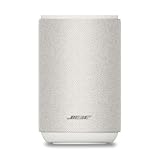
- ROOM-FILLING PERFORMANCE: The most flexible home speaker ever from Bose, for incredibly immersive, deep, and clear sound in any and every room.
- ADJUSTABLE EQ: Match the sound to the moment with Adjustable EQ. Quickly tailor your audio for different genres or moods, from crisp highs and clear vocals to rich, full-bodied bass within the Bose app or with voice commands.
- VERSATILE SETUP: Use one wireless speaker with a compact design that fits easily in a kitchen, den, or bedroom for room-filling sound, pair two for stereo, or connect multiple speakers throughout your home for seamless multiroom listening.
- EASY CONTROL: Enjoy complete control by touch, app, or voice commands. Making it easy to play, pause, and personalize your surround sound from anywhere in the home.
- VOICE CONTROL WITH THE ALL-NEW ALEXA+: Control your entertainment, manage your smart home, and gain access to a ton of helpful services with just your voice.
How can you tell whether the speakers are using a real synchronized group?
Check the exact grouping feature in the speaker app or manual. A manufacturer’s stereo pair, party mode, or multiroom group normally sends timing information or a coordinated stream. Selecting two speakers independently in a phone’s Bluetooth menu is a different arrangement.
Independent Bluetooth connections
Some sources expose two connected Bluetooth devices, and some phones or computers can route audio to more than one receiver. This establishes transport to both speakers, not necessarily a common playback clock. Small clock differences can accumulate, while different buffering or digital-signal-processing paths can create an immediate offset.
Manufacturer party or stereo modes
Use only combinations listed as compatible by the speaker maker. Models that look similar may use different generations of a party protocol. Even supported party implementations can show delay or choppy playback under certain radio conditions; update software and follow the product-specific placement limits. Do not mix a stereo-pair feature from one product family with a party mode from another unless the documentation explicitly permits it.
Mixed brands and mixed generations
Generic Bluetooth pairing is designed for interoperability of a link, not for synchronized multi-speaker rendering. Speakers from different brands, or old and new models from the same brand, may connect successfully while remaining audibly out of time. Treat “it pairs” and “it stays synchronized” as separate requirements.
What should you do when the problem is television lip-sync?
If both speakers are late compared with the picture, look in the television’s audio settings for A/V Sync, Audio Delay, or Bluetooth Delay. The exact label, range, and availability depend on the television model and viewing mode. Sony’s support guidance, for example, documents model-specific A/V Sync controls and recommends current software for applicable Bluetooth setups.
Also popular on Amazon

- Precision-engineered drivers produce size-defying clarity and bass
- Ultra compact and lightweight so you can bring Sonos sound anywhere
- Durable, IP67 waterproof and dustproof, and ready for outdoor adventures
- Rechargeable battery gives you up to 10 hours of listening time
- Automatic Trueplay fine-tunes the sound for each new environment
- Open the TV’s Settings or Sound menu.
- Search for A/V Sync, Audio Delay, or a similarly named control.
- Play speech with an obvious mouth movement, change the value in small increments, and stop when the voice and picture align.
- Test the same setting with the exact input and app you use; some televisions apply sync differently to internal apps, HDMI sources, or game modes.
A television delay control shifts sound relative to the picture. It does not normally make two separately connected Bluetooth speakers synchronize with each other. If the speakers echo one another, solve the grouping problem first.
Free tools Windows power users keep installed
One-click scans. No signup required.
What if a party mode still has lag or choppy sound?
Confirm that every speaker is on the supported model list for that party feature and that the source is using the required app or connection method. Some multiple-speaker implementations can themselves exhibit delay or interruptions, especially when speakers are far apart or the radio environment is busy.
- Place the source within the recommended range of the primary speaker and keep the speakers where the grouping protocol expects them.
- Remove unneeded wireless devices during testing.
- Update every speaker and the control app.
- Leave and recreate the group instead of repeatedly pausing and resuming a damaged session.
- Test with fewer speakers. If two units work but adding a third causes instability, the group’s supported size, radio conditions, or source capability may be the limit.
Do not promise perfect timing merely because a feature is called “Party.” Read the current support page for the exact models and software versions.
Which architecture is best for synchronized music in several rooms?
For reliable multiroom playback, choose a system designed to coordinate receivers rather than adding unrelated Bluetooth links. A compatible networked system can distribute a synchronized stream and manage buffering centrally.
| Approach | Synchronization expectation | Network requirement | Best fit | Main limitation |
|---|---|---|---|---|
| Two independent Bluetooth connections | Not guaranteed; audible echo is possible | Bluetooth radio only | Quick, low-cost experiments when exact timing is unimportant | No shared timing control in many sources and speakers |
| Manufacturer stereo or party group | Supported only for listed models and modes | Usually Bluetooth; follow the product design | Same-brand speakers intended to operate together | Model-generation limits and possible delay or dropouts |
| Multiroom network protocol, such as multi-speaker AirPlay | Designed for coordinated playback when compatible | Source and speakers on the same Wi-Fi network | Music across rooms with supported phones, apps, and speakers | Requires compatible equipment and a functioning network |
| TV-level A/V Sync adjustment | Corrects sound-versus-picture timing | Depends on the TV and connected audio path | One listening position where Bluetooth audio is behind video | Does not synchronize independent speakers with each other |
Apple’s AirPlay instructions support selecting multiple compatible speakers and require the source and receiving devices to be on the same network. This is an option only when your phone, app, and speakers support AirPlay; it is not a retrofit for arbitrary Bluetooth speakers.
Also popular on Amazon

- Seamless Audio Throughout Your Home: Transform your living space into an auditory haven with Dio Node, the pinnacle of Wi-Fi multi-room speaker technology. Effortlessly connect multiple speakers to blanket every corner of your home with rich, lossless sound. Whether you're hosting a party or enjoying a quiet evening, Dio Node ensures a flawless audio experience across your entire home, making it both a practical and luxurious addition to your daily life.
- Privacy-Conscious Design Meets Effortless Use: Experience the perfect blend of privacy and convenience with Dio Node speakers. Designed without built-in microphones, these speakers ensure peace of mind by requiring no voice assistance. Accessible directly from your iPhone's control panel, Dio Node offers unmatched ease of use, suitable for all households, not just tech enthusiasts. With a setup time of less than a minute, even your grandma could set it up effortlessly. Choose Dio Node for simplicity, security, and user-friendly functionality.
- Ultimate Versatility with Apple AirPlay 2: Enjoy the freedom of casting anything from your smartphone with Apple AirPlay 2. Our speakers integrate seamlessly with AirPlay 2 for effortless connection to your favorite Apple devices while also playing nicely with over 100 other speaker models from every leading brand. Whether enhancing your existing setup or starting anew, Dio Node’s versatility makes it the smart choice for audio lovers and tech enthusiasts alike.
- Designed to Complement Your Home: Dio Node isn't just a speaker; it's a statement piece that enhances your home decor. Crafted with meticulous attention to size, form, and color, it blends seamlessly into any setting. Whether placed in a modern minimalist living room or a cozy, traditional study, Dio Node's design ensures it fits perfectly, providing both aesthetic appeal and superior sound quality.
- Choose Your Perfect Setup: Discover the perfect audio setup for your home with Dio Node's flexible package options. Whether you're looking to enhance a single room with our 1-pack, kickstart your home entertainment with a 3-pack, or immerse your entire home in unparalleled sound with a 5-pack, Dio Node is a solution you can tailor for any home at any time. Combined with a setup process that takes less than a minute, Dio Node promises a swift, hassle-free journey to auditory bliss.
How do Bluetooth standards affect the delay you can achieve?
Standards explain why some products can synchronize and others cannot, but they do not supply a universal consumer latency number. In the Basic Audio Profile, Presentation_Delay accounts for implementation-specific delays such as internal transports, codec processing, analog-to-digital and digital-to-analog conversion, and application processing. Total delay is the combination of source-side processing, transport, and receiver presentation.
LE Audio and isochronous transport add mechanisms for coordinated timing and can support low-latency configurations. The source and every receiver must implement the relevant Bluetooth version, profiles, and software. An older speaker may pair with a newer phone while lacking the synchronized-rendering features that a coordinated group needs.
Because codec frame size and buffering affect latency, low delay can involve trade-offs with resilience, range, power use, or audio quality. Device documentation rarely exposes every negotiated parameter, so avoid claims such as “this setting removes 100 milliseconds” unless a manufacturer specifies that exact behavior for your model.
What should you check before replacing equipment?
Use this decision checklist after the basic tests:
- Source: Can the phone, computer, or TV create a supported synchronized group, or does it merely connect to multiple Bluetooth devices?
- Speakers: Do all units appear on the manufacturer’s compatible-model list for stereo, party, or multiroom operation?
- Software: Are firmware, control apps, and source operating systems current?
- Symptom: Is the problem speaker-to-speaker echo, sound-versus-picture delay, or intermittent radio interference?
- Environment: Does repositioning or disabling nearby wireless equipment change the result?
- Network: If moving to a networked system, can every compatible device join the same Wi-Fi network reliably?
If the answer to the compatibility question is no, more reconnecting will not create a shared clock. Replace the unsupported link with a listed group mode or use speakers that support a coordinated multiroom protocol. Try the least expensive architecture change first: a supported app group or network path may solve the issue without replacing every speaker.
Outdated Drivers Are Slowing You Down
One free scan finds every outdated or missing driver and matches the right update for your exact hardware.Free scan · exact hardware matchWindows Errors? Fix Them Before They Spread
Repair common Windows errors and clear accumulated junk for a smoother, more stable PC - no reinstall needed.Free scan · no reinstallWhat results should you realistically expect?
Interference reduction and reconnection can remove temporary worsening, dropouts, or drift caused by a troubled link. A TV’s sync control can align dialogue with a picture when the TV exposes the control. Neither action can overcome a fundamental lack of speaker-to-speaker timing coordination.
Also popular on Amazon

- [ Built-in Official Licensed Google TV ] - Without additional equipment, the smart projector can directly access Netflix, Prime Video, YouTube, Hulu, and other applications. It greatly reduces the complexity of operation and makes watching movies more convenient
- [ Google Voice Assistant ] - Simply press and hold the voice control button and issue a simple voice command to quickly open Netflix, search for a movie, adjust the volume, or check the weather without fiddling with the mini projector remote buttons
- [ Excellent 4K Picture Quality ] - The HAPPRUN 4K projector supports 4K resolution, delivering clear and detailed images. With a brightness of 400 ANSI lumens, it guarantees bright and vivid visuals even in well-lit environments, perfect for indoor and outdoor use
- [ Powerful Sound Effect ] - The outdoor projector features a built-in 5W high-fidelity speaker and supports Dolby sound effects, delivering clear and balanced audio. Whether it’s deep bass or high-frequency details, the sound quality is immersive and realistic
- [ Mini & Portable ] - Designed to fit your backpack and your lifestyle. From cozy bedroom corners and compact apartments to starlit backyards and remote campsites—this portable powerhouse instantly transforms any surface into your personal cinema
There is no dependable average delay for ordinary multi-speaker Bluetooth music. The actual result depends on the source, codec, firmware, receiver processing, transport conditions, and grouping method. Judge success by the listening requirement—no audible echo across rooms or acceptable lip-sync—not by an assumed millisecond figure.
Frequently Asked Questions
Can I make any two Bluetooth speakers play perfectly in sync?
No. Pairing compatibility only confirms that audio can reach both devices. Perfect or near-perfect synchronization requires a supported stereo, party, multiroom, or standards-based timing system shared by the source and receivers.
Why does the delay get worse after music has been playing for a while?
A connection can accumulate buffering or lose timing stability as radio conditions change. Disconnecting and reconnecting, reducing nearby wireless activity, and updating firmware are appropriate tests; persistent drift indicates a limitation of the grouping implementation.
Do these 3 things before closing this tab:
1Scan for outdated or missing drivers - takes under a minute2Repair Windows errors before they cause bigger problems3Fix the driver behind crashes, sound loss and screen glitchesWill changing the Bluetooth codec fix speaker echo?
Only if the source and speakers expose a compatible codec choice and the codec is actually causing the problem. Codec changes affect processing and frame latency, but they cannot add a shared clock to speakers that were connected independently.
Is Wi-Fi always better than Bluetooth for multiroom audio?
Not automatically. A networked protocol is preferable when synchronized multiroom playback is the goal, but it requires compatible speakers, a compatible source and app, and a stable common network. A supported manufacturer Bluetooth group can also work well in its intended range.
Can headphones and speakers be mixed in the same synchronized group?
Usually not unless the specific ecosystem documents that combination. Headphones and speakers may have different buffering and presentation-delay behavior, so a source that can route to both does not guarantee that they will remain aligned.

