
Recommended Free Tools
iTechGuides is reader-supported. When you buy through links on our site, we may earn an affiliate commission. As an Amazon Associate I earn from qualifying purchases. Learn more
If the Call of Duty game you want is not in Game Pass, you can still play it on Xbox by buying the Xbox/Microsoft Store edition or using a compatible physical disc. Sign in with the Microsoft account that owns the digital license, install the game, and add an eligible Game Pass subscription if you want console online multiplayer. Game Pass access is determined separately for each title, edition, tier and region.
The three ways to play a Call of Duty game outside Game Pass
Your practical choices are a digital purchase, a compatible disc, or Game Pass access where the specific title is currently listed. These routes are not interchangeable: a purchase gives you a license or disc you can keep using while supported, whereas a subscription provides access only while the title remains in the catalog and your subscription is active.
| Route | What you need | Ownership | Console online multiplayer | Cloud play |
|---|---|---|---|---|
| Xbox or Microsoft Store purchase | The correct Xbox edition and the Microsoft account used to buy it | Digital license tied to that account | Requires Xbox Game Pass Essential, Premium or Ultimate; subscription sold separately | Only if the title and your Game Pass tier support cloud play |
| Compatible physical disc | Disc drive, matching Xbox generation and a compatible edition | Disc is your access key; compatibility varies by title and region | Requires Xbox Game Pass Essential, Premium or Ultimate for console online multiplayer | Disc ownership does not by itself provide cloud access |
| Game Pass catalog access | A tier that lists the exact title, plus an active subscription | Subscription access, not a permanent purchase | Included according to the applicable Game Pass terms | Supported titles can be streamed by eligible Ultimate members on supported devices |
Prices, catalog membership and regional availability change. Check the listing shown for your account immediately before buying or subscribing rather than relying on an old screenshot or a general Call of Duty list.
What the current Modern Warfare 4 policy means
Activision’s October 15, 2026 announcement says Modern Warfare 4 launches on October 23, 2026 as a standalone purchase. It can be pre-ordered through the Xbox Store, the Xbox app on PC and the Microsoft Store. The announcement states that players must purchase it separately at launch and that it will not enter Game Pass until Holiday 2027.
#1 Best Overall

- BONUS 2X OFFER — Purchase Call of Duty: Modern Warfare 4 at Amazon and receive 5 hours of Double XP.**
- PRE-ORDER BONUS — Pre-order and unlock the Hunter Killer Operator Skin and the Gilded Pearl Camo Pack.*
- GLOBE‑SPANNING CAMPAIGN — Fight across the Korean Peninsula, New York, Paris, and Mumbai in a high‑stakes narrative where global conflict escalates and survival depends on tactical precision.
- MULTIPLAYER BUILT ON CONTROL — Engage in grounded, precise combat where fluid movement, player choice, and refined mechanics give you greater control in every firefight.
- TACTICAL DMZ OPERATIONS — Deploy behind enemy lines as an off‑the‑books asset, making high‑risk decisions on objectives and extraction in a dynamic mode where every run counts.
That policy answers the most common current question: a Game Pass subscription does not unlock Modern Warfare 4 on its October 23 launch date. To play at launch, choose and buy an Xbox-compatible edition, then install it from the account that made the purchase. Holiday 2027 is a planned service window, not a launch-day entitlement, and the exact date or regional catalog terms may still change.
The same Activision announcement says Game Pass Ultimate subscribers continue to have access to the legacy titles Black Ops 7, Black Ops 6 and Modern Warfare III. That statement applies to those listed games; it does not turn every Call of Duty release into a Game Pass title.
How to buy a Call of Duty game digitally on Xbox
A digital purchase is usually the simplest route when the game is sold in your territory. The license is attached to the Microsoft account that completes the transaction, so use the account that will actually play or manage the game.
Quick wins for a faster PC:
Scan for outdated or missing drivers - takes under a minuteDriver Scan →Repair Windows errors before they cause bigger problemsFix Now →- Open the Xbox Store. On the console, open the Store from the Xbox dashboard. On a computer, use the Xbox app or Microsoft Store channel identified for the game.
- Search the complete title. Include the subtitle and, when shown, the year or edition. Call of Duty products can have similarly named releases and bundles, so do not select the first result without checking it.
- Verify the platform and edition. Confirm that the product page lists Xbox support for your console generation. Check whether it is a Standard, Cross-Gen, Deluxe or other edition and what content that edition includes. Do not assume that a PC-only listing grants an Xbox license.
- Read the product capabilities. The official listing for Call of Duty: Modern Warfare – Digital Standard Edition identifies Activision as publisher and documents campaign, multiplayer, co-op, cross-platform multiplayer, cloud saves and Xbox capabilities. Treat those as the capabilities of that listing and edition, not as a blanket specification for every Call of Duty game.
- Purchase while signed in to the intended account. Review the displayed currency, territory, edition and total before confirming. A digital license normally remains associated with the purchasing account; changing consoles does not transfer it to an unrelated account.
- Install from the account’s library. After purchase, open the account’s owned-games or library area, select the title and choose the install option. If the game does not appear, first check that you are signed in to the purchasing account and that the console is using the same Xbox profile.
- Allow required updates and content installation. Call of Duty releases commonly present multiple content components. Select the components you need in the game’s install or manage-content screen, but keep enough storage available for the items you intend to use.
Buying digitally does not automatically add a console multiplayer subscription. The Xbox/Microsoft Store listing for Call of Duty: Modern Warfare explicitly says: “Online multiplayer on console requires Xbox Game Pass Essential, Premium, or Ultimate (subscriptions sold separately).” That requirement is separate from the purchase price.
Rank #2

- Game is playable on October 23, 2026. Digital code will be available on September 25th to redeem.
- BONUS 2X OFFER — Purchase Call of Duty: Modern Warfare 4 at Amazon and receive 5 hours of Double XP.**
- PRE-ORDER BONUS — Pre-order and unlock the Hunter Killer Operator Skin and the Gilded Pearl Camo Pack.*
- GLOBE‑SPANNING CAMPAIGN — Fight across the Korean Peninsula, New York, Paris, and Mumbai in a high‑stakes narrative where global conflict escalates and survival depends on tactical precision.
- MULTIPLAYER BUILT ON CONTROL — Engage in grounded, precise combat where fluid movement, player choice, and refined mechanics give you greater control in every firefight.
Using a physical Call of Duty disc
A disc can be useful when a physical edition is available at a reasonable price, but compatibility must be checked for the exact game. Xbox catalog status differs by title, console generation and region, and there is no single authoritative historical list covering every Call of Duty release.
Check the disc and console combination before buying
- Console generation: Confirm whether the disc is for Xbox One, Xbox Series X, or another Xbox generation. A disc made for one generation is not automatically usable on every Xbox console.
- Disc drive: A disc-based license requires a console with a working disc drive. A disc cannot be inserted into a drive-free console.
- Backward-compatibility status: Look for an official backward-compatibility indication for the exact title and region. Do not infer compatibility from the fact that another Call of Duty game works on your console.
- Edition and region: Check the box and product details for the edition, language and territory. Add-on codes can expire or be region-limited even when the base disc is usable.
- Online requirements: A disc proves access to the game, not access to Xbox console online multiplayer. The eligible Game Pass subscription requirement still applies.
Install from a compatible disc
- Insert the disc while signed in to the Xbox profile that will use the game.
- Wait for Xbox to identify the title and display its installation prompt.
- Install the offered game package and any updates, keeping the disc available when the console requires it as proof of ownership.
- If Xbox reports that the game is unsupported, stop before purchasing additional content. Verify the title’s backward-compatibility status and your console model with the seller or the current Xbox catalog.
Because compatibility and stock change by territory, treat a retailer listing as a lead rather than proof. Confirm that the exact disc works on your Xbox model before relying on it as your only route.
When another Game Pass tier or cloud option works
Game Pass inclusion is title- and tier-specific. An Ultimate subscription is not a universal key for every Call of Duty game, and a game appearing in one tier does not prove that it appears in another.
Do these 3 things before closing this tab:
1Repair Windows errors before they cause bigger problems2Fix the driver behind crashes, sound loss and screen glitches3Clear out junk files and repair common Windows errors| Title | Documented Game Pass or cloud information | What to verify now |
|---|---|---|
| Black Ops 6 | Xbox Wire’s October 14, 2024 announcement said it would be playable with Xbox Cloud Gaming (Beta) for Game Pass Ultimate members at launch. The October 15, 2024 catalog announcement listed it for Game Pass Ultimate and PC Game Pass. | Confirm that the current catalog still lists the edition in your region and tier. |
| Modern Warfare III | The October 15, 2024 Xbox Wire catalog announcement listed it for Game Pass Ultimate cloud access. Xbox Wire separately reported cloud availability for Ultimate members beginning October 25, 2024. | Check the live listing, supported device and any edition restrictions. |
| Warzone | The same Xbox Wire announcements listed Warzone for Game Pass Ultimate cloud access, with the documented cloud rollout beginning October 25, 2024. | Confirm that cloud play is offered for your account, territory and device. |
| Modern Warfare 4 | Activision announced a standalone launch on October 23, 2026 and planned Game Pass availability in Holiday 2027. | At launch, purchase it separately; later, check whether and when it appears in your local catalog. |
Xbox Wire’s October 25, 2024 cloud announcement covered supported consoles, PCs, mobile devices and selected TVs and other devices for Ultimate members. “Supported” is the important qualifier: cloud play depends on the title, the device, the region, the account and the current service catalog. If the Play button is missing, buying the Xbox edition is the dependable fallback.
Rank #3

- Call of Duty: Modern Warfare II - Xbox One/ Xbox Series X
Purchase versus subscription: which route fits you?
Use the following decision framework before spending money:
- You want a new release on day one: Buy the game if Activision has announced that it is a standalone launch, as with Modern Warfare 4 on October 23, 2026.
- You will play one title for a long time: A digital license or compatible disc avoids the risk that the game leaves a subscription catalog. You still need the separate console multiplayer subscription when applicable.
- You rotate through several listed games: A suitable Game Pass tier may cost less than buying each title, but access lasts only while the subscription and catalog availability continue.
- You want to play without installing on a supported device: Check Ultimate cloud availability for the exact title. Cloud access is not guaranteed merely because the game has an Xbox version.
- You are buying an older release: Verify digital sale status, disc compatibility and region individually. Historical availability is not uniform across the Call of Duty catalog.
| Decision factor | Separate purchase | Game Pass access |
|---|---|---|
| Total cost | One-time store or disc price; current prices vary by region and edition. | Recurring subscription cost; the applicable tier and current price must be checked in your region. |
| Ownership | Digital license tied to your Microsoft account, or physical disc access. | No permanent license solely from subscription access. |
| Platform and edition | You choose a specific Xbox edition and must verify generation compatibility. | The catalog determines which edition and platforms are included. |
| Online console multiplayer | Requires Essential, Premium or Ultimate in addition to the game purchase. | Check the terms of the tier and title; do not assume every mode is covered identically. |
| Cloud support | Not supplied by ownership alone. | Available only for supported titles and eligible Ultimate members on supported devices. |
Online multiplayer is a separate requirement
The most frequent purchasing mistake is confusing game ownership with online service access. The Microsoft Store listing’s wording is explicit: console online multiplayer requires Xbox Game Pass Essential, Premium or Ultimate, and those subscriptions are sold separately. This applies whether you launched the game from a digital license or a disc.
Before inviting friends, open the game’s Xbox listing and confirm that your account has an eligible subscription. If the game launches but matchmaking is blocked, check the subscription status first, then verify that you are signed in to the profile that owns the game or has the console’s permitted sharing arrangement.
Cloud gaming is a different path from installed-console multiplayer. It requires a supported cloud title and an eligible Ultimate account in the documented rollout; owning a disc or a digital copy does not, by itself, add cloud rights.
Rank #4
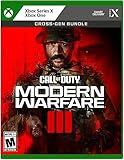
- Call of Duty: Modern Warfare III - Cross-Gen Bundle
- Pre-Order and Receive Early access to the Open Beta*
- Some features may require an online subscription
Troubleshooting when a purchased game will not start
The game is missing from your library
Sign out and back in with the Microsoft account that completed the purchase. Check the order history and the exact product name, then look for a separate Xbox edition if the purchase was made for PC. A similarly named bundle or add-on is not necessarily the base game.
The store shows a different edition or platform
Return to the product page and inspect the platform badges and edition name before downloading. Cross-generation rights, where offered, are edition-specific; do not assume that buying a cheaper or older listing grants the current-generation version.
A disc is rejected or reported as unsupported
Confirm the console model, disc region and title. A disc drive cannot make an otherwise unsupported game compatible. Check official backward-compatibility information for that exact release before attempting another purchase.
The Tool Desk
Outbyte PC Repair FREERepair Windows errors before they cause bigger problemsFix Now →Outbyte Driver Updater FREEScan for outdated or missing drivers - takes under a minuteDriver Scan →The game launches but online play is unavailable
Check whether the account has Xbox Game Pass Essential, Premium or Ultimate. The store listing treats this subscription as separate from the game license. Also verify that the subscription is active on the profile being used.
Best Value

- In the visceral and dramatic single-player story campaign, the stakes have never been higher as players take on the role of lethal tier one operators in a heart-racing saga that will affect the global balance of power.
- Experience the ultimate online playground with classic multiplayer.
- Squad-up and play cooperatively in a collection of elite operations accessible to all skill levels.
Cloud play is unavailable
Cloud access may be absent because the title is not currently supported, your tier is not eligible, the device is not supported, or the service is unavailable in your region. Try the title’s current Game Pass page on a supported device. If it still lacks a cloud option, install a purchased edition instead.
An older game cannot be found digitally
Do not assume that every historical Call of Duty release remains on sale. Search the exact title in the Xbox Store, then investigate a compatible physical edition if one exists. Digital sale status, backward compatibility and regional catalog rights must be established separately for each game.
A safe buying checklist
- Identify the exact Call of Duty title, subtitle and edition.
- Confirm Xbox generation and whether the product is digital, disc-based or cloud-accessible.
- Check the current price and territory shown on your own Xbox or Microsoft Store account.
- Read the listed campaign, multiplayer, co-op and cross-platform capabilities for that edition instead of assuming they match another release.
- Decide whether you need Xbox Game Pass Essential, Premium or Ultimate for console online multiplayer.
- If you want streaming, verify Ultimate cloud support for the title and your device.
- Use the purchasing Microsoft account for installation and keep the order confirmation.
- For discs, verify drive, generation, region and backward compatibility before paying.
Following those checks lets you play a Call of Duty game on Xbox even when it is outside Game Pass, while avoiding the two costly assumptions: that every title is included in every tier, and that buying the game automatically supplies console online multiplayer.
Quick Recap
Product prices and availability are accurate as of the date/time indicated and are subject to change. Any price and availability information displayed on Amazon at the time of purchase will apply.

