
Do these 3 things before closing this tab:
1Fix the driver behind crashes, sound loss and screen glitches2Repair Windows errors before they cause bigger problems3Scan for outdated or missing drivers - takes under a minuteTo loop fireplace video with rain sounds on YouTube Live, add the combined video to OBS as a Media Source, enable Loop, then send OBS’s output to a YouTube encoder stream. OBS repeats the file; YouTube receives the live feed from OBS. The YouTube player itself does not create the loop.
What you need before you start
- A fireplace video with rain audio already combined, or separate media arranged in OBS so the scene includes both picture and sound.
- OBS installed on a computer that can remain running and connected for as long as you want to broadcast locally.
- A YouTube channel with access to create an encoder stream in YouTube Studio.
- Permission to broadcast both the visuals and the rain recording or music bed.
If you use separate files, test the audio and picture together before going live. A single combined file is simpler to loop because one Media Source controls both.

Set up the loop in OBS
- Open OBS and select the scene you want to broadcast, or create a new scene.
- In the Sources panel, select + and choose Media Source.
- Create a source, then browse to and select your fireplace-and-rain video file.
- Enable Loop in the Media Source properties. OBS will play the file again after it finishes.
- Confirm the video appears in the preview. If you used a video without embedded sound, add the rain audio as a separate audio source and check that it is audible in OBS’s audio mixer.
- Leave the source set to restart when it becomes active only if that behavior suits your scene switching. For a straightforward single-scene loop, verify the source’s playback behavior before relying on it.
OBS’s Media Source documentation describes support for common video formats and the Loop option: OBS Media Sources (documentation dated January 11, 2022).
Connect OBS to YouTube Live
- In YouTube Studio, open the Live Control Room and create or select an encoder stream. YouTube’s current interface labels can change, so follow the encoder setup shown there.
- Copy the stream server URL and stream key from YouTube Studio.
- In OBS, open Settings > Stream. Choose YouTube as the service and enter the server URL and stream key, or use the available account-connection flow if you prefer.
- Keep the stream key private; treat it like a password. Anyone with it may be able to send a feed to your stream.
- Start streaming in OBS. Check YouTube Studio and the watch page to confirm the expected fireplace picture and rain audio are reaching YouTube.
YouTube’s encoder instructions explain that the encoder sends the live content after you enter the Live server URL and stream key: Set up your encoder for live streaming. YouTube documents a broadcast and its audio-video stream as distinct resources in its API reference: YouTube Live Streaming API overview.
Quick wins for a faster PC:
Scan for outdated or missing drivers - takes under a minuteDriver Scan →Clear out junk files and repair common Windows errorsFree Scan →Fix the driver behind crashes, sound loss and screen glitchesFind Drivers →#1 Best Overall

- Easy to Use works on all televisions small and large widescreens
- Plays automatically and continues to repeat!
- #1 Seller - Your choice of Crackling or Music Option - Extended edition!
- Excellent quality and clarity.
- Full length of Fire is 60 minutes from start to finish
Test the loop before leaving it running
Watch at least one full playback boundary, not just the first few seconds. Confirm the file restarts cleanly, the audio does not unexpectedly stop or jump, and the YouTube watch page continues to show the expected picture and sound. A brief black frame or silence at the boundary may be present in the source file itself; adjust or replace the file if that is not the experience you want.
OBS performs the local playback, so the computer running OBS and its internet connection must remain available during a local broadcast. Check YouTube’s live preview after starting: a healthy-looking OBS preview alone does not confirm that viewers are receiving the feed.
Rank #2

- Brilliant Original Colors
- Video so clear, you'll think it's better than the real thing.
- Easy to Use Menu - Plays Automatically-Fullscreen, Works on all Standard and HD Televisions
- DVD will work in all countries.
Copyright, live rules, and accurate labeling
YouTube scans live streams for third-party content. Its Help page says: “All live streams are scanned for matches to third-party content, including copyrighted content in the form of another live broadcast.” If YouTube identifies a match, it may replace the stream with a placeholder, interrupt it, or terminate it. See YouTube’s copyright guidance for live streams.
Before broadcasting, confirm that you have rights to both the fireplace footage and the rain recording or music. If you have licensed third-party content, YouTube advises asking the rights owner to add your channel to its Content ID allowlist; a license alone may not prevent an interruption if your channel is not allowlisted. A cloud service changes where the encoder runs, not YouTube’s rights checks or channel requirements.
Rank #3
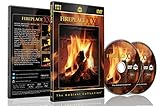
- Realistic Fireplace Experience: Turn your TV into a realistic fireplace with stunning visual quality and immersive ambiance
- Authentic Audio Options: Enjoy fires with real sounds of the crackling logs or soothing classical music to enhance your viewing experience
- Professional Quality Recording: All tracks filmed with HD cameras and professional audio equipment for superior picture and sound quality
- Continuous Playback Feature: Programmed to give you a continuous fire on your television with automatic loop functionality for endless enjoyment
- Extra Long Fireplace Videos: Two DVDs set featuring four extra-long fireplaces, each 45 minutes with no edits showing complete fires burning through to embers
If the footage and sound are prerecorded, describe the content honestly as a live stream of ambient fireplace and rain content rather than implying that a camera or microphone is broadcasting a real-time scene. YouTube says streams under 12 hours are automatically archived; check its current live-stream guidance for archive details and other rules: YouTube encoder and live-stream guidance.
Local OBS or a cloud loop?
| Consideration | Local OBS | Cloud service such as StreamNeo |
|---|---|---|
| Where the media loops | OBS Media Source on your computer. | Uploaded video or playlists run in the provider’s cloud, according to the provider. |
| What must stay available | The computer running OBS and its internet connection. | The service runs the stream after setup; StreamNeo says your computer can be turned off. |
| Setup | Configure the OBS source and connect OBS to YouTube’s encoder stream. | Upload media, add your YouTube stream key, and start the cloud stream. |
| What to review | Local storage, computer availability, connection, and the outgoing YouTube feed. | Current plan, storage, trial terms, and whether the service suits your workflow. |
This is a workflow comparison, not an independent reliability or quality test. A local setup gives you direct control in OBS but depends on your own running machine and connection. A cloud host moves the looping and encoder operation away from your computer; it does not guarantee uninterrupted YouTube playback.
Rank #4

- DVD FEATURES 6 GREAT FIRES: Fireplace xl features three long fireplaces of 25 minutes and three themed fireplaces: - christmas fireplace - classic fireplace - log cabin fireplace
- VIRTUAL FIREPLACE: Turn your TV into a realistic fireplace. You will have the same experience as if it was a real fireplace, but without having to chop the logs and clean up in the morning
- VERSATILE BACKDROP: A party entertainment for guests, bonding moments with the kids, favorite book reading to relax, or a romantic evening with a loved one
- HD AND DIGITAL: All tracks filmed with HD cameras and professional digital audio equipment
- VIDEO LOOP: Our DVD were programmed to give you a continuous fire on your TV
Or let it run in the cloud
StreamNeo is a cloud service for keeping an uploaded video or playlist live on YouTube. Upload your fireplace-and-rain recording, add your YouTube stream key once, and start the stream. Your home computer does not have to stay on. It plays your upload as made, up to 4K 60fps, at one flat price per slot, and can automatically recover if YouTube drops the stream. The first day is free with no card. The monthly option is $9.99 per month.
StreamNeo is YouTube-only and plays uploaded videos; it does not turn on a live camera. Its terms place responsibility for the rights to submitted content on users, so you still need permission for the fireplace footage and rain audio. You can review its current service details and terms at streamneo.com.
Quick Recap
Best Value
Start your free StreamNeo day.
Product prices and availability are accurate as of the date/time indicated and are subject to change. Any price and availability information displayed on Amazon at the time of purchase will apply.

