
The Tool Desk
Outbyte PC Repair FREEClear out junk files and repair common Windows errorsFree Scan →Outbyte Driver Updater FREEScan for outdated or missing drivers - takes under a minuteDriver Scan →iTechGuides is reader-supported. When you buy through links on our site, we may earn an affiliate commission. As an Amazon Associate I earn from qualifying purchases. Learn more
To make a custom ringtone, start with a local audio file that you created, recorded, purchased, or otherwise have permission to use. On iPhone, Apple’s documented method is GarageBand: import the file, trim a clip of up to 30 seconds, and export it as a ringtone. On Android, the exact menus vary by manufacturer; Files by Google can set a local audio file directly, while Samsung Galaxy phones use Settings > Sounds and vibration > Ringtone > Add.
A song that only plays through a streaming service is not a ringtone-ready file. Protected or undownloaded Apple Music items and tracks available only in Spotify cannot be selected directly. The steps below cover files in iCloud Drive, phone storage, a USB drive or SD card, legal downloads, and personal recordings.
| Name | Best for | Key spec | Platforms | Checked |
|---|---|---|---|---|
| GarageBand | iPhone owners who want Apple’s documented workflow | Ringtones up to 30 seconds; import from Files, iCloud Drive, or an eligible downloaded Music item | iPhone | Nov 2026 |
| Files by Google | Android users with a local audio file | Audio > More > Set as ringtone; requires permission to modify system settings | Android phones supported by Files by Google | Nov 2026 |
| Samsung Galaxy ringtone settings | Galaxy phones and tablets | MP3, WMA, AAC, and FLAC listed by Samsung; optional selected highlights | Samsung Galaxy | Nov 2026 |
What do I need before making a custom ringtone?
You need three things: a phone, an audio file that is accessible to it, and permission to use that recording. A local or accessible file can be stored in the phone’s Files app, device storage, iCloud Drive, or another supported cloud location that the platform can browse. A permitted audio source includes your own voice recording, a sound you created, a legally obtained downloaded audio file, or music bought or licensed for this use.
Plan to use a short clip rather than an entire song. iPhone’s GarageBand export allows no more than 30 seconds. Android limits and trimming controls depend on the phone; Samsung’s “Play selected highlights only” option can use a chosen portion, while leaving it off starts playback from the beginning.
Popular on Amazon
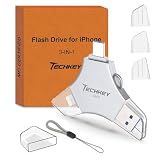
- MFi Certified Multi-function Flash Drive: This flash drive is MFi certified, high quality and excellent performance, allowing you to store your data more securely without worrying about data loss. Made of high quality metal material and advanced chip technology, it has excellent dustproof, drop-proof and anti-magnetic performance. The flash drive has a 256GB capacity, easily free up space on your device
- 256GB 3-in-1 Lightweight and Compact Memory Stick: The flash drive has USB/Lightning/Type C interfaces for USB/Usb C pcie port card compatible with iOS devices with iOS12.1 and above / OTG Android phones / PC with Win7 and above / MAC devices with MAC10.6 and above, convenient for data transfer between different devices. It is also lightweight and compact, easy to carry around and keep your data at your fingertips. Accompanied by a uniquely designed keychain, the product is more convenient for you to carry
- One Click Backup and One Click Sharing: You can easily backup photos, videos, and phonebook to your phone with just one click via the APP, freeing up space on your mobile device without using a data cable or iCloud. You can also share photos/videos/files from the flash drive directly to social media (Facebook, etc.) for easy sharing with family and friends. (Tips: iOS devices need to download the "U-Disk" APP when using flash drive; Android and PC devices do not need to download APP)
- Automatic Storage and On-the-Go Playback: All photos and videos captured by the in-app camera are automatically saved to U-Disk albums in real time and stored in a folder for easy editing and searching. Store your favorite movies and music on the flash drive, you can enjoy the stored movies or music anytime and anywhere when you are traveling or on a business trip
- High Speed Transfer and Data Encryption: This flash drive has high read/write speed, so you can enjoy the convenience of fast backup and save time. The flash drive uses stable APP software, you can choose to turn on Touch ID/Passcode to encrypt the whole flash drive, or you can choose to encrypt specific files to protect your data, so you can enjoy a more convenient and secure file storage experience
Where can the audio file be stored?
- iPhone or iCloud Drive: GarageBand can browse files on the iPhone and in iCloud Drive. Keep the file downloaded or otherwise available to the Files browser.
- Android device storage: Files by Google and Samsung’s ringtone picker work most reliably when the audio is physically stored on the phone.
- USB drive or SD card: Copy the recording to phone storage if the ringtone picker cannot browse the removable drive. A USB-C flash drive for iPhone can provide a way to move compatible audio into the Files app; it is most useful for people whose recordings or music are kept on external storage.
- Cloud services: A cloud copy is useful only when the phone’s file browser can open it and make the audio available locally. iCloud Drive is the cloud location explicitly supported in Apple’s GarageBand instructions.
Streaming playback is different from owning a ringtone file. Samsung specifically says tracks from Spotify and similar streaming services cannot be selected as ringtones, and an item that is available only in Spotify does not become an audio file that GarageBand or Android can import.
How do I make a custom ringtone on an iPhone?
Use GarageBand, Apple’s documented route for turning an audio file, an eligible downloaded Apple Music song, or a recording into a ringtone. The finished ringtone can be used for calls, texts, or one contact.
- Install GarageBand from the App Store if it is not already on the iPhone.
- Touch and hold the GarageBand icon, then choose Create New Audio Recording.
- Tap Tracks, select the instrument track, and open the Loops Browser.
- Choose Files to browse audio stored on the iPhone or in iCloud Drive. You can choose Music for an eligible downloaded Apple Music file. Apple’s instructions are summarized in its custom-ringtone guide.
- Touch and hold the file and drag it to the far left of the Tracks view. Starting at the left prevents an unintended silent lead-in.
- Drag the ends of the region to keep the part you want. Apple allows a ringtone of up to 30 seconds. If the region is longer, GarageBand can shorten it during export, but trimming it yourself gives you control over the exact start and end.
- Tap the Navigation button, choose My Songs, select the project, and tap Share > Ringtone.
- Name the ringtone and tap Export.
- After export, choose Use sound as and then Standard Ringtone, Standard Text Tone, or Assign to contact. Choose Done if you want to assign it later.
Can an Apple Music song be used?
Only an eligible file that is downloaded to the iPhone and not protected can be selected from GarageBand’s Music browser. If the track is dimmed, Apple says it is protected or not downloaded and cannot be used in the project; its support documentation explains this limitation alongside the GarageBand workflow. A protected or undownloaded Apple Music track therefore needs a different, permitted source file before it can become a ringtone.
GarageBand also supports a personal voice recording. Record the sound in an audio app or directly in GarageBand, trim the useful section, and export the project through the same Ringtone share command.
Also popular on Amazon

- USB-C 2-in-1 storage OTG: The Lexar JumpDrive Dual Drive D40E features USB Type-A and Type-C connectors in a slim, portable form factor for easy device compatibility
- Transfer speeds up to 100MB/s: Based on internal testing, performance may vary depending upon the host device, interface, and usage conditions. 1MB=1,000,000 bytes
- Plug and Play: Widely compatible with USB Type-C smartphones, tablets, laptops, Macs, and traditional Type-A devices, no software installation required. The 360° swivel design allows for easy switching between connectors without the hassle of losing a cap
- Durable & Compact: The Lexar D40E USB memory stick features a metal enclosure, withstands temperatures from 0° to 50° C (32°F to 122°F), and is lightweight at 26g with dimensions of 70.4 x 16.9 x 11.7mm
- Security & Warranty: Securely protects files using an advanced security software solution with 256-bit AES encryption. Backed by a Lexar 3-year limited warranty
How do I set an audio file as a ringtone on Android?
On many Android phones, Files by Google provides the shortest documented path: find a locally stored audio file and choose Set as ringtone. Menus on other brands may differ.
- Open Files by Google.
- Under Categories, scroll to Audio.
- Find the file and play it to confirm that it is the intended clip.
- Tap More next to the file and choose Set as ringtone.
- When Android asks for permission, tap Continue.
- Turn on Allow modify system settings, then return to Files by Google.
- Look for the confirmation that the ringtone was set.
These labels and permissions come from Google’s Files by Google instructions. If your phone does not show the option, open its sound settings and look for a ringtone picker, or use the manufacturer-specific instructions below.
What if the file is on a USB drive, SD card, or cloud service?
Files by Google needs to be able to open the audio file. If the picker cannot see a USB or SD-card item, copy the file into internal device storage first. Likewise, download a cloud-only file so that it exists on the phone; streaming a preview does not supply a ringtone file. Use a file you legally obtained or recorded yourself.
Recommended Free Tools
How do I make a ringtone on a Samsung Galaxy phone?
Samsung Galaxy phones use their own ringtone settings. Samsung’s current guidance requires a physical song file on the device and lists MP3, WMA, AAC, and FLAC as supported formats in its regional documentation.
Also popular on Amazon

- USB-C 2-in-1 storage OTG: The Lexar JumpDrive Dual Drive D40E features USB Type-A and Type-C connectors in a slim, portable form factor for easy device compatibility
- Transfer speeds up to 100MB/s: Based on internal testing, performance may vary depending upon the host device, interface, and usage conditions. 1MB=1,000,000 bytes
- Plug and Play: Widely compatible with USB Type-C smartphones, tablets, laptops, Macs, and traditional Type-A devices, no software installation required. The 360° swivel design allows for easy switching between connectors without the hassle of losing a cap
- Durable & Compact: The Lexar D40E USB memory stick features a metal enclosure, withstands temperatures from 0° to 50° C (32°F to 122°F), and is lightweight at 26g with dimensions of 70.4 x 16.9 x 11.7mm
- Security & Warranty: Securely protects files using an advanced security software solution with 256-bit AES encryption. Backed by a Lexar 3-year limited warranty
- Open Settings > Sounds and vibration > Ringtone.
- Tap Add (+).
- Select a song file stored on the phone.
- Turn on Play selected highlights only if you want Samsung to use a selected portion. Leave it off to play from the beginning.
- Tap Done.
Samsung’s step-by-step support page states that you must have physical song files downloaded on the device and excludes streaming-service tracks such as Spotify: Samsung Galaxy ringtone instructions. The highlight control can vary with model and software version.
Samsung’s regional format guidance lists MP3, WMA, AAC, and FLAC. It says an M4A file needs to be converted to one of those formats before selection; treat that as Samsung-specific guidance because Android format support varies by model, region, and software version. The format details appear in Samsung’s format and file-selection guidance.
How do I assign a custom ringtone to one contact?
Both platforms let you give one person a distinct sound instead of changing the default for everyone.
iPhone
After GarageBand exports the ringtone, choose Use sound as > Assign to contact, select the person, and save. You can also leave the export unassigned and choose the contact during the export flow later.
Also popular on Amazon

- USB-C 2-in-1 storage OTG: The Lexar JumpDrive Dual Drive D40E features USB Type-A and Type-C connectors in a slim, portable form factor for easy device compatibility
- Transfer speeds up to 100MB/s: Based on internal testing, performance may vary depending upon the host device, interface, and usage conditions. 1MB=1,000,000 bytes
- Plug and Play: Widely compatible with USB Type-C smartphones, tablets, laptops, Macs, and traditional Type-A devices, no software installation required. The 360° swivel design allows for easy switching between connectors without the hassle of losing a cap
- Durable & Compact: The Lexar D40E USB memory stick features a metal enclosure, withstands temperatures from 0° to 50° C (32°F to 122°F), and is lightweight at 26g with dimensions of 70.4 x 16.9 x 11.7mm
- Security & Warranty: Securely protects files using an advanced security software solution with 256-bit AES encryption. Backed by a Lexar 3-year limited warranty
Samsung Galaxy
Open Contacts, select the person, and choose More or Change ringtone/vibration, depending on the Galaxy software version. Select the ringtone and save the contact. Samsung documents this contact-specific path with its ringtone instructions.
Why can’t my phone see or use the audio file?
| What you see | Likely reason | First fix |
|---|---|---|
| The iPhone Music item is dimmed | The Apple Music item is protected or has not been downloaded | Use a downloaded, eligible file or another permitted recording in GarageBand |
| Android’s picker does not show the track | The file is cloud-only, on removable storage the picker cannot browse, or not physically on the phone | Download or copy it to device storage, then check the Folders view |
| A Spotify song cannot be selected | Streaming playback is not a ringtone file | Use a separate audio file you created, purchased, or are licensed to use |
| The ringtone starts late on iPhone | The region was not placed at the beginning of the Tracks view | Drag the audio region fully left before exporting |
| Samsung rejects an M4A file | Samsung’s listed ringtone formats do not include M4A in that guidance | Convert the file to a Samsung-listed format such as MP3, WMA, AAC, or FLAC |
Labels can change across iOS releases, Android versions, Galaxy models, carriers, and regions. If a menu name differs, stay within the phone’s built-in Files, Sounds, or Contacts settings rather than assuming another brand’s path applies. Apple also provides a support video showing the custom-ringtone process for calls and texts: Apple’s custom-ringtone support video.
Independent reader supportYour contribution helps us test, update, and keep practical guides available for everyone.Do I need extra storage to make a ringtone?
No. The ringtone workflow itself uses software already available on the phone: GarageBand on iPhone, Files by Google on supported Android devices, or Galaxy sound settings. Extra storage is useful only when your source audio is kept elsewhere and you need a way to move a local copy onto the phone.
Free tools Windows power users keep installed
One-click scans. No signup required.
If that describes your setup, the USB-C flash drive for iPhone is a removable-storage option for transferring compatible recordings into the Files app. It suits iPhone users who keep audio on a USB drive; it is not required for GarageBand and does not bypass protected or streaming-only music restrictions.
How we picked the methods
The methods above follow the platform owners’ documented workflows, require a local or accessible file, identify the 30-second iPhone limit, account for Samsung’s listed formats and highlight control, and include the practical difference between owned audio and streaming playback. Android menus remain manufacturer-dependent, so Files by Google and Samsung Galaxy are presented as clear examples rather than a universal path for every handset.
Also popular on Amazon

- [Dual Flash Drive] This 2-in-1 USB flash drive is designed with a Type-C plug and a USB-A plug at each end, working across all your Type-C Android phones, iPhone 15/15 Pro/15 Pro Max, iPhone 16/16Pro/16E, tablets, iPad Pro, Macs and USB-A computers, game consoles, car audios, and more (Not for Lightning iPhone/iPad).
- [Fast Speed] Optimizing the USB 3.0 technology, this USB-C flash drive fast transfers and backs up your high-res photos, videos, music, and heavy files at a read speed of up to 130MB/s and a write speed of up to 35MB/s, 10X faster than USB 2.0 flash drives.
- [Wide Use] This Type-C flash drive supports Windows, Android, Linux, and Mac OS, and is backward compatible with USB 2.0 ports. Plug and play, no need to install any software, working seamlessly with USB-C and USB-A devices.
- [Durable and Reliable] This dual USB 3.0 flash drive adopts superb memory chips thus ensuring extremely reliable performance, plus the premium plastic enclosure offers excellent heat dissipation. The cap protects the connectors from dust and damage, providing extended durability and security.
- [Compact and Portable] Constructed in a mini size of 63.5x17.8x8.4mm/2.5x0.7x0.3inch, this slim USB-C thumb drive can fit into your pocket, letting you enjoy the instant large capacity at any time.
Frequently Asked Questions
Can I use a recording I made with my phone’s microphone?
Yes. A personal voice recording is a permitted source as long as the resulting file is accessible to the phone. On iPhone, bring it into GarageBand, trim the useful passage, and export it through Share > Ringtone; on Android, save or copy the recording into device storage before selecting it.
Can an iCloud Drive file become an iPhone ringtone without another computer?
Yes. GarageBand’s Loops Browser has a Files option that can browse iCloud Drive on the iPhone. The file still needs to be an accessible audio file rather than a streaming-only item, and the exported ringtone must meet the 30-second limit.
Quick wins for a faster PC:
Repair Windows errors before they cause bigger problemsFix Now →Scan for outdated or missing drivers - takes under a minuteDriver Scan →Clear out junk files and repair common Windows errorsFree Scan →Why does the same audio file work on one Android phone but not another?
Android manufacturers choose their own ringtone pickers and supported formats. Samsung publishes one set of format guidance, while another brand may require a different format or menu; copying the file into internal storage and checking that phone’s Sounds settings is the most reliable first check.
Can I make a text alert from the same iPhone project?
GarageBand’s export screen offers Standard Text Tone as well as Standard Ringtone. Choose the text-tone option during export, then select Done or assign it where iOS presents the contact choices.

