
iTechGuides is reader-supported. When you buy through links on our site, we may earn an affiliate commission. As an Amazon Associate I earn from qualifying purchases. Learn more
Use BPM as a target, not a guarantee. To generate a rap cadence that actually fits a tempo, give the AI a short, bar-separated lyric, specify the BPM and time feel, describe syllable density and rests, then verify the rendered beat and vocal with a metronome or BPM detector. A number such as 92 BPM says how quickly the pulse moves; it does not tell the model where stresses, syllables, syncopation or pauses should land. The dependable workflow is therefore: prepare four to eight bars, prompt each rhythmic dimension explicitly, generate a short draft, listen for stress placement, measure the audio, and revise one variable at a time.
What does “rap cadence at a specific BPM” actually mean?
It means matching both the track’s tempo and the rapper’s rhythmic behavior to a target pulse. Beats per minute (BPM) describes the speed of the underlying beat. Cadence describes how words move through that beat: syllable count, stressed syllables, rests, subdivisions, syncopation and the point at which the vocal enters.
Two verses can use the same 92 BPM instrumental and feel completely different. One may place a relaxed phrase on quarter and eighth notes; another may pack in sixteenth-note syllables, leave off-beat gaps and accent unexpected subdivisions. A prompt that contains only “rap at 92 BPM” leaves most of that decision open.
- Tempo: the pulse rate, expressed in BPM.
- Meter: how the pulse is grouped, commonly 4/4 for hip-hop.
- Density: how many syllables or notes occupy each beat.
- Stress: which syllables receive emphasis and line-ending weight.
- Rests: intentional spaces that keep a phrase from crowding the bar.
- Feel: conversational, clipped, swung, syncopated, half-time or double-time.
Think of BPM as the grid and cadence as the pattern drawn on that grid. AI can be asked to draw the pattern, but the audio must still be checked.
Popular on Amazon
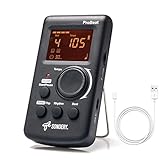
- Direct and fast setting of beat, tempo, rhythm by buttons and knobs. Easily reading color screen helps a lot to understand what you want out of your Sondery brand ProBeat digital metronome.
- Vocal counting option, and 3 types of digital sounds. Big sound out of a speaker. While the LED light on the top gives a clear visual tempo indication and the earphone plug is great for practicing without click or during performance.
- Easily setting tempo by a rotary dial ranging from 40 to 208bpm. 10 beat patterns including 0, 1, 2, 3, 4, 5, 6, 7, 8, 9. And Sondery ProBeat metronome covers all the needs of different rhythm training.
- Tap function allows you to enter your own tempo by each 2 taps. Timer function to set practice time length at 15 minutes, 30, 45 and 60 minutes. Sondery digital metronome helps improving your timing in a rich variety of musical styles.
- Digital metronome is powered by chargeable Li battery inside. Charge ProBeat metronome from any 5V USB power source. Pocket size 5*3*1inch. Weight only 0.26lb.
How should I prepare lyrics before prompting an AI rap generator?
Prepare a small, countable section first: four to eight bars, with one intended bar per line. This gives the generator a manageable rhythmic unit and makes errors easy to locate.
Write one bar per line
Use line breaks to mark bar boundaries rather than submitting a long paragraph. If a line is meant to spill into the next bar, say so explicitly. Punctuation can suggest a breath, while an em dash or a parenthetical note can mark a deliberate stop.
Late train, city lights, I keep the meter tight /
One step, two steps, leave a pocket for the night /
Hold that word, let the snare come through /
Then accelerate when the second half is due
The sample above is a communication aid, not notation that every model will obey literally. Read it aloud while counting the target beat. If you consistently rush a line, remove words before generating.
Mark delivery changes in plain language
Describe where the performance should change. For example: “Bars 1–4 are conversational eighth notes; bars 5–8 become denser sixteenth-note phrasing; leave a short rest at every line ending.” This is more informative than repeating “fast rap” in several ways.
Keep the first draft short
A short verse exposes timing problems before they are hidden by a full arrangement. Once the cadence works, expand the same instructions to a hook or a longer verse. Generate a new version after changing only one variable, such as line length or rest placement, so you can tell what caused an improvement or failure.
What should I include in the AI prompt?
State the musical and rhythmic requirements separately. Include genre, numeric BPM, meter, bar count, vocal entrance, phrase density, stress or rest instructions, and whether the model must use your words exactly.
A useful starting prompt is:
Rap verse intended for 92 BPM in 4/4, 8 bars. Use the lyrics below exactly. Conversational delivery for four bars, then denser eighth-note phrasing for four bars. Enter on beat one, emphasize the final stressed word of each line, and leave a short rest at each line ending. Keep the beat uncluttered.Follow that direction with your bar-separated lyrics. If you want a pickup before the first downbeat, write “enter two eighth notes before beat one.” If the vocal should begin after an instrumental introduction, specify the number of bars.
What’s actually slowing this PC down?
Pick the symptom - the matching free tool is one click away.
Also popular on Amazon

- 🎵[Modern and Classic Design] : SDREAM Digital Metronome with LCD display makes practice much easier.This Electronic metronome retains the classic pyramid-shaped design while incorporating elements of modern style. It not only inherits the classic appearance but also improves its precision and ease of use. Moreover, they are durable.
- 🎵[Feature Rich Metronome]: There are two voice options: human English voice beats / electronic metronome beats. The digital metronome for guitar has 10 rhythm patterns.Direct and fast setting of metronome speed, beat, tempo, rhythm by buttons on SDREAM digital metronome.The tempo speed can be easily set within the range of 40 to 208 beats per minute.
- 🎵[Rechargeable Modes]: You can also use the Type-C charging cable provided by SDREAM store for power supply which can work for more than 8 hours. It also has a 3.5mm headphone jack for Immersive practice without disturbing others.
- 🎵[Suitable for all instruments]: SDREAM Digital Metronome is highly suitable for both beginners and seasoned musicians,10 beat patterns including 0, 1, 2, 3, 4, 5, 6, 7, 8, 9 meeting the requirements of playing all musical instruments such as piano, guitar, violin, bass, ukulele, trumpet, Harmonica, Saxophone, drum, etc. Universal metronome with vocal counting is the best gift for family and friends.
- 🎵[Compact and convenient]:This electronic metronome for piano is only the size of a palm and Weight only 0.29lb. Digital metronome for musicians is compact and easy to carry. SDREAM digital metronome for piano can be easily put in a pocket or a musical instrument bag. Especially for those who need to practice or perform outside frequently,the portability advantage of digital metronome is more obvious.
Numeric BPM versus tempo feel
Use both. “92 BPM” supplies a measurable target; “relaxed, behind-the-beat delivery” supplies an interpretation of that target. A numeric instruction alone cannot decide whether the rapper should sound laid-back or tightly quantized.
Meter and subdivision
“4/4 with mostly eighth notes” is clearer than “medium speed.” For a busier passage, request “sixteenth-note bursts with rests on the last eighth note of each bar.” Avoid demanding continuous maximum density unless the lyric has enough space for consonants to remain intelligible.
Lyrics, style and safety constraints
Identify whether the words are yours and whether they must be preserved verbatim. Google’s Lyria 3.5 documentation says prompts requesting specific artist voices or copyrighted lyrics can be blocked. The same documentation states that generated audio contains an imperceptible SynthID watermark. Do not assume that a style label overrides those restrictions.
Which AI workflows can target a rap BPM?
Services differ in whether BPM is a numeric control, a free-text suggestion, or merely a description of feel. None of the documented options below should be treated as proof of an exact lock on the final vocal timing.
Free tools Windows power users keep installed
One-click scans. No signup required.
| Workflow or service | What the documentation describes | What it does not establish |
|---|---|---|
| Google Lyria 3.5 | Google’s developer documentation accepts BPM and rap or hip-hop descriptions in prompts. Its Clip model produces 30-second clips; its Pro model produces songs lasting a couple of minutes, with duration influenced by the prompt. | No documented guarantee that a rap vocal lands at the requested BPM. Music generation is single-turn; Google says iterative editing through multiple prompts is not supported in the current version, and results can vary between calls. |
| Suno | The official AI Beat Maker page describes custom mode for user lyrics, an instrumental option, prompts for style, mood, energy and tempo feel, stem separation, and a browser-based Studio DAW. | The reviewed page does not document a numeric tempo lock for a generated rap vocal. Treat BPM wording as prompt steering unless current official documentation adds a more exact control. |
| Octaverum | Its AI rap generator describes a prompt-to-rap process that can create lyrics, beat and performance or perform user-supplied lyrics. Its examples include BPM directions. | Examples are vendor claims, not an independent measurement of tempo accuracy or vocal alignment. |
| Beat-conditioned vocal workflow | Supply an existing, fixed-tempo beat to a vocal-generation feature or arrange the generated vocal against that beat in an audio editor or DAW. | The vocal can still vary in phrasing, and the beat may contain tempo changes. You must check the rendered result and confirm that the tool accepts your file and preserves its tempo. |
For a precise project, the last workflow has the clearest logic: establish the beat first, then condition the vocal on it. When a service only invents the beat and vocal together from text, BPM is an instruction rather than a measured constraint. No comparative benchmark establishes universal tempo accuracy across these services.
How do I generate and verify a cadence step by step?
Use the following loop before building a full song around a draft.
- Choose the target pulse. Pick a BPM and write down the intended feel, such as “92 BPM, relaxed eighth notes” or “140 BPM, half-time, sparse first four bars.” If you already have a beat, identify its tempo with the project’s tempo display or a BPM detector.
- Count the meter. For 4/4, count “one, two, three, four” and decide whether the vocal begins on beat one, an upbeat, or a pickup before the downbeat.
- Draft four to eight bars. Put one bar on each line. Read the lines aloud over a metronome at the target BPM. Shorten any line that forces you to rush or omit consonants.
- Add delivery directions. State density, stress, rests, swing or straight subdivisions, and any change between sections. Keep the instructions concrete and in separate sentences.
- Generate a short clip. Do not begin with a complete song. A short draft lets you hear whether the beat itself is near the target and whether the vocal enters where requested.
- Check the rendered beat. Run the audio through a BPM detector or audio editor. Detectors can interpret the same performance as half-time or double-time, so compare the number with a manual count and the musical feel.
- Audit stress placement. Count along while listening. Ask whether the important syllables land on intended strong beats, whether line endings leave the requested space, and whether dense passages remain intelligible.
- Change one dimension. If the line is crowded, edit the lyric; if the delivery is too busy, lower phrase density; if pauses disappear, state their positions more explicitly. Generate again without changing every instruction at once.
- Build the arrangement only after the check. Once the beat and vocal agree, add sections, transitions and edits. If the tempo must remain dependable, keep the project locked to the verified beat and align subsequent material to that grid.
Why do AI rap generations miss the requested BPM?
A prompt can be understood as a creative brief rather than a transport control. The model may satisfy the mood and lyrical pattern while drifting in tempo, interpreting the meter differently, or producing a vocal whose perceived speed changes through density.
Also popular on Amazon

- Enhanced Design Upgrade – The SQ-50-V improves on the classic SQ50 with a sleek new look, upgraded interface, and even easier operation for musicians of all levels.
- Precision Tempo Control – Effortlessly set tempos from 40 to 208 BPM using the intuitive 39-position rotary dial—ideal for dialing in accurate timing for practice or performance.
- Adjustable Volume & Click Options – Choose between two distinct click tones (high or low) and adjust the volume to suit your environment—perfect for solo practice or group rehearsals.
- Built-In Tone Generators (A & Bb) – Tune your instrument with the built-in A=440Hz tone or the optional Bb tone, making this metronome a versatile tool for brass, strings, and woodwind players alike.
- Visual Beat with LED & Earphone Jack – Follow the beat with a red LED light for visual cueing, or combine it with audible clicks. Includes an earphone jack for silent practice in any setting.
| What you hear | Likely reason | Targeted correction |
|---|---|---|
| The beat feels slower or faster than the number. | The generated audio drifted, or a detector selected a half-time or double-time interpretation. | Verify with a manual count and a second detector or editor. Compare the result with the downbeat and snare placement before rewriting lyrics. |
| The first bars fit but later lines run out of space. | Line lengths are inconsistent or the model increased syllable density. | Mark each bar, remove filler words, and request a specific density change rather than “rap faster.” |
| The words land on weak parts of the beat. | Stress and syncopation were not specified, or the model treated prose punctuation as optional. | Identify the stressed word in each line and request accents on named beats or subdivisions. |
| There are no audible pauses. | Rests were implied rather than stated. | Request a short rest at each line ending, or write an explicit pause marker in the lyric and explain what it means. |
| The vocal sounds double-time at a moderate BPM. | The beat is being counted at the half-time level while the vocal uses twice as many subdivisions. | Decide whether the musical pulse or the syllable subdivision is the reference, then state both in the prompt. |
| Each regeneration changes the rhythm. | Generative calls can vary, and some systems do not support iterative editing of an existing clip. | Save the best take, preserve the verified beat, and use a beat-conditioned or DAW editing workflow when repeatability matters. |
How do half-time and double-time counting change the result?
Half-time and double-time are counting interpretations, not necessarily different audio speeds. A track around 92 BPM may be felt with a 46 BPM backbeat or counted as 184 BPM subdivisions. The same waveform can therefore receive different detector readings while remaining musically consistent.
Outdated Drivers Are Slowing You Down
One free scan finds every outdated or missing driver and matches the right update for your exact hardware.Free scan · exact hardware matchPC Slower Than It Used to Be?
A free scan shows the junk files, broken settings and background clutter dragging Windows down - then fixes them in one click.Free scan · Windows 10 & 11Half-time feel
In a half-time feel, the snare or principal backbeat may arrive less frequently relative to the counted pulse. Request “92 BPM, half-time feel, spacious vocal entrances” if you want a broad, heavy delivery rather than a literal 46 BPM project.
Double-time delivery
Double-time delivery keeps the underlying beat but doubles the apparent syllable activity. Say “92 BPM beat with double-time sixteenth-note vocal phrasing” instead of changing the project to 184 BPM unless you genuinely want the entire arrangement at 184.
How to settle an ambiguous detector reading
Set a metronome to the candidate BPM and count the downbeats for at least several bars. Then clap or tap on the snare. The number that makes the principal accents line up with the count is the useful working tempo; record whether you are using the half-time or double-time interpretation in the project notes.
What does rap-generation research reveal about cadence?
Research systems reinforce why lyrics and accompaniment need to be considered together. The 2024 paper “Drop the Beat! Freestyler for Accompaniment Conditioned Rapping Voice Generation” describes rapping-vocal synthesis conditioned on lyrics and accompaniment and reports beat-alignment results. Its authors report a RapBank collection of 92,371 rap songs totaling 5,586 hours, and a segmented set of 2,499,904 rap clips totaling 4,353 hours. Those are paper-reported dataset totals, not measurements of the consumer market or a guarantee for a commercial generator.
Do these 3 things before closing this tab:
1Repair Windows errors before they cause bigger problems2Scan for outdated or missing drivers - takes under a minute3Clear out junk files and repair common Windows errors“DeepRapper: Neural Rap Generation with Rhyme and Rhythm Modeling” (2021) models rhyme and rhythm together and represents beat symbols in lyrics. That approach supports a practical lesson: rhyming words alone do not define a cadence. The positions of syllables and rests must be represented as deliberately as the rhyme scheme.
For a user, the implication is simple: provide rhythmic structure in the prompt and lyric layout, not just a topic and a list of rhymes.
Also popular on Amazon
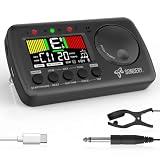
- 3 in 1 metrotuner. The MetroTune combines a tuner, a metronome and a tone generator in a pocket size device. Equipped with beautiful colors screen, 3 indicators, loud speaker, Mic and cable jack detections, earphone output, volume wheel and folding kickstand to make operation super easy.
- English vocal metronome with tap tempo. A broad range of tempo 30-260bpm, setting self tempo by tap, beats from 0 to 9, and various 8 rhythms. English vocal counting greatly helps follow the timing under a correct beat.
- Versatile tuner. The fast and accurate tuner features various tuning items for chromatic, guitar, bass, ukulele, acoustic guitar, electric guitar, violin, mandolin, piano, saxophone, trumpet, and other wind instruments, and also 12 different tuning keys, with pitch calibration from 410Hz to 450Hz, by tuning method using internal mic or enclosed pickup cord.
- Jog dial designed to easily use. The JOG Dial allows you to easily and quickly get a desired tempo for metronome, and to swift to a pitch in the Tone Generator and the Tuner.
- Power rechargeable. Plug to 5V USB power source with enclosed type C USB cord to charge the device. Equipped with a large LCD color screen and LED indicator, making it very user-friendly, especially in dark environments. MetroTune comes with instructions in seven languages, making it easy for musicians around the world to use.
Can I use an existing beat for more reliable timing?
Yes. A fixed-tempo beat gives the vocal generator or your editor an external timing reference. Upload the beat where the service supports beat-conditioned vocals, or place the generated vocal and beat in a DAW whose project tempo matches the verified file.
Check the beat for tempo changes before assuming it is constant. A file that begins at 92 BPM and accelerates later cannot be represented by one project number without additional automation. If the tool generates lyrics from an uploaded beat, review whether it promises to preserve the beat’s tempo or merely uses it as inspiration.
Quick wins for a faster PC:
Repair Windows errors before they cause bigger problemsFix Now →Fix the driver behind crashes, sound loss and screen glitchesFind Drivers →Clear out junk files and repair common Windows errorsFree Scan →When an input-beat workflow is preferable
- The instrumental has already been arranged and must not change.
- You need the vocal to enter on known bars or transitions.
- You intend to edit stems separately.
- A client or collaborator has supplied a reference track with a fixed grid.
When text-to-song generation is adequate
Generating beat and vocal together is useful for sketching ideas, testing a cadence concept, or exploring styles before production. Treat the result as a draft until its tempo and stress placement have been checked.
What export, editing and rights issues should I check?
Confirm the service’s current plan and terms before releasing a track commercially. Rights, stem access, regeneration limits and permitted uses can differ by account tier and can change over time. A paid subscription is not a universal promise that an output is original, non-infringing or eligible for copyright protection.
Google’s Lyria 3.5 documentation identifies two additional constraints: prompts for specific artist voices or copyrighted lyrics may be blocked, and generated audio carries an imperceptible SynthID watermark. Preserve your source lyrics, prompt and project files so you can document what you supplied and what the system generated.
If you export stems, keep the original beat, vocal and tempo map together. A stem that sounds aligned in one editor can appear off-grid in another if the sample rate, start offset or tempo interpretation changes. Render a short alignment check before committing to a full mix.
Is an exact BPM lock available for AI rap vocals?
There is no universal exact-BPM control established by the documented products here. Some interfaces accept a number, some accept only a tempo feel, and some can use an existing beat; all still require an audition and measurement of the rendered audio.
Also popular on Amazon

- Compact 3-in-1 Design: Combines a digital metronome, chromatic tuner, and tone generator in one pocket-sized unit. Easy to carry in your instrument case—perfect for daily practice, music lessons and performances
- Versatile Digital Metronome: Adjustable tempo from 30–260 BPM, 10 beat patterns (0–9), and 8 rhythm styles help you improve timing and groove across multiple musical genres
- Fast, Precise Tuning for Multiple Instruments: Supports A0–C8 tuning range, A4 calibration (430–450Hz), and ±0.5 cent accuracy. Ideal for guitar, bass, violin, ukulele, mandolin, flute, trumpet, and other string or wind instruments. (Note: This AMT-560 tuner is not suitable for piano tuning. )
- Clear Backlit Display & Multi-Sense Feedback: The large LCD screen with 45° angled design ensures perfect readability in any light. Combined with bright LED lights and clear sounds, it provides intuitive visual and auditory rhythm cues. Adjustable volume and headphone jack allow silent or loud practice anywhere
- Practical Tone Generator for Ear Training: Quickly switch modes to generate precise reference tones. An essential tool for developing intonation, perfect pitch, and meeting specific rehearsal or performance requirements
The practical standard is therefore verification: count the beat, inspect the file in an editor, listen for stress placement, and revise the smallest possible part of the prompt or lyric. If timing is contractual or must match an existing arrangement, generate against a verified beat and retain the DAW’s tempo grid rather than relying on a text instruction alone.
What is the dependable workflow in one sentence?
Write four to eight bar-separated lines, describe BPM and feel plus density and rests, generate a short draft, measure and count the result, then revise one rhythmic dimension at a time before expanding the song.
Frequently Asked Questions
Can an AI generator keep my lyrics word-for-word?
Some tools offer a custom-lyrics mode, but exact adherence is a feature of a particular mode rather than a property of AI music generation in general. Paste the lyric in clearly separated bars, state that wording must remain unchanged, and inspect the vocal for dropped, repeated or substituted words.
Why does the same rap prompt produce a different cadence each time?
Generative systems can vary between calls, even when the text is unchanged. Save the audio and prompt for any take you want to keep, and use a fixed instrumental plus editing tools when you need repeatable entrances.
How many bars should I generate before writing a full song?
Four to eight bars are enough to expose whether the line length, stress pattern and rests fit the beat. Expand only after that short section survives a metronome count and a listen on the rendered audio.
Do I need a physical metronome for this workflow?
No. A DAW click, audio editor or free BPM checker can provide the reference pulse. A dedicated metronome is simply a convenient practice option for rehearsing the lyric before generation.
What should I document if the track will be released?
Keep the prompt, lyric source, generated files, beat version, tempo map and the provider’s terms in effect for the account and date used. This record helps distinguish your supplied material from generated material and preserves the conditions under which you received the output.
Recommended Free Tools
Quick Recap
Product prices and availability are accurate as of the date/time indicated and are subject to change. Any price and availability information displayed on Amazon at the time of purchase will apply.

