
The Tool Desk
Outbyte Driver Updater FREEScan for outdated or missing drivers - takes under a minuteDriver Scan →Outbyte PC Repair FREERepair Windows errors before they cause bigger problemsFix Now →If Chrome crashes only when a screenshot runs on a schedule, compare the scheduled launch with a successful manual launch before changing screenshot timing or adding flags. Check the exact Chrome binary and arguments, the account and service context, and whether Chrome itself or the automation driver is the process that exits. On Linux, a job running Chrome as root is a documented common startup-crash cause; configure it to run as a regular user instead.
The operating system, scheduler, Chrome version, automation framework and error are not specified here, so the steps below isolate likely differences rather than diagnose one particular machine.
1. Identify which process crashes
A screenshot job can involve Chrome, ChromeDriver or another automation harness. Those are distinct failure points: Chrome may fail to start or close unexpectedly, while the driver may crash independently. ChromeDriver’s troubleshooting page specifically covers ChromeDriver crashes, not Chrome crashing or closing: ChromeDriver crashes.
Before changing the job, record the details needed to reproduce it:
#1 Best Overall

- Processor and Memory Configuration: Features an Intel Celeron 3865U Processor with 4GB DDR4 Memory, Gigabit LAN, 802.11ac Wi-Fi and 32GB M.2 SATA SSD
- Android App Compatibility: Full support of Android apps from Google play on Chrome OS
- 4K UHD Graphics Display Support: Integrated Intel 4K UHD Graphics supports 2x monitors using HDMI and DisplayPort over Type C for compatibility with legacy Display connections like VGA and DVI
- Wireless Connectivity and File Sharing: Share files or stream your favorite media with Intel 802.11ac Wi-Fi, Bluetooth 4.2, and USB 3.1 Gen 1 Type a & Type C Ports
- Power Over Type C Technology: Power over Type C minimizes cable clutter and delivers power to monitors, projectors, and mobile devices
- The Chrome executable path and version, plus whether the job invokes current Headless Chrome or the separate legacy shell binary.
- The complete command-line arguments and exit status.
- Standard output and standard error, and the scheduler’s configured user and working directory.
- Which process exits: Chrome, ChromeDriver or the surrounding scheduler or script.
For WebDriver jobs, inspect the ChromeDriver log to confirm which Chrome binary is actually being launched. A scheduled job may use a different installation from the one opened manually.
2. Compare manual and scheduled launches
Chrome’s startup troubleshooting guidance is intended for failures in special test harnesses and continuous-build environments. It recommends testing the same binary with the same switches outside the harness, then testing Chrome directly in the failing environment before involving WebDriver: Chrome doesn’t start.
Rank #2

- Intel Celeron 7305 Processor with pre-installed 8GB DDR4 RAM, 128GB M.2 PCIe G4x4 NVMe SSD, Quad-display, Wi-Fi 6E & Bluetooth, Gb Lan, USB-C, Chrome OS, and VESA Mount
- Dual HDMI, one DP, and one USB-C support up to four 4k displays
- 2.5 Gbps Ethernet and dual-band Intel WiFi 6E for strong, stable signals and superfast speeds
- Titan C security chip & Kensington lock slot for business-grade security
- Run the exact Chrome executable with the exact scheduled arguments from a normal-user command prompt. If it also fails there, investigate the installation; Chrome’s guidance suggests reinstalling if Chrome itself cannot start.
- Launch Chrome directly from the scheduled or test environment, without WebDriver or ChromeDriver. This helps separate a browser startup problem from a harness problem.
- Compare the successful and failing contexts. Check the binary, arguments, user account, service context and working directory. Change one relevant difference at a time and rerun the test.
If the same binary and arguments work manually but fail only under the scheduler, focus on the scheduler’s account and environment rather than immediately changing screenshot options.
3. Check the scheduled account, especially on Linux
On Linux, Chrome identifies running as root as a common cause of startup crashes and recommends configuring the environment to run Chrome as a regular user. The --no-sandbox flag may appear to get around root execution, but Chrome describes that setup as unsupported and highly discouraged. Do not treat it as a routine reliability fix.
Rank #3
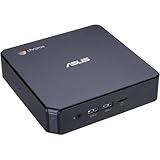
- CHROMEBOX 3-N7068U features an 8th Generation Intel Core i7-8550U processor with 8GB DDR4 memory, Gigabit LAN, 802. 11ac Wi-Fi and 128GB M. 2 SATA SSD
- Full support of Android Apps from Google Play on Chrome OS
- Integrated Intel 4K UHD graphics supports 2x Monitors using HDMI and DisplayPort over Type C
- Share files or stream your favorite media with Intel 802. 11ac Wi-Fi, Bluetooth 4. 2, and 5 x USB 3. 1 Gen 1 Type A & 1x USB Type C ports
- Optional Power over Type C minimizes cable clutter and delivers power to monitors, projectors, and mobile devices.
If a scheduled service uses a different account from your interactive session, test Chrome under the service account and correct the account or service configuration where needed. Chrome’s startup guide also notes that its alternate installer, which installs Chrome for all users, can often resolve background-service issues.
4. Confirm the Headless Chrome implementation
Current Chrome Headless runs with --headless and does not require a visible UI. Chrome says the implementation was updated in Chrome 112: Chrome creates platform windows but does not display them, and Headless shares the regular Chrome implementation. Since Chrome 132.0.6793.0, the old Headless implementation is available only as the separate chrome-headless-shell binary. See Chrome Headless mode.
Rank #4

- 【NEW GENERATION CPU】 The KAMRUI GK3Plus Mini PC is powered by the latest 12th Gen Alder Lake-N95 processor (up to 3.4GHz, 4 cores, 6MB cache), Mini computer delivering 35% improved CPU performance and 12% enhanced GPU efficiency compared to (N150/N5095). mini pc ensures efficient multitasking and provides a smooth experience whether you're browsing the web, transferring data, or handling complex office tasks.
- 【16GB DDR4 & 1TB SSD, upgradable to 2TB】KAMRUI N95 mini PC comes with 16GB (2*8)DDR4 dual-channel RAM and 1TB M.2 2280 SSD, mini pc enabling smooth handling of high-performance tasks while providing ample storage for your files and application. If you want more storage space, you can also add M.2 NVMe PCIe 3.0 SSD or M.2 SATA SSD to expand the memory storage to 2TB.
- 【UHD Graphics & 4K Triple Screen Display】The mini desktop computer is equipped with UHD Graphics (maximum dynamic frequency of 1.20 GHz) and supports 4K@60Hz Triple -screen display, Whether you're watching movies, or handling high-resolution content, the vivid color accuracy and smooth frame rates ensure a stunning visual experience. Micro pc With 2 × HDMI 2.0 port and 1 × VGA port, you can easily connect two monitors, reducing wait time and doubling efficiency for work, entertainment, and creative tasks.
- 【Stable WiFi & Fast BT】 KAMRUI micro computer comes with Gigabit Ethernet supports. Built-in WiFi and Bluetooth enables you to connect multiple wireless devices such as mice, keyboard, monitoring equipment, printer and monitor. High-speed wireless connection technology, reliable and efficient transmission speed, providing a faster internet experience for browsing. Small mini pc supports Wake On LAN, PXE Boot, RTC Wake and Auto Power On, ideal to use as a server.
- 【Compact Yet Powerful Mini PC】The mini computers measures just 3.94 inches × 3.94 inches × 1.42 inches, with a compact and lightweight design that fits neatly into any setup. The included VESA mount allows for easy attachment of the desktop computers to the back of a monitor, saving valuable desktop space and maintaining a clean, organized workspace.
Check the executable path and version in the scheduled command rather than assuming that a flag supported by one binary works in another. Chrome’s older shell guide is marked deprecated, so treat its examples as historical context and confirm options against the binary actually installed: Chrome Headless shell.
5. Adjust capture timing or dimensions only after Chrome starts
If Chrome launches and produces an image, but the image is blank, captured too early or clipped, investigate capture settings separately from the crash. The current Chrome command-line reference documents these options: Headless Chrome command-line options.
Quick wins for a faster PC:
Clear out junk files and repair common Windows errorsFree Scan →Scan for outdated or missing drivers - takes under a minuteDriver Scan →Repair Windows errors before they cause bigger problemsFix Now →Best Value

- 【SER3 Next-Gen Light Office Mini PC】Beelink Mini pc New SER3 AMD Ryzen 3 3200U Processor (2.6-3.5GHz 2C/4T),with Radeon Vega 3 Graphics 3core 1200 MHz, Light office, 4K multimedia playback, virtual machine, NAS, meeting all your daily needs, Beelink mini pc is only 4.88 x 4.44 x 1.65 inches and takes up only 1/40
- 【8GB DDR4 RAM+ 480GB PCIe3.0 SSD】SER3 Beelink mini pc comes with 8GB SODIMM DDR4 memory, dual-channel memory expansion slots supports up to 32GB (2x16GB) expansion, you can also replace the 480GB SSD up to 2TB (excluded) M.2 PCIE3.0 x4(2280) slot (Incompatible with SATA3 SSDs), or add a 2.5inch 7mm HDD(max 2TB, excluded) to expand the storage. Large capacity brings quicker load times across your entire catalogue of apps and programs
- 【USB3.2 + WiFi 5 + BT 5.0】Beelink AMD Ryzen 3 3200U Mini Desktop Computer is equipped with rich interfaces: USB3.2x4, HDMI x2, 1000M LANx1. The transmission rate of USB3.2 is up to 10Gbps, 21 times faster than USB2.0. WiFi 5 (802.11ac) Bluetooth5.0 lower latency , more stable and efficient to connect to multiple wireless devices such as projector, printer, monitor, speakers and etc
- 【Improve Work Efficiency】SER3 Dual HDMI prots allow you to expand your viewing area to enjoy better experience and multi-task easily, i.e. web browsing, design, 4K videos playback, online class, perfectly valid as a multimedia center to use KODI, IPTV or use as a digital signage and brings true-to-life 4K@60Hz visual feat to the audiance
- 【Why Beelink Mini PC】Beelink SER3 VESA mount can hide the micro pc behind a monitor or HDTV like an all-in-one pc, free you from messy desktop, Cooling system Large fan and dual heat conduction tube,make heat dissipation more efficient,3200U Mini desktop pc also supports Wake On LAN, RTC Wake, Auto Power On, a great to use as a server for media (Plex or FTP)
--screenshotsavesscreenshot.pngin the working directory.--window-sizesets the viewport dimensions.--timeoutsets the maximum wait before screenshot, DOM or PDF capture.--virtual-time-budgetprovides a time budget for time-dependent page scripts.
These options affect what is captured and when; they do not establish or repair Chrome process stability. Increasing a wait time will not fix a browser that exits during startup.
Independent reader supportYour contribution helps us test, update, and keep practical guides available for everyone.6. Troubleshoot by symptom
| Symptom | What to check | Next action |
|---|---|---|
| Chrome fails both manually and on schedule | Executable path, installation and exact launch arguments | Verify the installed binary and test it directly; Chrome’s guide suggests reinstalling when Chrome itself will not start. |
| Chrome works manually but fails in the scheduled job | Scheduled user, service context, working directory and binary used | Launch directly from the scheduled environment, then correct the context difference. On Linux, ensure Chrome runs as a regular user, not root. |
| Chrome starts, but the screenshot is empty or incomplete | Viewport and page readiness or timing | Review --window-size, --timeout and --virtual-time-budget; these affect capture output rather than startup stability. |
| ChromeDriver exits or crashes while Chrome remains available | Which process actually failed and the ChromeDriver log | Use the ChromeDriver crash guidance; do not apply Chrome startup fixes to a driver-only crash. |
| A Headless flag or binary behaves differently after an update | Chrome version and whether the command uses unified Headless or chrome-headless-shell |
Confirm the installed binary and its supported options in Chrome’s current documentation. |
Or skip the browser setup
If you need screenshots without maintaining a scheduled Chrome environment, ScreenshotNeo is a screenshot API and MCP server. One GET request can return an image or PDF; its clean-shot options accept cookie or consent banners and remove more than 60 known consent platforms, newsletter popups and chat widgets before capture. Each of those steps can be turned off. Bot checks, blank pages, timeouts, failed loads and cache hits cost nothing, and response headers report the page verdict and billing status. AI agents can use its MCP server tools to take screenshots, get page information and capture PDFs.
Here is a runnable cURL example; see the ScreenshotNeo documentation for request options:
curl -G "https://api.screenshotneo.com/v1/shot" -d access_key=YOUR_API_KEY --data-urlencode url=https://stripe.com -o shot.webpScreenshotNeo’s free plan includes 1,000 screenshots per month with no card; paid plans start at $5 for 3,000. Sign up for 1,000 free screenshots a month—no card required.
What’s actually slowing this PC down?
Pick the symptom - the matching free tool is one click away.
Quick Recap
Product prices and availability are accurate as of the date/time indicated and are subject to change. Any price and availability information displayed on Amazon at the time of purchase will apply.

