
A Sonic game that will not download or install can be failing because of the store, account, network, storage, cached data, permissions, or damaged game files—not necessarily because of the game itself. First identify the title, platform, exact error, and point where the process stops. The official steps below cover Steam on PC and PlayStation 4 and 5; menus can change, so follow the platform-specific support pages linked here.
First, identify where the failure happens
Before changing settings, note the exact Sonic title and edition, platform or launcher, whether you own a digital or disc copy, the full error text or code, and what the download or install is doing. A transfer that will not start, one that stalls, an installation error, an update failure, and an installed game that will not launch can have different causes.
- Check the platform’s service status before repeatedly retrying.
- Confirm you are signed into the account that owns the game or has access to it.
- Note whether the platform reports a storage, network, permissions, or file error. Keep the error code intact when seeking support.
The troubleshooting below is specific to Steam and PlayStation. For Xbox, Nintendo Switch, or mobile, use that platform’s current official support instructions rather than applying these menu paths.
Fix a Sonic download or install problem on Steam for PC
Steam’s general Update & Installation Issues guidance applies to Steam installation and update errors broadly. It is not a Sonic-specific repair, and the Verify tool is for a game that is already installed.
#1 Best Overall

- Sonic the Hedgehog Pop Up Board Game - Bundle with Sonic Board Game for Kids with Pop Up Dice Plus Stickers, More | Sonic the Hedgehog Games for Birthday Party,
- This Sonic the Hedgehog pop up game includes a Sonic game board with die and moveable pegs. Perfect for ages 5 and up.
- Features your favorite Sonic the Hedgehog characters such as Sonic, Tails, Knuckles, and more. Perfect for kids of all ages, add this to your board game collection.
- Play the Sonic the Hedgehog pop up board game with your friends and family, or take it to birthday parties as a party favor and other events for more Sonic fun!
- Officially licensed Sonic the Hedgehog board game set for kids also includes bonus Sonic stickers and a Rex-Man door hanger.
- Restart Steam and your computer. Retry the download or update after both have restarted.
- Clear Steam’s download cache. Open Steam > Settings > Downloads > Clear Download Cache. Steam says this flushes locally cached configuration data and retrieves it again from Steam’s servers. You may need to sign in again afterward.
- Repair the Steam library folder. Open Steam > Settings > Storage, open the menu for the library containing the game, and choose Repair Folder. Steam notes that library folders need write permissions for updates to work properly.
- If the game is installed, verify its files. In Library, right-click the game and choose Properties > Installed Files > Verify Integrity of Game Files. Steam can identify and repair problems with installed files. This step cannot verify a game that has never finished installing.
- Try another download region. In Steam > Settings > Downloads, temporarily select a different Download Region and retry. Steam notes that a region’s content servers can be slow, overloaded, or experiencing hardware failure.
- Test another library drive if one is available. Storage devices can have problems, so trying a different drive can help determine whether the current drive or its available space is implicated. Consider buying another drive only after checking that storage is the issue and confirming compatibility with your PC and Steam library.
If Steam still reports an error, record its exact wording, including any parenthetical reason. Firewall interference or drive trouble may need separate investigation. Use Steam Support for the remaining error rather than assuming a reinstall will solve an unidentified cause. Do not casually uninstall Steam: Steam warns that uninstalling it deletes game content. Reinstalling Steam to the same location may preserve installed games, but it should not be your first troubleshooting step.
Fix a stalled or non-starting PlayStation 4 or PS5 download
For a transfer that is stuck or will not start, use PlayStation’s generation-specific directions in How to troubleshoot game downloads from PlayStation Store. The console menus differ between PS4 and PS5, so use the instructions for your model.
Rank #2
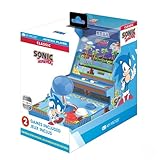
- 🕹️ Officially Licensed: This is an officially licensed SEGA Game Console, ensuring an authentic gaming experience. High resolution 3.5” full color display.
- 🎯 Games Included: Includes Sonic the Hedgehog and Sonic the Hedgehog 2. Capable of traveling at the speed of sound, Sonic is known for his speed, confident attitude and readiness for any and all types of adventure.
- 🕹️ Iconic Characters: A true hero, he calls upon his skills to save the world from Dr. Eggman. Sonic has a big heart and is always ready to help those in need.
- Headphone Jack: 3.5mm headphone jack lets you enjoy Sonic on the go on your own privately. Built-in speaker with volume control and adjustable screen brightness.
- Portable Gameplay: Powered by 4 AA batteries (not included) or by a USB-C cable (not included), this portable game lets you enjoy Sonic on-the-go.
- Pause the download, then resume it. If that does not work, cancel and delete the queued item and start the download again from your game library.
- Check PlayStation Network service status, install any available system software update, and confirm the console has enough available storage.
- If the transfer repeatedly fails, keep the displayed error code and follow PlayStation’s troubleshooting or support route for that message.
Fix a PlayStation game that shows a lock icon
A lock beside a game may indicate a license issue, rather than a stalled download. PlayStation says, “If you see a padlock icon next to a game, it could mean there’s a problem with the game’s licence.” Follow its account and license checks in the same PlayStation download troubleshooting guide:
- Sign in with the account that purchased the game and check its transaction history.
- If you access the title through PlayStation Plus, check that your subscription is active and the game remains available through it.
- Use PlayStation’s restore-license guidance. If another account owns the game, check the console-sharing or primary-console settings that govern access.
PS5 error CE-107527-2: follow the code-specific steps
For CE-107527-2, PlayStation lists a specific sequence in its PS5 error code CE-107527-2 instructions. These steps address that code; they are not a guaranteed fix for every Sonic installation problem.
What’s actually slowing this PC down?
Pick the symptom - the matching free tool is one click away.
Rank #3

- A new Spin on a Classic: You've never played classic Sonic like this before!
- Multiply, swim up waterfalls, change form, and more with the powers of the Chaos Emeralds.
- lay as Sonic, Tails, Knuckles, and Amy Rose, using their unique abilities to explore and uncover new paths and secrets.
- More Friends, More Fun: Play with up to 3 other players in local Co-op and challenge players from around the world in Battle Mode!
- Restart the PS5 and try the installation again.
- If possible, connect the console to the internet using a wired connection.
- Reconfigure the network settings. If using Wi-Fi, move the console closer to the router and reduce obstructions.
- Restart the router: turn it off, wait at least five minutes, then turn it back on.
- Open Settings > Storage, remove data from the failed installation, and download the game again.
When to contact support
If the platform-specific checks do not resolve the issue, contact the platform’s official support with the Sonic title and edition, platform, exact error text or code, failure stage, and steps already tried. That information helps distinguish an account or license problem from a network, storage, library-permission, or game-file problem. Do not assume a paid utility, new hardware, or reinstall will fix the issue until its cause is clearer.
The Steam product page retrieved for this topic is for the specific Sonic The Hedgehog listing, not every Sonic release. The Steam checks above are general Steam troubleshooting steps, while the PlayStation guidance applies to PS4 and PS5.
Quick Recap
Best Value

- 15 years in the making - After his 1991 debut, universal video game icon Sonic returns to his high-velocity roots to create a new dimension of entertainment.
- Speed Redefined - Utilizing next-gen technologies, light bloom, and environmental motion-blur effects, Sonic's breakneck speed and dazzling world come to life.
- Friends and enemies - Sonic is joined by friends and foes from the franchise history, as well as a new character, Silver, whose supernatural powers will wreak mayhem on Sonic's plans!
- Realistic World - Using a next-generation physics engine, Sonic's moves, attacks and environment interaction respond realistically to opposing forces.
- Two different types of stages - Town stages where Sonic will be able explore vast environments and play various sub-missions, and Action stages where Sonic's blistering speed will be utilized in full effect.
Rank #4

- Past meets present in SONIC GENERATIONS! Modern and Classic Sonic team up to defeat Dr. Eggman and the Time Eater to restore their timeline to normal!
- Spin dash through a greatest-hits collection of 3D and 2D versions of iconic stages from past Sonic games, now with updated visuals and reworked cinematics
- In this new standalone campaign, Black Doom has reemerged and threatens to take over the world. Shadow must journey into his past, confront his memories, and unlock new dark powers to save the world.
- Harness Shadow's new Doom Powers to battle hordes of enemies and tackle platforming challenges like never before. Surf on water, fly over obstacles, and stop time with the return of Chaos Control!
- Rescue Chao hiding in every level, rack up the highest pinball score in the Casino Nights zone, and check out the museum for behind-the-scenes art, music, and more!
Product prices and availability are accurate as of the date/time indicated and are subject to change. Any price and availability information displayed on Amazon at the time of purchase will apply.

